Java Stream Terminal Operations: How They Work
java stream terminal operations: Understand Java Stream terminal operations, how they trigger pipeline execution, and how to choose the right one for your data process...
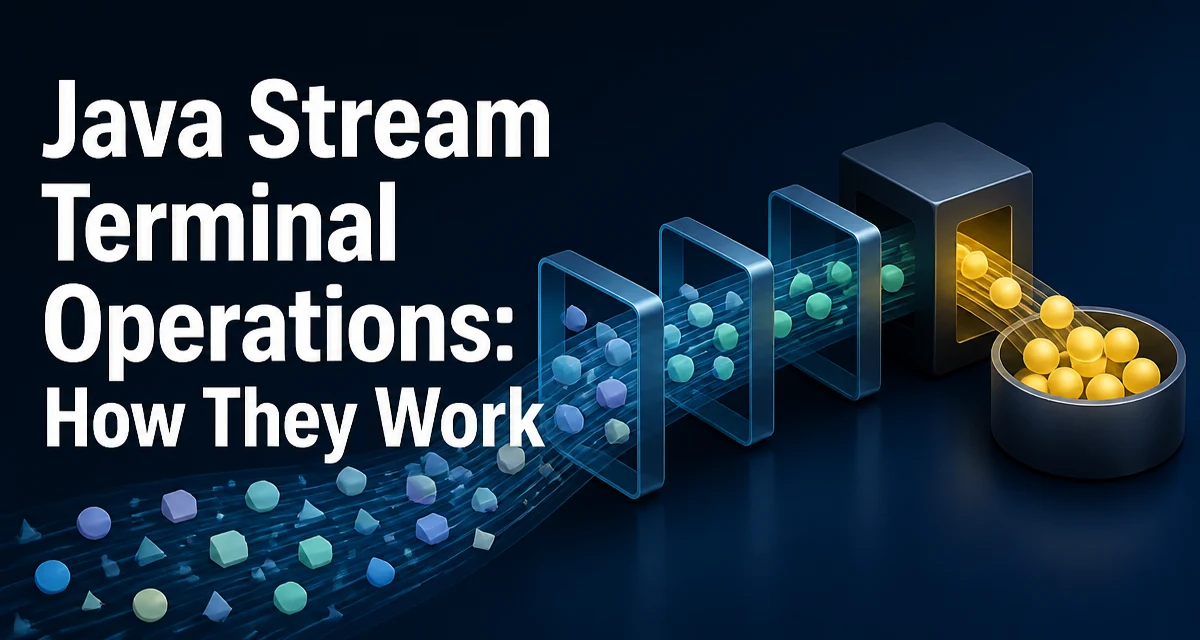
Java stream terminal operations are the methods that end a stream pipeline and produce a result or side effect. Without a terminal operation, the stream pipeline is never executed, because intermediate operations are lazy. Understanding how terminal operations behave is essential for writing correct and efficient stream-based code.
What Are Terminal Operations?
A stream pipeline consists of a source, zero or more intermediate operations, and exactly one terminal operation. Intermediate operations such as filter, map, and sorted are lazy: they do not process any elements until a terminal operation is invoked. The terminal operation triggers the entire pipeline and produces a non-stream result, such as a collection, a single value, or a boolean. Once a terminal operation is executed, the stream is considered consumed and cannot be reused.
The Java Stream API defines a fixed set of terminal operations. Each one serves a different purpose, and choosing the right one often determines whether your code is clear, efficient, and maintainable.
The Core Terminal Operations
Here are the most commonly used terminal operations, with examples of how they behave.
forEach
forEach applies a given action to each element of the stream. It returns void and is typically used for side effects such as printing or updating external state.
List<String> names = List.of("Alice", "Bob", "Charlie");
names.stream().forEach(name -> System.out.println(name));
collect
collect is the most flexible terminal operation. It accumulates stream elements into a mutable result container, such as a List, Set, or Map. The Collectors utility class provides common implementations.
List<String> filtered = names.stream()
    .filter(name -> name.startsWith("A"))
    .collect(Collectors.toList());
reduce
reduce combines stream elements into a single value using an associative accumulation function. It is useful for immutable reductions, such as summing numbers or concatenating strings.
int sum = numbers.stream().reduce(0, Integer::sum);
The identity value (here 0) is the initial value and also the result for an empty stream.
count
count returns the number of elements in the stream as a long.
long count = names.stream().filter(name -> name.length() > 3).count();
Matching Operations
anyMatch, allMatch, and noneMatch return a boolean indicating whether a predicate matches any, all, or none of the elements. These operations are short-circuiting: they may stop processing as soon as the result is determined.
boolean hasAlice = names.stream().anyMatch("Alice"::equals);
boolean allLong = names.stream().allMatch(name -> name.length() > 2);
findFirst and findAny
These operations return an Optional describing the first or any matching element. findFirst respects encounter order, while findAny is non-deterministic and better suited for parallel streams.
Optional<String> first = names.stream().filter(name -> name.startsWith("B")).findFirst();
min and max
min and max return the smallest or largest element according to a given comparator, wrapped in an Optional.
Optional<String> longest = names.stream().max(Comparator.comparingInt(String::length));
toArray
toArray converts the stream into an array. The no-argument version returns Object[], while the overloaded version accepts an array constructor reference.
String[] nameArray = names.stream().toArray(String[]::new);
The following table summarizes the return types and typical use cases.
| Operation | Returns | Typical Use Case |
|---|---|---|
forEach | void | Side effects on each element |
collect | Collection | Accumulate into a mutable container |
reduce | Single value | Immutable reduction |
count | long | Count elements |
anyMatch | boolean | Check if any element matches |
allMatch | boolean | Check if all elements match |
noneMatch | boolean | Check if no element matches |
findFirst | Optional | Get first matching element |
findAny | Optional | Get any matching element (parallel) |
min/max | Optional | Get extremum by comparator |
toArray | Array | Convert to array |
How Terminal Operations Trigger Stream Processing
Intermediate operations are lazy, so no elements are processed until a terminal operation is called. When you invoke a terminal operation, the stream implementation pulls elements from the source, applies intermediate operations, and then feeds the result to the terminal operation. This means that the entire pipeline is evaluated in a single pass, and elements are processed one by one unless the stream is parallel.
Some terminal operations are short-circuiting. For example, anyMatch may stop after the first matching element, and findFirst stops after the first element is found. This can significantly reduce work when the source is large or the intermediate operations are expensive. In contrast, collect and reduce always process all elements.
Choosing the Right Terminal Operation
Selecting the correct terminal operation depends on what you need to produce. Use forEach when you must perform an action for each element and do not need a result. Use collect when you want to gather elements into a collection or a custom mutable structure. Use reduce when you need to combine elements into a single immutable value, such as a sum or a concatenated string.
For boolean checks, prefer anyMatch, allMatch, or noneMatch over manual loops with flags. For finding an element, use findFirst or findAny and handle the Optional result. If you need the count, count is clearer than collecting and then checking the size.
When the stream might be empty, operations like reduce, min, max, findFirst, and findAny return Optional. You must decide how to handle the empty case, such as using orElse, orElseGet, or orElseThrow.
Performance and Resource Considerations
The choice of terminal operation affects memory usage and runtime. collect into a List or Set stores all elements in memory, which can be problematic for very large streams. reduce avoids storing intermediate results but still processes every element. Short-circuiting operations can reduce the number of elements processed, which is especially beneficial when the source is expensive to generate or the intermediate operations are costly.
Parallel streams can improve throughput for CPU-intensive operations on large datasets, but they introduce overhead and ordering concerns. Terminal operations like findAny and anyMatch are more parallel-friendly than findFirst and allMatch, which may need to coordinate to respect order. Also, the accumulator in reduce must be associative, and the stream must be stateless, otherwise parallel execution can produce incorrect results.
Common Mistakes and Pitfalls
One frequent mistake is trying to reuse a stream after a terminal operation has been called. Streams are single-use; calling a terminal operation a second time throws IllegalStateException. If you need to process the same data multiple times, create a new stream from the source each time.
Another pitfall is using forEach to mutate shared state. This can cause thread-safety issues in parallel streams and makes the code harder to reason about. Prefer collect or reduce when you need to produce a result.
Using reduce for mutable accumulation is also discouraged. For example, building a StringBuilder with reduce is inefficient because each step creates a new StringBuilder. Use collect with a supplier and accumulator instead.
Finally, forgetting to handle the Optional returned by findFirst or min can lead to NoSuchElementException if you call get() on an empty optional. Always provide a default or throw a meaningful exception.
Terminal Operations in Parallel Streams
When you call parallel() on a stream, the terminal operation is executed across multiple threads. The behavior of each terminal operation can change. forEach does not guarantee encounter order, while forEachOrdered does. findAny is non-deterministic but often faster than findFirst because it does not need to coordinate order. reduce requires an associative accumulator to produce correct results in parallel. collect is designed for parallel accumulation and is generally the safest choice when you need a mutable result.
Parallelism adds overhead for small streams, so it is only beneficial when the dataset is large and the per-element work is significant. Also, the source and intermediate operations must be stateless and thread-safe.
When to Use a Custom Collector
The built-in Collectors cover most needs, but sometimes you need a custom collector for a specialized accumulation. A collector consists of four functions: a supplier that creates the result container, an accumulator that adds an element, a combiner that merges two containers (used in parallel), and a finisher that transforms the container into the final result. Implementing a custom collector gives you full control over how elements are accumulated and can be more efficient than chaining multiple collect calls.
For example, if you need to collect elements into a Map with a custom merge policy, you can use Collectors.toMap with a merge function. For more complex structures, such as a graph or a multi-level map, a custom collector can keep the logic encapsulated and reusable.
Custom collectors are particularly useful when the accumulation process is stateful or when you want to avoid intermediate collections. However, they require careful implementation to ensure the combiner is associative and the accumulator is thread-safe for parallel streams. Start with built-in collectors, and only reach for a custom implementation when the built-in options are insufficient.