Java String Literal vs New String: Key Differences
java string literal vs new string: Understand the difference between Java string literals and new String(), including memory, interning, equality, and performance trad...
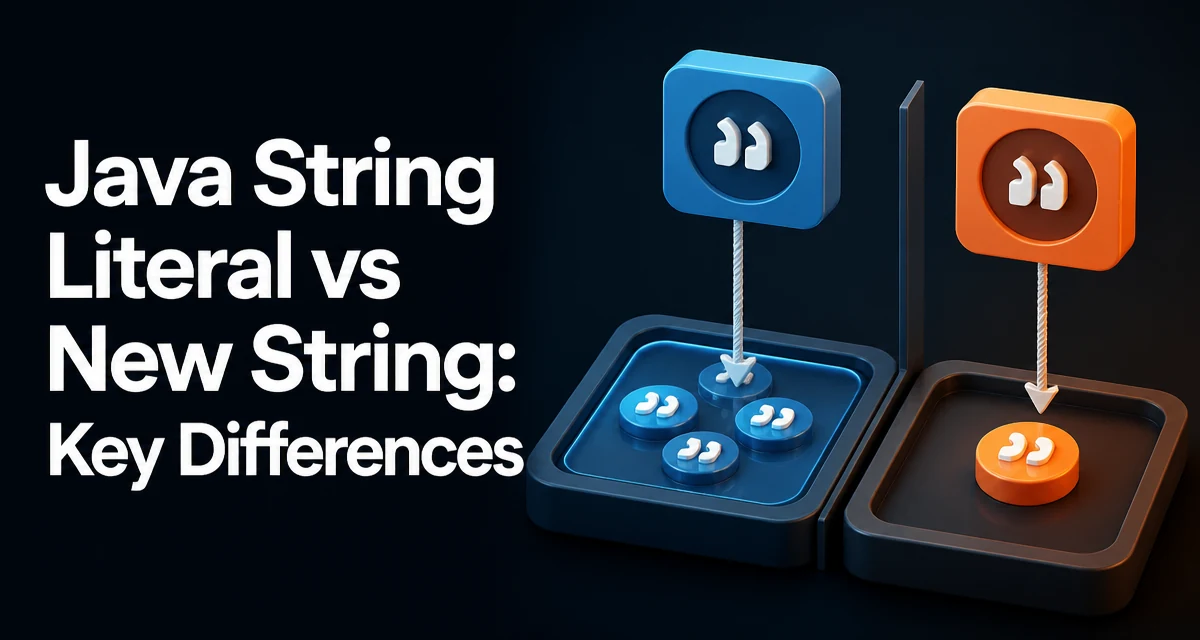
In Java, a String can be created as a literal, like String s = "hello";, or with the new keyword, like String s = new String("hello");. The two forms look similar but behave differently in memory, equality, and performance. Understanding the distinction between java string literal vs new string matters because it affects how your application uses memory and how comparisons behave at runtime.
How String Literals Are Stored
When you write a string literal, the Java compiler places it in the class file's constant pool. At runtime, the JVM loads that constant into the string constant pool, a special area of the heap. The JVM ensures that identical literals are shared: if the same sequence of characters appears in multiple places, they all reference the same String object.
String a = "hello";
String b = "hello";
System.out.println(a == b); // true
Here, a and b point to the same interned object. The == operator compares references, and because both variables reference the same pooled instance, the result is true. This sharing reduces memory when the same literal appears repeatedly across the application.
What new String() Actually Does
The new keyword forces the creation of a new String object on the heap, even if an identical sequence already exists in the string constant pool. The constructor does not check the pool; it allocates a fresh object with its own character array.
String c = new String("hello");
String d = new String("hello");
System.out.println(c == d); // false
System.out.println(c.equals(d)); // true
Each new String("hello") call creates a separate object. The == comparison returns false because the references differ. The equals method compares the character sequence, so it returns true. This behavior is the core difference between the two creation forms.
Equality and Reference Comparison
Java's == operator on objects checks reference identity, not content. For strings, equals checks the actual characters. This distinction is easy to overlook when comparing strings created in different ways.
String literal = "hello";
String object = new String("hello");

System.out.println(literal == object);        // false
System.out.println(literal.equals(object));   // true
Because literal points to the interned pool and object points to a separate heap object, the references differ. Always use equals when comparing string values unless you deliberately want to check identity. The == operator is safe only when you know both references point to the same interned instance, which is rarely guaranteed outside of literal-to-literal comparisons.
Memory and Performance Implications
String literals are interned, so they are stored once and reused. This reduces memory footprint when the same value appears many times. However, interning has a cost: the JVM must manage the pool and look up strings during class loading. In practice, the overhead is negligible for typical applications.
new String() always allocates a new object, which adds memory pressure and garbage collection work. If you create many String objects with the same content, you waste memory. The only common reason to use new String() is to explicitly create a copy that does not share the backing array with an existing string, particularly when you need to trim a larger string's memory footprint.
Consider the following scenario:
String large = readFromFile(); // a large string
String small = large.substring(0, 10);
Before Java 7, substring created a new String that shared the original character array. If the original large string became unreachable but small remained, the entire large array stayed in memory. In modern Java, substring copies the relevant portion, so this issue is less severe. Still, there are cases where you might want a true copy of a string to avoid retaining a larger backing array. In such cases, new String(existingString) creates a copy with its own array.
When to Use Which Approach
Use string literals for constants and any value that is known at compile time. They are concise, interned, and the default choice. For example:
public static final String STATUS_OK = "OK";
Using new String("OK") here is redundant and wasteful. The literal is already interned; the constructor creates a duplicate object that is not needed.
new String() is rarely necessary. It is useful only when you need an explicit copy of an existing string to break a reference to a larger backing array, or when you are working with legacy APIs that require a fresh instance. In most code, the literal form is correct.
If you ever need to intern a string created at runtime, you can call intern() explicitly:
String runtime = buildString(); // e.g., from user input
String interned = runtime.intern();
This adds the string to the constant pool if it is not already present and returns the pooled instance. Use this sparingly because the pool is not garbage collected and can grow indefinitely if you intern many distinct values.
Common Pitfalls and Edge Cases
A frequent mistake is using == to compare strings that were created through different paths. Even two literals are safe, but mixing literals and new String() objects breaks the assumption. Always use equals unless you have a specific reason to check identity.
Another pitfall is assuming that string concatenation always produces interned results. The compiler optimizes constant expressions, but runtime concatenation creates new objects:
String a = "hel";
String b = "lo";
String c = a + b; // creates a new String at runtime
String d = "hello";
System.out.println(c == d); // false
Even though c and d have the same content, c is not interned, so the reference comparison fails. This is a common source of bugs in code that relies on == for string comparison.
Also be aware that the string constant pool is not limited to literals. The intern() method can add runtime strings, but doing so indiscriminately can cause memory leaks. Reserve intern() for values that are known to be limited in number, such as enum-like constants.
Finally, note that new String() does not automatically intern the string. If you need an interned version, you must call intern() explicitly. The constructor simply creates a new object; it does not consult the pool. This is why new String("hello") is generally considered an anti-pattern: it creates an unnecessary duplicate that consumes memory and complicates comparisons.
Understanding the difference between string literals and new String() helps you write code that is both memory-efficient and correct. Prefer literals for constants, use equals for value comparisons, and reserve new String() for the rare cases where an explicit copy is genuinely needed.