java string substring: Syntax, Edge Cases, and Memory Behavior
java string substring: Learn the two substring overloads, how Java interprets start and end indexes, when exceptions occur, and why substring copies memory in modern J...
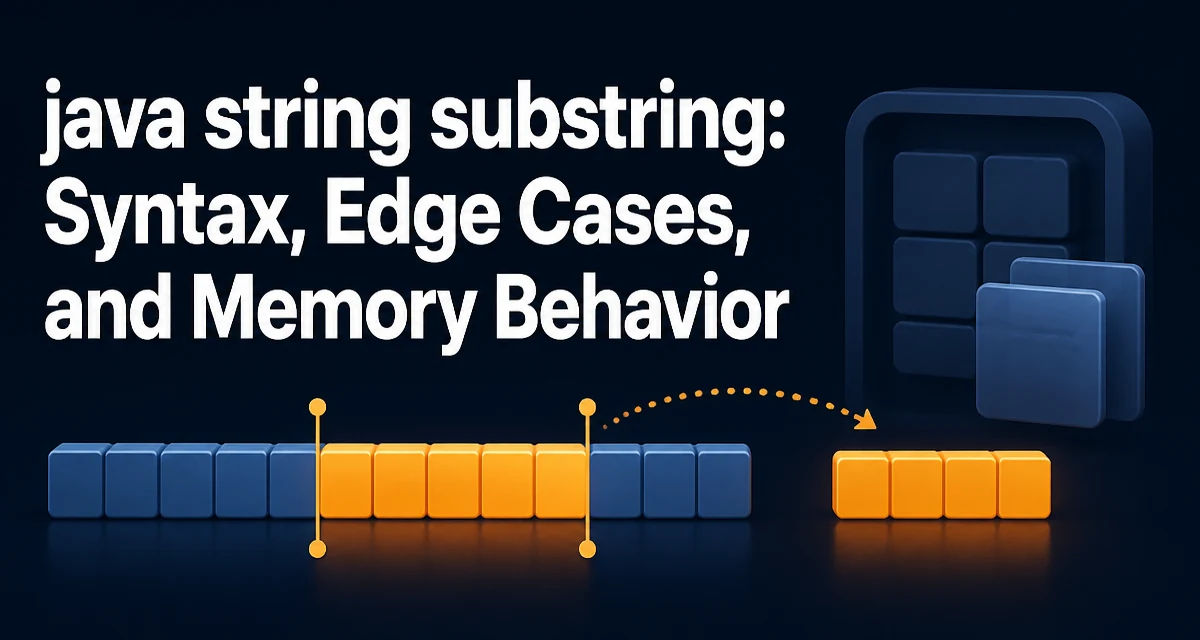
The java string substring method is one of the most frequently used string operations in Java, but its index handling and memory behavior often surprise developers. This article explains the two overloads, how indexes are interpreted, the exceptions you can expect, and the practical tradeoffs you should consider when extracting parts of a string.
The substring Method and Its Two Signatures
The String class provides two overloads of substring:
public String substring(int beginIndex)
public String substring(int beginIndex, int endIndex)
The single-argument version returns the characters from beginIndex through the end of the string. The two-argument version returns the characters starting at beginIndex and ending at endIndex - 1. The endIndex is exclusive, which is a common source of off-by-one errors.
String text = "hello world";
String a = text.substring(6);      // "world"
String b = text.substring(0, 5);  // "hello"
String c = text.substring(6, 11); // "world"
In the last example, endIndex is 11, which is one past the last character. This convention matches other Java range-based methods like List.subList and Arrays.copyOfRange, so it becomes predictable once you internalize it.
How Indexes Are Interpreted
Indexes in Java strings are zero-based, meaning the first character is at position 0. The beginIndex must be between 0 and the length of the string inclusive, and endIndex must be between beginIndex and the length inclusive. The resulting substring has a length of endIndex - beginIndex.
String s = "abcdef";
System.out.println(s.substring(2, 4)); // "cd"
System.out.println(s.substring(2));    // "cdef"
System.out.println(s.substring(0, 0)); // ""
An empty substring is valid when beginIndex equals endIndex. This is useful for parsing patterns where a segment may be absent but you still want a consistent result.
Exception Cases: When IndexOutOfBounds Occurs
The method throws StringIndexOutOfBoundsException (a subclass of IndexOutOfBoundsException) when the arguments violate the index contract. Specifically, an exception is thrown if:
beginIndexis negative.endIndexis greater than the string length.beginIndexis greater thanendIndex.
String s = "abc";
// s.substring(-1);      // throws
// s.substring(4);      // throws
// s.substring(2, 1);   // throws
These failures happen at runtime, not at compile time. If your code accepts user input or dynamic values, you need to validate the indexes yourself or catch the exception. A common defensive pattern is to check the bounds before calling substring:
if (beginIndex >= 0 && endIndex <= s.length() && beginIndex <= endIndex) {
    String part = s.substring(beginIndex, endIndex);
}
Memory Behavior: Substring Copies in Modern Java
Before Java 7, substring shared the original string's underlying character array, which could cause memory leaks if you kept a small substring while the original string was large. Since Java 7, the implementation copies the relevant characters into a new array. This change eliminated the memory leak but introduced a performance cost proportional to the substring length.
For most applications, this copy is negligible. However, if you are extracting many substrings from a large text in a tight loop, the allocation overhead can become noticeable. Consider whether you can operate on the original string with index ranges instead of creating many small strings.
// Instead of creating many substrings, process the original string directly
for (int i = 0; i < text.length() - 3; i++) {
    String chunk = text.substring(i, i + 3); // creates a new string each iteration
    // process chunk
}
If you need to avoid repeated allocations, you could use CharSequence views or StringBuilder in certain scenarios, but there is no built-in lightweight substring view in the standard Java API.
Practical Patterns for Safe Extraction
When extracting a known pattern, you often need to locate a delimiter first. The combination of indexOf and substring is common:
String data = "id:42,name:alice";
int colon = data.indexOf(':');
int comma = data.indexOf(',');
if (colon >= 0 && comma > colon) {
    String id = data.substring(colon + 1, comma);
}
Be careful when the delimiter might not exist. indexOf returns -1, which would cause substring to throw if you pass it directly. Always check the return value before using it as an index.
Another pattern is stripping a known prefix or suffix:
String filename = "report.pdf";
if (filename.endsWith(".pdf")) {
    String base = filename.substring(0, filename.length() - 4);
}
This is safer than using replace because it only removes the suffix if it is actually present.
Comparing substring with Other Extraction Approaches
Java offers several ways to extract or process parts of a string. The right choice depends on the task:
| Approach | Use case | Tradeoff |
|---|---|---|
substring | Extracting a contiguous range by index | Copies the range; throws on invalid indexes |
charAt | Reading a single character | Returns a char, not a String |
split | Breaking on a regular expression delimiter | Returns an array; regex overhead; trailing empty strings dropped |
StringBuilder | Building or modifying strings incrementally | Mutable; not thread-safe; no direct substring view |
For example, if you need to extract a fixed-width field from a line, substring is direct and readable. If you need to split a CSV line on commas, split may be simpler, but you must handle regex escaping and empty fields.
Handling Edge Cases Like Surrogate Pairs
substring works on UTF-16 code units, not on Unicode code points. Most characters fit in a single char, but emojis and some rare scripts use surrogate pairs. If you call substring on a position that falls in the middle of a surrogate pair, you will get an invalid string with an unpaired surrogate.
String emoji = "😀"; // U+1F600, represented as two chars
System.out.println(emoji.length()); // 2
System.out.println(emoji.substring(0, 1)); // invalid, unpaired surrogate
To safely extract by logical character, you can use codePointAt and offsetByCodePoints:
String text = "a😀b";
int firstCodePoint = text.offsetByCodePoints(0, 1); // index after 'a'
int secondCodePoint = text.offsetByCodePoints(firstCodePoint, 1); // index after emoji
String emojiPart = text.substring(firstCodePoint, secondCodePoint); // "😀"
This approach respects Unicode boundaries and avoids producing malformed strings. If your application handles international text, this is an important detail.
When to Avoid substring for Performance or Clarity
There are cases where substring is not the best tool. If you are repeatedly extracting small pieces from a very large string in a performance-sensitive loop, the allocation cost can add up. In such situations, consider writing a custom CharSequence implementation that references the original string with start and end offsets, or use StringBuilder to build a result incrementally.
Clarity also matters. If your code relies on many hard-coded index numbers, it becomes brittle when the input format changes. Extracting named fields using a parser or a regular expression with named groups can be more maintainable, even if it is slightly slower.
// Hard to read and fragile
String name = line.substring(12, 18);

// More readable if the format is stable
Pattern p = Pattern.compile("name=(\\w+)");
Matcher m = p.matcher(line);
if (m.find()) {
    String name = m.group(1);
}
The regex approach has overhead, but it communicates intent and adapts better to small format changes. Choose substring when you have precise index control and the format is fixed; choose a higher-level tool when the extraction logic is complex or likely to evolve.