Java String vs StringBuilder: When to Use Each
java string vs stringbuilder: Understand the real difference between Java String and StringBuilder: immutability, allocation behavior, compiler optimizations, thread s...
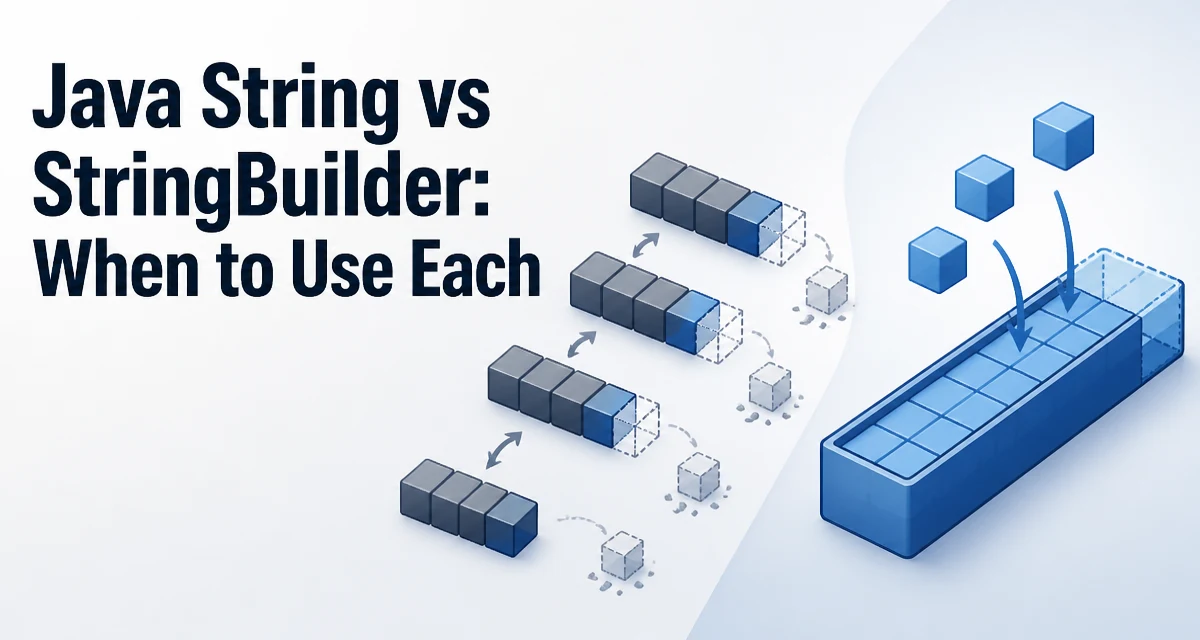
Java's String class is immutable, while StringBuilder provides a mutable character sequence. The choice between java string vs stringbuilder affects memory usage, allocation behavior, and how your code reads. Every operation on a String produces a new object, while StringBuilder modifies its internal buffer in place. The practical question is when that distinction matters in real code.
Why String Immutability Changes Concatenation
When you write String s = "a" + "b" + "c"; and all operands are compile-time constants, the compiler folds the expression into a single string. But when at least one operand is a runtime value, each + creates a new String object. In a loop that appends to a String, this produces quadratic copying behavior.
String result = "";
for (int i = 0; i < 1000; i++) {
    result += Integer.toString(i);
}
Each iteration allocates a new char array and copies the previous content plus the new digits. The old String objects become garbage. The total work grows quadratically with the number of iterations, because the accumulated content is copied anew every time.
How StringBuilder Works Internally
StringBuilder holds a resizable char array. The append method writes into that array and only allocates a new array when the current capacity is exhausted. This keeps the common case in-place.
StringBuilder sb = new StringBuilder();
for (int i = 0; i < 1000; i++) {
    sb.append(i);
}
String result = sb.toString();
The toString() call creates one final String from the current buffer content. That single allocation replaces the thousands of intermediate String objects from the loop version. The buffer grows geometrically, so the number of array reallocations stays logarithmic in the total length.
When the Compiler Already Handles It
The Java compiler translates simple + concatenation into StringBuilder calls. For a single expression like String s = a + b + c;, the generated bytecode uses one StringBuilder and calls toString() once. In that case, writing + is clearer and has the same runtime behavior as an explicit StringBuilder.
The problem appears when concatenation is spread across loop iterations or when the result of each concatenation is stored back into a variable. Each iteration then creates a new StringBuilder and a new String.
// Roughly what the compiler generates for the loop above
String result = "";
for (int i = 0; i < 1000; i++) {
    StringBuilder tmp = new StringBuilder(result);
    tmp.append(i);
    result = tmp.toString();
}
This is the hidden cost that makes explicit StringBuilder necessary in loops.
Performance and Memory Behavior
The measurable difference is allocation count. String concatenation in a loop allocates a new char array per iteration. StringBuilder amortizes growth: when the buffer is full, it roughly doubles its capacity, so a loop appending n items performs only O(log n) array allocations.
The final toString() call copies the buffer into a new String. That copy is unavoidable if you need to keep the content, because the StringBuilder may be reused and modified later. If you only need the characters temporarily, you can read them directly from the buffer without copying.
Capacity planning matters for large inputs. If you know the final size, pass it to the constructor:
StringBuilder sb = new StringBuilder(expectedLength);
The default constructor starts with capacity 16, which forces reallocation for anything larger. Supplying an accurate initial capacity avoids intermediate array growth entirely.
Thread Safety: What Actually Differs
String is immutable, so it is safe to share across threads without synchronization. StringBuilder is not thread-safe; concurrent append calls can corrupt its internal state. If you need a mutable character sequence shared across threads, use StringBuffer, which synchronizes its methods. The synchronization overhead is why StringBuilder exists as the single-threaded alternative.
In practice, most concatenation happens within a single method or thread, so StringBuilder is the default choice. Reaching for StringBuffer without a real concurrency requirement adds unnecessary locking. The immutability of String also makes it safe as a map key or in a HashSet, because its hash code is cached after the first computation.
Decision Criteria for Real Code
Use String when the value is fixed or changes rarely, when it is used as a map key, or when the concatenation is a single expression. Use StringBuilder when building a value incrementally in a loop, when assembling a large response, or when the final length is unknown but substantial.
The choice is not about style. It is about allocation behavior. A one-off concatenation of a few fields is fine with +. A loop that appends thousands of entries should use StringBuilder. The same logic applies to building a large SQL query, an HTML fragment, or a log line assembled from many fields.
Common Misuse of StringBuilder
Calling toString() inside the loop defeats the purpose:
StringBuilder sb = new StringBuilder();
for (int i = 0; i < 1000; i++) {
    sb.append(i);
    String s = sb.toString(); // copies the entire buffer each time
}
This copies the whole buffer on every iteration, recreating the quadratic behavior you were trying to avoid. Build the full value first, then call toString() once after the loop ends.
Another misuse is using StringBuilder where a fixed format is simpler. String.format or a single + expression is more readable for short, fixed concatenations. StringBuilder shines when the number of parts is dynamic or when the value is assembled across multiple statements.
Choosing by Scenario
The decision reduces to how many times the buffer is copied. A single expression compiles to one StringBuilder anyway, so + is the clearer choice. A loop with + copies the accumulated content each iteration. StringBuilder avoids that by growing in place.
For code that builds a value in stages, such as constructing a query string from user-supplied parameters or assembling a response body from multiple sources, StringBuilder keeps the buffer stable until the final toString(). For code that only combines a handful of known values, plain + is clearer and equally efficient after compilation.
The rule of thumb: if the concatenation is written as one expression, use +. If the value grows across multiple statements or iterations, use StringBuilder. That distinction is the practical answer to java string vs stringbuilder, and it applies regardless of whether you are writing a small utility method or a performance-sensitive service.