Java Switch Multiple Labels: Grouping Cases
java switch multiple labels: Learn how to group multiple case labels in Java switch statements and expressions, including syntax, fall-through behavior, and readabilit...
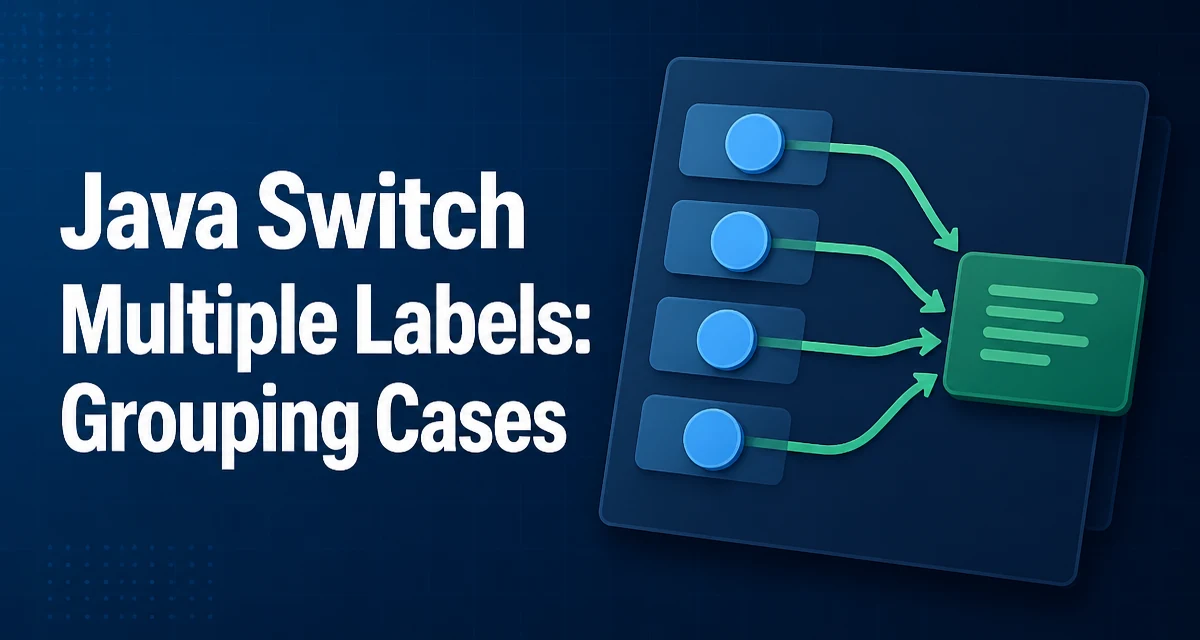
When a Java switch statement needs to run the same block of code for several distinct values, you can combine multiple case labels. The java switch multiple labels feature lets you map several constants to a single branch, reducing duplication and making the intent clearer. This article explains the syntax in both classic and arrow forms, how switch expressions handle multiple labels, and where the approach improves maintainability.
Classic Switch: Stacking Case Labels
The traditional switch statement in Java uses case labels followed by a colon. To execute the same code for multiple values, you simply list the case labels one after another, without any intervening code. The first label that matches transfers control to the first statement after that label. If you place labels consecutively, execution falls through from one label to the next until it reaches the shared code.
switch (day) {
    case MONDAY:
    case TUESDAY:
    case WEDNESDAY:
    case THURSDAY:
    case FRIDAY:
        System.out.println("Workday");
        break;
    case SATURDAY:
    case SUNDAY:
        System.out.println("Weekend");
        break;
}
Here, the five weekdays all map to the same println call. The break statement is essential; without it, execution would continue into the next case block, which is usually not intended. This pattern is the classic way to group labels and works in every Java version that supports switch.
The consecutive labels are often called "stacked" or "grouped" labels. The Java compiler treats them as separate entry points, but since there is no statement between them, control flows from one label to the next. This behavior is well-defined and does not require any special syntax beyond placing the labels together.
Arrow Syntax: Comma-Separated Labels
Java 14 introduced the arrow syntax for switch, which uses -> instead of a colon. With this form, you can specify multiple labels in a single case line, separated by commas. This is more concise than stacking labels and avoids the fall-through trap entirely because each arrow case automatically breaks after executing its body.
switch (day) {
    case MONDAY, TUESDAY, WEDNESDAY, THURSDAY, FRIDAY ->
        System.out.println("Workday");
    case SATURDAY, SUNDAY ->
        System.out.println("Weekend");
}
The comma-separated list is a single case label that matches any of the listed constants. This syntax is only available in switch statements and expressions that use the arrow form. It is not valid in the classic colon-based form. The arrow form also eliminates the need for break, reducing the chance of accidental fall-through.
Switch Expressions and Multiple Labels
Switch expressions, also introduced in Java 14, use the same arrow syntax but produce a value. You can use multiple labels in a switch expression exactly as you would in an arrow-based statement. The expression evaluates to the value of the branch that matches.
String type = switch (day) {
    case MONDAY, TUESDAY, WEDNESDAY, THURSDAY, FRIDAY -> "Workday";
    case SATURDAY, SUNDAY -> "Weekend";
};
If you need to compute a value with more than one statement, use the yield keyword inside a block. Multiple labels work the same way with yield.
int hours = switch (day) {
    case MONDAY, TUESDAY, WEDNESDAY, THURSDAY, FRIDAY -> {
        int base = 8;
        yield base;
    }
    case SATURDAY, SUNDAY -> 0;
};
The compiler checks that every possible value is covered, either by an explicit case or a default branch. When you group labels, the exhaustiveness check applies to the union of all listed constants.
Fall-Through Behavior and Its Risks
The classic stacked-label approach relies on fall-through. If you place a break only after the shared code, all labels correctly route to that code. However, fall-through is a common source of bugs when developers forget a break or accidentally place a statement between labels. For example:
switch (x) {
    case 1:
        System.out.println("One");
    case 2:
        System.out.println("Two");
        break;
}
When x is 1, both lines print because control falls through from case 1 to case 2. This is rarely intended. The arrow syntax eliminates this risk by making each case independent. If you are writing new code, prefer the arrow form to avoid fall-through errors. The classic form is still valid and may appear in legacy codebases, so you need to understand how it behaves.
Maintainability and Readability Considerations
Grouping multiple labels reduces duplication and makes the mapping between values and behavior explicit. When several values share the same logic, listing them together communicates that relationship directly. This is especially useful for enums, constants, or character ranges where the grouping reflects a business rule.
However, grouping too many labels into one branch can obscure the fact that the values are conceptually distinct. If the shared code is long, consider extracting it into a method and calling it from each label. That keeps the switch concise while preserving the grouping. Also, be consistent within a project: mixing stacked labels and comma-separated labels in different files can confuse readers. Choose one style and apply it uniformly.
The arrow syntax with comma-separated labels is generally more readable because it keeps the entire case on one line and avoids the visual noise of repeated case keywords. It also aligns with the modern switch expression style, making it easier to migrate between statements and expressions later.
Common Pitfalls and Edge Cases
When using multiple labels, keep the following technical details in mind:
- Duplicate labels: You cannot list the same constant twice in the same switch, whether in separate
caselines or within a comma-separated list. The compiler rejects duplicate labels with an error. - Type compatibility: All labels must be of the same type as the switch selector. For enums, use the unqualified constant names. For integers, use compile-time constants.
- Null handling: A switch on a null reference throws
NullPointerExceptionbefore any label is matched. This is true for both classic and arrow forms. You must check for null separately if it can occur. - Exhaustiveness in switch expressions: When using switch expressions, the compiler requires that all possible values are covered. Grouping labels helps satisfy this requirement, but you still need a
defaultif the selector type is not an enum or if not all enum constants are listed. - Fall-through with stacked labels: In the classic form, if you place a
breakinside the shared code, it exits the switch. If you omit it, execution continues to the next case block. Always verify that the placement ofbreakmatches the intended control flow.
Choosing Between Classic and Arrow Syntax
The choice between stacked labels and comma-separated labels depends on the Java version you target and the surrounding code style. If you are using Java 14 or later, the arrow syntax is the better default because it is more concise, eliminates fall-through bugs, and works consistently in both statements and expressions. If you are maintaining code that targets Java 8 or 11, you must use the classic form.
For new projects, prefer the arrow syntax. It also makes future migration to switch expressions straightforward. If you are working in a codebase that already uses the classic form, keep the existing style for consistency, but consider refactoring to the arrow form when you touch the code. The runtime behavior is identical; the difference is purely syntactic and affects readability and error-proneness.
Performance and Runtime Behavior
Grouping multiple labels has no effect on runtime performance. The Java compiler generates the same bytecode for a switch with stacked labels and a switch with a comma-separated label list. The compiler may use a tableswitch or lookupswitch instruction depending on the density of the case values, but the grouping does not change that decision. The number of labels in a group does not add overhead; it only affects the source code representation.
The only operational concern is maintainability. A switch with many grouped labels can become hard to read if the shared block is long. In that case, extract the block into a private method and call it from the branch. This keeps the switch compact without affecting performance. Also, remember that switch expressions require exhaustiveness; if you later add a new enum constant, the compiler will force you to handle it, which is a useful safety net in production code.