Java Thread Pool: How Executors Behave Under Load
java thread pool: Explains how Java thread pools behave under load: queue types, rejection policies, shutdown patterns, and production tuning for ThreadPoolExecutor.
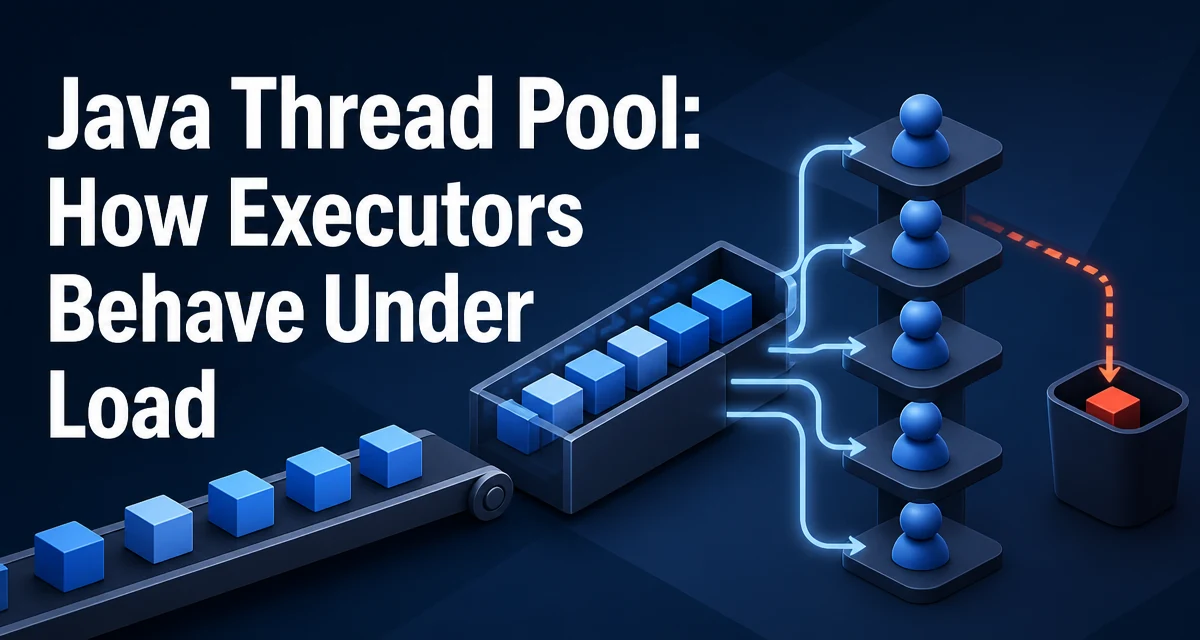
When you submit a task to a java thread pool, the behavior you get depends on far more than the number of threads you configured. The queue type, the rejection policy, and the relationship between core and maximum pool size all change how the pool behaves under load. Understanding that flow is what separates a thread pool that absorbs spikes gracefully from one that silently drops work or exhausts memory.
The ExecutorService Abstraction
Java's concurrency utilities center on ExecutorService, an interface that decouples task submission from task execution. The Executors factory class provides convenient presets:
ExecutorService fixed = Executors.newFixedThreadPool(4);
ExecutorService cached = Executors.newCachedThreadPool();
ExecutorService single = Executors.newSingleThreadExecutor();
A fixed thread pool creates exactly the requested number of threads and keeps them alive regardless of idle time. A cached thread pool creates threads on demand, reuses idle threads, and removes threads that have been idle for 60 seconds. A single-thread executor guarantees that tasks execute sequentially, which is useful when ordering matters or when the task is not thread-safe.
These presets are convenient, but they hide the underlying configuration. When you need predictable behavior under load, you should understand what each preset actually sets and when to construct a ThreadPoolExecutor directly.
ThreadPoolExecutor Parameters
ThreadPoolExecutor takes several parameters that determine its runtime behavior:
corePoolSize: the number of threads kept alive even when idlemaximumPoolSize: the upper bound on threads the pool will createkeepAliveTime: how long excess threads survive when idleworkQueue: the queue that holds tasks waiting for a free threadthreadFactory: how threads are created and namedhandler: what happens when the pool cannot accept a task
Constructing the executor directly makes these choices explicit:
ThreadPoolExecutor pool = new ThreadPoolExecutor(
    4,                      // corePoolSize
    8,                      // maximumPoolSize
    60, TimeUnit.SECONDS,   // keepAliveTime
    new ArrayBlockingQueue<>(100),
    Executors.defaultThreadFactory(),
    new ThreadPoolExecutor.CallerRunsPolicy()
);
The relationship between these parameters is not intuitive. The pool does not immediately grow from core to maximum size. It grows only after the queue fills.
How Task Submission Flows Through the Pool
The submission flow follows a fixed sequence:
- If fewer than
corePoolSizethreads are running, a new thread is created for the task. - If core threads are all busy, the task is placed in the queue.
- If the queue is full and fewer than
maximumPoolSizethreads are running, a new thread is created. - If the queue is full and the pool is already at
maximumPoolSize, the rejection handler is invoked.
This ordering is the most misunderstood part of ThreadPoolExecutor. Many developers expect the pool to grow toward maximumPoolSize before queuing. In practice, the queue fills first, and the pool only grows when the queue is full.
Consider a pool with core size 4, maximum size 8, and an unbounded queue. If 20 tasks arrive simultaneously, the first 4 run immediately. The remaining 16 wait in the queue. No additional threads are created because the queue never fills. The pool stays at 4 threads even though 8 are allowed.
Choosing the Queue Type
The queue type determines when the pool grows and how memory behaves under load.
An unbounded queue, such as LinkedBlockingQueue without a capacity, can hold an unlimited number of tasks. The pool never grows beyond core size, and the rejection handler is never invoked. This is simple, but it has a serious downside: if producers outpace consumers for long enough, the queue consumes unbounded memory and can trigger an OutOfMemoryError.
A bounded queue, such as ArrayBlockingQueue with a capacity, forces the pool to grow once the queue is full. This is the configuration that makes maximumPoolSize meaningful. The tradeoff is that you must choose a capacity, and the wrong choice changes behavior under load.
A synchronous queue, such as SynchronousQueue, does not hold tasks at all. Each submission must find a thread immediately. If no thread is available, a new thread is created up to maximumPoolSize. This is what newCachedThreadPool uses. It works well for short-lived tasks with unpredictable arrival patterns, but it can create a large number of threads under a burst.
The choice depends on the workload. For a bounded queue, the capacity should reflect how much backlog you are willing to hold before either growing the pool or rejecting work.
Rejection Policies
When the queue is full and the pool is at maximum size, the rejection handler decides what happens. ThreadPoolExecutor provides four built-in policies:
| Policy | Behavior | Risk |
|---|---|---|
AbortPolicy | Throws RejectedExecutionException | Surfaces failure to caller |
CallerRunsPolicy | Runs task on submitting thread | Slows producer, no work lost |
DiscardPolicy | Silently drops the task | Work is lost silently |
DiscardOldestPolicy | Drops oldest queued task, retries | Oldest work is lost |
AbortPolicy is the default and is usually the safest because it surfaces the failure. CallerRunsPolicy is a common choice for throttling: when the pool is saturated, the submitting thread executes the task itself, which naturally slows down the producer. DiscardPolicy and DiscardOldestPolicy are riskier because they silently lose work.
A custom RejectedExecutionHandler can implement more nuanced behavior:
ThreadPoolExecutor pool = new ThreadPoolExecutor(
    4, 8, 60, TimeUnit.SECONDS,
    new ArrayBlockingQueue<>(100),
    (r, executor) -> {
        System.err.println("Task rejected: " + r);
        // move to a fallback queue or schedule a retry
    }
);
Shutdown and Lifecycle Management
A thread pool does not stop when the application finishes submitting tasks. The threads remain alive, waiting for new work. Shutting down a pool requires an explicit call.
shutdown() lets already-submitted tasks finish and prevents new submissions. shutdownNow() interrupts running tasks and returns the list of tasks that were waiting in the queue. Neither method blocks until completion; awaitTermination must be called to wait.
A common production pattern is to call shutdown(), then awaitTermination with a timeout, and then shutdownNow() if the pool did not terminate in time:
pool.shutdown();
if (!pool.awaitTermination(30, TimeUnit.SECONDS)) {
    pool.shutdownNow();
    pool.awaitTermination(5, TimeUnit.SECONDS);
}
This gives running tasks a chance to finish while still guaranteeing that the application does not hang indefinitely.
Production Considerations: Monitoring and Tuning
In production, a thread pool is a shared resource. Monitoring its state is essential. ThreadPoolExecutor exposes getPoolSize(), getActiveCount(), getQueue().size(), and getCompletedTaskCount(). These values can be logged periodically or exposed through a metrics system.
The most common production failure is an unbounded queue combined with a fixed thread pool. Under a sustained spike, memory grows without limit. The second most common failure is a pool sized too small for the workload, which causes tasks to queue for seconds or minutes.
Tuning a thread pool requires knowing the task's characteristics. For CPU-bound tasks, a pool sized near the number of available processors is reasonable. For I/O-bound tasks, the pool can be larger because threads spend much of their time blocked. The keepAliveTime should reflect how quickly you want excess threads reclaimed after a burst.
One additional concern: thread creation has a cost, and threads consume memory for their stacks. A cached thread pool under a large burst can create thousands of threads, each with its own stack, which can exhaust memory before the rejection handler ever runs. Bounding the pool size is a memory protection measure as much as a throughput decision.