Java TreeMap: Sorted Map Operations and Use Cases
java treemap: Understand Java TreeMap: its sorted key ordering, comparator support, performance tradeoffs, and when to use it over HashMap.
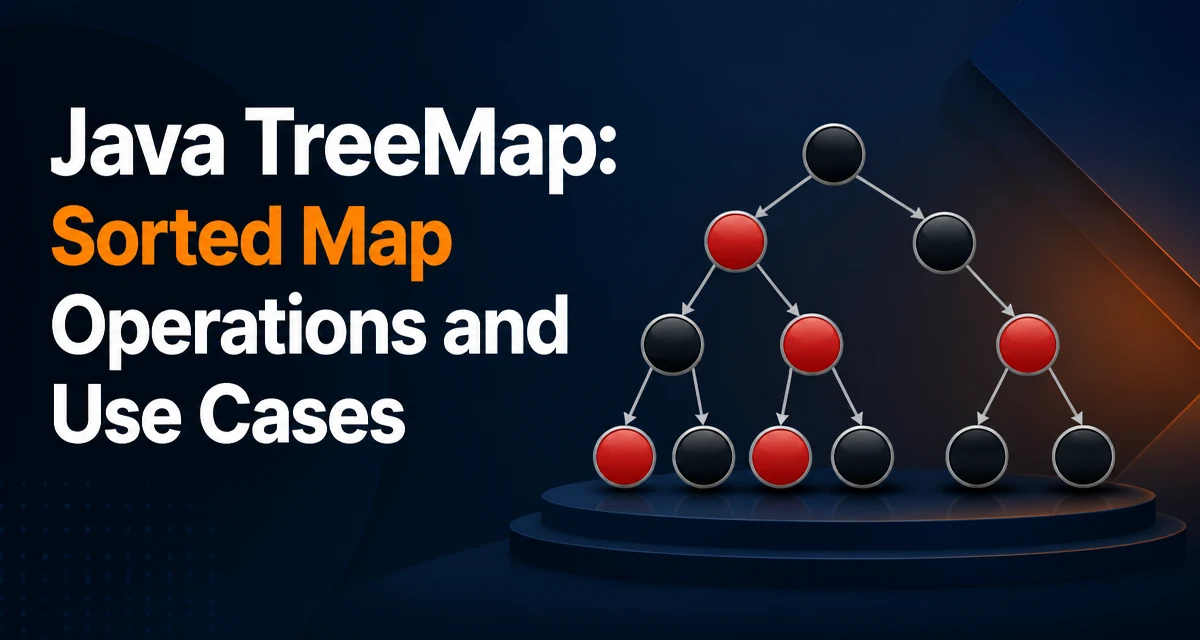
java treemap requires a clear understanding of the core syntax, runtime behavior, and practical implementation patterns demonstrated in the examples below.
A TreeMap in Java is a map implementation that keeps its entries sorted by key. It is part of the Java Collections Framework and implements the NavigableMap interface, which extends SortedMap. Instead of relying on hash codes like HashMap, TreeMap uses a red-black tree internally, so every insertion, deletion, and lookup runs in logarithmic time while preserving a total ordering of the keys.
How TreeMap Orders Its Keys
By default, a TreeMap sorts its keys using their natural ordering. That means the key class must implement Comparable. For example, String and Integer already do, so a TreeMap<String, Integer> will order entries alphabetically, and a TreeMap<Integer, String> will order them numerically.
If the key type does not implement Comparable, or if you need a different ordering, you can pass a Comparator to the constructor. The comparator defines the total order used for both sorting and equality checks. Two keys are considered equal when the comparator returns zero, even if their equals method would say otherwise. This is a common source of confusion, so it is important to keep the comparator consistent with equals to avoid unexpected behavior.
TreeMap<Integer, String> byNumber = new TreeMap<>();
byNumber.put(3, "three");
byNumber.put(1, "one");
byNumber.put(2, "two");

System.out.println(byNumber); // {1=one, 2=two, 3=three}

TreeMap<String, Integer> byLength = new TreeMap<>(Comparator.comparingInt(String::length));
byLength.put("banana", 6);
byLength.put("apple", 5);
byLength.put("fig", 3);
System.out.println(byLength); // {fig=3, apple=5, banana=6}
The first map uses natural integer ordering. The second uses a comparator that sorts by string length. Note that if two strings have the same length, the comparator will treat them as equal, and the second one inserted will replace the first.
Basic Operations and Their Behavior
TreeMap provides the same basic operations as Map, but with a guarantee that they run in O(log n) time. put, get, remove, and containsKey all traverse the red-black tree from the root to a leaf, so their cost grows logarithmically with the number of entries.
TreeMap<String, Integer> scores = new TreeMap<>();
scores.put("alice", 90);
scores.put("bob", 85);
scores.put("carol", 95);

Integer aliceScore = scores.get("alice"); // 90
boolean hasBob = scores.containsKey("bob"); // true
scores.remove("carol");
Because the tree is always sorted, you can also retrieve the smallest and largest keys directly. firstKey() and lastKey() return the minimum and maximum key without iterating over the whole map. The NavigableMap interface adds methods like lowerKey, floorKey, ceilingKey, and higherKey that find the nearest key relative to a given value. These are useful for range queries and interval lookups.
Iteration and Submap Views
One of the main reasons to use TreeMap is that iteration order is deterministic. The keySet, values, and entrySet views all iterate in ascending key order. If you need descending order, you can call descendingMap() to get a reversed view.
TreeMap<Integer, String> events = new TreeMap<>();
events.put(2023, "Conference");
events.put(2021, "Launch");
events.put(2022, "Hiring");

for (Map.Entry<Integer, String> entry : events.entrySet()) {
    System.out.println(entry.getKey() + " -> " + entry.getValue());
}
// 2021 -> Launch
// 2022 -> Hiring
// 2023 -> Conference
TreeMap also supports submap views. headMap(toKey) returns a view of entries with keys strictly less than toKey; tailMap(fromKey) returns entries with keys greater than or equal to fromKey; and subMap(fromKey, toKey) returns a bounded range. These views are backed by the original map, so changes to the view are reflected in the original, and vice versa. They are not snapshots.
TreeMap<Integer, String> months = new TreeMap<>();
months.put(1, "Jan");
months.put(2, "Feb");
months.put(3, "Mar");
months.put(4, "Apr");

SortedMap<Integer, String> firstQuarter = months.subMap(1, 4);
System.out.println(firstQuarter); // {1=Jan, 2=Feb, 3=Mar}
The submap is live. If you add a new entry with key 5 to months, it will not appear in firstQuarter because 5 is outside the range. If you add a key 2.5 (assuming integer keys, so 2 or 3), it would appear if within the range.
Performance and Memory Characteristics
The red-black tree that backs TreeMap gives predictable O(log n) performance for all basic operations, but that comes with higher constant factors than HashMap. A HashMap offers average O(1) lookups, but it does not maintain any order. If your application does not need sorted iteration, HashMap is usually faster and uses less memory because it stores entries in a hash table rather than a tree.
Each entry in a TreeMap requires additional pointers for the left and right child, the parent, and a color bit for the red-black balancing. This overhead is significant compared to the array-based storage of a HashMap. For large maps, the difference in memory can be substantial. The logarithmic complexity also means that as the map grows, the number of comparisons per operation increases, but only slowly. For a map with a million entries, a lookup requires about 20 comparisons, which is still fast.
TreeMap vs HashMap
The choice between TreeMap and HashMap depends on what you need beyond simple key-value storage.
| Feature | TreeMap | HashMap |
|---|---|---|
| Ordering | Sorted by key | No guaranteed order |
| Basic operation cost | O(log n) | O(1) average |
| Null keys | Not allowed by default | Allowed |
| Null values | Allowed | Allowed |
| Iteration order | Deterministic, ascending | Unpredictable |
| Memory footprint | Higher (tree nodes) | Lower (array of buckets) |
| Range operations | Supported (submap, headMap) | Not supported directly |
If you need to iterate in sorted order, find nearest keys, or extract a contiguous range of keys, TreeMap is the right tool. If you only need fast lookups and insertion order does not matter, HashMap is usually the better default.
When to Choose TreeMap
Use TreeMap when the ordering of keys is part of the problem. For example, when building a leaderboard where scores must be displayed from highest to lowest, or when you need to find all events within a date range. The NavigableMap methods are particularly useful for interval queries.
A common pattern is to use TreeMap for a cache that must expire entries by timestamp. If you store entries with a timestamp as the key, you can quickly remove all entries older than a certain threshold using headMap(timestamp).clear(). This is more efficient than scanning the entire map.
Another case is when you need to maintain a sorted collection of keys while also associating values. A TreeMap can replace a PriorityQueue when you also need to update values and remove arbitrary keys, because a priority queue does not support efficient removal of non-minimum elements.
Common Pitfalls and Edge Cases
One pitfall is using mutable keys. If a key object's fields change after it is inserted, the tree's ordering invariant breaks. The map will not be rebalanced automatically, and subsequent operations may produce wrong results. Keys in a TreeMap must be immutable or at least never modified after insertion.
Another issue is comparator consistency. If the comparator returns zero for keys that are not equal according to equals, the map will treat them as the same key. This can lead to data loss when you put a new entry with a key that compares equal to an existing one. Always ensure that compare(a, b) == 0 implies a.equals(b).
Null keys are not allowed in a TreeMap because the comparator would need to handle them, and the default natural ordering cannot compare null. If you try to insert a null key, a NullPointerException is thrown. Null values are fine.
Finally, be careful with submaps and view modifications. Adding a key outside the submap's range through the view will throw an IllegalArgumentException. The view is not a copy; it is a window into the original map, so concurrent modification from other parts of the code can cause surprising behavior.