Java TreeSet higher lower: Find Next and Previous Elements
java treeset higher lower: Learn how to use TreeSet's higher and lower methods to find the next and previous elements relative to a given value, with examples and perf...
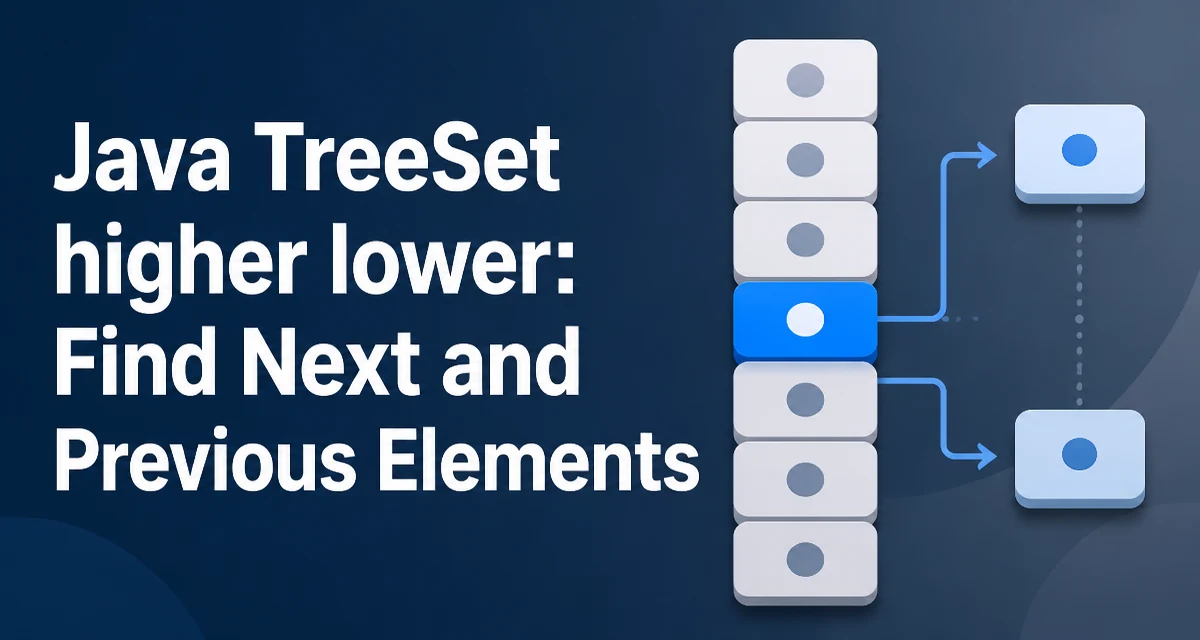
Java's TreeSet implements NavigableSet and provides efficient navigation over sorted elements. The higher and lower methods let you find the smallest element strictly greater than a given value, and the largest element strictly less than that value. This article explains how java treeset higher lower behave, their edge cases, and when they are the right tool.
What higher and lower Return in a TreeSet
The higher(E e) method returns the least element in the set that is strictly greater than e, or null if no such element exists. The lower(E e) method returns the greatest element strictly less than e, or null if none exists. Both methods rely on the natural ordering of the elements or on a Comparator provided at set creation.
TreeSet<Integer> numbers = new TreeSet<>(Set.of(10, 20, 30, 40));
System.out.println(numbers.higher(20)); // 30
System.out.println(numbers.lower(20)); // 10
These methods do not modify the set. They only perform a lookup. The term strictly is important: if the set contains the exact value passed, that value is ignored. For example, numbers.higher(30) returns 40, not 30.
Using higher and lower with a SortedSet of Integers
A common use case is finding the next or previous element in a sorted collection when you have a reference value. For instance, given a set of available time slots, you might want to find the next slot after a requested time.
TreeSet<Integer> slots = new TreeSet<>(List.of(9, 10, 11, 14, 15));
int requested = 11;
Integer nextSlot = slots.higher(requested);
Integer previousSlot = slots.lower(requested);
After this code, nextSlot is 14 and previousSlot is 10. The methods return Integer objects, so be prepared to handle null when no element satisfies the condition. Unboxing a null to int throws a NullPointerException.
How higher and lower Behave with Duplicate and Missing Elements
A TreeSet does not allow duplicate elements. If you attempt to add a duplicate, the set ignores it. Therefore, higher and lower always return unique elements. When the requested value is not present in the set, the methods still work correctly based on the value's position in the ordering.
TreeSet<Integer> set = new TreeSet<>(List.of(5, 15, 25));
System.out.println(set.higher(10)); // 15
System.out.println(set.lower(10)); // 5
If the value is smaller than every element, lower returns null. If it is larger than every element, higher returns null. For an empty set, both methods always return null.
Performance Characteristics of higher and lower
TreeSet is backed by a red-black tree, so higher and lower run in O(log n) time. This is significantly faster than scanning the entire set, which would be O(n). The methods take advantage of the tree structure to navigate directly to the correct position.
When you need to repeatedly find neighbors in a large sorted set, higher and lower are the standard choice. They avoid the overhead of manual iteration and comparison loops. However, if you only need to check whether a value exists, contains is also O(log n) and may be more direct.
Comparing higher, lower, ceiling, and floor
The NavigableSet interface also provides ceiling and floor methods. The difference is that ceiling returns the least element greater than or equal to the given value, and floor returns the greatest element less than or equal to it. The table below summarizes the four methods:
| Method | Returns element that is | Null when |
|---|---|---|
higher | strictly greater than e | no such element exists |
ceiling | greater than or equal to e | no such element exists |
lower | strictly less than e | no such element exists |
floor | less than or equal to e | no such element exists |
Choose higher or lower when you need strict inequality. Use ceiling or floor when equality is acceptable. For example, if you are looking for the next available slot and the requested time itself is free, ceiling would return that time, while higher would skip it.
Common Mistakes When Using higher and lower
A frequent error is assuming that higher returns the element at the next index, similar to a list. Because TreeSet has no index concept, this assumption is wrong. The method works with values, not positions.
Another mistake is ignoring the null return value. Unboxing a null to a primitive type causes a NullPointerException. Always check for null before using the result in arithmetic or comparisons.
Integer next = set.higher(value);
if (next != null) {
    int distance = next - value;
}
Also, remember that the set's ordering must be consistent with the equals method. If you use a custom Comparator, it must be consistent with equals to avoid ambiguous behavior, though higher and lower rely only on the comparator, not on equals.
Using higher and lower with Custom Comparators
When a TreeSet is created with a Comparator, the higher and lower methods use that comparator to determine ordering. This allows you to navigate sorted sets of custom objects based on a specific attribute.
record Person(String name, int age) {}

TreeSet<Person> people = new TreeSet<>(Comparator.comparingInt(Person::age));
people.add(new Person("Alice", 30));
people.add(new Person("Bob", 25));
people.add(new Person("Charlie", 35));

Person reference = new Person("", 28);
Person nextOlder = people.higher(reference); // Alice (30)
Person nextYounger = people.lower(reference); // Bob (25)
Note that the reference object does not need to be present in the set. The comparator only reads the age field to determine ordering. This pattern is useful for range queries or finding neighbors in a sorted collection of domain objects.
Edge Cases: Empty Set, Null, and Boundary Values
If the set is empty, both higher and lower return null. If the passed value is null, the methods throw a NullPointerException because TreeSet does not permit null elements under natural ordering. With a custom comparator that accepts null, behavior depends on the comparator implementation.
For boundary values, consider the minimum and maximum elements in the set. Calling higher on the maximum element returns null, and calling lower on the minimum element returns null. These are normal outcomes, not errors.
TreeSet<Integer> set = new TreeSet<>(List.of(1, 2, 3));
System.out.println(set.higher(3)); // null
System.out.println(set.lower(1)); // null
When to Prefer higher/lower Over Manual Iteration
If you find yourself writing loops to search for the next or previous element in a sorted collection, higher and lower are almost always better. They are concise, less error-prone, and run in logarithmic time. Manual iteration over a TreeSet using an iterator is O(n) and requires careful handling of the ordering.
For example, to find the next element after a given value without higher, you would need to iterate through the set and compare each element. This is both slower and more verbose. The NavigableSet methods are part of the standard Java API and are well-tested, so relying on them reduces the chance of off-by-one errors.
In situations where you need to traverse the entire set in order, an iterator or forEach is appropriate. But for single neighbor lookups, higher and lower are the intended tools. They also compose well with other NavigableSet methods like subSet, headSet, and tailSet for range operations.
One subtle point: higher and lower return the adjacent element in the sorted order, but they do not tell you the distance between the reference value and the returned element. If you need that distance, you must compute it yourself. This is straightforward for numeric types but may require custom logic for objects.
Another consideration is that TreeSet is not thread-safe. If multiple threads access the set concurrently, you must synchronize externally or use a concurrent sorted set implementation. The higher and lower methods themselves are atomic in the sense that they perform a single lookup, but the overall set state can change between calls if the set is modified concurrently.
When working with large sets, the O(log n) performance of higher and lower remains consistent regardless of where the reference value falls. This makes them suitable for real-time systems where predictable latency matters. The red-black tree maintains balance, so worst-case lookup time stays logarithmic even after many insertions and deletions.
Finally, remember that higher and lower are defined in the NavigableSet interface, which TreeSet implements. If you declare your variable as Set instead of NavigableSet, you lose access to these methods. Always use the appropriate interface type to preserve the navigation capability.
NavigableSet<Integer> set = new TreeSet<>();
// higher and lower are available
Using the NavigableSet type also makes your intent clear: the code relies on ordering and navigation, not just basic set operations. This improves maintainability and helps other developers understand the data structure's role.