Java Unsigned Right Shift Explained
java unsigned right shift: Understand the Java unsigned right shift operator (>>>), how it differs from the signed shift, and when to apply it. Practical examples incl...
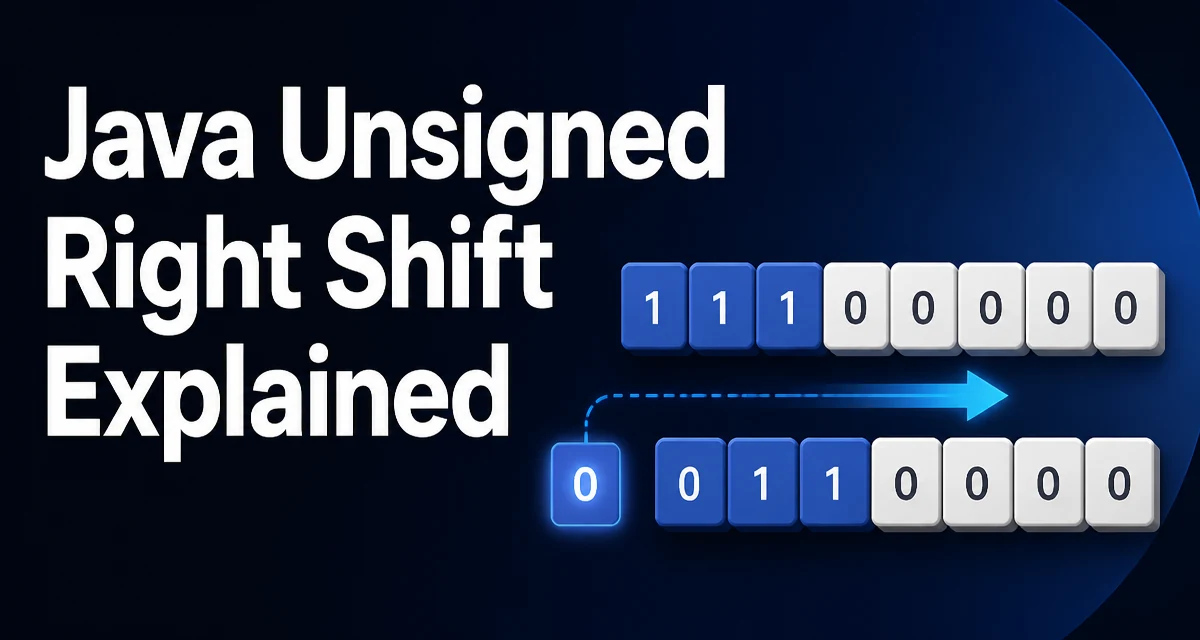
java unsigned right shift requires a clear understanding of the core syntax, runtime behavior, and practical implementation patterns demonstrated in the examples below.
When working with bit-level operations in Java, the >>> operator performs an unsigned right shift. Unlike the signed right shift operator >>, which preserves the sign bit, >>> always shifts zeros into the most significant bits. This distinction matters when you need to treat an int or long as a sequence of bits rather than a signed numeric value.
The Mechanics of >>>
The unsigned right shift operator takes a bit pattern and moves every bit to the right by a specified number of positions. Bits that fall off the right end are discarded, and zeros fill the vacated positions on the left. This behavior is consistent regardless of whether the original value was positive or negative.
For example, consider the byte 10000000 (which as a signed byte equals -128). A signed right shift by 1 gives 11000000 (-64), while an unsigned right shift gives 01000000 (64). The same principle applies to int and long, but the width of the operand determines how many bits are shifted.
int value = -8; // binary: 11111111 11111111 11111111 11111000
int signedShift = value >> 1;   // 11111111 11111111 11111111 11111100 -> -4
int unsignedShift = value >>> 1; // 01111111 11111111 11111111 11111100 -> 2147483644
The shift distance is masked to the lower bits of the right operand. For int, the effective shift distance is distance & 0x1f; for long, it is distance & 0x3f. This means shifting an int by 32 positions is equivalent to shifting by 0, and shifting by 33 is equivalent to shifting by 1.
When to Use >>> Instead of >>
Use >>> when you are treating the operand as a collection of bits rather than a numeric value. Typical scenarios include:
- Parsing or encoding binary protocols where fields are extracted from raw bytes.
- Implementing hash functions that mix bits regardless of sign.
- Working with raw color components or pixel data where each channel occupies a fixed number of bits.
A common mistake is using >> when you actually need >>>, which can lead to incorrect results when high-order bits are set. For instance, extracting the upper nibble of an int using >> would preserve the sign bit and fill the left with ones, corrupting the result.
int raw = 0xFF12; // high nibble is 0xF
int upper = (raw >> 8) & 0xFF; // works, but with a mask
int withoutMask = raw >> 8;    // 0xFF because sign extension occurs
While masking works for this case, using >>> and masking is cleaner and less error-prone when you are not certain about the high bits.
Practical Example: Encoding and Decoding Binary Data
Suppose you need to pack four 8-bit values into a single int and then extract them. The unsigned shift simplifies extraction because you don't have to worry about sign extension.
int pack(int b1, int b2, int b3, int b4) {
    return (b1 << 24) | (b2 << 16) | (b3 << 8) | b4;
}

int extractByte(int packed, int index) {
    return (packed >>> (index * 8)) & 0xFF;
}
Here >>> ensures that when index is 2 (bytes 3 and 4), the high-order bits that were set by the packing are shifted out logically, preserving the original byte values. If you used >> instead, the result would be negative for bytes with the high bit set, and masking alone would not fix the issue because the left bits would be ones.
Impact on Performance and Maintainability
On modern JVMs, >>> and >> compile to the same or equivalent bytecode instructions and have identical runtime cost. The real performance concern is algorithmic, not operator-related: shifting by a variable amount may be slightly more costly than a constant shift, but modern CPUs handle both efficiently.
From a maintainability perspective, using >>> where appropriate makes the code's intent explicit. A reader understands that the value is being treated as an unsigned bit pattern. Overusing >> when you don't intend sign extension can introduce subtle bugs that are difficult to trace.
Compatibility with Signed Types
Java does not have unsigned primitive types, but >>> provides a way to simulate unsigned division by powers of two for int and long. For example, to divide an int by 16 without worrying about sign, you can use value >>> 4 only if you know the value is non-negative. For general unsigned division, the approach is more involved and depends on the range of the value.
Keep in mind that >>> cannot be used with byte, short, or char directly because those types are promoted to int before the operation. The result is always an int or long, which may require casting back if you need a smaller type.
When Not to Use >>>
Avoid >>> when you are performing arithmetic that expects signed semantics. For example, if you are dividing negative numbers or checking the sign bit, the signed shift is the correct choice. Using >>> in those contexts will silently produce unexpected results.
Another common misuse is using >>> to convert an int to a float by dividing by 2^N. That's incorrect because >>> shifts bits, not numeric values. The result is equivalent to dividing by a power of two only when the value is non-negative.
Edge Cases and Advanced Usage
When shifting by a negative distance, the shift distance is masked, which can lead to unexpected behavior. For instance, value >>> -1 is equivalent to value >>> 31 for an int. This behavior is defined by the JLS, but relying on it is rarely advisable. If you need to shift by a computed amount, always mask the distance logically to avoid surprises.
A more advanced pattern is using >>> to implement an unsigned hash function that avoids collisions due to sign. The classic hashCode implementation for int values sometimes uses >>> to mix the bits more evenly.
The unsigned shift is also essential when working with java.lang.Integer and Long utilities that expose bit manipulation methods. For instance, Integer.toBinaryString uses the unsigned representation internally, which helps when debugging bit patterns.
Finally, remember that >>> operates on the two's complement representation, which Java uses for all integer types. That is why the shift behaves exactly as described even for negative operands. Understanding this underlying representation is the key to predicting the result of any shift operation.