Using joblib Parallel and delayed with multiprocessing
python joblib parallel delayed and multiprocessing: Learn how to parallelize Python loops with joblib's Parallel and delayed, how they relate to multiprocessing, and w...
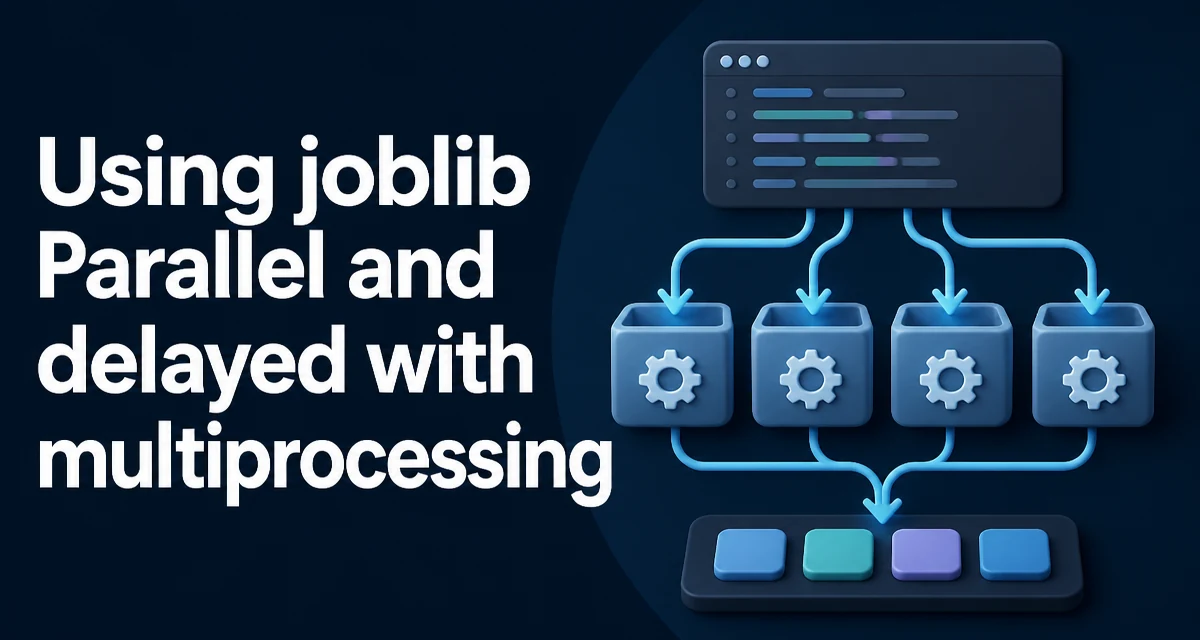
python joblib parallel delayed and multiprocessing requires a clear understanding of the core syntax, runtime behavior, and practical implementation patterns demonstrated in the examples below.
When you need to parallelize a loop in Python, joblib's Parallel and delayed are often the quickest way to get started. They abstract away the details of process pools and task scheduling, but understanding how they relate to multiprocessing matters when you move from a toy example to a real workload. This article explains the core pattern, how joblib uses multiprocessing under the hood, and the practical decisions you'll face when applying it to your own code.
The Core Pattern: Parallel and delayed
The typical usage is a two-step process: wrap a function call with delayed, then pass a list of these delayed calls to Parallel. Here's a minimal example that computes the square of each number in a list:
from joblib import Parallel, delayed

def square(x):
    return x * x

results = Parallel(n_jobs=2)(delayed(square)(i) for i in range(10))
print(results)
The generator expression (delayed(square)(i) for i in range(10)) creates a series of delayed tasks. Parallel then distributes these tasks across the specified number of jobs. The result is a list containing the return values in the same order as the input, regardless of which worker finished first.
This pattern works because delayed captures the function and its arguments, and Parallel decides how to execute them. You can also use it with functions that take multiple arguments or keyword arguments:
def add(a, b=0):
    return a + b

results = Parallel(n_jobs=2)(delayed(add)(i, b=10) for i in range(5))
How joblib Uses Multiprocessing Under the Hood
By default, joblib uses the loky backend, which is a fork of multiprocessing with improved resource handling. This means that each job runs in a separate Python process, not a thread. The main process sends the function and its arguments to the worker processes via pickling, and the results are pickled back.
Because each worker is a separate process, you get true parallelism for CPU-bound tasks, bypassing the Global Interpreter Lock (GIL). However, the pickling step adds overhead. For simple functions with small arguments, the cost of serialization can dominate the benefit of parallel execution. This is especially noticeable when the function itself is fast and the data is large.
The loky backend also handles the re-importation of the main module in each worker, which is why you may see the if __name__ == '__main__' guard recommended in multiprocessing code. joblib does this automatically, but it's still a good practice to protect your entry point when running scripts.
Choosing the Backend: multiprocessing vs threading
joblib lets you switch between process-based and thread-based execution via the backend parameter. The two most common choices are loky (process-based) and threading. Here's how to use threading:
from joblib import Parallel, delayed

results = Parallel(n_jobs=2, backend='threading')(delayed(square)(i) for i in range(10))
Threading avoids the pickling overhead and allows shared memory, but it does not bypass the GIL for Python code. Therefore, threading is only beneficial when the function releases the GL, such as C extensions, I/O operations, or NumPy operations that release the GIL. For pure Python CPU-bound code, processes are necessary to achieve speedup.
The following table summarizes the key differences:
| Criterion | Process-based (loky) | Thread-based |
|---|---|---|
| GIL bypass | Yes | No |
| Memory sharing | No (pickled) | Yes |
| Overhead | Higher (pickling) | Lower |
| Best for | CPU-bound Python code | I/O-bound or C extensions |
You can also use the multiprocessing backend explicitly, which uses the standard library's multiprocessing.Pool. This is more predictable if you need to control the process creation method, but loky is generally more robust and reuses processes across calls.
Managing Memory and Large Data
One of the most common problems with process-based parallelism is memory duplication. Each worker process receives a copy of the data it needs, and because processes do not share memory, large arrays can be copied multiple times. joblib provides a memmap feature to share read-only data across processes without copying, but it requires that the data be stored in a file-backed array.
For example, if you have a large NumPy array that every task needs to read, you can save it to a memmap and pass the memmap object to the workers. This avoids the overhead of pickling the entire array for each task. Here's a simplified pattern:
import numpy as np
from joblib import Parallel, delayed, dump, load

# Save the array to a memmap file
large_array = np.random.rand(1000, 1000)
dump(large_array, 'array.mmap')

# In each worker, load the memmap and use it
def process_row(i):
    data = load('array.mmap', mmap_mode='r')
    return data[i].sum()

results = Parallel(n_jobs=4)(delayed(process_row)(i) for i in range(1000))
This approach works because the memmap file is shared between processes, and the OS handles memory mapping efficiently. However, it introduces I/O overhead and is only worth it when the array is too large to be pickled comfortably.
For smaller data, the pickling overhead is usually acceptable. The key is to measure your workload: if each task takes milliseconds and the arguments are a few hundred bytes, parallelization may not help. If each task takes seconds and the arguments are small, the overhead is negligible.
Error Handling and Debugging in Parallel Tasks
When a task raises an exception, joblib propagates it to the main process. By default, the exception is re-raised when you iterate over the results, but the behavior depends on the return_as parameter (available in newer versions). For example, with return_as='generator', exceptions are raised as you consume each result.
A common issue is that tracebacks from worker processes are less informative because they occur in a different process. To debug, you can set n_jobs=1 to run sequentially and see the full traceback. This is often the first step in isolating a problem.
Another consideration is that functions defined inside a script or a Jupyter notebook may not be picklable. The loky backend uses cloudpickle, which can serialize most functions, but it's still safer to define your target function at the module level. If you encounter pickling errors, move the function to a separate module or use functools.partial with a module-level function.
You can also catch exceptions within the task itself and return a placeholder, but that can hide real errors. A better approach is to use a try-except block in the main code after collecting results, and then decide how to handle partial failures.
When to Use joblib Instead of multiprocessing Directly
joblib's Parallel and delayed are a higher-level abstraction over multiprocessing.Pool. You get automatic batching, progress monitoring (with the verbose parameter), and a simpler API. For many use cases, this is all you need.
However, there are situations where you might want to use multiprocessing directly. If you need fine-grained control over the pool lifecycle, such as using imap for lazy iteration, or if you want to use multiprocessing.Pool with custom initializers, the lower-level API may be more appropriate. Also, if you're already using concurrent.futures for its as_completed interface, that might be a better fit.
The decision often comes down to the complexity of your task. For a straightforward map operation, joblib is cleaner. For complex task dependencies or dynamic scheduling, you may need a more flexible framework like concurrent.futures or asyncio.
Common Pitfalls and How to Avoid Them
One frequent mistake is creating a Parallel object inside a loop. Each call to Parallel() spawns a new pool, which is expensive. Instead, reuse the same Parallel instance across multiple calls if you have many batches:
from joblib import Parallel, delayed

parallel = Parallel(n_jobs=4)
for batch in batches:
    results = parallel(delayed(process)(item) for item in batch)
Another pitfall is using n_jobs=-1 without considering memory. -1 uses all available CPU cores, which can lead to excessive memory consumption if each task holds a large dataset. It's often better to set n_jobs to a value that fits your memory budget, or use n_jobs=2 when the tasks are memory-intensive.
Also, be aware that the order of results is preserved by default, but if you use return_as='generator', the order is not guaranteed. If you need the results in the original order, stick with the default list behavior.
Finally, when running on Windows, the process creation method is spawn, which means the main module is imported in each worker. This can cause issues if you have side effects at module level. Always guard your main execution with if __name__ == '__main__': to avoid infinite recursion and unexpected behavior.