NumPy Array vs Python List: Performance Tradeoffs
python numpy array vs python list performance: Compare NumPy arrays and Python lists on speed, memory, and vectorization. Understand when each data structure fits your...
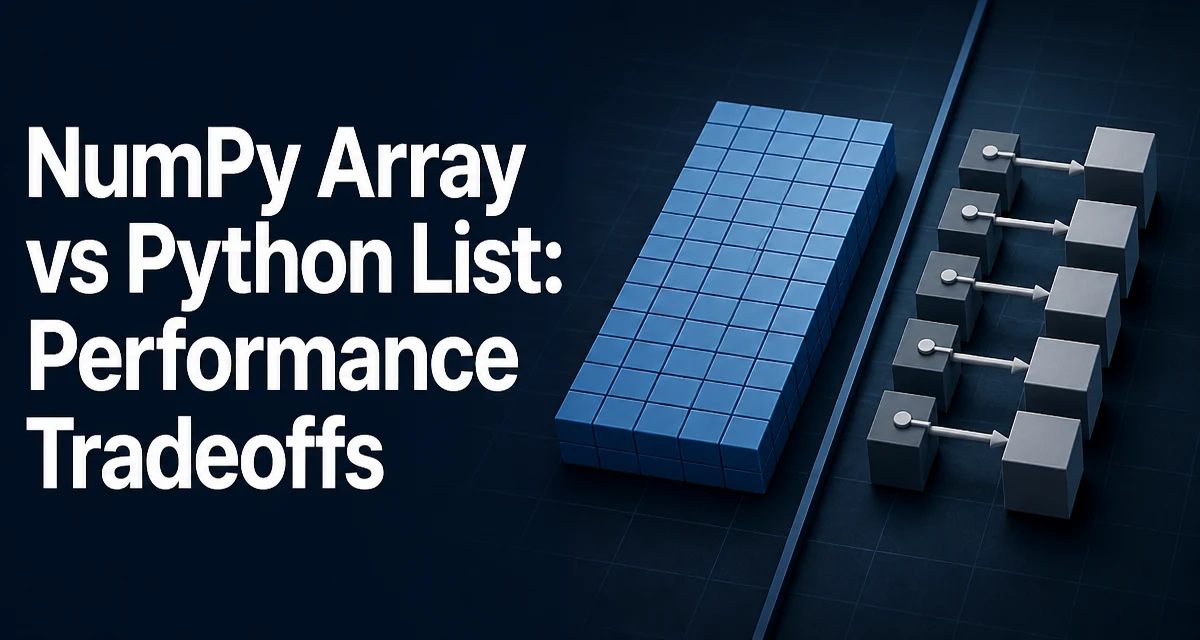
Python developers often face the choice between a native list and a NumPy array when handling numerical data. The performance difference between python numpy array vs python list performance is not just about speed; it stems from fundamentally different memory layouts and execution models. Understanding these mechanisms helps you decide which structure fits a given workload.
The Core Difference: Contiguous Memory and Vectorization
A Python list stores references to Python objects. Each object carries its own type information, reference count, and value, and those objects are scattered across memory. Accessing an element requires following a pointer, and iterating over a list means processing each object through the Python interpreter.
A NumPy array, by contrast, stores raw values in a single contiguous block of memory. The array knows its dtype, so every element occupies a fixed number of bytes. This layout allows the CPU to load multiple values into cache at once and lets NumPy delegate operations to compiled C routines. Vectorized operations process entire arrays without Python-level loops, which is the primary source of NumPy's speed advantage.
import numpy as np

# Python list of integers
py_list = [1, 2, 3, 4, 5]

# NumPy array of integers
np_array = np.array([1, 2, 3, 4, 5])
The list stores five separate integer objects. The array stores five 8-byte integers (on a 64-bit system) in one block. This difference affects not only speed but also memory usage.
How Element-Wise Operations Differ
Consider adding 10 to every element. With a list, you write a loop or a comprehension:
py_list = [1, 2, 3, 4, 5]
result = [x + 10 for x in py_list]
Each iteration invokes the Python interpreter, checks the object type, performs the addition, and creates a new integer object. For a large list, this overhead dominates.
With NumPy, the same operation is a single vectorized call:
np_array = np.array([1, 2, 3, 4, 5])
result = np_array + 10
NumPy loops over the contiguous buffer in C, applying the addition without creating intermediate Python objects. The performance gap grows with the size of the data because the per-element interpreter overhead is eliminated.
This vectorization also applies to more complex operations like trigonometric functions, matrix multiplication, and reductions. NumPy's np.sum, np.mean, and np.dot operate on the raw buffer directly, whereas list-based equivalents require explicit loops or sum() which still iterates in Python.
Loops and Python-Level Iteration
When you need to iterate over elements and apply custom logic that cannot be vectorized, the performance picture changes. Iterating over a NumPy array element by element is often slower than iterating over a list because each element access converts a raw C value into a Python object. That conversion adds overhead.
# List iteration
for x in py_list:
    process(x)

# NumPy iteration
for x in np_array:
    process(x)
The second loop pays a boxing/unboxing cost for every element. If your algorithm cannot be expressed as a vectorized operation, a list may be faster. However, you can often refactor the logic to use NumPy's built-in functions or np.vectorize (which still has Python-level overhead) to avoid the per-element conversion.
The practical rule is: if you are writing Python-level loops over numerical data, a list is usually the better choice. If you can express the operation as a whole-array expression, NumPy wins.
Memory Footprint and Allocation Patterns
A Python list of 1 million integers uses far more memory than a NumPy array of the same size. Each integer object in a list consumes roughly 28 bytes (on CPython), plus the list stores an 8-byte pointer per element. That totals around 36 bytes per element. A NumPy array with dtype int64 uses exactly 8 bytes per element, plus a small fixed overhead for the array object.
For floating-point data, the difference is similar. A list of floats stores full Python float objects (typically 24 bytes each) plus pointers, while a NumPy float64 array uses 8 bytes per value.
This memory efficiency matters when working with large datasets. A 10-million-element array of float64 occupies 80 MB. The equivalent list would consume several hundred MB and likely cause swapping or memory pressure.
NumPy also supports more compact dtypes like float32, int16, or uint8. Choosing a smaller dtype can further reduce memory, but it changes the precision or range of values. Lists have no such control; they always store full Python objects.
When a Python List Is the Right Choice
Use a list when your data is heterogeneous, when you need to store arbitrary Python objects, or when the collection size changes frequently and you rely on list methods like append, insert, or pop. Lists are also preferable when you are working with small datasets where the overhead of importing NumPy and creating an array outweighs any performance gain.
Lists integrate seamlessly with Python's standard library and third-party packages that expect sequences. If you need to store strings, mixed types, or None values, a list is the natural fit. NumPy arrays require a uniform dtype, and storing objects in them negates the performance benefits.
Another case is when you need to build a collection incrementally without knowing the final size. Lists grow dynamically with amortized O(1) appends. NumPy arrays have a fixed size; resizing requires creating a new array and copying data, which is expensive. You can use np.append or np.concatenate, but repeated calls are inefficient.
When a NumPy Array Is the Right Choice
Reach for NumPy when you are performing mathematical operations on large homogeneous numeric datasets. This includes scientific computing, data analysis, machine learning preprocessing, and any workload where vectorized operations are available.
NumPy also provides advanced indexing, broadcasting, and linear algebra routines that are not available in standard lists. Operations like np.where, np.dot, np.linalg.solve, and np.fft are implemented in optimized C and Fortran. Reimplementing them with lists would be both slower and more error-prone.
If your data comes from a file, database, or external library in a tabular format, converting it to a NumPy array early allows you to leverage vectorized processing. Many libraries like pandas and scikit-learn expect NumPy arrays as inputs, so using them directly avoids conversion overhead.
A Practical Comparison: Filtering and Aggregation
Consider a common task: given a list of numbers, compute the sum of all values greater than a threshold. With a list, you write:
data = [float(x) for x in range(1000000)]
threshold = 500000
result = sum(x for x in data if x > threshold)
This iterates in Python, creating a generator and performing each comparison in the interpreter. With NumPy:
import numpy as np
data = np.arange(1000000, dtype=np.float64)
threshold = 500000
result = np.sum(data[data > threshold])
The NumPy version creates a boolean mask, indexes the array, and sums the result—all in compiled code. For a million elements, the difference is substantial, though the exact ratio depends on hardware and NumPy version.
Another example is normalizing a dataset. The list version requires a loop:
mean = sum(data) / len(data)
std = (sum((x - mean) ** 2 for x in data) / len(data)) ** 0.5
normalized = [(x - mean) / std for x in data]
NumPy does this in one expression:
mean = np.mean(data)
std = np.std(data)
normalized = (data - mean) / std
The NumPy expression avoids multiple passes over the data and uses SIMD-friendly operations where available.
Measuring Performance Without Guessing
If you need concrete numbers for your specific workload, benchmark with timeit or a proper profiling tool. Do not rely on intuition or anecdotal reports. The performance difference depends on the size of the data, the operation, and the hardware.
A simple timing script:
import timeit
import numpy as np

setup_list = "data = list(range(1000000))"
setup_np = "import numpy as np; data = np.arange(1000000)"

list_time = timeit.timeit("sum(data)", setup=setup_list, number=100)
np_time = timeit.timeit("np.sum(data)", setup=setup_np, number=100)

print(f"List sum: {list_time:.4f}s")
print(f"NumPy sum: {np_time:.4f}s")
Run this on your own machine and with your actual data sizes. Also consider memory usage by measuring sys.getsizeof for lists and nbytes for arrays. For a list, sys.getsizeof only accounts for the list object, not the individual integer objects, so you need to add the size of each element. A more accurate approach is to use tracemalloc or a memory profiler.
Remember that importing NumPy adds a fixed overhead. For tiny arrays, the import time and array creation cost may dominate, making lists faster. The crossover point depends on the operation and the environment. Always test with the data sizes you expect in production.
Compatibility and Maintainability Considerations
NumPy is a third-party dependency. If your project already uses it, there is no extra cost. But if you are building a small script or a library that should avoid heavy dependencies, sticking with standard Python lists reduces installation requirements and potential version conflicts.
Lists are also more flexible when you need to modify the structure frequently—inserting elements in the middle, removing items, or storing mixed types. NumPy arrays do not support these operations efficiently, and attempting to do so often results in awkward code that copies data repeatedly.
From a maintainability perspective, code that relies on vectorized NumPy operations is often more concise and closer to the mathematical formulation. That clarity can reduce bugs, especially in complex numerical algorithms. However, it requires the team to be comfortable with NumPy idioms like broadcasting and fancy indexing.
For projects that already depend on pandas, scikit-learn, or other scientific libraries, NumPy arrays are the standard interchange format. Using them avoids conversion overhead and keeps the codebase consistent.
Ultimately, the choice between a NumPy array and a Python list should be driven by the data type, the operations you need, the dataset size, and the project's dependency constraints. For large homogeneous numeric data with vectorizable operations, NumPy is almost always the right answer. For small, heterogeneous, or highly dynamic collections, a list is simpler and often faster. Measure when performance is critical, and let the measurements guide the decision.