PyArrow Tables and pandas: Memory and Integration
python pyarrow tables pandas integration and memory: How PyArrow Tables and pandas DataFrames convert between each other, when conversion copies memory, and how to str...
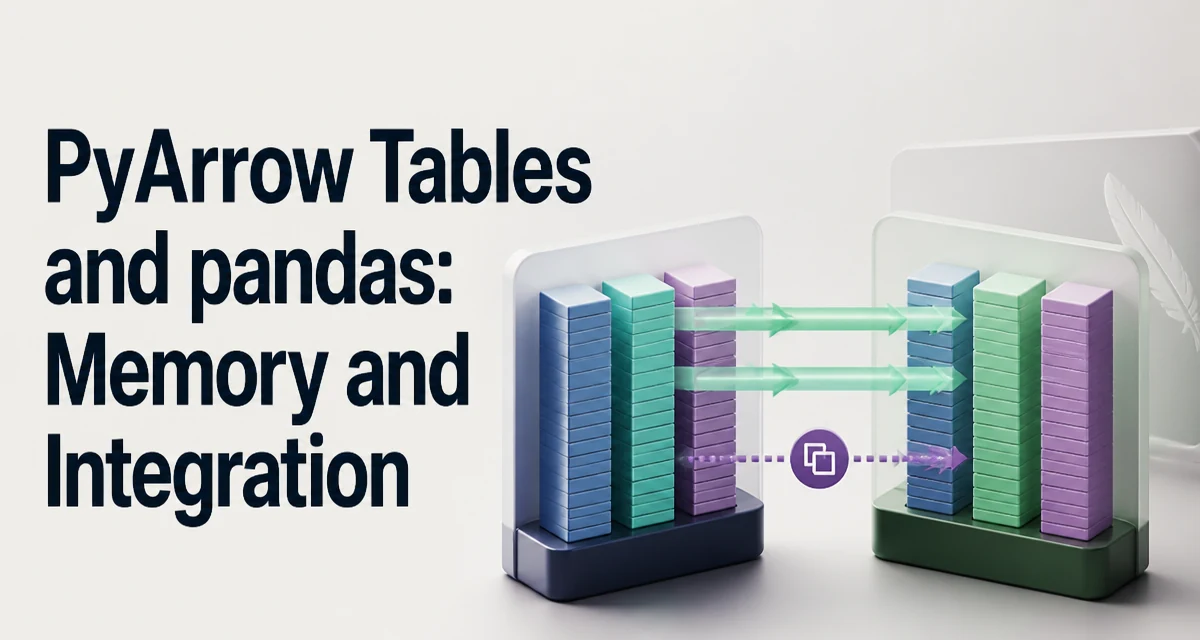
When you move data between pandas and PyArrow, the same logical table can live in two very different memory layouts. This article covers python pyarrow tables pandas integration and memory in practical terms: which conversions reuse buffers, which ones allocate new copies, and how to structure a pipeline so the memory cost stays predictable.
How PyArrow Tables Relate to pandas DataFrames
A PyArrow Table is a collection of Arrow arrays, each representing a column, plus a schema that names the columns and describes their types. Arrow arrays are immutable. Once constructed, their buffers cannot be changed. That immutability is what allows Arrow buffers to be shared across processes, threads, and libraries without defensive copies.
A pandas DataFrame, by contrast, is a mutable container. Columns can be replaced, appended, or deleted, and individual cells can be updated. Internally, pandas organizes columns as numpy arrays or pandas extension arrays, and the layout differs from Arrow's. A numpy-backed int64 column is a contiguous block of 64-bit integers. An Arrow int64 column is also a contiguous block of 64-bit integers, but it may carry a separate validity bitmap that marks which entries are null.
The practical consequence: some conversions between the two formats can reuse the underlying buffers, while others must build entirely new arrays. The exact behavior depends on the Arrow type, the pandas dtype, and the parameters you pass to the conversion methods.
Converting a DataFrame to a PyArrow Table
The primary entry point for moving a DataFrame into Arrow is pyarrow.Table.from_pandas:
import pyarrow as pa
import pandas as pd

df = pd.DataFrame({"id": [1, 2, 3], "name": [["ada", "grace", "alan"]})
table = pa.Table.from_pandas(df)
By default, from_p_pandas preserves the DataFrame's index. A simple RangeIndex is stored as metadata rather than a column; a non-default index becomes a real column in the table. You can control this with the preserve_index parameter:
table_without_index = pa.Table.from_pandas(df, preserve_index=False)
The conversion copies the data when the DataFrame is numpy-backed. Arrow builds its own buffers rather than referencing the numpy arrays. The exception is when the DataFrame already uses an Arrow-backed extension dtype; in that case, both sides speak the the Arrow memory format, and the buffers can be reused.
The resulting schema reflects Arrow's type system,, not pandas dtypes. An object column containing strings becomes Arrow's string type. A numpy int64 column becomes int64. A datetime64 column becomes timestamp with the the appropriate unit. The mapping is mostly automatic, but it is worth inspecting the schema when you have mixed-type object columns, because Arrow tries to infer a common type and may reject columns that cannot be represented.
Converting a Table Back to a DataFrame
The reverse operation is Table.to_pandas:
df_roundtrip = table.to_pandas()
This method accepts parameters that control the output. The most relevant for memory behavior is zero_copy_only. When set to True, the method raises an error if any column cannot be converted without copying buffers. When set to False (the default), pandas may copy where necessary.
df_zerocopy = table.to_pandas(zero_copy_only=True)
If any column requires a copy, this call fails. You can catch the error and fall back to the default conversion, or inspect the schema beforehand to to determine which columns are safe. Zero-ccopy conversion is possible only when the Arrow type maps directly to a numpy dtype or a pandas extension dtype that can reference the same buffer. A plain int64 column can become a numpy int64 array without copying. A string column cannot, because Arrow stores strings as an offsets buffer plus a byte buffer,, while pandas stores them as an an array of Python objects. Building that object array requires allocating a new container and converting each string.
Nulls also force a copy. Arrow represents null with a validity bitmap. Pandas represents missing values differently depending on the dtype: float columns use NaN, integer columns may use pd.NA with an extension dtype, and object columns use None. Materializing any of those representations from a validity bitmap requires constructing new arrays.
When Conversion Copies Memory and When It Does Not
Numeric columns without nulls are the best candidates for zero-copy conversion. If an Arrow column has type int64, uint64, float64, or another fixed-width numeric type, and the validity bitmap is absent or all entries are valid, to_pandas can expose the Arrow buffer directly as a numpy array.
The situation changes when the column contains nulls. Arrow's validity bitmap is not the same representation as pandas' NaN or pd.NA. Even if the underlying numeric buffer is identical, pandas needs to know which positions are missing, and that information lives in a separate bitmap. Converting the bitmap into a pandas-compatible representation requires producing a a new array.
String columns are almost always copied. The pandas object dtype is an array of pointers to Python `str`` objects. Arrow's string layout stores UTF-8 bytes contiguously, with offsets into the byte buffer. Translating between the two requires iterating over every string and constructing a Python object for each one.
There is one important exception to the copying rule: if the DataFrame already uses an Arrow-backed dtype, both the table and the DataFrame reference the the same buffers. In pandas 2.0 and later, you can create a DataFrame whose columns are Arrow arrays directly:
df_arrow = pd.DataFrame(
    {"id": pd.array([1, 2, 3], dtype="int64[pyarrow]")}
)
In this case, from_pandas does not copy the buffers; it wraps the existing Arrow arrays. The same is true in the reverse direction when to_pandas produces Arrow-backed columns.
Using PyArrow as a pandas Backend
Pandas .0 introduced first-class support for Arrow-backed extension dtypes.. You can specify dtype="int64[pyarrow]", dtype="string[pyarrow]", or use pd.array with an Arrow type.
import pyarrow as pa
import pandas as pd

s = pd.Sies([1, 2, 3], dtype="int64[pyarrow]")
When a DataFrame is built from Arrow-backed columns, operations that pandas performs on those columns delegate to Arrow compute kernels rather than numpy. The memory layout remains Arrow's columnar format,, which means the DataFrame and a PyArrow Table constructed from it share buffers.
This mode is attractive when you need both pandas' API and Arrow's memory efficiency. The same data can be passed to a PyArrow Table for serialization,, Parquet writing, or inter-process transfer without a copy. The cost is that not every pandas operation is supported on Arrow-backed columns. Some pandas methods fall back to converting the column to numpy, which defeats the purpose and may raise a warning. The set of supported operations grows with each pandas release, but it is not identical to the numpy-backed path.
Memory Tradeoffs in Real Workflows
The most common memory problem in Arrow-pandas integration appears in pipelines that repeatedly convert between the two representations. A naive pipeline might load a Parquet file into a DataFrame, convert it to a Table for processing, convert it back, and then write it out. Each conversion that copies data allocates a second full copy of the working set.
The fix is to decide on a single representation for the the bulk of the data and convert only at the boundaries. If the heavy processing happens in pandas, load the Parquet file directly into pandas and avoid building a Table. If the heavy processing happens in Arrow or in another Arrow-compatible tool, keep the data as a Table and only call to_pandas at the point where you need pandas-specific functionality.
A second concern is the difference in null handling. Arrow's null representation is uniform across all types, while pandas uses different sentinel values depending on the the dtype. A column with a small number of nulls can still force a full copy when converted,, because the null bitmap must be expanded into a pandas-compatible missing-value representation. If you control the data and can guarantee no nulls, you can sometimes avoid the copy, but the guarantee must be be enforced by the schema.
A third concern is string memory. Arrow's string layout is compact: UTF-8 bytes are stored contously, so there is no per-string Python object overhead. The pandas object dtype stores pointers to Python objects, and each Python str object carries its own overhead. For large string columns, the Arrow representation can use substantially less memory. Converting such a a column to pandas materializes all those Python objects, which both increases memory usage and takes time.
Choosing Between pandas and PyArrow Representations
The decision is not about which library is better; it is about where the data spends most of of its life. If the data is read once, processed with pandas operations, and written out, the pandas representation is the natural choice. If the the data is exchanged between systems, written to Parquet, or processed by Arrow-native tools, the Table representation avoids conversion costs.
Use a PyArrow Table when:
- The data is immutable during the the processing step.
- You are writing to Parquet or Arrow IPC format.
- You need to pass the data to to another Arrow-compatible library.
- You want the compact string layout or the uniform null representation.
Use a pandas DataFrame when:
- You need in-place mutation of columns or cells.
- You rely on pandas operations that do not support Arrow-backed dtypes.
- You are integrating with libraries that expect numpy-backed pandas objects.
When both are viable, the Arrow-backed pandas dtype gives you a middle ground: pandas API on on top of Arrow memory. It is worth testing whether the pandas operations you actually use are supported in that mode, because the compatibility surface is is not the same as the numpy-backed path.
The memory behavior of the conversion is the deciding factor in most real pipelines. If your workflow converts a Table to a DataFrame and the data has strings or nulls, expect a full copy. If it is a pure numeric table without nulls, you may get zero-copy behavior. Knowing which columns force a copy lets you structure the pipeline to avoid repeated allocation.