Python Alembic: Add, Drop, and Rename Columns
python alembic add drop and rename columns: Learn how to add, drop,, and rename columns with Alembic migrations in Python, including batch operations for SQLite and do...
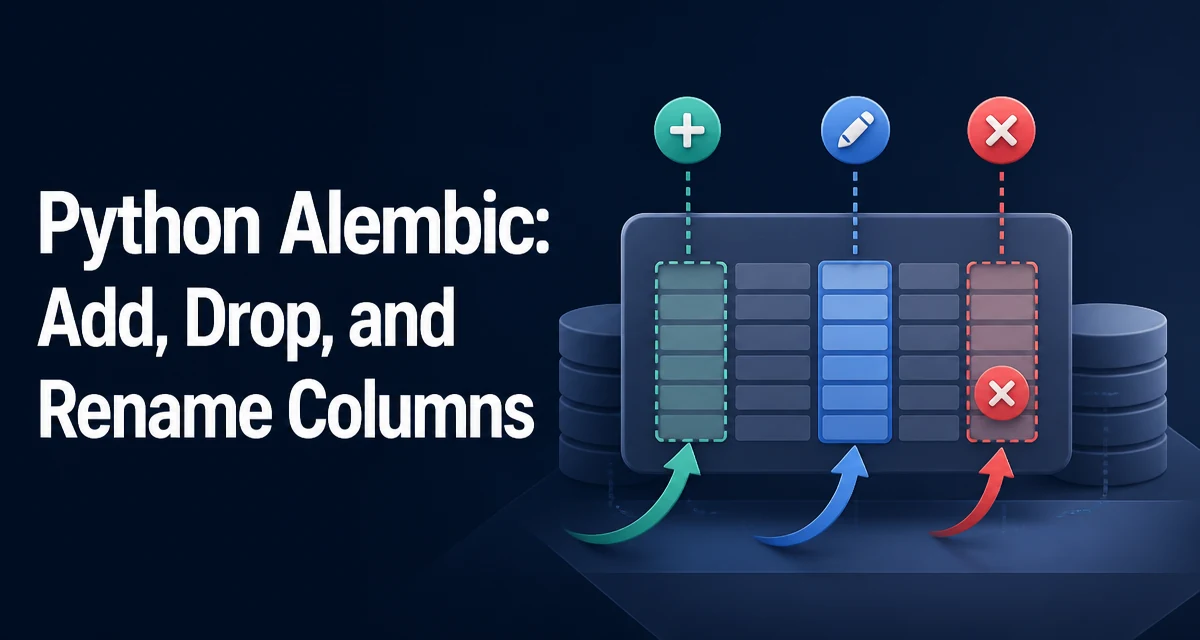
When you need to change a database schema in a Python project, Alembic is the standard migration tool. The operations for adding, dropping, and renaming columns are straightforward, but each has its own constraints and failure modes. This article walks through the exact syntax and the practical decisions you need to make when writing migrations for python alembic add drop and rename columns.
Adding a Column with Alembic
The op.add_column() function is used to add a new column to a table. It requires the table name and a Column object from SQLAlchemy. Here is a minimal example:
from alembic import op
import sqlalchemy as sa

def upgrade():
    op.add_column('users', sa.Column('age', sa.Integer(), nullable=True))
This adds an age column to the users table. The nullable=True parameter is important: if you add a non-nullable column to a table that already has rows, the migration will fail because existing rows have no value for the new column. If you need a non-nullable column, you must either provide a server default or add the column as nullable, backfill data, and then alter the column to be non-nullable in a separate migration.
For example, to add a non-nullable column with a default value, you can use server_default:
def upgrade():
    op.add_column('users', sa.Column('is_active', sa.Boolean(), nullable=False, server_default=sa.true()))
The server_default is applied at the database level, so existing rows get the default value. After the migration, you can remove the server default if it is only meant for the backfill.
Dropping a Column
Dropping a column is equally simple with op.drop_column():
def upgrade():
    op.drop_column('users', 'age')
This permanently removes the column and all data stored in it. There is no undo at the database level unless you have a backup or a downgrade migration that recreates the column. The downgrade for this operation would be the corresponding op.add_column() call, but it cannot restore the original data. That is a critical operational point: dropping a column is destructive, and you should only do it when you are certain the data is no longer needed.
Some databases lock the table during a DROP COLUMN operation, which can block reads and writes. On large tables, this can cause downtime. If you are dropping a column from a very large table, consider whether the operation can be performed during a maintenance window or if you need a strategy that minimizes locking, such as creating a new table without the column and copying data over.
Renaming a Column
Renaming a column is done with op.alter_column() and the new_column_name parameter:
def upgrade():
    op.alter_column('users', 'age', new_column_name='years_old')
This changes the column name from age to years_old. The alter_column function can also change type, nullability, and other attributes, but when you only need to rename, this is the correct call.
However, ALTER TABLE RENAME COLUMN is not supported by every database. SQLite, for example, does not support renaming a column directly until version 3.25.0 (2018-09-15), and even then, Alembic's default behavior may not work because SQLite's ALTER TABLE support is limited. For SQLite, you need to use Alembic's batch mode, which recreates the table with the new schema.
Using batch_alter_table for SQLite
Alembic provides op.batch_alter_table() to handle schema changes that are not natively supported by the database. For SQLite, this is the recommended way to rename a column. The batch operation creates a new table with the desired schema, copies data from the old table, drops the old table, and renames the new one. Here is an example:
def upgrade():
    with op.batch_alter_table('users') as batch_op:
        batch_op.alter_column('age', new_column_name='years_old')
Inside the with block, you can use the same operations (add_column, drop_column, alter_column) as you would on op, but they are applied to the temporary table. This approach is not limited to renaming; it is also useful for adding or dropping multiple columns in a single batch on SQLite, because each operation would otherwise require a separate table recreation.
Batch mode has a performance cost: it copies the entire table. For large tables, this can be slow and may temporarily double the storage usage. Always test the migration on a copy of the production data to estimate the duration.
Autogenerate vs Manual Migration Scripts
Alembic's autogenerate feature can detect changes in your SQLAlchemy models and generate migration scripts automatically. For adding and dropping columns, autogenerate works well because it compares the model metadata with the current database schema. However, renaming columns is not reliably detected by autogenerate. Alemb cannot infer that a column was renamed; it will see a drop and an add of two different columns. If you run autogenerate after renaming a column in your model, it will generate a drop_column and an add_column migration, which would cause data loss.
Therefore, when renaming a column, you should write the migration manually using op.alter_column or batch_alter_table, and then use autogenerate for the rest of the changes. After you write the manual migration, you can run alembic revision --autogenerate to generate a new revision, but you should review it to ensure it does not include the rename as a drop/add pair. A common workflow is to write the rename migration first, then autogenerate the remaining changes, and finally combine them into one revision if needed.
Writing Downgrade Functions
Every migration should have a downgrade() function that reverses the upgrade(). For adding a column, the downgrade is op.drop_column(). For dropping a column, the downgrade is op.add_column() with the original column definition. For renaming, the downgrade uses alter_column with the original name.
def downgrade():
    op.alter_column('users', 'years_old', new_column_name='age')
When using batch operations, the downgrade must also use batch mode. The important thing is that the downgrade must be able to run without errors, even if it does not restore the original data. For a dropped column, the downgrade will recreate the column but all data is lost. This is acceptable if the downgrade is only used to revert the schema, not the data. In practice, you should always have a database backup before you run destructive migrations, and the downgrade is not a substitute for a backup.
SQLite's batch mode in the downgrade will again recreate the table, which is necessary to reverse the rename. Make sure the downgrade uses the same batch context to avoid errors.
Operational Considerations
When you run migrations that add, drop, or rename columns, consider the following:
- Data loss: Dropping a column is irreversible without a backup. Renaming a column is safe, but a poorly written autogenerate migration can drop the column and lose data.
- Table locking:
ALTER TABLEmay lock the table. For large tables, this can block writes and even reads, depending on the database. Batch operations on SQLite copy the entire table, which can be slow. - Downtime: If your application is running while a migration is applied, the application code must be compatible with both the old and new schema during the migration window. For a rename, you might need to deploy the code change after the migration, or use a two-phase deployment where the code can handle both column names.
- Testing: Always test migrations on a staged copy of your data, especially for large tables or destructive operations. Measure the time it takes and verify the data integrity after the migration.
- Transaction support: Some databases allow DDL statements inside a transaction, others do not. Alembic runs migrations inside a transaction by default, but if the database does not support transactional DDL, a failed migration may leave partial changes. Understand your database's behavior and plan accordingly.
By understanding the exact behavior of each operation and the limitations of your database, you can write Alembic migrations that are safe and reliable for production use.