Resolving Python Alembic Migration Conflicts
python alembic migration conflicts: Understand what causes Alembic migration conflicts, how to detect multiple heads, and how to resolve them with merge revisions and...
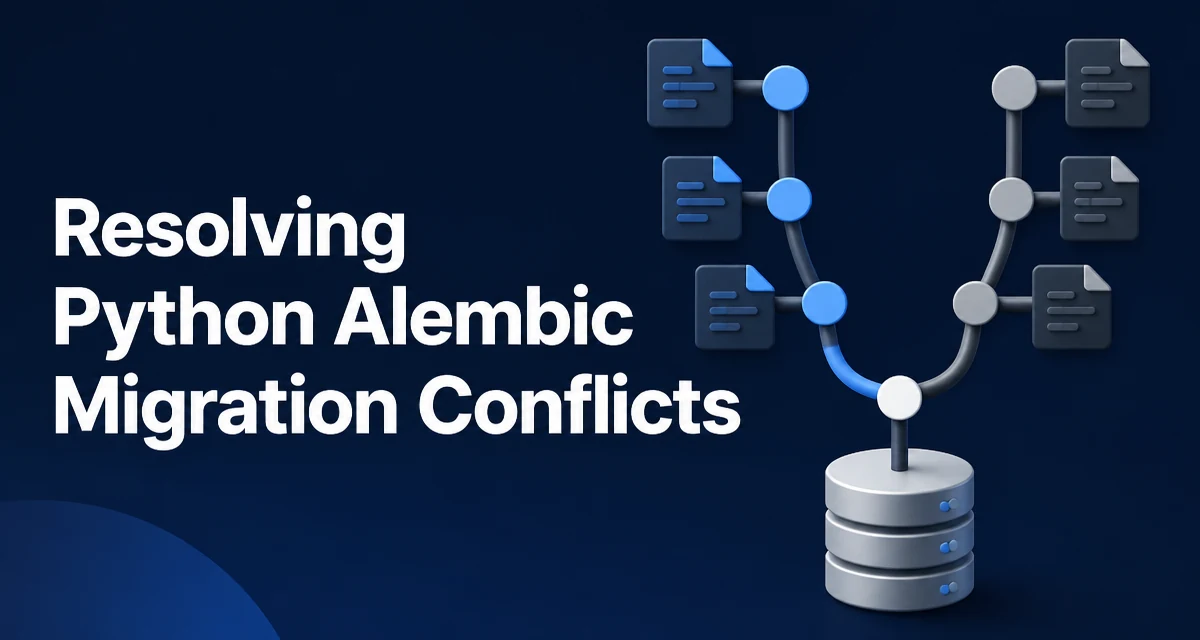
Python Alembic migration conflicts arise when the migration history graph contains more than one head revision. This typically happens when multiple developers create new migrations from the same base revision, or when feature branches are merged without reconciling their migration chains. Alembic requires a linear history for most operations, so when it detects multiple heads, commands like alembic upgrade head fail with an error such as "Multiple head revisions are present".
The root cause is that each migration file declares a down_revision pointing to the previous revision. If two developers both set down_revision to the same revision, they create a fork in the history. When those branches are merged into a shared branch, Alembic sees two heads and refuses to proceed until the conflict is resolved.
How Alembic Tracks Revision History
Every migration file contains a revision identifier and a down_revision that points to the revision it builds upon. This forms a directed acyclic graph. A head is a revision with no child revisions. Normally, a project has exactly one head. When you run alembic upgrade head, Alembic walks the graph from the current database revision to the head, applying each migration in order.
Alembic stores the current revision in the alembic_version table. The down_revision chain is what allows Alembic to compute the path from any point to any other point. If the graph forks, there are multiple heads, and Alembic cannot determine which path to take without explicit instruction.
Detecting Migration Conflicts
The first step in resolving a conflict is to confirm that one exists. Alembic provides several commands to inspect the revision graph:
alembic headslists all head revisions.alembic historyshows the full revision history, including branches.alembic currentshows the revision currently applied to the database.
When you run alembic heads and see more than one revision, you have a conflict. For example, if you see abc123 and def456 both listed, there are two heads. You can also use alembic history to see the branching structure and identify where the fork occurred.
Resolving Conflicts with a Merge Revision
Alembic provides a built-in command to resolve multiple heads: alembic merge. This command creates a new revision that has multiple down_revision values, effectively joining the branches into a single head.
Run:
alembic merge -m "merge branches" abc123 def456
Replace abc123 and def456 with the actual head revision identifiers. Alembic will generate a new migration file that looks like this:
"""merge branches

Revision ID: merge1
Revises: abc123, def456
Create Date: 2025-04-01 12:00:00.000000
"""
from alembic import op
import sqlalchemy as sa

revision = 'merge1'
down_revision = ('abc123', 'def456')
branch_labels = None
depends_on = None

def upgrade():
    pass

def downgrade():
    pass
The merge revision typically contains no schema changes; it exists solely to unify the history. After generating the merge, you must apply it to the database with alembic upgrade head. The merge revision will be recorded in alembic_version, and the graph will have a single head.
Handling Conflict Scenarios in Practice
The merge approach works when the two branches are independent and can be combined in any order. However, there are cases where one branch depends on changes from the other. For example, if branch A adds a column and branch B adds a table that references that column, you must ensure the migrations are applied in the correct order. In such cases, you may need to reorder the revisions or create a custom merge that includes the necessary operations.
Another common scenario is when a developer creates a migration on top of an older revision that is no longer the current head. This often happens when someone forgets to pull the latest changes before creating a new migration. The solution is to rebase the migration by updating its down_revision to point to the current head, or to use alembic merge if the branches are already committed.
Preventing Conflicts in Team Workflows
The most effective way to avoid migration conflicts is to establish a single-head policy. This means that at any given time, there is exactly one head revision in the repository. To enforce this, teams often use a CI check that runs alembic heads and fails if more than one head is found. Another practice is to require developers to pull the latest migrations before creating a new one, and to run alembic upgrade head locally to ensure the migration chain is linear.
When working with feature branches, it is common to merge the main branch into the feature branch before creating a new migration. This reduces the chance of a fork. If a fork does occur, resolving it early with alembic merge is simpler than waiting until the branches are merged.
Operational Considerations for Production Deployments
Applying a merge revision in production is straightforward, but it requires care. Before running alembic upgrade head, ensure that all previous migrations have been applied. The merge revision itself does not change the schema, so it is safe to apply even if the database is already at one of the heads. However, if the merge includes actual schema changes (which is unusual), you must test the upgrade path on a staging environment.
In production, it is also important to have a backup of the database before running any migration. Alembic does not provide automatic rollback for schema changes, so a failed migration can leave the database in an inconsistent state. Using alembic downgrade can help, but it only works if the downgrade functions are correctly implemented.