Python append vs insert: When to Use Each
python append vs insert: Understand the behavioral and performance differences between Python's list.append and list.insert methods, and learn when each is the right c...
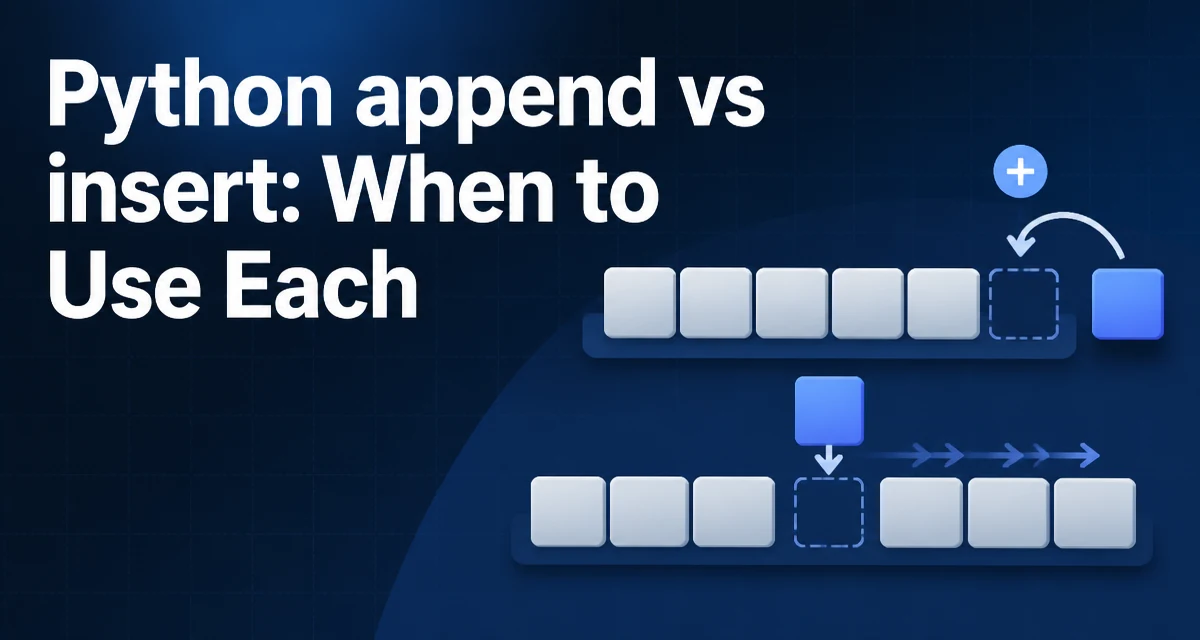
Choosing between python append vs insert for list operations comes down to where the new element must land and what the operation costs. append() adds an element to the end of a list in amortized O(1) time, while insert() places an element at a specified index and shifts every subsequent element, costing O(n) in the worst case. Both methods mutate the list in place, but their behavioral differences matter in real code.
The Core Difference Between append and insert
append() adds a single element to the end of a list. insert() adds an element at a specific index and shifts every element from that position onward to the right. The two methods serve different structural needs, and choosing between them depends on where the new element must land and how large the list is.
tasks = ["review", "test"]
tasks.append("deploy")
print(tasks)  # ['review', 'test', 'deploy']

tasks.insert(1, "build")
print(tasks)  # ['review', 'build', 'test', 'deploy']
append() takes one argument, the element to add. insert() takes two arguments: the index where the element should be placed, and the element itself. Both methods mutate the original list; neither returns a new list.
Return Values and In-Place Mutation
Both append() and insert() return None. This is a common source of confusion for developers coming from languages where collection methods return the modified collection. If you write new_list = my_list.append(x), new_list will be None, not the updated list.
items = [1, 2]
returned = items.append(3)
print(returned)  # None
print(items)     # [1, 2, 3]
Because both methods mutate in place, they are appropriate when you want to modify an existing list rather than create a copy. If you need a new list without altering the original, use concatenation or slicing instead.
Performance: Why insert Shifts Elements
CPython lists are implemented as dynamic arrays, not linked lists. append() writes the new element into the next available slot and, when the underlying array is full, allocates a larger array and copies the existing elements. This makes append() amortized O(1): most calls are constant time, with occasional reallocation.
insert() must move every element from the target index to the end of the list one position to the right before placing the new element. Inserting at index 0 on a list of 10,000 elements shifts all 10,000 elements. The time complexity is O(n), where n is the number of elements after the insertion point.
| Aspect | append(element) | insert(index, element) |
|---|---|---|
| Position | End of list | Specified index |
| Time complexity | Amortized O(1) | O(n) worst case |
| Arguments | One | Two |
| Return value | None | None |
Inserting at the end with insert(len(list), x) is equivalent in position to append(x) but still goes through the same shifting machinery internally. In practice the difference is negligible for small lists, but append() is the clearer and more idiomatic choice for adding to the end.
When to Use append
append() is the natural method for building a list incrementally. Reading lines from a file, collecting results from a loop, or accumulating values from a generator are all cases where the order of arrival matches the desired order in the list.
results = []
for value in range(100):
    if value % 2 == 0:
        results.append(value)
Using append() in a loop is also the most readable way to accumulate values. It communicates that the list grows in arrival order, and its O(1) amortized cost keeps the loop efficient even for large inputs.
When to Use insert
insert() is useful when the position of the new element is determined by the data itself, not by arrival order. Maintaining a list in sorted order, inserting a record at a known position, or prepending a header element are typical scenarios.
scores = [85, 90, 95]
scores.insert(1, 88)
print(scores)  # [85, 88, 90, 95]
The tradeoff is the O(n) shifting cost. For a small list, the cost is irrelevant. For a large list where you insert frequently at the front, repeated insert(0, x) calls become a performance problem because each call shifts the entire list. If front insertion is a common operation, collections.deque is a better data structure.
Edge Cases: Negative Indices and Out-of-Range Positions
insert() accepts negative indices, which count from the end of the list. insert(-1, x) places the element before the last element, not at the last position.
items = [1, 2, 3]
items.insert(-1, 9)
print(items)  # [1, 2, 9, 3]
If the index is greater than or equal to the list length, the element is appended to the end. If the index is less than -len(list), the element is inserted at the front. These behaviors are consistent with Python's slicing semantics, but they can mask bugs when the index is computed from external data.
items = [1, 2, 3]
items.insert(100, 7)
print(items)  # [1, 2, 3, 7]
Alternatives for Front Insertion
If you frequently need to add elements to the front of a collection, collections.deque provides appendleft(), which runs in O(1) time. A deque is a doubly linked list of blocks, so it supports efficient insertion at both ends.
from collections import deque

d = deque([2, 3])
d.appendleft(1)
d.append(4)
print(list(d))  # [1, 2, 3, 4]
The tradeoff is that random access by index is O(n) for a deque, whereas a list offers O(1) indexing. Choose a deque only when the dominant operations are adding and removing at the ends. For a list that is mostly read by index and occasionally modified, append() and insert() remain the right tools.