Python Async Function: Syntax and Usage
Learn how to define and run python async functions with async/await, manage tasks with asyncio, and avoid common concurrency pitfalls.
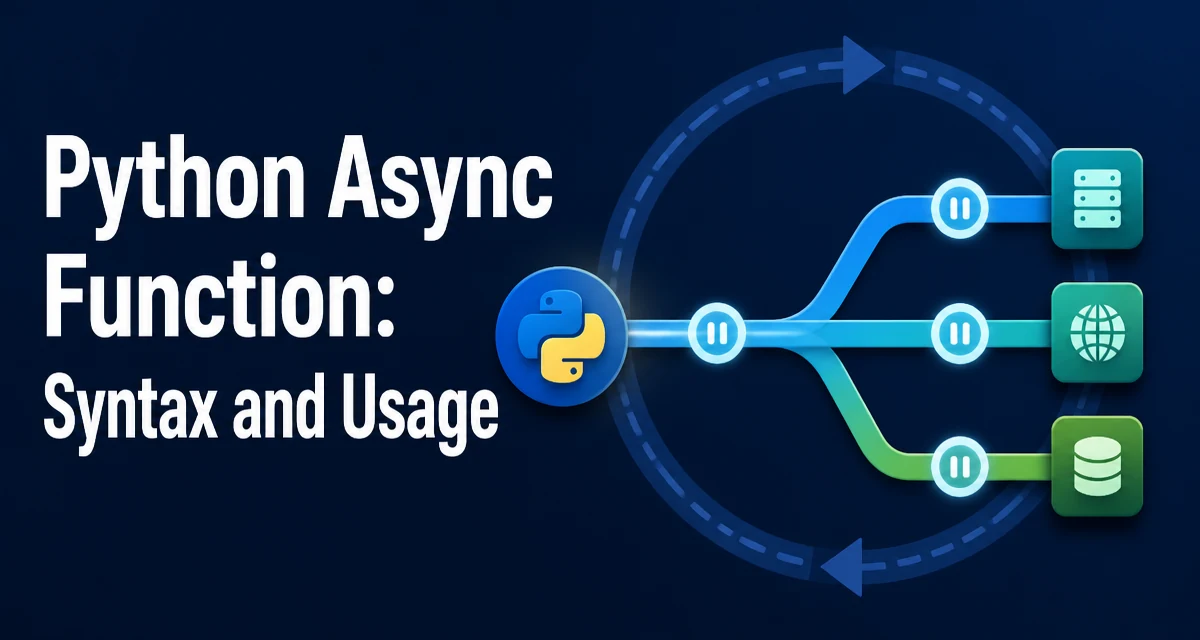
A python async function is defined with async def and returns a coroutine object when called. The coroutine does not execute until it is awaited or scheduled on an event loop. This distinction between definition and execution is the foundation of asynchronous programming in Python.
Defining an Async Function with async def
The async def keyword marks a function as asynchronous. When you call it, instead of running the body, Python returns a coroutine object. The body only runs when the coroutine is awaited or scheduled on an event loop.
async def fetch_data():
    return {"status": "ok"}

coro = fetch_data()  # returns a coroutine object, does not run the body
print(coro)  # <coroutine object fetch_data at 0x...>
The coroutine object is a lightweight, resumable function. It can be paused at await expressions and resumed later. This allows other coroutines to run while one waits for an I/O operation to complete.
Awaiting Coroutines: The await Keyword
To run a coroutine, you must await it. The await keyword suspends the current coroutine until the awaited coroutine completes. The result of await is the return value of the awaited coroutine.
async def fetch_data():
    return {"status": "ok"}

async def main():
    result = await fetch_data()
    print(result)  # {'status': 'ok'}

# Run the main coroutine
import asyncio
asyncio.run(main())
await can only be used inside an async def function. Trying to use it in a regular function raises a SyntaxError. Also, await expects an awaitable object, such as another coroutine, a Task, or an object implementing __await__.
Running an Async Function: asyncio.run() and the Event Loop
Python's asyncio module provides the event loop that schedules coroutines. The simplest way to start an async function is asyncio.run(). It creates a new event loop, runs the given coroutine, and closes the loop after completion.
import asyncio

async def main():
    print("Hello")
    await asyncio.sleep(1)
    print("World")

asyncio.run(main())
asyncio.run() is the recommended entry point for most programs. It handles loop creation and cleanup, and it ensures the loop is closed even if the coroutine raises an exception. For more control, you can manage the loop manually with asyncio.get_event_loop() and loop.run_until_complete(), but this is rarely necessary outside of library code.
Managing Concurrent Tasks with asyncio.create_task() and asyncio.gather()
A single await runs one coroutine at a time. To run multiple coroutines concurrently, you schedule them as tasks. asyncio.create_task() wraps a coroutine into a Task that is scheduled to run on the event loop. The task starts executing as soon as the current coroutine yields control.
import asyncio

async def worker(name, delay):
    await asyncio.sleep(delay)
    print(f"{name} finished")

async def main():
    task1 = asyncio.create_task(worker("A", 2))
    task2 = asyncio.create_task(worker("B", 1))
    await task1
    await task2

asyncio.run(main())
asyncio.gather() is a higher-level helper that runs multiple awaitables concurrently and collects their results in order. It is often more convenient than managing individual tasks when you need all results.
import asyncio

async def fetch(url):
    await asyncio.sleep(1)
    return f"data from {url}"

async def main():
    urls = ["https://api.example.com/a", "https://api.example.com/b"]
    results = await asyncio.gather(*(fetch(u) for u in urls))
    print(results)

asyncio.run(main())
gather() returns a list of results in the same order as the input. If one of the awaitables raises an exception, the exception propagates immediately unless you set return_exceptions=True.
Handling Errors and Cancellation in Async Code
Async code raises exceptions just like synchronous code. You can catch them with try/except around an await expression. However, cancellation is a distinct concern. When a task is cancelled, an asyncio.CancelledError is raised inside the coroutine at the point of the next await.
import asyncio

async def long_task():
    try:
        await asyncio.sleep(10)
    except asyncio.CancelledError:
        print("Task was cancelled")
        raise  # re-raise to propagate cancellation

async def main():
    task = asyncio.create_task(long_task())
    await asyncio.sleep(1)
    task.cancel()
    try:
        await task
    except asyncio.CancelledError:
        print("Main caught cancellation")

asyncio.run(main())
When you cancel a task, the CancelledError is thrown into the coroutine. If the coroutine catches it and does not re-raise, the task will not actually be cancelled, which can lead to unexpected behavior. Always re-raise CancelledError unless you have a specific reason to suppress cancellation.
For cleanup, use try/finally or async with to ensure resources are released even when a task is cancelled.
Avoiding Common Pitfalls: Blocking Calls and Forgotten Awaits
Two frequent mistakes break async code: calling a blocking function without await, and forgetting to await a coroutine.
A blocking call such as time.sleep() or a synchronous I/O operation stalls the entire event loop. While the blocking call runs, no other coroutine can execute, defeating the purpose of async concurrency. Use asyncio.sleep() instead of time.sleep(), and prefer non-blocking I/O libraries that support await.
# Wrong: blocks the event loop
import time
async def bad():
    time.sleep(1)

# Correct: yields control
import asyncio
async def good():
    await asyncio.sleep(1)
Forgetting to await a coroutine is a silent bug. Calling an async function returns a coroutine object, but if you never await it, the body never runs. Worse, the coroutine may be garbage collected with a RuntimeWarning.
async def fetch():
    return 42

async def main():
    fetch()  # no await, coroutine never runs
Always await coroutines, or schedule them with create_task and keep a reference. Linters and type checkers can catch missing await in many cases.
When to Use Async Functions: Performance and Tradeoffs
Async functions shine for I/O-bound workloads where the program spends most of its time waiting for network, disk, or user input. With async/await, a single thread can manage many concurrent operations without the overhead of thread creation or context switching. This is why asyncio is common in web servers, API clients, and database drivers.
For CPU-bound tasks, async functions do not provide a speedup. The event loop runs on a single thread, and CPU-intensive code blocks the loop. In that case, use multiprocessing or threads, or offload heavy computation to a separate process. Combining async with run_in_executor can help, but it adds complexity.
| Workload Type | Async Function Benefit | Recommended Approach |
|---|---|---|
| I/O-bound (network, disk) | High concurrency with low overhead | Use async/await with asyncio |
| CPU-bound (compute) | No benefit, blocks event loop | Use multiprocessing or threads |
| Mixed | Moderate, requires careful design | Combine async with executor for CPU tasks |
Before adopting async functions, consider the learning curve and debugging complexity. Async code is harder to trace because execution interleaves. Use async when you have a clear I/O-bound concurrency requirement; for simple scripts or CPU-bound logic, synchronous code is often simpler and more maintainable.
When you do use async functions, structure your code around small, focused coroutines and avoid long-running synchronous sections. Use asyncio.gather() to parallelize independent I/O calls, and always handle cancellation and errors explicitly. These practices keep async code predictable in production.