Understanding Python asyncio: Event Loops, Coroutines, and Tasks
python asyncio: Learn how to use Python asyncio for concurrent I/O: event loops, coroutines, tasks, timeouts, and common pitfalls.
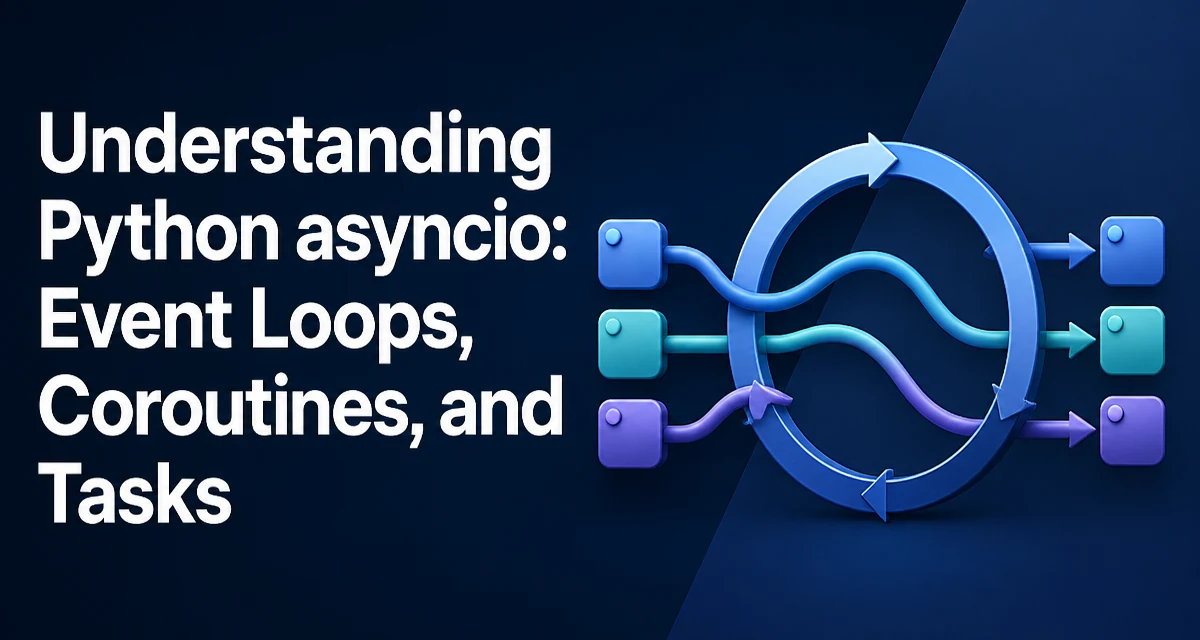
When a Python program performs network requests, database queries, or file operations, it often spends most of its time waiting for I/O to complete. Traditional synchronous code blocks the entire thread during that wait, wasting CPU cycles and limiting throughput. Python asyncio provides a way to write concurrent code that interleaves these I/O operations without using threads, making it a practical choice for I/O-bound applications.
The Event Loop and Coroutines
At the heart of asyncio is the event loop, a scheduler that runs coroutines and handles I/O events. A coroutine is defined with async def and can suspend itself with await, allowing other coroutines to run while the awaited operation completes. The event loop keeps track of pending coroutines and resumes them once their awaited I/O is ready.
import asyncio

async def fetch_data():
    print("fetching...")
    await asyncio.sleep(1)  # simulate I/O
    return "data"

async def main():
    result = await fetch_data()
    print(result)

asyncio.run(main())
Here, asyncio.sleep(1) suspends fetch_data for one second, but because the event loop is free, other coroutines could run during that time. The await keyword is the suspension point; it yields control back to the event loop until the awaited operation completes.
Creating and Managing Tasks
To run multiple coroutines concurrently, you wrap them in tasks. A task is a coroutine scheduled to run independently on the event loop. You create a task with asyncio.create_task() and then await it when you need its result.
async def main():
    task1 = asyncio.create_task(fetch_data())
    task2 = asyncio.create_task(fetch_data())
    results = await asyncio.gather(task1, task2)
    print(results)
asyncio.gather() waits for all tasks to complete and returns their results in order. Tasks are essential when you have multiple independent I/O operations that should overlap. Without tasks, you would await each coroutine sequentially, losing the concurrency benefit.
Running asyncio Code with asyncio.run()
The entry point for most asyncio programs is asyncio.run(). It creates a new event loop, runs the given coroutine until it completes, and then closes the loop. This function handles loop setup and cleanup, so you rarely need to manage the loop directly.
asyncio.run(main())
asyncio.run() is available since Python 3.7 and is the recommended way to start an asyncio application. If you need to interact with the event loop directly—for example, to call loop.run_until_complete()—you typically do so only in advanced scenarios like embedding asyncio in a synchronous framework.
Handling Timeouts and Cancellation
I/O operations can hang longer than expected. Use asyncio.wait_for() to impose a timeout on a coroutine or task. If the timeout expires, the coroutine is cancelled and asyncio.TimeoutError is raised.
async def main():
    try:
        result = await asyncio.wait_for(fetch_data(), timeout=2)
    except asyncio.TimeoutError:
        print("operation timed out")
Cancellation is a cooperative mechanism. When a task is cancelled, a CancelledError is raised inside the coroutine at the current await point. You can catch it to perform cleanup, but you should re-raise it unless you have a specific reason to suppress cancellation.
async def fetch_with_cleanup():
    try:
        await asyncio.sleep(10)
    except asyncio.CancelledError:
        print("cleaning up")
        raise
Proper handling of cancellation prevents resource leaks and ensures tasks stop promptly when the program is shutting down.
Common Pitfalls and Performance Considerations
A frequent mistake is calling a blocking function inside a coroutine without offloading it to a thread. For example, time.sleep() blocks the entire event loop, preventing other tasks from running. Use await asyncio.sleep() instead. If you must call a blocking library function, run it in a thread pool with asyncio.to_thread() (Python 3.9+) or loop.run_in_executor().
import time

async def bad():
    time.sleep(1)  # blocks the loop

async def good():
    await asyncio.sleep(1)  # yields control

async def blocking_io():
    result = await asyncio.to_thread(time.sleep, 1)
    return result
Another concern is creating too many tasks without limiting concurrency. asyncio.gather() with a large list can overwhelm resources. Use asyncio.Semaphore to bound the number of concurrent operations.
sem = asyncio.Semaphore(10)

async def limited_task():
    async with sem:
        await fetch_data()
Finally, remember that asyncio is for I/O-bound concurrency, not CPU-bound parallelism. For CPU-heavy work, use multiprocessing or concurrent.futures.ProcessPoolExecutor to bypass the GIL and utilize multiple cores..
Debugging and Monitoring asyncio Applications
Asyncio applications can be hard to debug when tasks hang or are cancelled unexpectedly. Enable asyncio's debug mode by setting the environment variable PYTHONASYNCIODEBUG=1 or calling asyncio.run(main(), debug=True). This mode logs slow coroutines, detects un-awaited tasks, and provides more detailed stack traces.
For production observability, you can use asyncio.Task.all_tasks() to inspect pending tasks and their states. This is useful for identifying leaked tasks that never complete, which often indicate missing cancellation handling or an un-awaited background task.
pending = [t for t in asyncio.all_tasks() if not t.done()]
Understanding how the event loop schedules work and where your code yields control is key to writing robust asyncio programs. By respecting the cooperative nature of coroutines and using the provided APIs for timeouts, cancellation, and concurrency limits, you can build efficient I/O-bound services in Python.