Python Bitwise AND: Syntax and Practical Examples
python bitwise and: Learn how Python's bitwise AND operator works, its syntax, practical use cases for flags and masking, and common pitfalls to avoid.
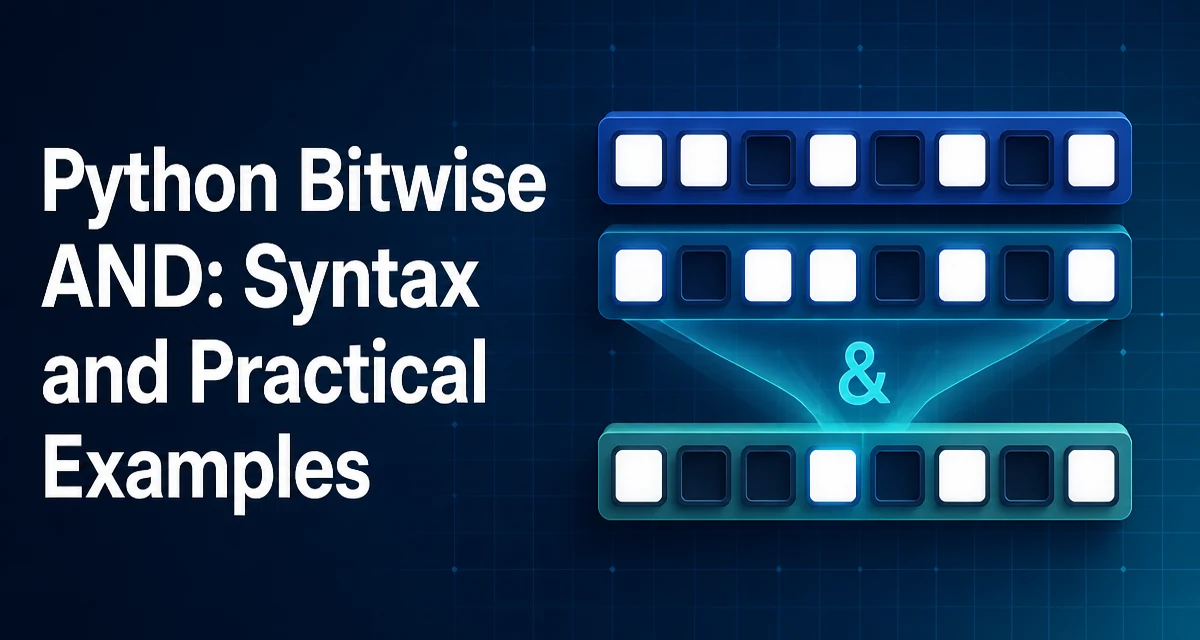
python bitwise and requires a clear understanding of the core syntax, runtime behavior, and practical implementation patterns demonstrated in the examples below.
The bitwise AND operator in Python, written as &, performs a logical AND on each pair of corresponding bits of two integers. It is a fundamental tool for low-level bit manipulation, commonly used in flags, masks, and protocol handling. This article explains how it works, how to use it effectively, and where it can trip you up.
How the Bitwise AND Operator Works
The bitwise AND compares each bit of the first integer with the corresponding bit of the second integer. If both bits are 1, the resulting bit is 1; otherwise, it is 0. This is the same truth table as the logical AND, but applied to each bit position independently.
For example, consider the integers 5 and 3:
- 5 in binary is
101 - 3 in binary is
011
Performing 5 & 3:
  101
& 011
-----
  001
The result is 001, which is 1 in decimal. Python's & operator returns the integer value of the resulting binary sequence.
Syntax and Basic Examples
The syntax is straightforward: a & b, where a and b are integers. Python also supports the in-place version &=, which updates the left operand.
a = 12  # 1100 in binary
b = 10  # 1010 in binary
result = a & b  # 1000 in binary, which is 8
print(result)  # Output: 8
In-place usage:
flags = 0b1100
flags &= 0b1010
print(flags)  # 0b1000, which is 8
These examples show the operator applied directly to integer literals and variables. The operator works with any integer, including negative numbers, which we will cover later.
Using Bitwise AND for Flag Checks
A common use case is checking whether specific flags are set in a bitmask. Many libraries and protocols define constants that are powers of two, each representing a distinct option. Combining them with | creates a mask, and checking with & tests membership.
READ = 0b001
WRITE = 0b010
EXECUTE = 0b100

permissions = READ | WRITE  # 0b011

if permissions & READ:
    print("Read permission granted")

if permissions & EXECUTE:
    print("Execute permission granted")
else:
    print("No execute permission")
The expression permissions & READ evaluates to READ if the bit is set, or 0 otherwise. Since 0 is falsy and any non-zero integer is truthy, the if condition works naturally. This pattern is concise and avoids comparing against specific values.
Bitmasking and Extracting Bits
Bitwise AND is also used to extract a subset of bits from a larger integer. By creating a mask with 1s in the positions you want to keep, you can isolate those bits.
For instance, to extract the lower 4 bits of a byte:
value = 0b11010110  # 214 in decimal
lower_nibble = value & 0b1111  # 0b0110, which is 6
print(lower_nibble)
Similarly, to check if a specific bit (say bit 3) is set:
value = 0b1010
bit_mask = 1 << 3  # 0b1000
if value & bit_mask:
    print("Bit 3 is set")
This technique is common in hardware interaction, network protocol parsing, and binary file format handling, where data is packed into bit fields.
Common Mistakes and Edge Cases
One frequent mistake is confusing & with the logical and operator. and returns the first falsy operand or the last operand, and works with truthiness, not bitwise logic. For example, 2 and 3 returns 3, while 2 & 3 returns 2. Use & only when you need bit-level operations.
Another edge case is negative numbers. Python uses two's complement representation for negative integers, so bitwise operations on negative numbers can yield surprising results. For example, -1 & 5 returns 5 because -1 has all bits set to 1 in two's complement. This behavior is consistent with the language specification but may not be intuitive. If you need to work with unsigned bit patterns, consider using int with explicit masks or the ctypes module for fixed-width types.
Operator precedence also matters. The bitwise AND has lower precedence than comparison operators, so expressions like a & b == c are parsed as a & (b == c), which is rarely what you want. Always use parentheses when mixing bitwise and comparison operators:
# Correct
if (flags & MASK) == MASK:
    pass

# Incorrect - parsed as flags & (MASK == MASK)
if flags & MASK == MASK:
    pass
Performance and Operational Considerations
Bitwise operations are among the fastest operations in Python because they map directly to CPU instructions. For integers that fit in a machine word, & executes in constant time. However, Python integers are arbitrary-precision, so for very large integers, the operation scales with the number of digits. In practice, for typical flag and mask usage, performance is not a concern.
When used in tight loops or performance-critical sections, bitwise AND can be a more efficient alternative to modulo or division for certain checks, such as testing if a number is even (n & 1 instead of n % 2). But the difference is usually negligible unless you are processing millions of values.
From an operational perspective, code that relies heavily on bitwise operations can become harder to read. Use named constants for masks and flags, and document the meaning of each bit. This improves maintainability and reduces the risk of off-by-one errors.
Compatibility and Version Notes
The behavior of & has been stable across all Python 3.x versions and is also consistent in Python 2.7. There are no version-specific quirks you need to worry about. The operator works with integers, and since Python 3, the int type is unified with long, so there is no distinction between integer sizes.
One thing to note is that & is not defined for other numeric types like floats or complex numbers. Attempting 1.5 & 2 raises a TypeError. If you need to perform bitwise operations on a float, you must first convert it to an integer, typically with int() or by using the struct module for binary representations.
Choosing Between Bitwise AND and Logical AND
While both & and and are used in conditions, they serve different purposes. & is a bitwise operator that returns an integer, while and is a logical operator that returns one of the operands based on truthiness. Use & when you need to combine or test individual bits. Use and when you need to combine boolean expressions.
For example, to check if two boolean conditions are both true, use and:
if is_admin and is_active:
    pass
If you mistakenly use &, you will get an integer, and the if condition will still work if the result is non-zero, but the semantics are different and can lead to subtle bugs when the operands are not just 0 or 1.
In summary, the bitwise AND operator is a precise tool for bit-level manipulation. Understanding its behavior, especially with negative numbers and operator precedence, helps you use it correctly in real-world code. When applied to flags and masks, it provides a compact and efficient way to manage multiple boolean states within a single integer.