Python Bitwise Operators: Syntax, Use Cases, and Pitfalls
python bitwise operators: Learn how Python bitwise operators work on integers, including syntax, negative number handling, practical use cases, and common mistakes to...
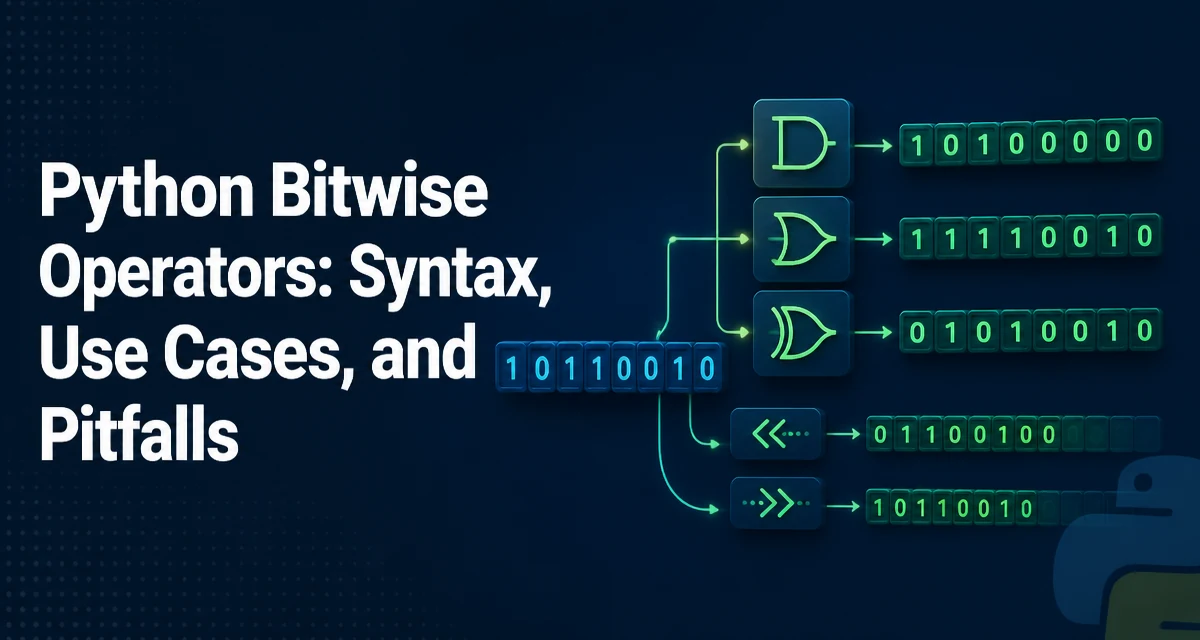
Python bitwise operators let you manipulate the individual bits of integers. They are a core part of the language's low-level capabilities and appear in protocols, compression, cryptography, and performance-sensitive code. Understanding how they behave—especially with negative numbers and shifts—is essential for using them correctly.
The Six Bitwise Operators in Python
Python provides six bitwise operators that act on integers. Each operator works on the binary representation of the operand, bit by bit. The following table summarizes them:
| Operator | Name | Example | Result (binary) |
|---|---|---|---|
& | AND | 0b1100 & 0b1010 | 0b1000 |
| | OR | 0b1100 | 0b1010 | 0b1110 |
^ | XOR | 0b1100 ^ 0b1010 | 0b0110 |
~ | NOT | ~0b1100 | -0b1101 (two's complement) |
<< | Left shift | 0b1100 << 2 | 0b110000 |
>> | Right shift | 0b1100 >> 2 | 0b0011 |
All operators require integer operands. In Python 3, they always return an int; they do not work on floats or other types unless the type defines the corresponding dunder methods.
The AND operator (&) sets each bit to 1 only if both corresponding bits are 1. OR (|) sets a bit to 1 if at least one operand has that bit set. XOR (^) sets a bit to 1 if exactly one operand has that bit set. NOT (~) flips every bit, which in Python's infinite-precision integer model produces the two's complement negation: ~x == -x - 1.
How Python Handles Negative Integers in Bitwise Operations
Unlike languages with fixed-width integers (like C's int), Python integers have arbitrary precision. Negative numbers are represented conceptually as an infinite sequence of leading 1 bits (two's complement with infinite sign extension). This has direct consequences for bitwise operations.
For example, ~0 is -1, because flipping all bits of zero yields an infinite string of ones, which represents -1. Similarly, ~5 is -6 because -5 - 1 equals -6.
Right shifting a negative number preserves the sign bit. In Python, -8 >> 1 is -4, not -8 divided by 2 with truncation toward zero. The shift is arithmetic, not logical, because the infinite sign extension keeps filling with 1s from the left. This matches the behavior of most compiled languages on signed integers, but the infinite precision means there is no overflow or undefined behavior.
Left shifting a negative number also works as expected: -8 << 1 is -16. The two's complement representation shifts left, and the sign bit remains in place.
Bit Shifting: Left and Right Shift Behavior
Left shift (<<) moves bits to the left and fills the vacated low-order bits with zeros. For positive integers, x << n is equivalent to x * (2 ** n). For negative integers, the same multiplication holds because the two's complement representation shifts consistently.
Right shift (>>) moves bits to the right. For positive integers, x >> n is equivalent to x // (2 ** n) (floor division). For negative integers, it is equivalent to x // (2 ** n) as well, but because floor division rounds toward negative infinity, the result is the arithmetic shift. For example, -7 >> 1 is -4 because -7 // 2 is -4.
Shifting by a negative count raises a ValueError:
>>> 5 << -1
Traceback (most recent call last):
  File "<stdin>", line 1, in <module>
ValueError: negative shift count
Shifting by a very large count is allowed because Python integers grow as needed, but it can consume memory proportional to the number of bits. For example, 1 << 10**9 creates an integer with about 125 MB of binary data. Use shifts with awareness of the resulting magnitude.
Practical Use Cases: Flags, Permissions, and Bit Masks
Bitwise operators shine when you need to pack multiple boolean flags into a single integer. This is common in network protocols, file permission systems, and hardware register manipulation.
Consider a permission system where each bit represents a distinct right:
READ = 1 << 0   # 0b001
WRITE = 1 << 1  # 0b010
EXECUTE = 1 << 2 # 0b100
To combine permissions, use OR:
user_perms = READ | WRITE # 0b011
To check if a specific permission is present, use AND:
if user_perms & READ:
    print("can read")
To toggle a permission, use XOR:
user_perms ^= WRITE # flips the write bit
To clear a permission, use AND with the complement of the bit:
user_perms &= ~WRITE # clears the write bit
These patterns are concise and avoid storing multiple booleans or using a list. However, they require the reader to understand bit semantics. For domain-specific code, consider wrapping the operations in named functions or an IntFlag enum from the enum module, which provides a readable interface while retaining bitwise efficiency.
Performance and Readability Tradeoffs
Bitwise operations are among the fastest integer operations in Python because they map directly to CPU instructions. When you need to process thousands of flag checks or pack data, they can be significantly faster than using lists of booleans or dictionary lookups.
However, performance is not the only consideration. Bitwise code can be cryptic, especially when magic numbers are used instead of named constants. The readability cost often outweighs the speed benefit unless the code is in a hot loop or the binary representation is the natural domain (e.g., parsing a binary file format).
If you choose bitwise operations for clarity, define named constants and document the bit positions. If you need maintainability and the performance gain is negligible, prefer higher-level abstractions like enum.IntFlag or a set of string constants.
Common Pitfalls and How to Avoid Them
Bitwise operators have lower precedence than comparison and equality operators in Python. This leads to a frequent mistake:
# Wrong: parses as (flags & 1) == 1, but intended flags & (1 == 1)
if flags & 1 == 1:
    pass
Actually, == has higher precedence than &, so the expression is flags & (1 == 1) which is flags & True. Since True is 1, it works by accident, but it is confusing. Always use parentheses when mixing bitwise and comparison operators:
if (flags & 1) == 1:
    pass
Another pitfall is using bitwise operators on booleans. True & False returns 0 (an integer), not False. If you need logical operations, use and and or, which return operands and short-circuit.
Also, be careful with the NOT operator. ~x is not the logical negation; it is bitwise complement. For a boolean flag, use not x instead of ~x.
Finally, remember that bitwise operators only work on integers. Applying them to floats raises TypeError:
>>> 3.14 & 1
Traceback (most recent call last):
  File "<stdin>", line 1, in <module>
TypeError: unsupported operand type(s) for &: 'float' and 'int'
Bitwise Operations on Bytes and Bytearrays
Python's bytes and bytearray objects support bitwise operations element-wise, but they return an integer for each byte. For example:
>>> b'\x0f' & b'\x03'
3
This returns an int, not a bytes object. To perform bitwise operations across a whole byte sequence, you need to iterate and combine the results, or use int.from_bytes to convert the entire sequence to an integer, operate, and convert back:
def bitwise_and_bytes(a: bytes, b: bytes) -> bytes:
    a_int = int.from_bytes(a, byteorder='big')
    b_int = int.from_bytes(b, byteorder='big')
    return (a_int & b_int).to_bytes(max(len(a), len(b)), byteorder='big')
This approach is efficient for large buffers because it avoids per-byte Python loops. It also respects the two's complement semantics if you handle negative results carefully; to_bytes requires a signed argument for negative integers.
Bitwise operators on bytearray mutate in place when using augmented assignment, but the same element-wise behavior applies. For protocol parsing, converting to an integer is often simpler and faster than iterating over each byte.
Understanding how bitwise operators interact with Python's integer model is key to writing correct code. The infinite precision and two's complement behavior are not just implementation details—they affect every operation, from simple flags to complex binary data transformations.