Python Celery Beat and Periodic Tasks
python celery beat and periodic tasks: Learn how to configure Celery Beat for periodic tasks, define interval and crontab schedules, and run the scheduler reliably in...
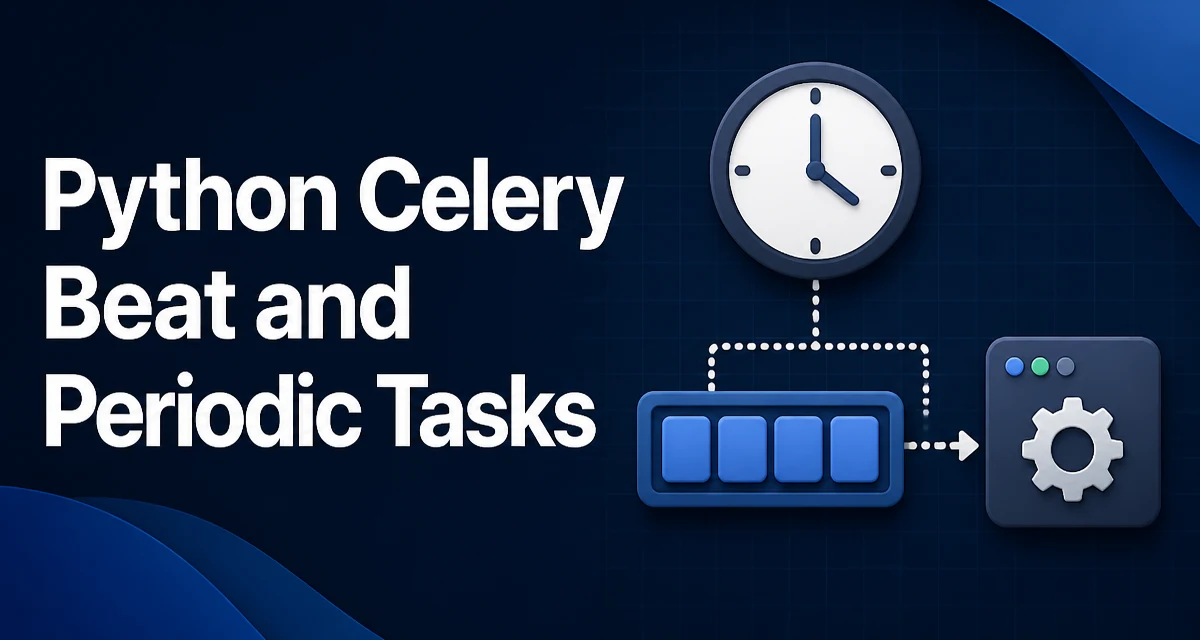
python celery beat and periodic tasks requires a clear understanding of the core syntax, runtime behavior, and practical implementation patterns demonstrated in the examples below.
What Celery Beat Does and How It Fits Into Celery
Celery Beat is the scheduler component that sends periodic task messages to Celery workers. It does not execute tasks itself; instead, it enqueues task messages on the broker at the times you define. Workers then consume those messages and run the tasks. This separation lets you scale workers independently of the scheduler, and Beat only needs to know the schedule and the broker connection.
Configuring the Beat Scheduler
To use Beat, you add a beat_schedule entry to your Celery app configuration. This is a dictionary that maps a task name to a schedule definition. The schedule can be an interval or a crontab object. You also need to set the timezone so that schedules are interpreted correctly.
from celery import Celery
from celery.schedules import crontab

app = Celery('tasks', broker='redis://localhost:6379/0')
app.conf.timezone = 'UTC'

app.conf.beat_schedule = {
    'add-every-30-seconds': {
        'task': 'tasks.add',
        'schedule': 30.0,
        'args': (16, 12)
    },
    'add-every-monday-morning': {
        'task': 'tasks.add',
        'schedule': crontab(hour=8, minute=30, day_of_week=1),
        'args': (16, 12)
    }
}
The schedule key can be a float for seconds, a timedelta, or a crontab object. The args and kwargs are passed to the task when it is executed.
Defining Periodic Tasks with Interval Schedules
Interval schedules are the simplest way to run a task at a fixed frequency. You can specify the interval as a number of seconds, a timedelta, or a celery.schedules.schedule object. For example, to run a task every five minutes:
from celery.schedules import schedule

app.conf.beat_schedule = {
    'run-every-5-minutes': {
        'task': 'tasks.cleanup',
        'schedule': schedule(run_every=300),
    }
}
The schedule class accepts a run_every argument that can be a timedelta or a number of seconds. Using timedelta is more readable for longer intervals:
from datetime import timedelta

app.conf.beat_schedule = {
    'run-every-hour': {
        'task': 'tasks.report',
        'schedule': timedelta(hours=1),
    }
}
Interval schedules are appropriate when the exact start time is not important, only the frequency.
Using Crontab Schedules for Calendar-Based Tasks
When you need a task to run at a specific time of day, day of week, or month, use crontab. The crontab class accepts the same fields as a Unix cron expression: minute, hour, day_of_month, month_of_year, and day_of_week. You can also use expressions like */15 for every 15 minutes.
from celery.schedules import crontab

app.conf.beat_schedule = {
    'daily-backup': {
        'task': 'tasks.backup',
        'schedule': crontab(hour=2, minute=0),
    },
    'weekday-morning': {
        'task': 'tasks.send_digest',
        'schedule': crontab(hour=7, minute=30, day_of_week='mon-fri'),
    }
}
The day_of_week field accepts 0-6 where 0 is Sunday, or names like mon, tue, etc. You can also use ranges and lists.
Running the Beat Service and Ensuring It Starts Once
Beat runs as a separate process from your workers. You start it with:
celery -A tasks beat
This reads the beat_schedule from your app configuration and begins sending tasks. In production, you should run Beat as a daemon or in a container with a restart policy. A common mistake is to run multiple Beat instances, which can cause duplicate task sends. Use a single instance or a leader election mechanism if you need high availability.
Beat stores the last time each task was run in a scheduler backend. By default, it uses a local file (celerybeat-schedule). For production, configure a persistent backend such as a database or Redis so the schedule state survives restarts.
app.conf.beat_scheduler = 'celery.beat:PersistentScheduler'
app.conf.beat_schedule_filename = '/var/run/celery/beat-schedule'
If you use the default file, make sure the directory is writable and the file is not deleted between restarts.
Common Pitfalls: Timezones, Duplicate Execution, and Task Idempotency
Timezone handling is the most common source of confusion. Celery Beat uses the timezone set in app.conf.timezone. If you set timezone='UTC', all crontab expressions are interpreted in UTC. If you want local time, set it to your local timezone, but be aware of daylight saving changes. Always test with a schedule that is easy to observe.
Duplicate execution can happen if Beat is restarted and the scheduler backend loses the last-run timestamp, or if you accidentally run two Beat processes. Make your tasks idempotent so that running them twice has no harmful side effects. For example, use a unique key in a database or check the current state before performing an action.
Another pitfall is forgetting to include the args or kwargs in the schedule definition. If your task requires arguments, they must be provided in the schedule entry.
Production Considerations: Persistent Backend, Monitoring, and Failure Handling
In production, you need to monitor Beat and the workers. If Beat crashes, no tasks will be scheduled. Use a process supervisor like systemd or a container orchestration tool to restart it. You should also monitor the broker for backlog, and the workers for task failures.
The scheduler backend should be persistent. Using a database like PostgreSQL or Redis ensures that the schedule state is not lost. You can configure this with:
app.conf.beat_scheduler = 'django_celery_beat.schedulers:DatabaseScheduler'
If you use the Django integration, you can manage schedules through the admin interface. For non-Django projects, you can use the celery[redis] or celery[msgpack] extras to store the schedule in Redis.
Finally, consider the impact of long-running tasks on the schedule. Beat sends the task at the scheduled time, but if the worker is busy, the task may wait in the queue. Use appropriate worker concurrency and queue priorities to avoid delays.