Python Celery Chains, Groups, and Chords Explained
python celery chains groups and chords: Learn how to compose Celery tasks into sequential chains, parallel groups, and chords that trigger callbacks after parallel wor...
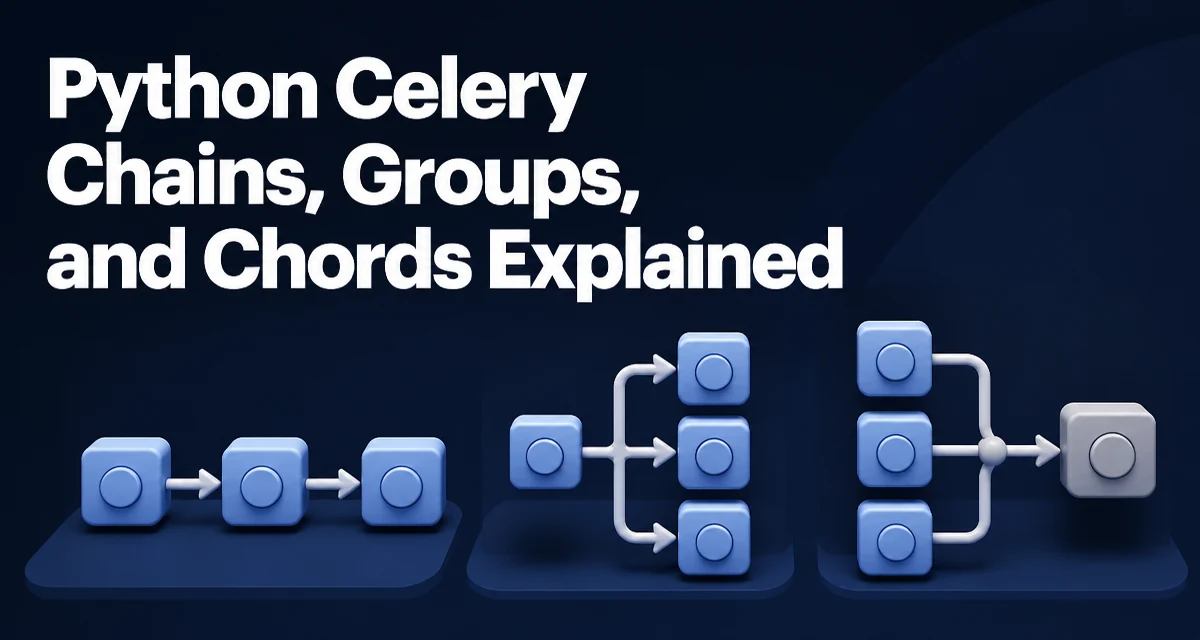
python celery chains groups and chords requires a clear understanding of the core syntax, runtime behavior, and practical implementation patterns demonstrated in the examples below.
When you need to coordinate multiple Celery tasks, the chain, group, and chord primitives let you express execution order and parallelism without hand-rolling state management. This article explains how each primitive works, how to combine them, and what to watch for in production.
Understanding the Three Workflow Primitives
Celery provides three building blocks for task composition:
- Chain: runs tasks one after another, passing the previous result as an argument to the next task.
- Group: runs tasks in parallel and collects their results as a list.
- Chord: runs a group of tasks in parallel, then executes a callback task once all group results are ready.
These primitives are signatures that can be combined. A chain can contain a group, a group can contain chains, and a chord can wrap any group-like signature. Understanding the difference between a signature and a task instance is key: signatures are lazy descriptions of work, not executed until you call .apply_async() or pass them to a primitive.
Chaining Tasks Sequentially
A chain is the simplest composition. Each task receives the result of the previous task as its first argument. You create a chain with the chain function or the | operator:
from celery import chain
from tasks import add, multiply

# add(2, 2) -> 4, then multiply(4, 3) -> 12
workflow = chain(add.s(2, 2), multiply.s(3))
result = workflow.apply_async()
The s method creates a signature. The first task gets the arguments you supply; the second task receives the first task's return value as its first positional argument. You can also use the pipe operator:
workflow = add.s(2, 2) | multiply.s(3)
This is equivalent. The result of the chain is the result of the last task. If any task in the chain fails, the remaining tasks are not executed. The chain's result object will reflect the failure, and you can inspect the traceback.
Passing Multiple Arguments to a Chained Task
If the next task expects more than one argument, you can supply the extra arguments in its signature. The previous result is prepended to the signature's arguments:
# multiply(result, 10)
workflow = add.s(2, 2) | multiply.s(10)
This calls multiply(4, 10).
Running Tasks in Parallel with Groups
A group executes all its member tasks concurrently. The result is a list of the individual results, in the order the tasks were defined. Use group to create one:
from celery import group
from tasks import add

parallel = group(add.s(i, i) for i in range(10))
result = parallel.apply_async()
The result object is a GroupResult. You can call result.get() to wait for all tasks and obtain a list of results. If any task fails, get() raises the first exception encountered, but the other tasks continue running unless you set ignore_result or use a custom policy.
Groups are useful for fan-out operations like processing multiple files, fetching independent API endpoints, or running independent computations. The concurrency is determined by the Celery worker's concurrency setting, not by the group itself.
Combining Parallel and Sequential Work with Chords
A chord is a group followed by a callback task. The callback receives the list of results from the group as its first argument. This is the classic map-reduce pattern: run many tasks in parallel, then aggregate their results.
from celery import chord
from tasks import add, sum_results

# Run add(1,1), add(2,2), add(3,3) in parallel, then call sum_results([2,4,6])
workflow = chord((add.s(i, i) for i in range(1, 4)), sum_results.s())
result = workflow.apply_async()
The callback task receives a single argument: a list of the group's results. If the group is empty, the chord still runs the callback with an empty list. This behavior can be surprising; you may want to guard against empty groups in the callback.
Chords are implemented using a backend to collect group results. The chord's callback is enqueued only after all group tasks have completed. This requires a result backend that supports chord coordination, such as Redis or a database. The default in-memory backend does not support chords across worker restarts.
Error Handling and Retry Behavior
When a task in a chain or group fails, the behavior depends on the primitive and your task's autoretry_for settings. By default, a chain stops at the failing task; the remaining tasks are not executed. A group does not cancel other tasks when one fails; the GroupResult collects both successful and failed results, but get() raises the first error.
For chords, if any task in the group fails, the callback is not executed. This is a common source of confusion. To handle failures gracefully, you can catch exceptions inside each task and return a sentinel value, or use the link_error parameter to attach an error-handling task. The link and link_error arguments are available on signatures and can be used with chains, groups, and chords.
from tasks import handle_error

workflow = add.s(2, 2).set(link_error=handle_error.s()) | multiply.s(3)
If add fails, handle_error runs with the exception's task ID and traceback. This does not stop the chain; the chain still stops, but you get a chance to log or recover.
Choosing Between Chains, Groups, and Chords
The choice depends on the dependency structure of your tasks:
| Pattern | Use when | Example |
|---|---|---|
| Chain | Each task depends on the previous task's output | Data transformation pipeline |
| Group | Tasks are independent and can run concurrently | Sending emails, processing files |
| Chord | Independent tasks must finish before a final aggregation | Map-reduce, batch processing with a summary |
You can nest these primitives. A chain can contain a group, and a group can contain chains. For example, you might run several chains in parallel and then combine their final results with a chord. This is powerful but increases complexity; keep the workflow readable by splitting it into smaller named functions.
Production Considerations for Large Workflows
When you move from a few tasks to hundreds or thousands, several operational concerns appear.
Result Backend Requirements
Chords require a persistent result backend. The default in-memory backend is not reliable for chords because the worker that collects results may not be the same worker that executes the callback. Use Redis or a database backend, and configure result_expires to avoid unbounded memory growth.
Worker Concurrency and Queue Saturation
A group of 10,000 tasks will overwhelm a worker with default concurrency. You need enough workers or a queue with appropriate prefetch settings. Celery's default prefetch multiplier can cause a worker to claim many tasks at once, leading to uneven distribution. Tune worker_prefetch_multiplier based on task duration.
Monitoring and Observability
Use Celery's built-in events and tools like Flower to track task states. For chains, the intermediate results are stored in the backend; this can be a bottleneck. Consider setting ignore_result=True for tasks whose results are not needed by downstream tasks, but be careful: a chain requires the previous result to pass to the next task, so you cannot ignore results for chained tasks.
Idempotency and Retries
In production, tasks may be retried due to network issues or worker crashes. Design tasks to be idempotent. For chains, a retry of the entire chain may re-run tasks that already succeeded. Use task IDs and deduplication logic if necessary. For chords, a failure in the group means the callback is not run; you need to monitor for stuck workflows and have a recovery mechanism, such as a periodic task that checks for incomplete chords.
Combining with Canvas Primitives
The chain, group, and chord functions are part of Celery's canvas. You can also use chunks, map, and starmap for specific patterns, but the three primitives cover most workflow needs. When you need to build a workflow dynamically, construct the signatures in a loop and pass them to the primitive. This is a common pattern for data pipelines where the number of tasks is known only at runtime.
from celery import group
from tasks import process_file

file_list = get_files()
workflow = group(process_file.s(f) for f in file_list)
result = workflow.apply_async()
This creates a group of tasks, one per file. The result can be used in a chord to notify a completion handler.
Memory and Result Size
Chords pass the entire list of group results to the callback. If each result is large, the callback's input can be huge. Consider reducing the data before returning it from the group tasks, or store large results in a shared store and pass only references. Similarly, a chain that passes large objects between tasks can bloat the result backend. Use serialization formats like JSON or MessagePack, and avoid passing binary blobs through task results.
Timeouts and Soft Time Limits
Set task_time_limit and task_soft_time_limit to prevent tasks from hanging indefinitely. In a chain, a hung task will block the entire chain. In a group, other tasks will still complete, but the chord callback will never fire. Use timeouts and monitor task states to detect stuck workflows.
Testing Workflows Locally
When developing, you can run tasks eagerly by setting task_always_eager = True in your Celery configuration. This executes tasks synchronously in the same process, which makes debugging easier. However, it does not fully simulate the behavior of chords and groups because the result backend is not used. For integration tests, run a real broker and worker in a test environment.
Advanced Composition: Nested Chains and Groups
You can build complex workflows by nesting primitives. For example, a chain where one step is a group:
from celery import chain, group
from tasks import fetch_data, process, aggregate

step1 = fetch_data.s()
step2 = group(process.s(item) for item in range(5))
step3 = aggregate.s()

workflow = chain(step1, step2, step3)
Here, step2 is a group. When the chain reaches it, the group runs in parallel, and the group's result (a list) is passed to step3. This is equivalent to a chord, but with an explicit preceding task. You can also nest a chain inside a group:
from celery import group, chain
from tasks import a, b, c

workflow = group(
    chain(a.s(1), b.s()),
    chain(a.s(2), b.s()),
    c.s()
)
Each chain runs independently, and the group waits for both to finish. The result of the group is a list of the chains' final results. This pattern is useful for parallel pipelines that share a final step.
When to Use a Chord Instead of a Chain with a Group
A chord is specifically designed for the pattern where a group is followed by a callback. Using a chain with a group as an intermediate step works, but the chord has a more explicit semantic and handles the callback scheduling more efficiently. The chord also allows you to set the callback to run on a different queue or with different routing. Prefer a chord when the final task logically depends on the completion of the entire group, not on the group's result as a single argument.
Handling Empty Groups in a Chord
If a chord's group is empty, the callback is still executed with an empty list. This may not be what you want. Guard against it in the callback:
from tasks import aggregate

def aggregate(results):
    if not results:
        return None
    # ...
Alternatively, you can check the group size before creating the chord and skip the callback entirely if there is no work.
Combining with Retries and Backoff
When tasks in a group fail, you might want to retry them individually. Use the autoretry_for parameter on the task definition, or wrap the task body in a retry loop. For a chord, if the callback fails, the chord is not retried automatically. You can set autoretry_for on the callback task, but the group results are already consumed. If the callback needs the results, you must store them elsewhere or re-run the entire chord. This is a common production pitfall.
Result Ordering in Groups
A group preserves the order of results as the order of the tasks in the group. This is guaranteed by Celery's result backend. If you need to associate results with inputs, use the task's request ID or pass an index as an argument. For example, you can pass (i, data) to each task and have it return a tuple, then sort by index in the callback.
Worker Restart and Chord Recovery
If a worker crashes while executing a chord's group, the chord may never complete. Celery's chord implementation uses a separate task to collect results, and if that task is lost, the chord hangs. To mitigate, use a result backend that supports chord coordination and consider using task_store_eager_result or periodic reconciliation. In practice, monitor for chords that are stuck in PENDING state and have a manual recovery process.
Performance Impact of Result Backend
Every task result is written to the backend. For high-throughput workflows, this can become a bottleneck. Use ignore_result=True for tasks whose results are not needed. In a chain, only the final result is needed, but intermediate results are stored by default. You can set ignore_result on intermediate tasks, but then you cannot pass their results forward. A better approach is to keep results small and use a fast backend like Redis with a short result_expires.
Security Considerations
Task results may contain sensitive data. Ensure your result backend is protected and that result_serializer is configured appropriately. Avoid passing secrets through task arguments or results. Use Celery's task_reject_on_worker_lost and task_acks_late to handle worker crashes gracefully, but be aware that these settings affect message delivery semantics and can cause duplicate execution.
When to Avoid These Primitives
For very long-running workflows with complex branching, Celery's canvas primitives may become unwieldy. Consider a dedicated workflow engine like Airflow, Prefect, or Temporal if you need dynamic branching, human approval steps, or long-term state. Celery is best for short-lived task coordination within a single application, not for orchestrating multi-day business processes.