Python Celery Retries, Timeouts, and Task Status
python celery retries timeouts and task status: Learn how Celery retries, timeouts, and task status interact, and how to configure them for reliable background job pip...
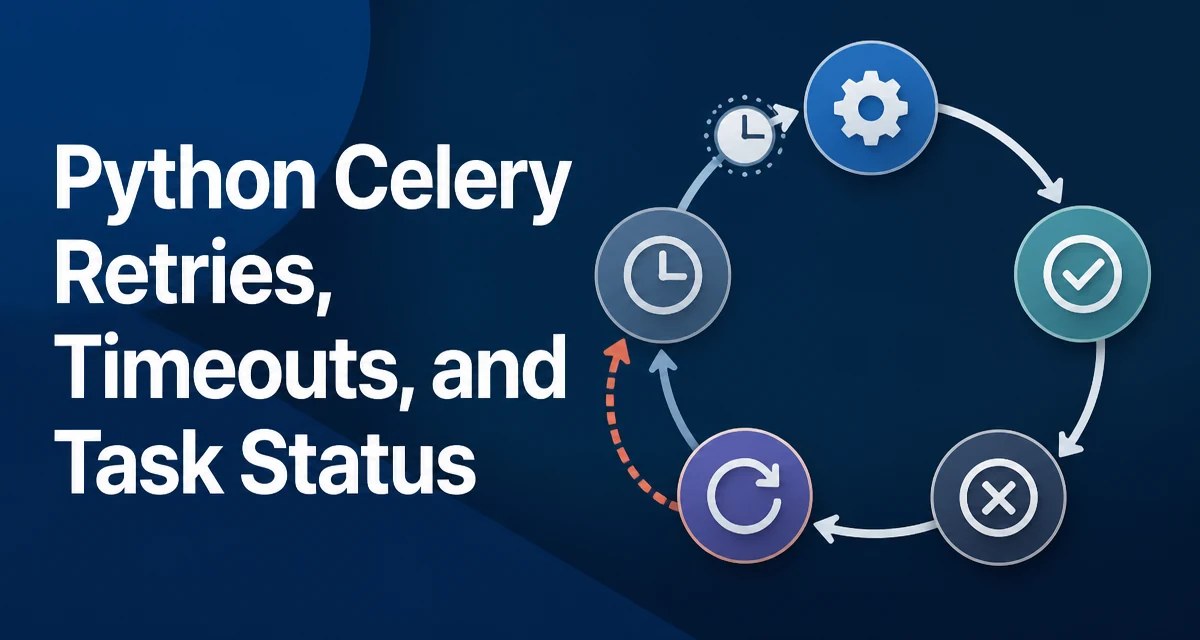
python celery retries timeouts and task status requires a clear understanding of the core syntax, runtime behavior, and practical implementation patterns demonstrated in the examples below.
Retries, timeouts, and task status are the three controls that determine how a Python Celery task behaves when something goes wrong. A task that times out may be retried; a task that is retried changes state in the result backend; and the state you observe depends on how you configured both limits. Understanding these interactions is the difference between a job pipeline that recovers on its own and one that silently loses work.
Task Status Transitions in Celery
When a task is sent to Celery, it moves through a set of states. The default states are PENDING, RECEIVED, STARTED, SUCCESS, FAILURE, and RETRY. Understanding these transitions matters because retries and timeouts change which state a task ends up in, and the result backend records that state for every task ID.
A task that has been sent but not yet picked up by a worker is PENDING. Once a worker receives the message, it becomes RECEIVED. If task_track_started is enabled, the task moves to STARTED when execution actually begins. A successful run ends in SUCCESS; an unhandled exception ends in FAILURE. When a task calls self.retry(), it enters the RETRY state and the message is re-queued.
The important detail is that RETRY is not a terminal state. A task can move from RETRY back to STARTED when the worker picks it up again, then to SUCCESS or FAILURE. The result backend keeps the latest state, so an inspection of the task ID after a retry shows the most recent transition, not the history.
Configuring Retries with autoretry_for and retry()
Celery gives you two ways to trigger a retry. The first is explicit: inside the task body, call self.retry() when you detect a condition that should be retried. The second is declarative: pass autoretry_for to the task decorator, listing the exception types that should trigger a retry automatically.
from celery import Celery
import requests

app = Celery("tasks", broker="redis://localhost:6379/0")

@app.task(bind=True, autoretry_for=(requests.RequestException,), max_retries=3)
def fetch_page(self, url):
    response = requests.get(url, timeout=10)
    response.raise_for_status()
    return response.text
With bind=True, the task receives self as the first argument, which gives access to self.retry(), self.request, and the retry counters. The autoretry_for approach keeps the retry logic out of the task body, which is useful when the failure condition is a known exception type.
The explicit approach gives more control. You can decide whether to retry based on the exception message, the number of attempts, or any other runtime condition.
@app.task(bind=True, max_retries=5)
def process_order(self, order_id):
    try:
        return charge_customer(order_id)
    except InsufficientFunds:
        # No point retrying; the customer cannot pay.
        raise
    except PaymentGatewayTimeout as exc:
        raise self.retry(exc=exc, countdown=30)
The exc=exc argument preserves the original exception so the final FAILURE state, if retries are exhausted, shows the original cause rather than a generic Retry exception.
Retry Backoff and max_retries
max_retries controls how many times the task may be retried before it is permanently marked FAILURE. The default is 3. Setting max_retries=None allows infinite retries, which is usually a bad idea in production because a permanently failing task will keep consuming broker messages and worker time.
retry_backoff adds a delay between attempts that grows with each retry. Setting retry_backoff=True uses an exponential backoff: the first retry waits 1 second, the second waits 2, the third waits 4, and so on. You can adjust the base with retry_backoff_max to cap the maximum delay.
@app.task(
    bind=True,
    autoretry_for=(requests.RequestException,),
    max_retries=5,
    retry_backoff=True,
    retry_backoff_max=300,
)
def fetch_page(self, url):
    response = requests.get(url, timeout=10)
    response.raise_for_status()
    return response.text
The backoff prevents a burst of failed tasks from hammering the downstream service in lockstep. Without it, all retries happen immediately and the external service continues to fail under load.
Hard and Soft Timeouts
Celery distinguishes between two timeout levels. A soft timeout raises a SoftTimeLimitExceeded exception inside the task, which you can catch and handle. A hard timeout kills the worker process running the task, which is a heavier operation.
from celery.exceptions import SoftTimeLimitExceeded

@app.task(time_limit=60, soft_time_limit=45)
def generate_report(self, report_id):
    try:
        return build_report(report_id)
    except SoftTimeLimitExceeded:
        # Log partial progress and finish with a degraded result.
        return {"status": "partial", "report_id": report_id}
The time_limit and soft_time_limit arguments on the task decorator set per-task limits. The global configuration equivalents are task_time_limit and task_soft_time_limit. The soft limit must be lower than the hard limit; if you set only one, Celery uses a default ratio.
When a hard timeout fires, the worker terminates the task's process. The task is marked FAILURE with a WorkerLostError unless you have configured acks_late and the worker can redeliver the message. This is where timeouts and retries intersect.
How Timeouts Trigger Retries
A timeout is just a failure from the task's perspective. If the task uses autoretry_for, you need to include the timeout exception in the list, because SoftTimeLimitExceeded is not a RequestException and will not be retried automatically.
from celery.exceptions import SoftTimeLimitExceeded

@app.task(
    bind=True,
    autoretry_for=(SoftTimeLimitExceeded, requests.RequestException),
    max_retries=3,
    retry_backoff=True,
)
def fetch_page(self, url):
    response = requests.get(url, timeout=10)
    response.raise_for_status()
    return response.text
There is a subtlety with hard timeouts. When a hard timeout kills the worker process, the task does not get a chance to call self.retry(). Whether the message is redelivered depends on acks_late. With acks_late=True, the broker redelivers the message to another worker, and the task effectively runs again. With the default acks_late=False, the message is acknowledged before execution, so the task is lost and marked FAILURE.
This means the interaction between hard timeouts and retries is not fully controlled by the task code. It is controlled by the broker acknowledgment policy, which is a worker-level concern.
Monitoring Task Status in Production
The result backend stores the state of every task. You can query it from outside the worker using the task's AsyncResult:
result = fetch_page.delay("https://example.com")
status = result.state  # PENDING, STARTED, RETRY, SUCCESS, FAILURE
When the state is RETRY, result.result contains the exception that caused the retry. When the state is FAILURE, result.result contains the final exception. This distinction matters when you are building dashboards or alerting: a RETRY state is not an error, it is a transient condition.
For production monitoring, the Celery event system is more useful than polling AsyncResult. Workers emit events for task-received, task-started, task-succeeded, task-failed, and task-retried. Tools like Flower subscribe to these events and show the state transitions in real time. Polling the result backend for every task is expensive at scale and does not give you the timing information that events provide.
Edge Cases That Change Status Behavior
Several configuration choices change what status you observe. With task_track_started=False (the default), tasks go from RECEIVED directly to SUCCESS or FAILURE, and you never see STARTED. If you rely on STARTED to detect stuck tasks, you must enable task_track_started=True.
The acks_late setting also affects the observable behavior. With acks_late=True, a worker crash mid-task causes the message to be redelivered, and the task runs again. The result backend may show the task as FAILURE from the first attempt and then SUCCESS from the second, depending on how the backend handles overwrites. This is expected behavior for at-least-once delivery, but it means your task must be idempotent.
Finally, be aware that max_retries counts retries, not total attempts. A task with max_retries=3 runs up to four times: the original attempt plus three retries. When you are setting alert thresholds on retry counts, use the retry counter from self.request.retries rather than assuming the total attempt count.