Python Comprehension with If Else: Syntax and Examples
python comprehension with if else: Learn how to combine if else in Python comprehensions to filter and transform lists, dictionaries, and sets concisely.
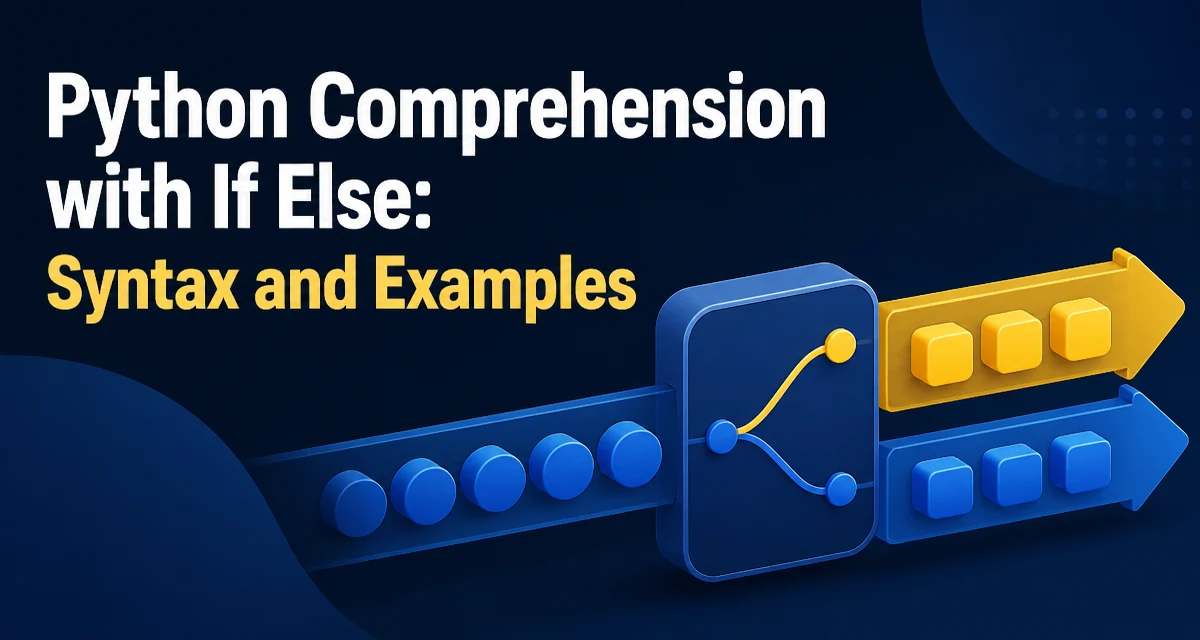
python comprehension with if else requires a clear understanding of the core syntax, runtime behavior, and practical implementation patterns demonstrated in the examples below.
In Python, comprehension with if else lets you filter and transform data in a single expression. The syntax is compact, but the placement of if and else changes the meaning significantly. This article explains the two forms, when each is appropriate, and common pitfalls that trip up developers.
Core Syntax: if as a Filter
The simplest form of a comprehension uses if at the end to filter elements. The expression is evaluated only for items that pass the condition.
numbers = [1, 2, 3, 4, 5, 6]
evens = [n for n in numbers if n % 2 == 0]
print(evens)  # [2, 4, 6]
Here, n is copied to the new list only when n % 2 == 0 is true. The if clause acts as a gatekeeper; there is no else branch. This is the correct way to filter a sequence without changing the values.
The same pattern works for tuples, strings, and any iterable. For example, extracting all uppercase letters from a string:
text = "Hello World"
upper = [ch for ch in text if ch.isupper()]
print(upper)  # ['H', 'W']
The condition can be any expression that returns a truthy or falsy value. This form is ideal when you need a subset of the original data.
Using if else for Transformation
When you place if else before the for clause, you are not filtering; you are transforming every element. The else branch supplies a value when the condition is false.
numbers = [1, 2, 3, 4, 5]
labels = ["even" if n % 2 == 0 else "odd" for n in numbers]
print(labels)  # ['odd', 'even', 'odd', 'even', 'odd']
Every item in the original iterable appears in the output, but its value is determined by the conditional expression. This is equivalent to a map with a ternary operator. The ternary expression a if condition else b is evaluated for each element.
This form is useful when you need to map values to different outputs, such as categorizing data, applying fallback values, or normalizing inputs.
Combining Filtering and Transformation
You can combine both forms in a single comprehension. The if at the end filters, and the expression at the front can contain a conditional transformation.
numbers = [1, 2, 3, 4, 5, 6, 7, 8]
result = [n * 10 if n % 2 == 0 else n for n in numbers if n > 3]
print(result)  # [4, 5, 60, 7, 80]
Here, the iteration first filters to n > 3, leaving [4, 5, 6, 7, 8]. Then each surviving element is transformed: even numbers are multiplied by 10, odd numbers remain unchanged. The order matters: the trailing if is evaluated before the expression, so the transformation only applies to elements that pass the filter.
This combined form is powerful but can reduce readability if overused. When the logic becomes complex, consider using a generator function or a normal for loop instead.
Dictionary and Set Comprehensions
The same syntax applies to dictionaries and sets. A dictionary comprehension uses key: value as the expression.
words = ["apple", "banana", "cherry"]
lengths = {word: len(word) for word in words if len(word) > 5}
print(lengths)  # {'banana': 6, 'cherry': 6}
A set comprehension filters and transforms just like a list, but produces a set of unique values.
numbers = [1, 2, 2, 3, 4, 4, 5]
unique_squares = {n**2 for n in numbers if n % 2 == 0}
print(unique_squares)  # {16, 4}
For dictionaries, the if clause can filter on either the key or the value. The conditional expression can also choose between different keys or values.
prices = {"apple": 1.2, "banana": 0.5, "cherry": 2.0}
discounted = {k: v * 0.9 if v > 1 else v for k, v in prices.items()}
print(discounted)  # {'apple': 1.08, 'banana': 0.5, 'cherry': 1.8}
Performance and Readability Tradeoffs
Comprehensions are generally faster than equivalent for loops with append because the loop executes in C rather than Python bytecode. However, the performance difference is often negligible for small datasets. The bigger cost is readability when the logic becomes dense.
A comprehension with a complex conditional expression can be harder to debug than a loop with explicit branches. For example, this comprehension is correct but difficult to follow:
result = [x if x > 0 else -x if x < 0 else 0 for x in data]
A loop version is more verbose but clearer:
result = []
for x in data:
    if x > 0:
        result.append(x)
    elif x < 0:
        result.append(-x)
    else:
        result.append(0)
There is no performance penalty for using a loop in most cases; the overhead is microseconds. Prioritize maintainability when the conditional logic spans more than one simple ternary.
Memory usage is another consideration. A list comprehension builds the entire list in memory. For large iterables, a generator expression with the same syntax avoids storing all results at once.
# Generator expression
squares = (n**2 for n in range(1_000_000) if n % 2 == 0)
Use a generator when you only need to iterate once or when the output is too large to fit comfortably in memory.
Common Mistakes and How to Avoid Them
One frequent mistake is confusing the order of if and else. The else must appear in the expression part, not after the for. Writing [n for n in numbers if n % 2 == 0 else n] raises a SyntaxError. The else only makes sense in a ternary expression, which must be placed before the for.
Another mistake is assuming that an if at the end can also transform values. It cannot. The trailing if only selects which elements to include; it does not change the value. If you need both filtering and transformation, you must combine both forms as shown earlier.
A third issue is using a comprehension for side effects. Comprehensions are meant to produce a new collection, not to call functions with side effects like print or append. If you find yourself writing [print(x) for x in data], use a for loop instead. The comprehension creates a list of None values and obscures the intent.
Finally, be careful with variable scope. The loop variable in a comprehension does not leak into the enclosing scope in Python 3, unlike in Python 2. This is usually an improvement, but it can surprise developers who expect the variable to persist after the comprehension.
Nested Comprehensions and Edge Cases
Nested comprehensions allow you to flatten or process multi-dimensional data. The if and else clauses can appear at any level, but the logic quickly becomes hard to read.
matrix = [[1, 2], [3, 4], [5, 6]]
flat = [x for row in matrix for x in row if x % 2 == 0]
print(flat)  # [2, 4, 6]
The order of for clauses matches the nesting order of a regular loop. Adding a conditional transformation inside a nested comprehension is possible but often better expressed with a helper function.
Edge cases to watch include empty iterables, which produce an empty result regardless of the condition. Also, when the condition references a variable that may be undefined, the comprehension raises a NameError at evaluation time. The condition is evaluated for each element, so any exception in the condition will propagate.
For very large or infinite iterables, avoid list comprehensions entirely. A generator expression with the same syntax is the safer choice. For example, filtering an infinite sequence requires a generator because a list would never finish.
def infinite_numbers():
    n = 0
    while True:
        yield n
        n += 1

even_gen = (x for x in infinite_numbers() if x % 2 == 0)
# Use next(even_gen) to get values lazily
Understanding the distinction between filtering and transformation is the key to writing correct comprehensions. Once that is clear, the syntax becomes a natural tool for concise data processing.