python copy module: shallow vs deep copy
Learn how the python copy module works, the difference between shallow and deep copy, and how to customize copy behavior.
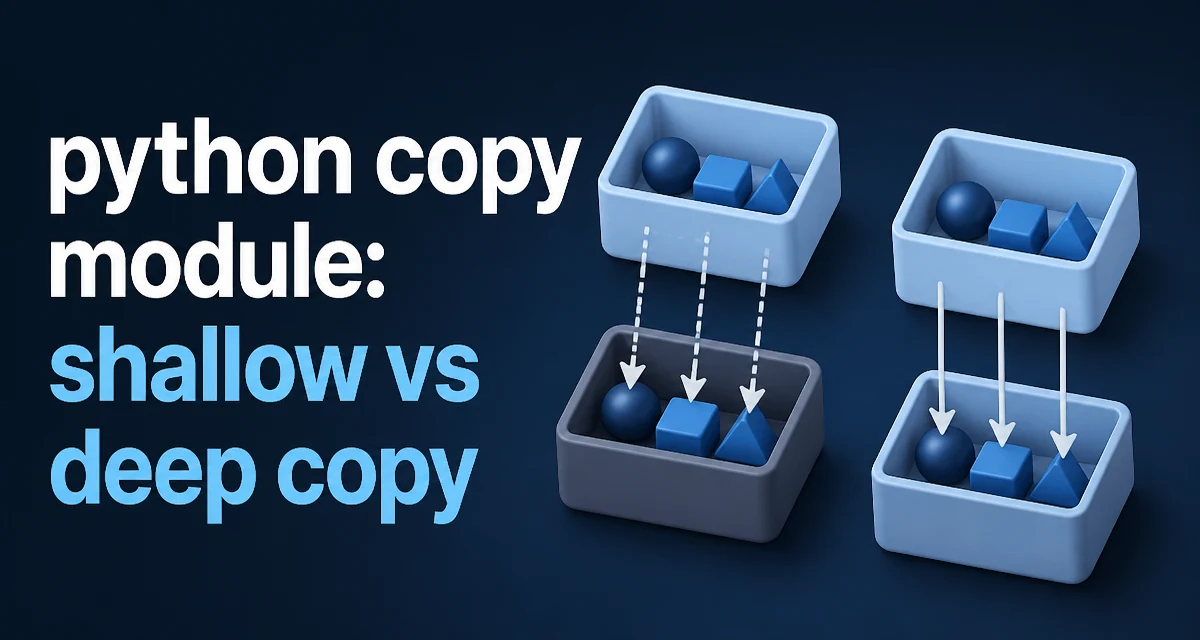
When you assign one Python object to another variable, you are not creating a new object. You are creating a new reference to the same underlying data. For immutable types like integers or strings, this distinction rarely matters. But for lists, dictionaries, sets, and custom objects, assignment shares state, and mutating one reference changes the other. The python copy module provides the tools to create actual copies: copy.copy() for shallow copies and copy.deepcopy() for deep copies. This article explains how each works, when to use them, and how to control copy behavior on your own classes.
The Problem: Assignment Shares State
Consider a simple list:
original = [1, 2, 3]
assigned = original
assigned.append(4)
print(original)  # [1, 2, 3, 4]
assigned is not a copy; it is another name for the same list. Any change through either variable is visible through the other. This is not a bug—it is how Python's object model works. But when you need an independent object, you must explicitly copy it.
The copy module solves this by providing two functions that create new objects with different levels of independence.
Shallow Copy: copy.copy()
A shallow copy creates a new container object but populates it with references to the same items found in the original. The top-level object is new, but nested objects are shared.
import copy

original = [[1, 2], [3, 4]]
shallow = copy.copy(original)

shallow[0].append(99)
print(original)  # [[1, 2, 99], [3, 4]]
print(shallow)   # [[1, 2, 99], [3, 4]]
The outer list is a new object, so adding or removing elements from shallow does not affect original. But the inner lists are still shared. Modifying a nested list through either reference affects both.
For a flat list of immutable items, a shallow copy behaves like a full copy because there is nothing nested to share:
flat = [1, 2, 3]
shallow_flat = copy.copy(flat)
shallow_flat.append(4)
print(flat)  # [1, 2, 3]
print(shallow_flat)  # [1, 2, 3, 4]
Shallow copy is fast because it only copies the top-level structure. It is appropriate when the object contains only immutable items or when you intentionally want to share nested mutable state.
Deep Copy: copy.deepcopy()
A deep copy recursively copies the object and all objects reachable from it. The result is a fully independent structure where no shared references remain.
import copy

original = [[1, 2], [3, 4]]
deep = copy.deepcopy(original)

deep[0].append(99)
print(original)  # [[1, 2], [3, 4]]
print(deep)      # [[1, 2, 99], [3, 4]]
Deep copy is the safe choice when you need a completely independent object, especially when nested structures may be mutated later. However, it is more expensive because it traverses the entire object graph and creates new objects for every mutable container it encounters.
deepcopy also handles more complex scenarios, such as objects that reference themselves. It keeps a memo dictionary to track already-copied objects, preventing infinite recursion:
import copy

class Node:
    def __init__(self):
        self.child = None

node = Node()
node.child = node  # self-reference

deep = copy.deepcopy(node)
print(deep.child is deep)  # True
The memo mechanism ensures that each object is copied only once, preserving internal references within the copied graph.
How the copy Module Handles Different Object Types
The copy module works with built-in types out of the box. For lists, dictionaries, sets, and other standard containers, it knows how to create the appropriate new container and populate it. For custom objects, it uses the object's __copy__ and __deepcopy__ methods if defined; otherwise it falls back to a default behavior that copies the __dict__ of the object.
For immutable types like tuples, strings, and numbers, both copy.copy() and copy.deepcopy() return the same object because there is no need to copy immutable data. This is an optimization: immutable objects are safe to share.
For objects that contain external resources—file handles, network connections, database sessions—a deep copy is usually not meaningful. The default behavior may attempt to copy internal state, leading to broken objects. In such cases, you should define __deepcopy__ to return a new object with appropriate state, or raise an error if copying is not supported.
Customizing Copy Behavior with __copy__ and __deepcopy__
If your class needs special handling during copying, you can define __copy__ and __deepcopy__. These methods let you control exactly what gets copied and how.
import copy

class Config:
    def __init__(self, name, data):
        self.name = name
        self.data = data

    def __copy__(self):
        # Shallow copy: share the data dictionary
        new = Config(self.name, self.data)
        return new

    def __deepcopy__(self, memo):
        # Deep copy: create a new data dictionary
        new = Config(self.name, copy.deepcopy(self.data, memo))
        return new
When you call copy.copy(config), Python invokes config.__copy__(). When you call copy.deepcopy(config), it invokes config.__deepcopy__(memo). The memo parameter must be passed to any recursive deepcopy calls inside your method to preserve the copy memoization.
If you do not define these methods, the default behavior is to create a new object of the same class and copy the __dict__ attribute. For most simple classes, this works fine. But if your class holds resources or has internal invariants, you should implement these methods explicitly.
Performance and Memory Tradeoffs
Shallow copy is faster and uses less memory because it only allocates a new top-level container. Deep copy is slower and uses more memory because it duplicates every mutable object in the graph. The difference can be significant for large, deeply nested structures.
If you only need to modify the top-level list, a shallow copy is sufficient. If you need to modify nested lists without affecting the original, a deep copy is required. There is no middle ground in the standard library.
When performance matters, consider whether you can avoid copying altogether. For read-only access, sharing the original object is the cheapest option. For building new structures, you can often use comprehensions or constructors that create new containers without copying the entire graph.
For example, creating a new list of lists with the same inner lists can be done with a list comprehension:
original = [[1, 2], [3, 4]]
shallow = [inner for inner in original]
This is equivalent to copy.copy(original) for a list of lists. It is faster because it avoids the overhead of the copy module's dispatch, but it is still a shallow copy.
Common Pitfalls and Edge Cases
One common mistake is assuming that copy.copy() on a list of lists gives you full independence. It does not. If you need to modify nested lists, use copy.deepcopy().
Another pitfall is copying objects that contain non-copyable resources. For example, a class that holds an open file object:
class Logger:
    def __init__(self, path):
        self.file = open(path, 'w')
Calling copy.deepcopy(logger) will attempt to copy the file object, which raises an error. The solution is to define __deepcopy__ to create a new logger with a new file handle, or to raise TypeError if copying is not supported.
Immutable objects with mutable internals can also surprise. A tuple containing a list is immutable at the top level, but the list inside is mutable. copy.copy() on such a tuple returns the same tuple because tuples are immutable, but the list is still shared. copy.deepcopy() creates a new tuple with a new list.
Finally, be aware that deepcopy can be slow for large object graphs. If you need to copy the same object repeatedly, consider whether you can reuse a memo or redesign the code to avoid copying.
Choosing the Right Copy Strategy
The decision between shallow and deep copy depends on the structure of your data and how you intend to use the copy. Use copy.copy() when:
- The object contains only immutable items.
- You only need to modify the top-level container.
- You intentionally want to share nested mutable state.
Use copy.deepcopy() when:
- The object contains nested mutable containers that you may modify independently.
- You need a fully independent snapshot of the object graph.
- You are copying objects that define
__deepcopy__to handle special resources.
For custom classes, always consider whether the default copy behavior is correct. If your class holds resources or has invariants, implement __copy__ and __deepcopy__ to maintain correctness. The python copy module gives you the tools, but the responsibility for safe copying ultimately lies with the class design.