python create_task: Scheduling Coroutines with asyncio
python create_task: Learn how asyncio.create_task schedules coroutines for concurrent execution, manages task lifecycle, and handles cancellation and errors in Python.
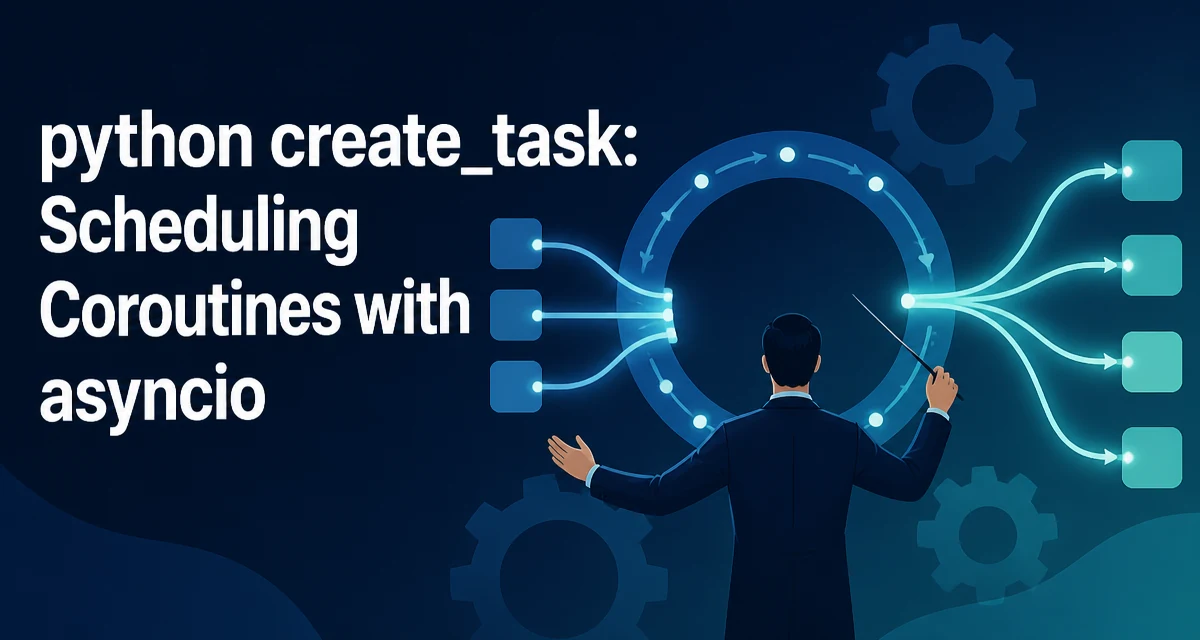
The python create_task pattern refers to asyncio.create_task(), the standard way to schedule a coroutine for concurrent execution on the current running event loop. It wraps the coroutine in a Task object, registers it with the loop, and returns the Task immediately without blocking. The coroutine does not run synchronously; it is queued and will be executed when the event loop gets control back.
The function must be called from within a running event loop. Calling it outside one raises RuntimeError. This is a common source of confusion for developers who try to use create_task in a plain script without first calling asyncio.run() or starting a loop another way.
import asyncio

async def fetch_data(name: str) -> str:
    await asyncio.sleep(1)
    return f"data from {name}"

async def main() -> None:
    task = asyncio.create_task(fetch_data("service-a"))
    result = await task
    print(result)

asyncio.run(main())
The await task suspends main() until the task completes and returns its result. If the coroutine raises, the exception is re-raised at the await point.
Minimal Example: Scheduling Two Coroutines Concurrently
The practical value of create_task is that it lets you start multiple coroutines and let them overlap. Without it, awaiting two coroutines sequentially would double the total wait time.
import asyncio

async def fetch_data(name: str, delay: float) -> str:
    await asyncio.sleep(delay)
    return f"data from {name}"

async def main() -> None:
    task_a = asyncio.create_task(fetch_data("service-a", 1.0))
    task_b = asyncio.create_task(fetch_data("service-b", 1.5))

    result_a = await task_a
    result_b = await task_b

    print(result_a)
    print(result_b)

asyncio.run(main())
Both tasks start immediately after create_task is called. The total wall-clock time is roughly the longest delay, not the sum of the delays, because both coroutines are suspended on asyncio.sleep and the event loop switches between them.
Why Not Just Await the Coroutine Directly?
The difference between await coro() and asyncio.create_task(coro()) is when execution begins and whether the loop can interleave it with other work.
async def main() -> None:
    result1 = await fetch_data("service-a", 1.0)
    result2 = await fetch_data("service-b", 1.5)
Here service-b does not even start until service-a finishes. The total time is the sum of both delays. With create_task, both coroutines are scheduled immediately, and the loop interleaves their execution.
Use create_task when:
- The coroutines are independent and can run concurrently.
- You need to start work without blocking the current coroutine.
- You want to pass a task to
asyncio.gather,asyncio.wait, orasyncio.wait_for.
Use direct await when:
- The coroutine must complete before the current coroutine proceeds.
- The coroutine depends on the result of the previous one.
- There is no other work to overlap with.
Task Lifecycle and Event Loop Behavior
A Task is a Future subclass. It wraps the coroutine, drives it through the event loop, and stores either the result or the exception.
The event loop holds a strong reference to every running task. That means a task will not be garbage-collected while it is running. However, if you create a task and never store a reference to it, and the task finishes quickly, Python may garbage-collect the Task object before you ever await it. In practice, the loop keeps running tasks alive, but the recommended pattern is to keep references to tasks you intend to await or cancel.
async def main() -> None:
    tasks = []
    for i in range(10):
        tasks.append(asyncio.create_task(fetch_data(f"service-{i}", 0.5)))
    results = await asyncio.gather(*tasks)
    print(len(results))
When the event loop shuts down, any tasks that are still pending are cancelled. If you call asyncio.run() and it returns, all remaining tasks are cancelled and their cancellation exceptions are swallowed.
Handling Exceptions and Cancellation
A task that raises an exception does not crash the program by itself. The exception is stored in the task and re-raised when the task is awaited. If the task is never awaited, Python emits a Task exception was never retrieved warning at garbage collection time.
async def flaky_operation() -> None:
    raise ValueError("boom")

async def main() -> None:
    task = asyncio.create_task(flaky_operation())
    await asyncio.sleep(0.1)  # task finishes with an exception
    # task is never awaited here
This produces a warning. The fix is to always await the task or attach a done callback that retrieves the exception.
async def main() -> None:
    task = asyncio.create_task(flaky_operation())
    try:
        await task
    except ValueError:
        print("handled the failure")
Cancellation works through Task.cancel(). When you cancel a task, the loop schedules a CancelledError to be raised inside the coroutine at the next suspension point. If the coroutine does not catch it, the task ends in a cancelled state, and awaiting it raises CancelledError.
async def main() -> None:
    task = asyncio.create_task(fetch_data("service-a", 5.0))
    await asyncio.sleep(0.1)
    task.cancel()
    try:
        await task
    except asyncio.CancelledError:
        print("task was cancelled")
Common Patterns: Gathering, Fire-and-Forget, and Timeouts
asyncio.gather is the most common way to await several tasks together. It returns results in the order the tasks were passed, not the order they completed.
async def main() -> None:
    tasks = [
        asyncio.create_task(fetch_data("service-a", 1.0)),
        asyncio.create_task(fetch_data("service-b", 0.5)),
    ]
    results = await asyncio.gather(*tasks)
    print(results)  # ["data from service-a", "data from service-b"]
For fire-and-forget work, you can create a task and not await it, but you should attach a done callback to handle errors so you do not get the unretrieved-exception warning.
def on_done(task: asyncio.Task) -> None:
    try:
        task.result()
    except Exception:
        # log the failure
        pass

async def main() -> None:
    task = asyncio.create_task(fetch_data("service-a", 1.0))
    task.add_done_callback(on_done)
    await asyncio.sleep(2.0)
For timeouts, asyncio.wait_for cancels the task when the timeout expires.
async def main() -> None:
    task = asyncio.create_task(fetch_data("service-a", 5.0))
    try:
        result = await asyncio.wait_for(task, timeout=1.0)
    except asyncio.TimeoutError:
        print("timed out; task was cancelled")
Concurrency Considerations and Resource Use
create_task does not create threads or processes. It schedules coroutines on a single thread. The concurrency is cooperative: a coroutine only yields control when it hits an await on a suspending operation such as asyncio.sleep, network I/O, or asyncio.to_thread.
That means CPU-bound work inside a coroutine blocks the event loop and prevents other tasks from running. If you have CPU-heavy work, move it to a worker thread with asyncio.to_thread or a process pool, and schedule the wrapper with create_task.
Creating a task has a small overhead: it allocates a Task object, registers it with the loop, and schedules its first step. Creating thousands of tasks in a tight loop is usually fine, but if you are fanning out to hundreds of thousands of operations, consider batching or using a semaphore to limit concurrency.
sem = asyncio.Semaphore(50)

async def limited_fetch(name: str) -> str:
    async with sem:
        return await fetch_data(name, 0.5)

async def main() -> None:
    tasks = [asyncio.create_task(limited_fetch(f"service-{i}")) for i in range(200)]
    results = await asyncio.gather(*tasks)
The semaphore caps how many coroutines are actually running at once, which protects external services from a burst of concurrent requests.
Common Mistakes and Their Fixes
Calling create_task outside a running loop raises RuntimeError. The fix is to keep the call inside an async function that is run with asyncio.run() or loop.create_task().
Forgetting to await a task that can raise produces the unretrieved-exception warning. Always retrieve the result, either by awaiting the task or by adding a done callback.
Cancelling a task from inside its own coroutine with task.cancel() does not interrupt a blocking synchronous call. If the coroutine is blocked on synchronous I/O, the cancellation is only delivered after the blocking call returns and the coroutine hits its next await.
Finally, asyncio.gather does not cancel sibling tasks when one of them raises, unless you pass return_exceptions=True or handle cancellation explicitly. If you need to cancel the whole group on the first failure, use asyncio.TaskGroup (Python 3.11+) or wrap the gather in a try/except that cancels the remaining tasks.
async def main() -> None:
    tasks = [
        asyncio.create_task(fetch_data("service-a", 1.0)),
        asyncio.create_task(fetch_data("service-b", 0.5)),
    ]
    try:
        await asyncio.gather(*tasks)
    except Exception:
        for t in tasks:
            t.cancel()
        raise
This pattern ensures that a failure in one task does not leave the others running indefinitely.