Python Dictionary Copy Shallow: What It Copies and What It Doesn't
python dictionary copy shallow: Understand Python's shallow dictionary copy: what it duplicates, why nested values stay shared, and when to use deepcopy instead.
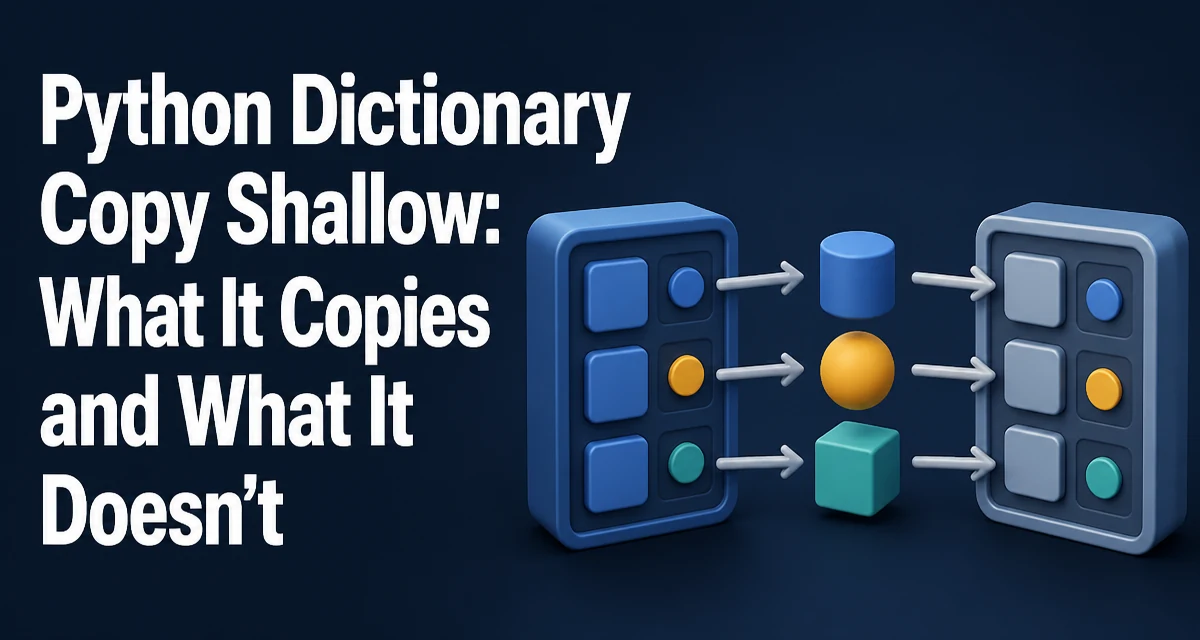
When you call .copy() on a Python dictionary, you get a new dictionary object, but the values inside it are not duplicated. That is the essence of a python dictionary copy shallow operation. The new dict has its own keys and references to the same value objects as the original. For immutable values like strings, integers, or tuples, this distinction rarely matters. For mutable values like lists, sets, or other dictionaries, it changes how your code behaves when you modify the copied structure.
What a Shallow Copy Actually Copies
A shallow copy of a dictionary creates a new dictionary with the same keys and the same references to the values. The dictionary container itself is new, but the value objects are shared between the original and the copy. Consider this minimal example:
original = {"name": "server", "ports": [80, 443]}
shallow = original.copy()

print(shallow is original)  # False
print(shallow["ports"] is original["ports"])  # True
The is checks confirm that the dictionaries are distinct objects, but the list stored under "ports" is the same object in both. Modifying that list through either dictionary affects the other, because both point to the same list in memory.
Creating a Shallow Copy with dict.copy() and dict()
Python offers several ways to create a shallow copy. The most direct is the dict.copy() method:
original = {"a": 1, "b": [2, 3]}
copy_method = original.copy()
You can also use the built-in dict() constructor with the original dictionary as its argument:
copy_constructor = dict(original)
Both approaches produce a new dictionary whose values are the same objects as the original's values. The copy module provides copy.copy() as a third option, which works for dictionaries and other mutable types:
import copy

copy_module = copy.copy(original)
All three produce equivalent shallow copies. The choice is mostly a matter of readability and consistency with the surrounding code. dict.copy() is the most explicit and commonly used.
Why Nested Dictionaries Are Not Copied
The shallow copy behavior becomes especially important when a dictionary contains another dictionary as a value. The inner dictionary is a mutable object, so the shallow copy shares it. Changing a nested key through the copy also changes the original.
config = {"database": {"host": "localhost", "port": 5432}}
config_copy = config.copy()

config_copy["database"]["port"] = 5433
print(config["database"]["port"])  # 5433
The outer dictionary config_copy is separate, but the inner dictionary is not. This is a common source of bugs when developers assume that copying the outer dict also protects nested structures.
Comparing Shallow Copy and Deep Copy
A deep copy recursively duplicates every mutable object it encounters. The result is a fully independent structure where no nested object is shared. Python's copy module provides deepcopy() for this purpose:
import copy

original = {"database": {"host": "localhost", "port": 5432}}
deep = copy.deepcopy(original)

deep["database"]["port"] = 5433
print(original["database"]["port"])  # 5432
Deep copies are more expensive because they traverse the entire object graph and allocate new objects for every mutable container. Shallow copies are faster and use less memory, but they only protect the top-level dictionary. The choice depends on whether you need to isolate nested mutations.
Memory and Performance Considerations
Shallow copies are cheap because they only allocate a new dictionary and copy references. The cost scales with the number of keys, not with the size or complexity of the values. Deep copies, in contrast, must visit every nested object, which can be costly for large or deeply nested data structures.
In a typical application, creating a shallow copy of a dictionary with a few dozen keys is negligible. The performance difference becomes noticeable when you copy large dictionaries frequently or when the values contain large lists or custom objects. If you only need to protect the top-level mapping, a shallow copy is the right tool. If you need full isolation, be prepared for the extra runtime and memory overhead of deepcopy().
Common Pitfalls with Mutable Values
The most frequent mistake is assuming that a shallow copy protects all values. This assumption breaks whenever a value is mutable. For example, if you copy a dictionary that contains a list and then append to that list via the copy, the original changes too:
original = {"items": [1, 2, 3]}
copy = original.copy()
copy["items"].append(4)
print(original["items"])  # [1, 2, 3, 4]
Another pitfall is using a shallow copy when you intend to replace a value entirely. Reassigning a key in the copy does not affect the original, because that operation rebinds the key in the new dictionary. The problem only arises when you mutate the shared value object in place.
A related issue occurs with dictionaries that contain custom objects. If those objects have internal state, a shallow copy shares that state. Only a deep copy can fully isolate the copied structure from the original.
Choosing the Right Copy Method for Your Data
Deciding between shallow and deep copy comes down to the structure of your data and the level of isolation you need. Use a shallow copy when:
- The values are all immutable, such as strings, integers, or tuples.
- You only need to modify the top-level keys and values, not nested mutable objects.
- You are copying a flat dictionary for a quick snapshot or to pass to a function that might reassign keys.
Use a deep copy when:
- The dictionary contains nested dictionaries, lists, or other mutable containers that you need to modify independently.
- You are storing a configuration or state object that must not be affected by later changes to the original.
- You are working with complex data structures where shared references would cause subtle bugs.
In many production scenarios, a shallow copy is sufficient because the values are simple or because the code never mutates them in place. When in doubt, examine whether any value in the dictionary is mutable. If it is, ask whether that value will be modified after the copy. If the answer is yes, deepcopy() is the safer choice, despite its higher cost.
The key takeaway is not to treat dict.copy() as a universal cloning tool. It duplicates the dictionary container, but it deliberately shares the values. Understanding that boundary prevents the most common dictionary copy bugs and helps you choose the right level of copying for your data.