Python DuckDB vs SQLite: Which Embedded Database to Use
python duckdb vs sqlite: Compare DuckDB vs SQLite for Python: storage layout, query performance, data types, concurrency, and external data support to pick the right e...
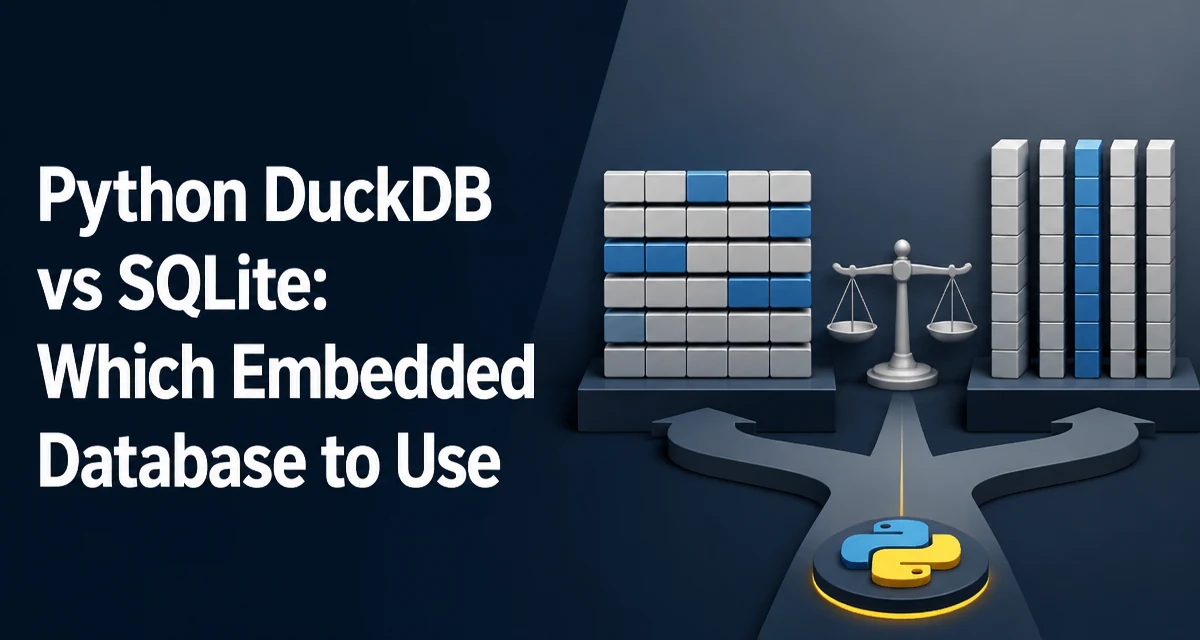
When a Python application needs a database without a separate server process, SQLite and DuckDB are the two embedded options that come up most often. Both run inside the application process and store data in files, but they are built for different workloads. SQLite is a row-oriented transactional database with decades of production history. DuckDB is a column-oriented analytical engine designed for OLAP-style queries. The choice between python duckdb vs sqlite comes down to whether the workload is dominated by point lookups and writes, or by scans and aggregations over large tables.
Row-Oriented vs Column-Oriented Storage
SQLite stores each row's fields contiguously on disk. Fetching a single record by primary key requires reading one row's worth of data, which is fast and predictable. The storage layout also makes small transactions cheap: an insert or update touches one contiguous region.
DuckDB stores each column separately. A table with twenty columns is laid out as twenty contiguous column segments. A query that only needs three of those columns reads only those three segments, which is a major advantage when scanning millions of rows. The tradeoff is that inserting or updating a single row touches multiple column segments, so point operations are not the strength of this layout.
This distinction drives almost every other difference between the two systems. If the application mostly does SELECT * FROM users WHERE id = ?, SQLite's layout is ideal. If the application mostly does SELECT region, SUM(amount) FROM sales GROUP BY region, DuckDB's layout avoids reading columns that the query never references.
Query Performance: Analytical vs Transactional
DuckDB executes queries with vectorized processing. It reads data in batches of column values and applies operators to whole vectors at once, which reduces per-row overhead and improves CPU cache utilization. Aggregations, joins, and group-by operations over large datasets benefit directly from this design.
SQLite uses a row-based virtual machine that processes one row at a time. For indexed point lookups and small result sets, that overhead is negligible. For a query that aggregates ten million rows, the per-row interpretation cost becomes visible, and the row-oriented layout forces the engine to read full rows even when only two columns are needed.
A practical comparison:
import sqlite3

conn = sqlite3.connect("sales.db")
conn.execute("CREATE TABLE IF NOT EXISTS sales (region TEXT, amount REAL)")
conn.executemany(
    "INSERT INTO sales VALUES (?, ?)",
    [("west", 120.5), ("east", 85.0), ("north", 200.0)],
)
conn.commit()

rows = conn.execute(
    "SELECT region, SUM(amount) FROM sales GROUP BY region"
).fetchall()
import duckdb

conn = duckdb.connect("sales.duckdb")
conn.execute("CREATE TABLE IF NOT EXISTS sales (region VARCHAR, amount DOUBLE)")
conn.executemany(
    "INSERT INTO sales VALUES (?, ?)",
    [("west", 120.5), ("east", 85.0), ("north", 200.0)],
)

rows = conn.execute(
    "SELECT region, SUM(amount) FROM sales GROUP BY region"
).fetchall()
The API surface is similar enough that the query text is nearly identical. The difference appears when the table grows. On a table with millions of rows, DuckDB's vectorized aggregation engine finishes the group-by in a fraction of the time SQLite needs, because it never materializes full rows and processes columns in parallel-friendly batches.
The reverse is also true. A workload that repeatedly fetches a single row by primary key, such as a user session lookup, will see lower latency in SQLite. DuckDB's columnar layout adds overhead to single-row access because the engine must gather values from multiple column segments.
Data Types and SQL Feature Support
SQLite uses a dynamic typing system with five storage classes: NULL, INTEGER, REAL, TEXT, and BLOB. A column declared as INTEGER can hold a text value if the application inserts one, because SQLite applies type affinity rather than strict enforcement. This flexibility is useful for prototyping but can hide data quality problems.
DuckDB has a stricter, richer type system. It supports fixed-precision DECIMAL, native DATE, TIME, TIMESTAMP, INTERVAL, and nested types such as STRUCT, LIST, and MAP. These types map directly to analytical workloads: a column of STRUCT values or a LIST column is a first-class citizen rather than a serialized blob.
The SQL dialect also differs. DuckDB implements more of the SQL standard relevant to analytics, including window functions, QUALIFY, PIVOT/UNPIVOT, and ASOF JOIN. SQLite supports window functions since version 3.25 but lacks the broader analytical feature set. If the query relies on PIVOT or ASOF JOIN, SQLite will require restructuring the query or moving the logic into Python.
Concurrency, Transactions, and Write Behavior
Both databases use a single-writer model. SQLite allows multiple readers while one writer holds the lock, and a write transaction blocks other writers. DuckDB follows the same pattern: one writer at a time, with readers able to proceed during writes under certain isolation settings.
The practical difference is the intended write profile. SQLite is designed for many small write transactions, such as inserting a row per user action. DuckDB is designed for bulk loads: loading a CSV, appending a large batch of rows, or rebuilding a table. Doing thousands of individual single-row inserts in DuckDB is slow because each insert pays the cost of updating multiple column segments and the transaction machinery.
For bulk loading, DuckDB is faster. Loading a multi-gigabyte CSV with COPY or read_csv_auto takes advantage of parallel parsing and vectorized insertion. SQLite can load the same data, but the row-oriented insert path is slower for large volumes.
import duckdb

conn = duckdb.connect("analytics.duckdb")
conn.execute("CREATE TABLE sales AS SELECT * FROM read_csv_auto('sales_2024.csv')")
import sqlite3

conn = sqlite3.connect("analytics.db")
conn.execute("CREATE TABLE sales (region TEXT, amount REAL)")
with open("sales_2024.csv") as f:
    # SQLite has no direct CSV import; rows must be read and inserted in Python
    for line in f:
        region, amount = line.strip().split(",")
        conn.execute("INSERT INTO sales VALUES (?, ?)", (region, float(amount)))
conn.commit()
DuckDB's read_csv_auto infers schema and loads the file in one statement. SQLite requires a Python loop or a separate tool like the sqlite3 CLI's .import command. For a one-off data load, DuckDB removes a significant amount of boilerplate.
Working with External Data Formats
DuckDB can query Parquet, CSV, JSON, and Arrow data directly without loading it into a table. This makes it a natural fit for data pipelines where the source data lives in files:
import duckdb

result = duckdb.sql(
    "SELECT region, SUM(amount) FROM 'data/*.parquet' GROUP BY region"
).fetchall()
The same query in SQLite requires importing the Parquet data into a SQLite table first, which means either converting the files in Python with pyarrow or another library, or writing a custom import routine. DuckDB's direct file access removes that step entirely.
This also extends to pandas. DuckDB can query a pandas DataFrame directly:
import duckdb
import pandas as pd

df = pd.DataFrame({"region": ["west", "east"], "amount": [120.5, 85.0]})
result = duckdb.sql("SELECT region, SUM(amount) FROM df GROUP BY region").fetchall()
SQLite has no equivalent. Data must be written into a table with to_sql from pandas, which copies the entire DataFrame into the database file before a query can run. For a DataFrame that already lives in memory, DuckDB avoids that copy.
Memory and Deployment Behavior
DuckDB is designed to process datasets larger than available memory by spilling intermediate results to disk. Large joins and aggregations can exceed RAM without failing, though the spill adds I/O cost. SQLite manages memory more conservatively and keeps the working set small, but it is not built to process a table that does not fit in memory.
This affects deployment. A DuckDB process running a large analytical query can consume several gigabytes of RAM before spilling. In a constrained environment, such as a serverless function or a small container, that memory ceiling matters. SQLite's steady-state memory usage is lower, which makes it safer for memory-constrained services.
DuckDB also supports in-memory mode where no file is created, which is useful for ad-hoc analysis:
import duckdb

conn = duckdb.connect()  # in-memory
SQLite has the equivalent with sqlite3.connect(":memory:"). Both modes work, but DuckDB's in-memory mode is commonly used for analytical workloads where the data comes from files or DataFrames rather than from a persistent database.
Decision Criteria: Which One Fits the Workload
The choice is not about which database is "better" overall; it is about matching the storage and execution model to the query pattern.
Use SQLite when the workload is transactional: a web application storing user records, a queue table with frequent inserts and deletes, or any system where point lookups and small writes dominate. SQLite's maturity, ubiquity, and low memory footprint make it a safe default for application state that must persist for years.
Use DuckDB when the workload is analytical: aggregations over large tables, joins across multiple datasets, or queries that only touch a few columns of a wide table. DuckDB is also the stronger choice when the data already lives in Parquet, CSV, or Arrow, because it can query those formats directly.
A mixed workload is where the decision gets harder. If an application needs transactional writes for user data and analytical queries over that same data, one option is to keep SQLite as the source of record and periodically export a snapshot into DuckDB for analysis. That separation lets each engine do what it is built for, at the cost of maintaining a data pipeline between the two.
There is no rule that forces a single database. Python projects can use both in the same codebase, with SQLite handling the transactional layer and DuckDB handling the analytical layer. The important step is recognizing that the two engines optimize for different access patterns, and choosing per workload rather than per project.