Python Extended Iterable Unpacking in Practice
python extended iterable unpacking: Learn how Python's extended iterable unpacking works, including star expressions, nested unpacking, and common pitfalls.
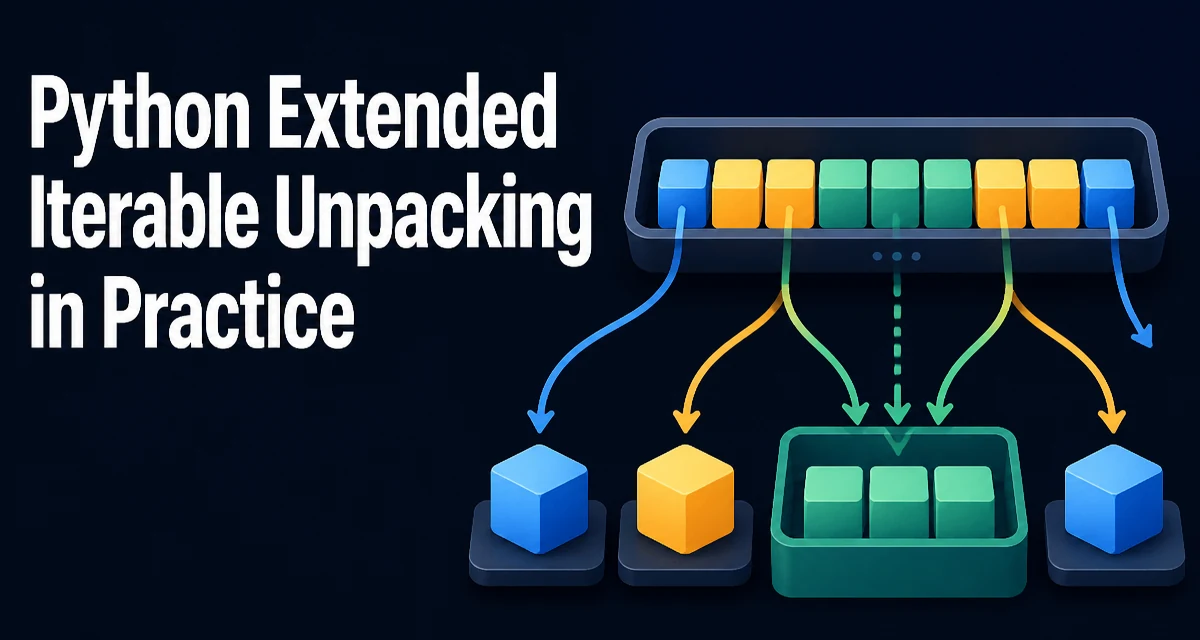
python extended iterable unpacking requires a clear understanding of the core syntax, runtime behavior, and practical implementation patterns demonstrated in the examples below.
Python's extended iterable unpacking lets you assign multiple elements from any iterable to variables in a single statement. The basic form a, b, c = iterable assigns the first three elements, but the real power comes from the star expression, which captures an arbitrary number of elements into a list. This feature, introduced in Python 3, is more than a syntactic convenience; it changes how you structure code that handles variable-length sequences.
The Core Syntax of Extended Unpacking
At its simplest, unpacking assigns each element of an iterable to a corresponding variable. The number of variables must exactly match the number of elements in the iterable; otherwise, Python raises a ValueError.
first, second, third = [10, 20, 30]
print(first, second, third)  # 10 20 30
If the iterable has more or fewer elements, you get an error:
first, second = [10, 20, 30] # ValueError: too many values to unpack
This works with any iterable, not just lists. Tuples, strings, generators, and custom iterable objects all follow the same rule. For example, unpacking a string gives individual characters:
a, b, c = "xyz"
print(a, b, c)  # x y z
Extended unpacking adds the star operator (*) to the variable list. The variable prefixed with * collects all elements that are not assigned to other variables, always as a list. This is the core of Python extended iterable unpacking.
Using Star Expressions to Capture Middle Elements
The most common pattern is to capture the middle of a sequence while keeping the first and last elements separate:
first, *middle, last = [1, 2, 3, 4, 5]
print(first)    # 1
print(middle)  # [2, 3, 4]
print(last)    # 5
The starred variable always receives a list, even if it captures zero elements. This behavior is consistent and predictable:
first, *middle, last = [1, 2]
print(middle)  # []
You can place the star expression in any position, not just the middle. For example, *head, tail = [1, 2, 3] gives head = [1, 2] and tail = 3. However, you cannot use more than one star expression in a single unpacking assignment. The Python parser rejects this with a SyntaxError:
*a, *b = [1, 2, 3] # SyntaxError: two starred expressions in assignment
This restriction exists because the interpreter would have no way to decide how many elements each star should take.
Nested Unpacking for Complex Structures
Extended unpacking also works with nested iterables. You can unpack a list of tuples, or a tuple containing a list, by mirroring the structure in the assignment target. Each level follows the same rules.
(a, b), c = [(1, 2), 3]
print(a, b, c)  # 1 2 3
You can combine nesting with star expressions to handle irregular structures:
(first, *rest), last = [(1, 2, 3), 4]
print(first)  # 1
print(rest)   # [2, 3]
print(last)   # 4
This is particularly useful when parsing data that has a fixed outer structure but variable inner length, such as a tuple containing a list of coordinates followed by a label.
Common Mistakes and Their Fixes
Several errors recur when developers first use extended unpacking. The most frequent is assuming the starred variable is a tuple. It is always a list, even if the source iterable is a tuple. This matters if you later rely on tuple immutability.
Another mistake is using multiple star expressions. As shown earlier, this is a syntax error. If you need to split a sequence into two variable-length parts, you must slice explicitly or use a different approach.
Unpacking a generator consumes it. If you unpack a generator into variables, the generator is exhausted. This is fine for one-time use, but if you need to iterate again, you must recreate the generator. For example:
gen = (x * 2 for x in range(3))
a, b, c = gen  # generator is now exhausted
Ignoring elements is a common need. The convention is to use an underscore (_) as a throwaway variable. With a star expression, you can ignore a variable-length middle section:
first, *_, last = [1, 2, 3, 4, 5]
This assigns first = 1 and last = 5, and the middle elements are discarded. Note that _ still holds a list, but you don't use it.
Memory and Performance Considerations
Extended unpacking is efficient for small to medium iterables because it involves a single pass and list construction for the starred part. However, when you apply a star expression to a very large iterable, the starred variable creates a list containing all the remaining elements. For example, first, *rest = huge_list copies every element except the first into a new list. This doubles memory usage for that portion of the data.
If you only need the first and last elements of a large sequence, consider using indexing instead:
first = data[0]
last = data[-1]
This avoids creating an intermediate list. The tradeoff is that indexing requires the iterable to support __getitem__; for generators, you would need to convert to a list first, which has its own cost.
For generators, unpacking with a star expression forces the entire generator to be consumed and stored in a list. If the generator produces millions of items, this can be a memory bottleneck. In such cases, use itertools.islice to extract only the parts you need without materializing the whole sequence.
When to Reach for Extended Unpacking
Extended unpacking shines in scenarios where you need to separate a sequence into meaningful parts. Common use cases include:
- Swapping variables without a temporary variable:
a, b = b, ais a classic, though not extended, unpacking. - Parsing a fixed-format line where the first and last fields are known, but the middle is variable:
name, *middle, last = fields. - Recursive algorithms that operate on the head and tail of a list:
head, *tail = items. - Handling function return values that vary in length, such as
*values, status = fetch_data().
Using unpacking instead of indexing often makes the code more readable because it names the parts directly. For instance, first, *rest = items is clearer than first = items[0]; rest = items[1:] and also works with any iterable, not just sequences.
However, avoid overusing it. If the structure is deeply nested or the number of variables is large, the assignment line becomes hard to read. In those cases, a dataclass or a named tuple may be a better fit. The decision depends on whether the unpacking reflects the logical structure of the data or merely saves a few lines of code.
A final practical note: extended unpacking is available in Python 3 and later. If you maintain code that must run on Python 2, this syntax is not available. For modern projects, it is a safe and idiomatic feature that reduces boilerplate and clarifies intent.