Python Extended Unpacking: Syntax and Practical Uses
python extended unpacking: Understand Python's extended unpacking syntax for assignments, function calls, and iterable handling, with practical examples and common pit...
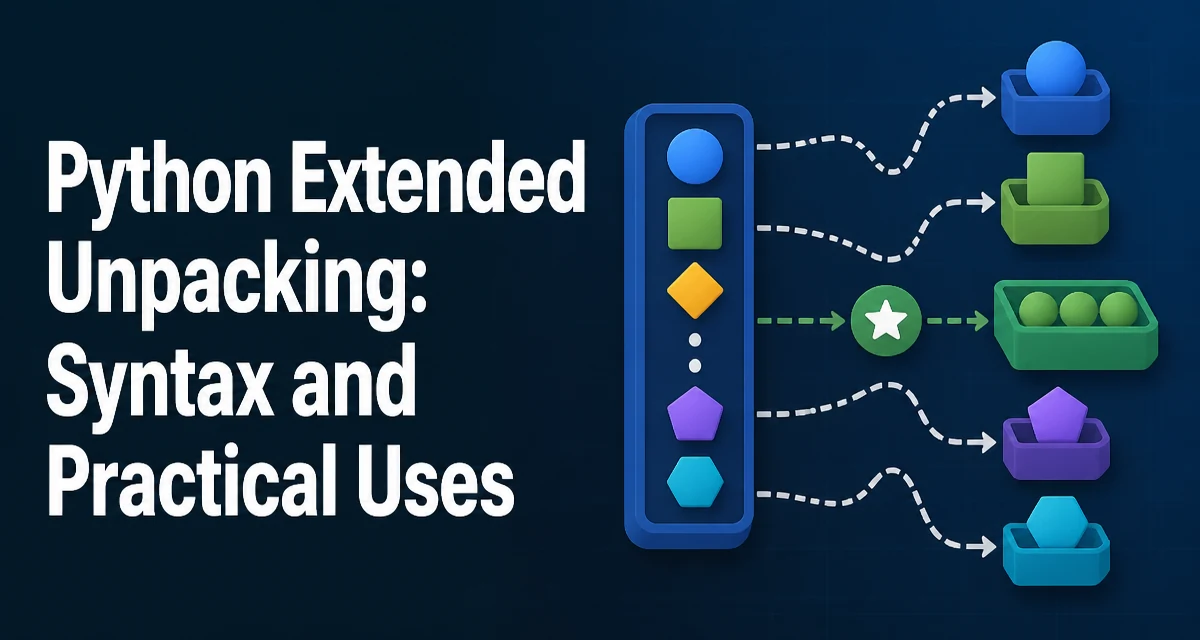
python extended unpacking requires a clear understanding of the core syntax, runtime behavior, and practical implementation patterns demonstrated in the examples below.
Python's extended unpacking syntax lets you assign multiple values from an iterable in one statement, and it also changes how you can pass arguments to functions. The feature appears in assignments, for loops, and function calls, and it often replaces manual indexing or slicing. This article covers the syntax, common usage patterns, and the edge cases that trip up developers.
What Extended Unpacking Does
Basic unpacking has been part of Python for a long time: a, b = 1, 2 assigns 1 to a and 2 to b. Extended unpacking adds a starred expression, written with a single asterisk, that captures a variable-length portion of the iterable. For example:
first, *rest = [1, 2, 3, 4]
print(first)  # 1
print(rest)   # [2, 3, 4]
The starred target *rest collects all remaining elements into a list. This works with any iterable, not just lists. The starred expression can appear in any position, so you can capture the middle or the tail:
head, *middle, tail = range(5)
print(head)    # 0
print(middle)  # [1, 2, 3]
print(tail)    # 4
Unpacking Sequences and Iterables
Because unpacking works on any iterable, you can use it with tuples, strings, generators, and custom iterable objects. A string unpacks into individual characters:
first, *middle, last = "python"
print(first, middle, last)  # p ['y', 't', 'h', 'o'] n
A generator is consumed lazily, so unpacking a large generator into a starred target materializes the entire sequence into memory. That is an important consideration when working with infinite or very large iterables.
You can also unpack nested structures. For instance, a list of pairs can be unpacked in a for loop:
pairs = [(1, 'a'), (2, 'b')]
for number, letter in pairs:
    print(number, letter)
With extended unpacking, you can capture a variable number of trailing elements from each row:
data = [(1, 'a', 'x'), (2, 'b', 'y', 'z')]
for number, *letters in data:
    print(number, letters)
# 1 ['a', 'x']
# 2 ['b', 'y', 'z']
Using *args in Function Calls
In a function call, a starred expression expands an iterable into positional arguments. This is commonly used when you have a list or tuple of values that must be passed individually:
def add(a, b, c):
    return a + b + c

values = [1, 2, 3]
print(add(*values))  # 6
This is equivalent to add(1, 2, 3). The starred expression can appear anywhere among the positional arguments, but you cannot use more than one starred expression in a call unless you are using Python 3.5 or later, where multiple starred expressions are allowed:
first = [1, 2]
second = [3, 4]
print(*first, *second)  # 1 2 3 4
In a function definition, *args collects extra positional arguments into a tuple. The name args is a convention, not a requirement. This is the inverse operation: it gathers arguments rather than expanding them.
Using **kwargs for Keyword Arguments
The double-star syntax ** works with keyword arguments. In a function call, **mapping expands a dictionary into keyword arguments:
def greet(name, greeting="Hello"):
    print(f"{greeting}, {name}")

kwargs = {"name": "Ada", "greeting": "Hi"}
greet(**kwargs)  # Hi, Ada
The dictionary keys must be strings, and they must match the parameter names. If a key does not match any parameter, Python raises a TypeError unless the function accepts **kwargs.
In a function definition, **kwargs collects any unexpected keyword arguments into a dictionary. This pattern is common in wrappers and decorators where you need to forward arbitrary options.
Extended Unpacking in Assignments
PEP 3132 introduced starred assignment targets in Python 3.0. This allows you to unpack an iterable into a fixed number of variables and capture the rest in a list. The starred target must appear exactly once in the assignment target list. You cannot use two starred expressions in the same assignment:
# Invalid: two starred targets
*a, *b = [1, 2, 3]
You also cannot use a starred expression as the only target. For example, *a = [1, 2] is a syntax error because there is no fixed target to anchor the unpacking.
When the iterable has exactly the same number of elements as the fixed targets, the starred target receives an empty list:
a, *b = [1]
print(a, b)  # 1 []
If the iterable has fewer elements than the fixed targets, Python raises a ValueError:
a, *b = [] # ValueError: not enough values to unpack
Common Pitfalls and Edge Cases
One frequent mistake is assuming that a starred expression always produces a list. It does, even if the original iterable is a tuple or a string. This is a deliberate design choice to make the result predictable.
Another pitfall is using extended unpacking with a generator that is infinite. The starred target will try to consume the entire generator, which never terminates. Always be aware of the iterable's size.
When unpacking in a for loop, the loop variable receives the same treatment. If you have a list of lists with varying lengths, you can use *rest to capture the tail, but the loop will still iterate over every element, so this is not a filtering mechanism.
Function call unpacking can be confusing when combined with keyword arguments. For example, you cannot use * to expand a dictionary; that requires **. Mixing them is allowed, but the order matters: positional arguments come first, then keyword arguments.
Performance and Maintainability Considerations
Extended unpacking is implemented in C and is generally efficient. The main cost is the allocation of a list for the starred target when you unpack in an assignment. For a large iterable, this can be a memory concern. If you only need the first few elements and want to avoid materializing the rest, consider using itertools.islice instead.
In function calls, *args creates a tuple from the expanded iterable, and **kwargs creates a dictionary. These allocations are usually negligible, but they become relevant in tight loops or when passing very large collections.
From a maintainability perspective, extended unpacking often improves readability by expressing intent directly. Compare first, second = values[0], values[1] with first, second = values[:2]. The latter is clearer and less error-prone. However, overusing nested unpacking can make code harder to follow. Use it when the structure of the data matches the pattern you are extracting.
Compatibility with Python Versions
Extended unpacking in assignments (starred targets) has been available since Python 3.0. The generalization that allows multiple starred expressions in function calls and in list, tuple, and set displays was added in Python 3.5 (PEP 448). If you are targeting Python 2, none of these features are available, and you must rely on slicing or explicit indexing.
When writing code that must run on both Python 2 and 3, avoid starred expressions in assignments and calls. For modern projects that require Python 3.5 or later, you can safely use the full extended unpacking syntax. The behavior is stable across Python 3 releases, so you do not need to worry about subtle changes between 3.6, 3.8, or 3.11.
One version-specific detail: in Python 3.5 and later, you can use * in tuple, list, and set displays, such as [*a, *b] or {**d1, **d2}. This is a natural extension of the same idea, but it is not part of the original assignment unpacking feature. Understanding the version history helps you decide which constructs are safe in a given codebase.