Python FastAPI Pydantic Request and Response Models
python fastapi pydantic request and response models: Learn how to define Pydantic models for FastAPI request and response validation, including nested models, optional...
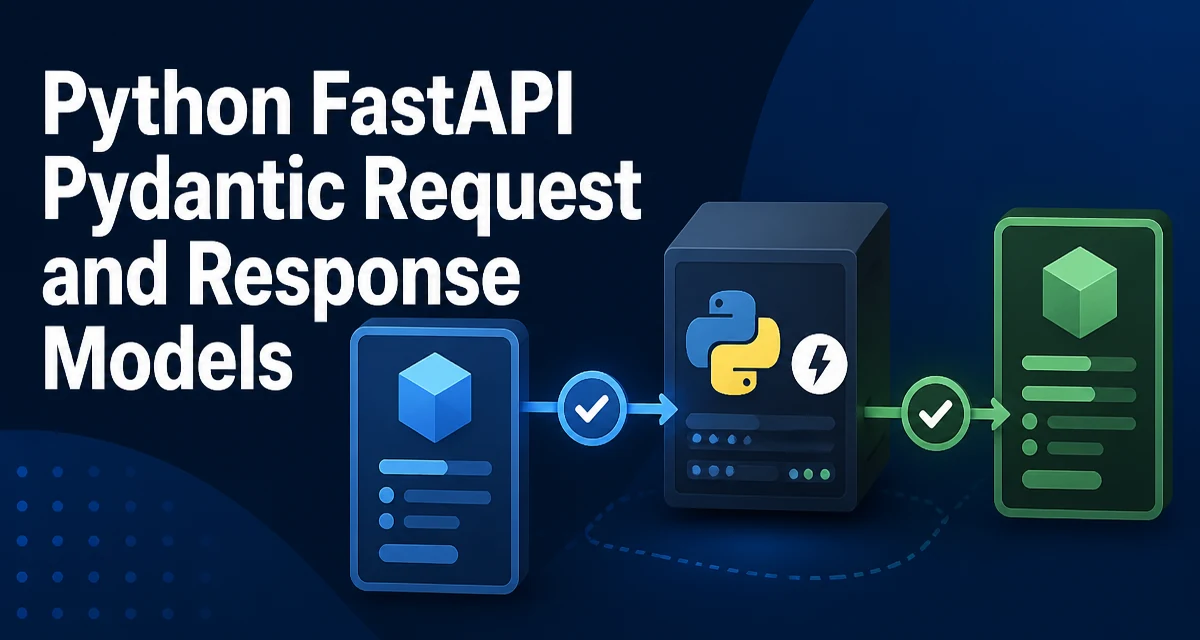
FastAPI uses Pydantic models to define the shape and validation rules for request and response data. When you declare a parameter as a Pydantic model in a path operation, FastAPI parses the request body, validates it against the model, and passes the instance to your function. Similarly, the response_model parameter filters and serializes the returned data according to the model. This article explains how to use python fastapi pydantic request and response models effectively, covering nested structures, optional fields, validation, and performance considerations.
Defining a Pydantic Model for Request Bodies
The most common use of Pydantic in FastAPI is to declare a request body. You define a model with typed fields, then use it as a parameter in your endpoint. FastAPI automatically reads the JSON body, validates it, and provides the model instance.
from pydantic import BaseModel

class Item(BaseModel):
    name: str
    price: float
    is_offer: bool = False
In your endpoint, you accept the model as a parameter:
from fastapi import FastAPI

app = FastAPI()

@app.post("/items/")
async def create_item(item: Item):
    return {"item_name": item.name, "item_price": item.price}
When a client sends POST /items/ with a JSON body, FastAPI validates the payload against Item. If the body is missing a required field or contains a value of the wrong type, FastAPI returns a 422 Unprocessable Entity response with details about the validation errors. This happens before your function runs, so you never have to manually check for missing fields or type mismatches.
The model instance you receive is a regular Pydantic object. You can access its attributes, call methods, or pass it to other parts of your application. The validation is strict in the sense that extra fields are ignored by default, but you can change this behavior with model_config if needed.
Using Response Models to Control Output
While request models validate incoming data, response_model controls what FastAPI sends back. It filters the returned object to only the fields defined in the model, and it also serializes the data according to the model's types. This is useful for hiding internal fields, like database IDs or passwords, and for ensuring a consistent API contract.
from pydantic import BaseModel

class ItemOut(BaseModel):
    name: str
    price: float

@app.post("/items/", response_model=ItemOut)
async def create_item(item: Item):
    # In a real app, you'd save the item to a database
    return {"name": item.name, "price": item.price, "internal_note": "hidden"}
Even though the returned dictionary includes internal_note, FastAPI will only serialize the fields present in ItemOut. The response body will contain only name and price. This filtering happens after your function returns, so you can return a full object (like a database model) and let FastAPI strip it down.
response_model also applies to GET endpoints. For example, if you return a list of items, you can specify a list model:
@app.get("/items/", response_model=list[ItemOut])
async def list_items():
    return [{"name": "Widget", "price": 9.99}, {"name": "Gadget", "price": 19.99}]
FastAPI will validate the response data against the model and raise an error if the data doesn't conform. This catches bugs early, especially when your data comes from a database or an external service.
Nested Models and Relationships
Real-world APIs often have nested structures. Pydantic models can contain other models as fields, allowing you to represent complex relationships. For example, an order might contain a customer and a list of items.
from pydantic import BaseModel
from typing import List

class Customer(BaseModel):
    name: str
    email: str

class OrderItem(BaseModel):
    product_id: int
    quantity: int

class Order(BaseModel):
    customer: Customer
    items: List[OrderItem]
    total: float
When you use Order as a request body, FastAPI expects a JSON structure like:
{
  "customer": {"name": "Alice", "email": "alice@example.com"},
  "items": [{"product_id": 1, "quantity": 2}],
  "total": 39.98
}
Nested models are validated recursively. If any nested field is invalid, the entire request fails with a 422 response. This is powerful, but it also means you need to design your models carefully to match the actual data you expect.
For response models, nesting works the same way. If you define a response model with nested models, FastAPI will serialize the entire structure, filtering out any fields not declared in the nested models.
Optional Fields and Defaults
Not every field needs to be required. You can make a field optional by using Optional from typing or by giving it a default value. This affects both request and response validation.
from typing import Optional
from pydantic import BaseModel

class Item(BaseModel):
    name: str
    price: float
    description: Optional[str] = None
    tax: float = 0.0
In this example, description and tax are not required in the request body. If they are omitted, they get the default values (None and 0.0). When used as a response model, optional fields with defaults are always included in the output, even if the value is None. If you want to omit a field from the response when it's None, you need to use response_model_exclude_none=True.
@app.post("/items/", response_model=Item, response_model_exclude_none=True)
async def create_item(item: Item):
    return item
With this setting, if description is None, it won't appear in the JSON response. This keeps the response clean and avoids sending null values for fields that aren't relevant.
Validation and Error Handling
Pydantic provides a rich set of validators beyond type checking. You can use Field to add constraints like minimum length, maximum value, or regex patterns. For example:
from pydantic import BaseModel, Field

class Product(BaseModel):
    name: str = Field(..., min_length=1, max_length=50)
    price: float = Field(..., gt=0)
    sku: str = Field(..., pattern=r"^[A-Z]{3}-\d{4}$")
If a request violates any constraint, FastAPI returns a 422 response with a detailed error message. The error format is standardized, which makes it easy for clients to parse and display. You can also define custom validators using @field_validator or @model_validator to implement complex cross-field checks.
from pydantic import BaseModel, field_validator

class Order(BaseModel):
    quantity: int
    price: float

    @field_validator("quantity")
    @classmethod
    def check_quantity(cls, v):
        if v < 1:
            raise ValueError("quantity must be at least 1")
        return v
Custom validators run after type validation and before the model is instantiated. They allow you to enforce business rules that can't be expressed with simple field types.
Performance Considerations
Pydantic validation adds some overhead to every request. For most APIs, this is negligible compared to database queries or network I/O. However, if you have very high-throughput endpoints that process thousands of requests per second, you should be aware of the cost.
The main overhead comes from parsing the JSON body and constructing model instances. Pydantic v2 is significantly faster than v1 because it uses Rust for the core validation logic. Still, you can reduce the impact by:
- Using simple models with fewer fields.
- Avoiding unnecessary
response_modelvalidation on large responses. - Using
model_configto disable validation in specific cases, though this is rarely recommended.
For example, if you have an endpoint that returns a large list of items, the response model validation will iterate over every item. If the items are already trusted (e.g., from your own database), you might consider skipping the response model and returning the data directly. But this removes the safety net that catches schema drift.
A better approach is to keep the response model but ensure your models are lean. Only include fields that the client actually needs. This reduces serialization time and payload size.
Advanced Model Configuration
Pydantic models support a model_config attribute that controls various behaviors. Two settings are particularly useful in FastAPI:
extra: whether to allow, ignore, or forbid extra fields in the request body.populate_by_name: whether to allow field population by alias or by field name.
from pydantic import BaseModel, ConfigDict

class Item(BaseModel):
    model_config = ConfigDict(extra="forbid", populate_by_name=True)

    name: str
    price: float
With extra="forbid", any field not defined in the model will cause a validation error. This is strict but can prevent silent typos in client requests. populate_by_name is useful when you use aliases for serialization (e.g., camelCase in JSON) but still want to accept the Python field name.
Aliases are defined using Field(alias=...). For example:
class Item(BaseModel):
    model_config = ConfigDict(populate_by_name=True)

    item_name: str = Field(alias="name")
Now the request body can use either name or item_name. This is helpful when your API uses a different naming convention than your internal Python code.
Common Pitfalls and How to Avoid Them
One frequent mistake is using a mutable default value like [] or {} in a model field. Pydantic handles this correctly by creating a new copy for each instance, but it's still a bad habit. Always use Field(default_factory=list) for mutable defaults.
Another pitfall is forgetting to set response_model when you return a Pydantic model that contains sensitive fields. Without response_model, FastAPI will serialize the entire object, including any fields you didn't intend to expose. Always define an explicit output model for endpoints that return data.
Finally, be careful with optional fields and None values. If you use Optional[str] = None, the field is included in the response as null unless you exclude it. Decide whether your API should include null values or omit them, and configure response_model_exclude_none accordingly.
When to Skip Response Models
Response models are not mandatory. For simple endpoints that return a primitive type or a small dictionary, adding a response model might be overkill. However, for any endpoint that returns a structured object with more than a couple of fields, a response model provides documentation, validation, and filtering. The OpenAPI schema generated by FastAPI is also derived from these models, so they serve as living documentation for your API.
If you're building a public API, response models are essential for maintaining a stable contract. If you're building an internal microservice, you might be more lenient, but the benefits still apply. The decision comes down to whether the added safety and documentation value outweigh the extra code and validation overhead. In most production applications, the answer is to use response models consistently.