Python Float Precision: Handling Rounding Errors
python float precision: Learn why Python floats are imprecise, how to inspect and control precision, and when to use Decimal for exact arithmetic.
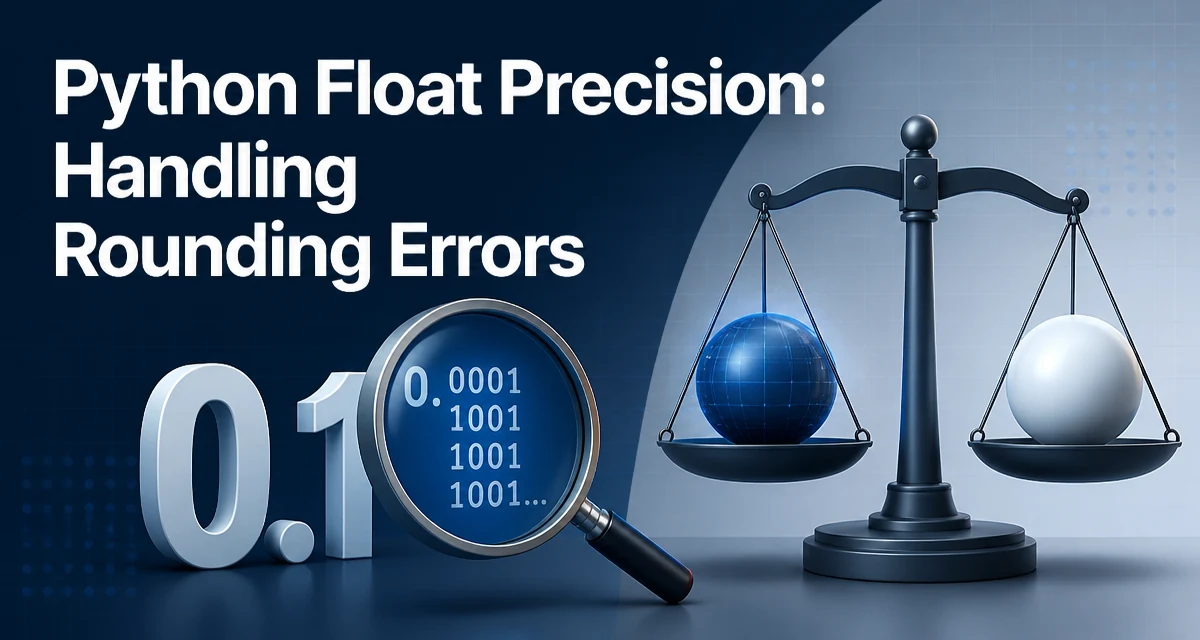
python float precision requires a clear understanding of the core syntax, runtime behavior, and practical implementation patterns demonstrated in the examples below.
Python floats are IEEE 754 double-precision binary numbers. Because they store values in base 2, many decimal fractions cannot be represented exactly. This is not a bug in Python; it is a fundamental limitation of binary floating point arithmetic. For example, 0.1 + 0.2 does not equal 0.3 exactly, and the result may surprise developers expecting decimal behavior. Understanding how this precision works is essential for writing reliable numerical code, especially when dealing with financial calculations, scientific measurements, or any application where rounding errors accumulate.
Why Python Floats Are Not Exact
A float in Python occupies 64 bits, with 53 bits dedicated to the significand (the significant digits) and 11 bits for the exponent. This layout follows the IEEE 754 standard. In decimal, you can represent 1/3 only as an infinite repeating fraction; in binary, many common decimal fractions like 0.1 also become infinite repeating fractions. When Python stores 0.1, it stores the closest binary approximation, which is slightly more than 0.1.
>>> 0.1
0.1
The interactive output appears as 0.1 because Python rounds the display to the shortest decimal string that uniquely identifies the stored binary value. The actual stored value is closer to 0.1000000000000000055511151231257827021181583404541015625. This hidden difference becomes visible when you perform arithmetic.
>>> 0.1 + 0.2
0.30000000000000004
The result is not 0.3 because the sum of the two approximate binary values is slightly above the binary approximation of 0.3. This is the core of the problem: every float operation introduces small errors that can compound over many calculations.
How Binary Floating Point Represents Numbers
To understand why 0.1 is not exact, consider how binary fractions work. A binary fraction uses powers of two: 1/2, 1/4, 1/8, and so on. To represent 0.1, you need a sum of such powers that equals 0.1 exactly, but no finite sum does. The binary expansion of 0.1 is 0.0001100110011001100110011001100110011001100110011001101... repeating indefinitely. Since the significand has only 53 bits, the expansion is truncated, and the resulting value is an approximation.
This representation affects not only addition but also multiplication, division, and comparisons. For instance, 0.3 is also an approximation, so comparing 0.1 + 0.2 to 0.3 directly fails.
>>> 0.1 + 0.2 == 0.3
False
Rather than treating this as an exceptional case, recognize that all binary floats have this property. The error is usually tiny, but it can become significant in loops, accumulations, or when values are compared for equality.
Inspecting the Actual Value Stored in a Float
To see the exact binary value behind a float, use the hex method or the as_integer_ratio method. These tools reveal the internal representation and help you debug precision issues.
>>> (0.1).hex()
'0x1.999999999999ap-4'
>>> (0.1).as_integer_ratio()
(3602879701896397, 36028797018963968)
The as_integer_ratio method returns the numerator and denominator of the exact rational value that the float represents. This is useful when you need to know the precise value for documentation or testing. The hex form is a compact representation of the binary mantissa and exponent.
You can also use the decimal module to see the exact decimal expansion of a float by converting it with Decimal.from_float.
>>> from decimal import Decimal
>>> Decimal.from_float(0.1)
Decimal('0.1000000000000000055511151231257827021181583404541015625')
This conversion shows the full decimal value that the binary float actually holds. It is a debugging aid, not a way to get exact decimal arithmetic, because the underlying value is still the binary approximation.
Using the Decimal Module for Exact Arithmetic
When you need decimal arithmetic that behaves like hand-calculated decimal values, use the decimal module. It provides a Decimal type that stores numbers as decimal digits and lets you control precision and rounding explicitly. This is appropriate for financial calculations, tax computations, or any domain where decimal rounding rules matter.
from decimal import Decimal, getcontext

getcontext().prec = 28  # default precision

a = Decimal('0.1')
b = Decimal('0.2')
print(a + b)  # 0.3
Notice that the inputs are strings, not floats. If you pass a float to Decimal, you get the exact binary value, not the decimal value you intended. Always construct Decimal from strings or integers to avoid introducing binary errors.
# Incorrect: passes a float
Decimal(0.1)  # Decimal('0.1000000000000000055511151231257827021181583404541015625')

# Correct: passes a string
Decimal('0.1')  # Decimal('0.1')
The decimal module also lets you set the rounding mode, such as ROUND_HALF_UP, ROUND_DOWN, or ROUND_CEILING. This is essential for applications that must follow specific rounding rules.
from decimal import Decimal, ROUND_HALF_UP

value = Decimal('2.675')
rounded = value.quantize(Decimal('0.01'), rounding=ROUND_HALF_UP)
print(rounded)  # 2.68
The quantize method rounds to a fixed number of decimal places. Without the explicit rounding mode, it uses the context's default, which is ROUND_HALF_EVEN. This is often not what financial applications expect.
Rounding and Formatting Floats Safely
Even when you stick with binary floats, you can control how results are displayed and rounded. The built-in round function and the format specifier both accept a precision argument, but they behave differently.
>>> round(2.675, 2)
2.67
This result is surprising because 2.675 is not exactly representable. The stored value is slightly less than 2.675, so rounding to two decimal places yields 2.67. If you need deterministic decimal rounding, use Decimal as shown earlier.
For display purposes, you can use string formatting to show a fixed number of digits after the decimal point.
>>> f"{0.1 + 0.2:.2f}"
'0.30'
Formatting rounds the value to the specified precision for output, but it does not change the underlying float. If you need to store a rounded value, assign the result of round or Decimal.quantize to a variable.
Comparing Floats Without False Negatives
Equality checks on floats are rarely safe. Instead, compare with a tolerance using math.isclose or a custom epsilon.
import math

math.isclose(0.1 + 0.2, 0.3, rel_tol=1e-9, abs_tol=1e-12)
The rel_tol is the relative tolerance (default 1e-9), and abs_tol is the absolute tolerance for values near zero. This function handles the common cases where two values should be considered equal within a small error margin.
If you need to compare a list of floats, you can sort them and then use isclose on adjacent elements, but be careful with the order. Alternatively, you can round both values to a fixed number of decimal places before comparison, but this is fragile if the values span a wide range of magnitudes.
def approx_equal(a, b, epsilon=1e-9):
    return abs(a - b) <= epsilon * max(1, abs(a), abs(b))
This custom function is a simple alternative to isclose and gives you explicit control over the tolerance formula. For most cases, math.isclose is sufficient and well-tested.
Performance and Compatibility Considerations
Binary floats are fast because they map directly to the CPU's floating point unit. Decimal arithmetic, by contrast, is implemented in software and is significantly slower. If you are processing large arrays of numbers in a loop, using Decimal for every operation can degrade performance by an order of magnitude or more. In scientific computing or machine learning, binary floats are the standard choice.
When choosing between float and Decimal, consider the tradeoff between speed and exactness. If your application only needs a few decimal places and you can tolerate tiny rounding errors, float is usually fine. If you need deterministic decimal behavior, such as in financial reporting or legal calculations, use Decimal even at the cost of speed.
Another compatibility concern is that the decimal module's default precision is 28 significant digits. If you need more or fewer, adjust getcontext().prec globally or use a local context with the localcontext manager.
from decimal import localcontext

with localcontext() as ctx:
    ctx.prec = 50
    result = Decimal('1') / Decimal('7')
This scoped context prevents global state changes from affecting other parts of your program. It is a good practice when you need a specific precision for a block of calculations.
Where Binary Float Precision Matters Most
Accumulative errors become visible when you sum many small values. For example, summing a list of floats that should total 1.0 may produce a result slightly off from 1.0.
values = [0.1] * 10
print(sum(values))  # 0.9999999999999999
This happens because each 0.1 is slightly larger than the true decimal value, and the sum accumulates the error. If you need an exact total, use math.fsum which uses a more accurate summation algorithm.
import math
print(math.fsum(values))  # 1.0
math.fsum tracks the error during summation and returns a more accurate result. It is a good choice for statistical calculations or any time you are summing many floats.
Another area where precision matters is when converting between units or applying multiplicative factors. A small error in a conversion factor can be amplified by subsequent multiplications. In such cases, consider using Decimal or rational arithmetic via the fractions module if you need exactness.
Choosing the Right Tool for Your Use Case
The decision between float and Decimal is not about which is better, but about which fits the problem. Use binary floats when you need performance, are working with scientific data, or when the inherent approximation is acceptable. Use Decimal when you need decimal rounding rules, exact decimal representation, or when you are handling money and legal values.
For comparing floats, always use a tolerance. For formatting, use string formatting to control display without changing the underlying value. For exact decimal arithmetic, construct Decimal from strings and set the precision and rounding mode explicitly.
Understanding python float precision means knowing that every binary float is an approximation and that you must design your code to handle that approximation. By using the tools and techniques described here, you can avoid the most common pitfalls and write numerical code that behaves predictably.