Python functools.reduce: Syntax, Examples, and Best Uses
python functools reduce: Learn how to use functools.reduce in Python with clear syntax examples, practical use cases, and guidance on when to choose it over loops.
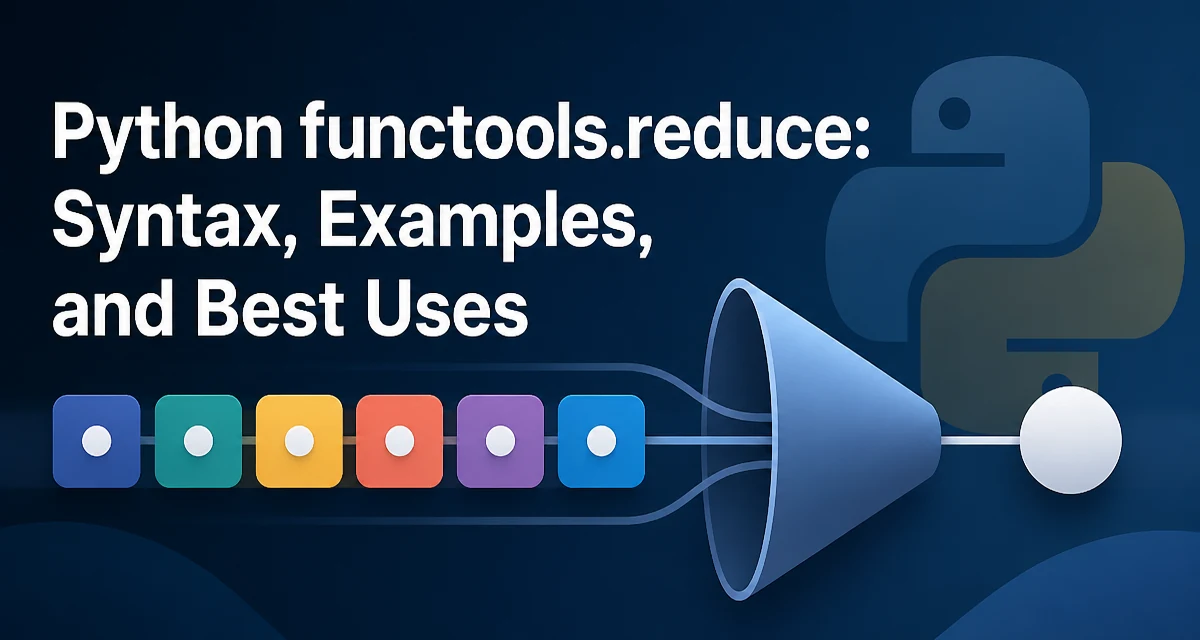
python functools reduce requires a clear understanding of the core syntax, runtime behavior, and practical implementation patterns demonstrated in the examples below.
The functools.reduce function in Python applies a binary function cumulatively to the items of an iterable, reducing it to a single value. It is a core tool in functional programming and often appears in code that processes collections without explicit loops. Understanding its syntax and behavior helps you write concise aggregation logic, but it also requires care to avoid readability pitfalls.
n## What functools.reduce Does
reduce(function, iterable[, initializer]) takes a function that accepts two arguments and an iterable. It applies the function to the first two elements, then to that result and the next element, and so on, until the iterable is exhausted. The final value is returned. If an initializer is provided, it is used as the first item in the sequence, effectively prepending it to the iterable.
For example, reduce(lambda x, y: x + y, [1, 2, 3, 4]) computes ((1 + 2) + 3) + 4, returning 10. The function must accept two arguments and return a single value, which becomes the input for the next call.
Basic Syntax and Behavior
The signature is functools.reduce(function, iterable[, initializer]). The function is called with two arguments. The first call receives the first two items of the iterable (or the initializer and the first item if an initializer is given). Subsequent calls receive the accumulated result and the next item.
from functools import reduce

numbers = [1, 2, 3, 4]
result = reduce(lambda x, y: x + y,, numbers)
print(result)  # 10
If the iterable has only one item and no initializer, that item is returned without calling the function. If the iterable is empty and no initializer is given, reduce raises TypeError: reduce() of empty iterable with no initial value. This behavior is important to remember when working with dynamic data.
Practical Examples: Sum, Product, and Maximum
While Python has built-in sum(), max(), and min(), reduce can express these operations in a uniform way, especially when you need a custom aggregation.
from functools import reduce

# Sum
sum_result = reduce(lambda a, b: a + b, [1, 2,  ][1, 2, 3, 4])

# Product
product_result = reduce(lambda a, b: a * b, [1, 2,  ][1, 2, 3, 4])

# Maximum
max_result = reduce(lambda a, b: a if a > b else b, [3, 1, 4, 1, 5])
These examples show how reduce works with simple lambdas. For product, you could also use math.prod() in Python 3.8+, but reduce remains useful when the operation is not already built in.
Using reduce with operator Functions
To avoid writing lambdas for common operations, the operator module provides ready-made functions like operator.add, operator.mul, and operator.sub. Using them makes the code more declarative and often faster because the function call overhead is minimal.
from functools import reduce
import operator

numbers = [1, 2, 3, 4]

sum_result = reduce(operator.add, numbers)   # 10
product_result = reduce(operator.mul, numbers)  # 24
The operator module also includes comparison functions such as operator.gt, but those are less commonly used with reduce because the result is not always a single aggregated value in a meaningful way. Stick to associative operations like addition, multiplication, or custom data transformations.
Handling Empty Iterables and Initial Values
The most common error with reduce is calling it on an empty iterable without an initializer. To avoid this, provide an initializer that represents the identity value for your operation. For addition, that is 0; for multiplication, it is 1. The initializer is placed before the first item, so reduce(operator.add, [], 0) returns 0.
from functools import reduce
import operator

empty_sum = reduce(operator.add, [], 0)  # 0
empty_product = reduce(operator.mul, [], 1)  # 1
When you supply an initializer, reduce will never raise the empty-iterable error. This is especially useful when the input comes from a generator or a filtered collection that might be empty at runtime.
Performance and Readability Considerations
reduce is implemented in C, so for simple operations like addition or multiplication, it can be faster than a manual Python loop that repeatedly calls a function. However, the performance benefit diminishes if the function you pass is a complex Python lambda or a custom method, because each call still incurs Python function-call overhead.
Readability is a bigger concern. A loop that accumulates a result is often easier to understand than a reduce call, especially when the aggregation logic is non-trivial. For example, computing the sum of squares is clearer with a generator expression:
sum_squares = sum(x * x for x in numbers)
Using reduce for the same task would require reduce(lambda a, b: a + b * b, numbers, 0) which is less obvious. The built-in sum() with a generator is both more readable and faster for this case. reduce shines when you need a custom associative operation that is not already provided by a built-in function.
When to Choose reduce Over a Loop
Choose reduce when the operation is associative and you want to avoid intermediate variables or state. It is also a good fit when you are already working in a functional style, such as when combining data transformations with map and filter. For example, computing the product of all even numbers in a list can be done with reduce(operator.mul, filter(lambda x: x % 2 == ][x % 2 == 0, numbers), 1), which reads as a pipeline.
A loop version might be more explicit:
product = 1
for x in numbers:
    if x % 2 == 0:
        product *= x
Both are valid, but the loop is more familiar to most developers. The decision often comes down to team style and the complexity of the operation. If the aggregation logic is simple and associative, reduce is concise. If it involves multiple conditions or side effects, a loop is clearer and less error-prone.
Alternatives: itertools.accumulate and Other Approaches
itertools.accumulate is a close relative of reduce that returns an iterator of intermediate results instead of just the final value. This is useful when you need running totals or want to inspect each step of the aggregation.
from itertools import accumulate
import operator

running_sum = list(accumulate([1, 2, 3, 4], operator.add))
# [1, 3, 6, 10]
For many common operations, Python provides dedicated built-ins: sum(), max(), min(), any(), all(), and math.prod(). These are optimized and more readable than reduce. Use reduce only when no built-in exists and the operation is associative. For non-associative operations like subtraction or division, reduce still works but the order of application matters, and a loop may be safer to make the intent explicit.
In summary, functools.reduce is a powerful tool for functional-style aggregation, but it is not always the best choice. Understand its behavior with empty iterables and initializers, and weigh readability against conciseness. When used appropriately, it can make your code more expressive and align with a functional programming paradigm.