Python is None vs == None: Key Differences
python is None vs == None: Understand the difference between `is None` and `== None` in Python, why `is` is preferred, and when `==` can lead to subtle bugs.
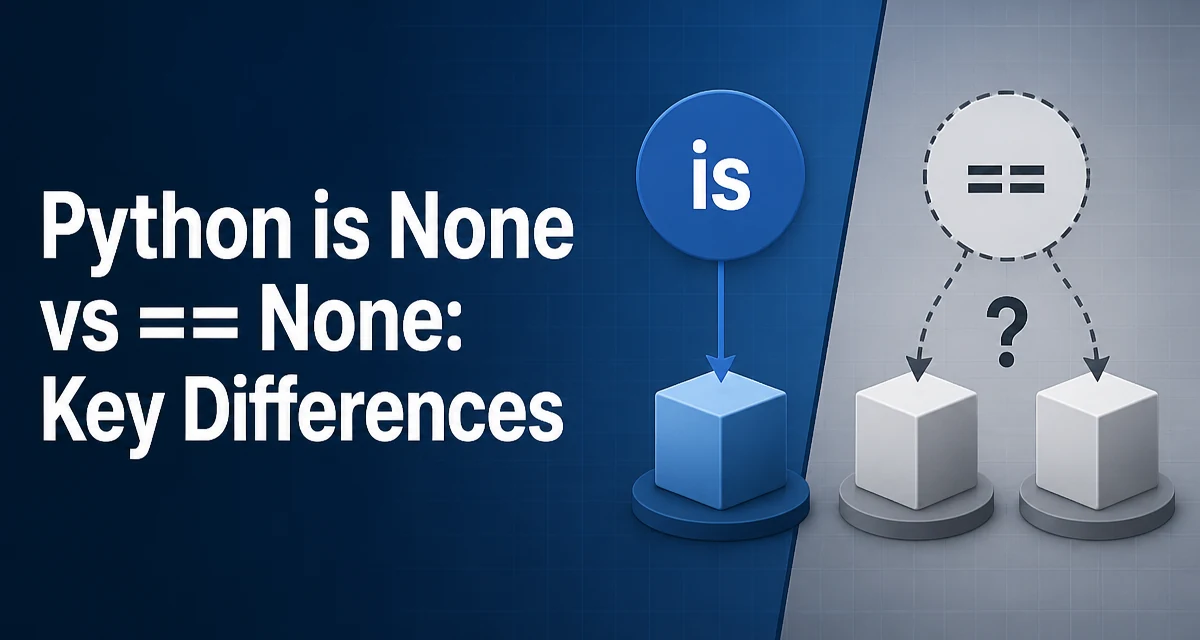
python is None vs == None requires a clear understanding of the core syntax, runtime behavior, and practical implementation patterns demonstrated in the examples below.
When comparing a value to None in Python, you have two syntactic options: is None and == None. Although both often produce the same result, they are not interchangeable. The choice affects correctness, readability, and runtime behavior. This article explains the difference, why is None is the recommended pattern, and when == None might cause problems.
The Difference Between is and == in Python
Python has two distinct comparison operators:
ischecks object identity: it returnsTrueif two references point to the same object in memory.==checks value equality: it calls the__eq__method of the left operand and returns whatever that method defines as equality.
For built-in singletons like None, identity and equality coincide because None is a unique object. However, the two operators are not equivalent in general. Consider:
a = [1, 2, 3]
b = [1, 2, 3]
print(a == b)  # True, because values match
print(a is b)  # False, because they are different list objects
For None, the same distinction exists, but since None is a singleton, any reference to None points to the same object. So x is None is equivalent to x == None for most built-in types. The difference appears when you deal with custom classes that override __eq__.
Why is None Is Preferred Over == None
Python's official style guide (PEP 8) explicitly recommends using is when comparing to singletons like None. The reasoning is twofold:
- Intent:
is Nonecommunicates that you are checking for the exactNoneobject, not for a value that happens to equalNone. This is the semantic you almost always want. - Safety:
==can be overloaded by a class to return unexpected results. A custom__eq__might treatNoneas equal to some other value, or even raise an exception.
Consider a class that defines equality in a non-standard way:
class Weird:
    def __eq__(self, other):
        return True  # Always equal to anything

w = Weird()
print(w == None)  # True, because __eq__ returns True
print(w is None)  # False, because w is not the None object
Using is None avoids this trap entirely. It is also slightly faster because it does not invoke any method call, but the performance difference is negligible in most applications.
How == Can Produce Unexpected Results
The risk with == None becomes real when you use third-party libraries or define your own classes. Many libraries override __eq__ to support rich comparisons with other types, and some may inadvertently treat None as equal to a default value.
A common scenario is with data structures that use None as a sentinel. For example, a class that represents a missing value might implement __eq__ to treat None as equal to its own "missing" state:
class Missing:
    def __eq__(self, other):
        if other is None:
            return True
        return False

m = Missing()
print(m == None)  # True
print(m is None)  # False
If you use == None to check whether a variable is None, you might accidentally accept a Missing instance as None, leading to subtle bugs. is None is immune to this because it only returns True for the actual None object.
Even with built-in types, == can be slower because it performs a full equality check, which may involve attribute comparisons. For None, the __eq__ method of the object is called, and if the object is not None, it must compare its type and value. In contrast, is is a simple pointer comparison.
Performance and Runtime Behavior
While the performance difference between is None and == None is usually irrelevant, it is worth understanding the mechanism. is compares the memory address of the two operands, which is a single CPU instruction. == invokes the __eq__ method, which may involve more work depending on the object's type.
For built-in types like integers, strings, and lists, __eq__ is implemented in C and is fast, but it still has to check the type and compare contents. For custom classes, __eq__ could be arbitrarily expensive, especially if it performs complex logic or I/O.
In hot loops where a variable is checked against None millions of times, using is None can provide a measurable speedup. However, for typical application code, the difference is negligible. The primary reason to prefer is None is correctness and clarity, not performance.
Practical Guidelines for Comparing to None
Use is None when you want to check whether a variable is the None object itself. This is the standard idiom in Python and is expected by other developers reading your code.
Use == None only when you intentionally want to invoke the equality operator, which is rare. For example, if you are working with a custom class that defines equality with None in a meaningful way, and you explicitly want to test that equality, then == is appropriate. But for most code, the intent is to check for the absence of a value, which is exactly what is None expresses.
A related pattern is checking for non-None values. The idiomatic way is if x is not None, not if x != None. The same reasoning applies: is not is the identity check, and it is clearer and safer.
Here is a practical example from a typical function:
def process(data):
    if data is None:
        raise ValueError("data cannot be None")
    # ...
Using is None makes the guard clause explicit and prevents any custom __eq__ from interfering.
Common Misconceptions and Edge Cases
One misconception is that is None and == None are always equivalent. As shown, this is not true for objects that override __eq__. Another edge case is with numpy arrays: comparing a numpy array to None with == returns an array of booleans, not a single boolean, which can cause errors in if statements. Using is None avoids this because it does not perform element-wise comparison.
import numpy as np
arr = np.array([1, 2, 3])
# arr == None returns array([False, False, False])
# if arr == None:  # raises ValueError
if arr is None:  # False, safe
    pass
This is another reason to prefer is None in code that may handle different data types.
Finally, note that None is a singleton in CPython, but other Python implementations (like PyPy) also guarantee a single None object. The language specification requires that None is a singleton, so is None is reliable across all conforming implementations.
In summary, is None is the correct and idiomatic way to check for None in Python. It is explicit, safe, and slightly faster. Reserve == None for the rare cases where you intentionally want to use equality semantics.