Python Iterable vs Iterator
python iterable vs iterator: Understand the difference between Python iterables and iterators, how the iterator protocol works, and when to use each for efficient code.
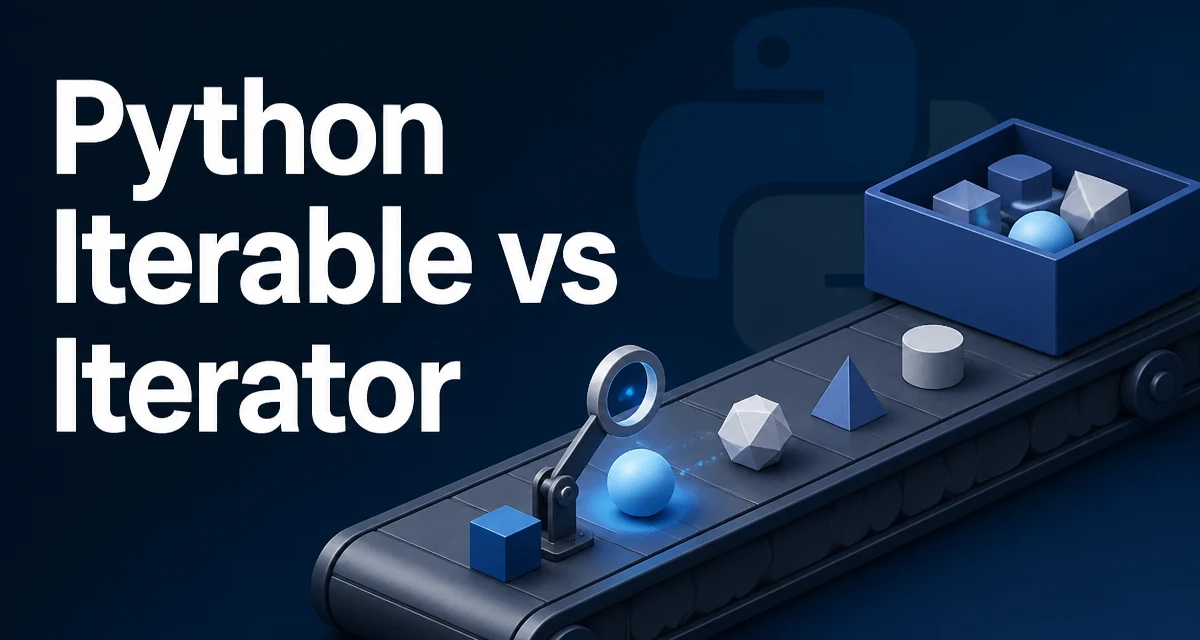
When you write a for loop in Python, you are interacting with both iterables and iterators, often without distinguishing between them. The distinction matters when you build custom containers, process large streams of data, or debug code that behaves unexpectedly after a loop. This article explains the difference between Python iterable vs iterator, how the protocol works, and when each approach is the right choice.
The Core Difference Between Iterable and Iterator
An iterable is any object that can return an iterator. In practice, that means an object with an __iter__() method that returns a new iterator each time it is called. Lists, tuples, dictionaries, sets, strings, and files are all iterables. They are containers you can loop over repeatedly.
An iterator is an object that represents a stream of data. It implements the iterator protocol, which consists of the __iter__() method (returning itself) and the __next__() method (returning the next element or raising StopIteration when exhausted). Iterators are one-shot: once you consume them, they are done.
Here is a minimal example:
numbers = [1, 2, 3]          # iterable
iterator = iter(numbers)     # returns an iterator
print(next(iterator))        # 1
print(next(iterator))        # 2
print(next(iterator))        # 3
# next(iterator) would raise StopIteration
The list numbers is iterable; iter(numbers) gives you a new iterator each time. The iterator itself is also iterable, but it returns itself from __iter__(), so looping over the same iterator twice will not work as expected.
How the Iterator Protocol Works
Python's for loop implicitly calls iter() on the object you loop over, then repeatedly calls next() on the resulting iterator until StopIteration is raised. This is why you can loop over a list multiple times: each for loop creates a fresh iterator.
Consider this custom iterable:
class Countdown:
    def __init__(self, start):
        self.start = start

    def __iter__(self):
        return CountdownIterator(self.start)

class CountdownIterator:
    def __init__(self, start):
        self.current = start

    def __iter__(self):
        return self

    def __next__(self):
        if self.current <= 0:
            raise StopIteration
        value = self.current
        self.current -= 1
        return value
You can use it like this:
for n in Countdown(3):
    print(n)  # prints 3, 2, 1
The Countdown class is iterable because it has __iter__. The CountdownIterator is an iterator because it has both __iter__ and __next__. Separating the two classes is not strictly necessary; you can combine them by having __iter__ return a new instance of the same class, but that requires careful state management.
Practical Differences: Laziness and Exhaustion
The most important practical difference is that iterators are lazy and exhaustible. They compute values one at a time and remember their position. This makes them ideal for large or infinite sequences. An iterable, on the other hand, is a finite collection that can be iterated multiple times.
Consider reading a file line by line:
with open('data.txt') as f:
    for line in f:
        print(line.strip())
The file object f is an iterator. Once you loop through it, you cannot loop again without reopening the file. If you need to iterate twice, you could read all lines into a list, but that defeats the memory advantage.
This distinction becomes critical when you pass an iterator to a function that expects an iterable. For example, list(iterator) consumes the iterator and returns a list. If you call list() twice on the same iterator, the second call returns an empty list because the iterator is exhausted.
Building a Custom Iterator
You rarely need to write an iterator class from scratch because generators provide a more concise syntax. However, understanding the manual approach helps when you need to implement a stateful iterator that cannot be expressed as a simple generator.
Here is a manual iterator that yields Fibonacci numbers up to a limit:
class FibonacciIterator:
    def __init__(self, limit):
        self.limit = limit
        self.a, self.b = 0, 1
        self.index = 0

    def __iter__(self):
        return self

    def __next__(self):
        if self.index >= self.limit:
            raise StopIteration
        value = self.a
        self.a, self.b = self.b, self.a + self.b
        self.index += 1
        return value
This iterator holds its own state (a, b, index). Each call to next() advances the state. The class is both iterable and iterator because __iter__ returns self. That is fine for a one-shot iterator, but it means you cannot create a fresh iterator from the same object without instantiating a new one.
Generators: The Simpler Way to Write Iterators
A generator function is a function that uses yield instead of return. When called, it returns a generator object, which is an iterator. The same Fibonacci logic becomes:
def fibonacci(limit):
    a, b = 0, 1
    for _ in range(limit):
        yield a
        a, b = b, a + b
for n in fibonacci(5):
    print(n)  # 0 1 1 2 3
Generators are the preferred way to create iterators in Python because they are concise and automatically handle StopIteration. They also support generator expressions, like (x**2 for x in range(10)), which are lazy counterparts to list comprehensions.
Performance and Memory Tradeoffs
Iterators and generators use memory proportional to the current state, not the entire sequence. This is a major advantage when processing large datasets. For example, reading a 10 GB file line by line with a generator uses only enough memory to hold one line, whereas reading all lines into a list would exhaust memory.
The tradeoff is that iterators are single-pass. If you need to revisit earlier elements, you must either store them or recreate the iterator. This is a classic time–memory tradeoff: materializing a list gives random access but uses memory; using an iterator saves memory but forces sequential access.
Another subtle cost is that next() calls have a small overhead compared to indexing a list. For most applications this is negligible, but in tight loops over millions of elements, a list comprehension might be faster than a generator. Always profile when performance is critical.
Choosing Between Iterable and Iterator in Your Code
Use an iterable when you have a finite collection that you need to iterate multiple times, or when you need random access by index. Lists, tuples, and dictionaries are iterables. They are the right choice for small to medium-sized data that fits comfortably in memory.
Use an iterator (or generator) when you are dealing with a stream of data, an infinite sequence, or a very large collection that cannot be held in memory. Also use an iterator when you want to decouple the production of values from their consumption, such as in a pipeline where one generator feeds another.
If you are writing a custom container that should support multiple iterations, implement __iter__ to return a fresh iterator each time. If you are writing a one-shot sequence, implement __iter__ to return self and __next__ to manage state.
A common mistake is to assume that a generator can be reused. Once a generator is exhausted, you must call the generator function again to get a new generator. This is not a bug; it is the intended behavior. If you need to iterate the same sequence multiple times, either store the values in a list or create a new generator each time.
When you pass an iterator to a function like sum(), max(), or list(), it is consumed. Be aware of this if you plan to use the same iterator later. In such cases, consider converting it to a list first if the data size is manageable.
Finally, remember that iter() is not just for iterables. It also works on iterators, returning the same object. This is why a for loop can iterate directly over an iterator without creating a new one. Understanding this subtlety prevents confusion when debugging code that unexpectedly exhausts an iterator.