Python itertools dropwhile: Filtering Until a Condition Changes
python itertools dropwhile: Learn how itertools.dropwhile works, when to use it, and how it differs from filter. Practical Python examples and edge cases.
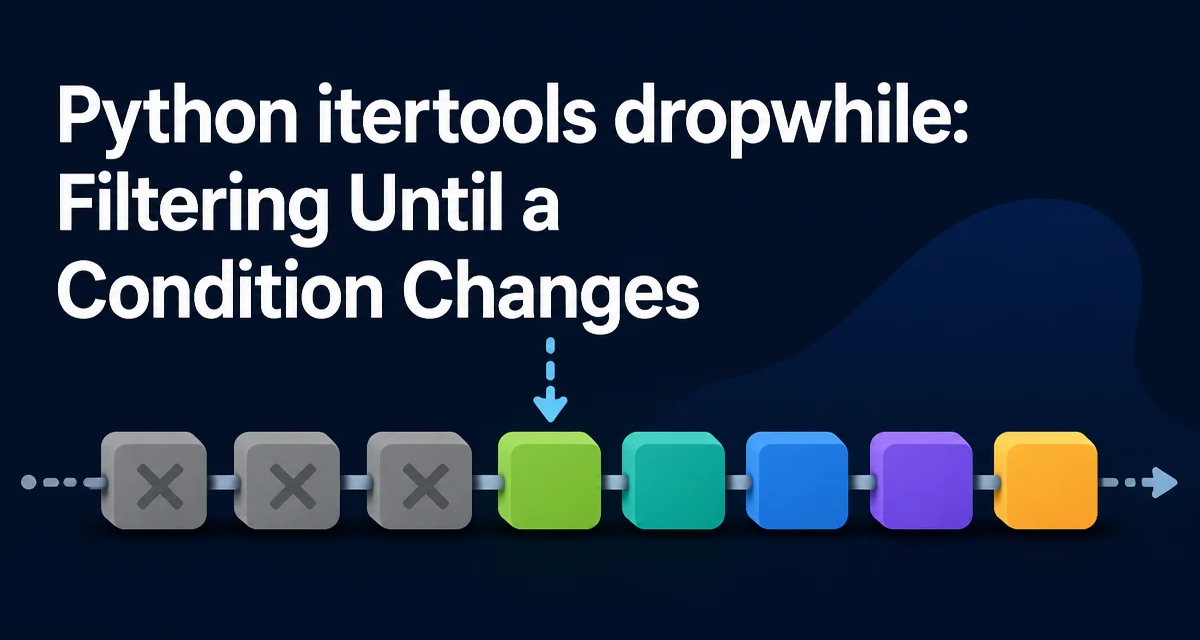
python itertools dropwhile requires a clear understanding of the core syntax, runtime behavior, and practical implementation patterns demonstrated in the examples below.
Python's itertools.dropwhile is a generator-based tool that skips items from an iterable until a predicate returns False for the first time, then yields every remaining item. It is part of the itertools module, which provides fast, memory-efficient functions for working with iterators. The function is useful when you need to discard a leading run of elements that satisfy a condition, but keep everything after the first non-matching element.
The signature is simple:
itertools.dropwhile(predicate, iterable)
It returns an iterator that lazily evaluates the predicate on each element. Once the predicate returns False, that element and all subsequent elements are yielded without further predicate checks. This behavior is fundamentally different from filter, which checks every element.
Basic Example: Dropping Until a Condition Fails
Consider a list of numbers where you want to drop the initial positive values and keep everything from the first non-positive value onward:
from itertools import dropwhile

numbers = [3, 5, 2, -1, 4, 6]
result = list(dropwhile(lambda x: x > 0, numbers))
print(result)  # [-1, 4, 6]
The predicate lambda x: x > 0 returns True for 3, 5, and 2. When it hits -1, the predicate returns False, and dropwhile yields -1 and all subsequent elements without evaluating the predicate again. Even though 4 and 6 are positive, they are kept because the dropping phase has already ended.
This is the core semantic: dropwhile does not filter out all matching elements; it only skips the contiguous prefix that matches.
How dropwhile Differs from filter and filterfalse
The filter function applies a predicate to every element and yields only those for which the predicate returns True. In contrast, dropwhile yields only the elements after the first False result. The filterfalse function (also from itertools) yields elements for which the predicate returns False, but again checks every element.
Here is a side-by-side comparison using the same input:
from itertools import dropwhile, filterfalse

data = [1, 2, 3, 0, 4, 5]
pred = lambda x: x > 0

print(list(filter(pred, data)))          # [1, 2, 3, 4, 5]
print(list(filterfalse(pred, data)))     # [0]
print(list(dropwhile(pred, data)))       # [0, 4, 5]
filter removes the zero because it fails the predicate. filterfalse keeps only the zero. dropwhile drops the initial positive numbers, but keeps the zero and everything after it, including the later positives.
This distinction matters when the condition is positional rather than universal. For example, when processing a file where a header section must be skipped, but the format of later lines is not guaranteed to differ from the header.
Practical Use Cases: Processing Logs and Headers
A common real-world use is skipping a leading block of lines that match a pattern, such as a comment header in a configuration file or a banner in a log file.
Suppose you have a log file that starts with timestamped lines, and you want to ignore everything before the first line that does not start with a timestamp:
from itertools import dropwhile

lines = [
    "2024-01-01 10:00:00 INFO starting",
    "2024-01-01 10:00:05 INFO loading",
    "WARNING: disk space low",
    "2024-01-01 10:01:00 ERROR timeout",
]

for line in dropwhile(lambda l: l.startswith("2024-"), lines):
    print(line)
The output would be:
WARNING: disk space low
2024-01-01 10:01:00 ERROR timeout
Notice that the last line starts with a timestamp but is still printed because the dropping phase ended at the warning line. This is exactly the behavior you want when you need to skip a header block but keep later lines that happen to look like the header.
Another scenario is parsing a CSV file where the first few rows contain metadata and the actual column headers appear after a blank line. You can use dropwhile to skip rows until you encounter a blank line, then process the rest.
Edge Cases and Pitfalls
Several edge cases can trip up developers new to dropwhile.
Empty iterable: If the input is empty, dropwhile returns an empty iterator, because there is no first False to trigger the yielding phase.
Predicate never returns False: If every element satisfies the predicate, dropwhile will consume the entire iterable and yield nothing. This can be surprising if you expected it to behave like filter and keep some elements.
Predicate side effects: Because dropwhile is lazy, the predicate is evaluated only as elements are consumed. If the predicate has side effects, they occur in the order of iteration, and only until the first False. This can be useful for stateful predicates, but it also means you cannot rely on the predicate being called for elements after the drop point.
Infinite iterables: dropwhile works with infinite iterators. It will keep pulling elements until the predicate returns False, which may never happen. If you use it with an infinite iterator and a predicate that never fails, your program will hang. Ensure there is a terminating condition.
Performance and Memory Characteristics
dropwhile is implemented in C and is highly efficient. It processes elements lazily, meaning it does not materialize the entire input into memory. This is a significant advantage when working with large or infinite data streams.
The time complexity is O(n) in the worst case, but in practice it stops evaluating the predicate after the first failure. This can be much faster than filter when the predicate is expensive and the drop point occurs early.
Memory usage is constant because the iterator yields one element at a time. However, if you wrap the result in list(), you will consume memory proportional to the number of elements yielded. For streaming use, iterate directly over the returned iterator.
One subtle performance consideration: the predicate is not called for elements after the first False. This can be a major optimization if the predicate is computationally heavy, but it also means you cannot use dropwhile to filter out later occurrences of the same condition.
Combining dropwhile with Other itertools Functions
dropwhile composes well with other itertools functions. For instance, you can pair it with takewhile to extract a specific segment of an iterable. takewhile is the inverse: it yields elements while the predicate is True and stops at the first False.
Consider a stream of sensor readings where you want to extract the first contiguous block of readings above a threshold, then discard the rest. You can use takewhile for the block and dropwhile to skip past it:
from itertools import dropwhile, takewhile

readings = [1, 2, 5, 6, 7, 1, 2, 8]
block = list(takewhile(lambda x: x > 4, dropwhile(lambda x: x <= 4, readings)))
print(block)  # [5, 6, 7]
Here, dropwhile skips the initial 1 and 2, then takewhile collects 5, 6, 7 until it hits 1. This pattern is useful for extracting a single contiguous segment without scanning the entire list multiple times.
You can also combine dropwhile with groupby to skip a leading group. For example, to ignore the first group of identical values:
from itertools import groupby, dropwhile

data = [0, 0, 1, 1, 1, 2, 2]
# Drop the first group (all zeros)
for key, group in dropwhile(lambda x: x[0] == 0, groupby(data)):
    print(key, list(group))
This yields 1 [1, 1, 1] and 2 [2, 2]. The predicate operates on the (key, group) tuples produced by groupby.
When combining these functions, remember that dropwhile and takewhile are lazy, so the composition remains memory-efficient for large iterables.
When to Use dropwhile Over Manual Loops
A manual loop that achieves the same effect as dropwhile would look like this:
def drop_while(pred, iterable):
    iterator = iter(iterable)
    for item in iterator:
        if not pred(item):
            yield item
            break
    yield from iterator
This is more verbose and easier to get wrong, especially around the break and the subsequent yield from. Using itertools.dropwhile eliminates the boilerplate and reduces the chance of off-by-one errors. It also signals intent clearly: the reader immediately knows that a leading prefix is being skipped.
Prefer dropwhile when the condition is positional and you only care about the first failure. If you need to filter based on each element's value regardless of position, use filter or a list comprehension. The choice affects both readability and runtime behavior.
In production code, dropwhile is often used in data processing pipelines where a header or preamble must be stripped before the actual data begins. It is a small but powerful tool that, when used correctly, makes the code more declarative and less error-prone.