Python Kafka Producer, Consumer, and Consumer Groups
python kafka producer consumer and consumer groups: Learn how to build Kafka producers and consumers in Python, manage consumer groups, handle offsets, and tune perfor...
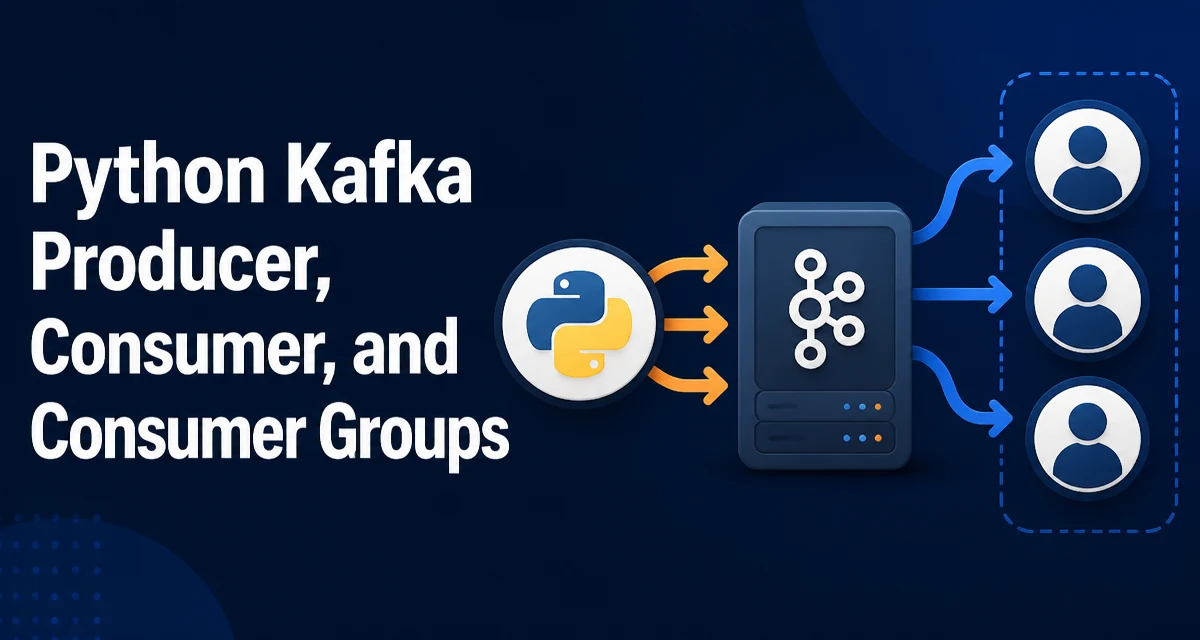
python kafka producer consumer and consumer groups requires a clear understanding of the core syntax, runtime behavior, and practical implementation patterns demonstrated in the examples below.
When you build streaming applications with Python, the combination of a Kafka producer, consumer, and consumer groups is the core pattern for moving data reliably. This article walks through the practical implementation using the confluent-kafka client, explains how consumer groups manage partition assignment, and covers offset handling and performance tuning.
Choosing a Python Kafka Client
The two most common Python Kafka clients are kafka-python and confluent-kafka. kafka-python is a pure Python implementation that is easy to install but has higher overhead and slower performance. confluent-kafka wraps the C library librdkafka, which is the same engine used by many production systems. It supports more configuration options, better throughput, and lower latency. For new projects, confluent-kafka is the safer choice unless you have a specific reason to avoid a C extension.
Install it with pip:
pip install confluent-kafka
Both libraries expose similar APIs for producing and consuming, but the configuration keys and callback semantics differ. The examples in this article use confluent-kafka and assume a Kafka broker is reachable at localhost:9092.
Building a Kafka Producer in Python
A producer sends messages to a Kafka topic. The minimal producer configuration requires a bootstrap.servers list. You also need to define a delivery callback to know when the broker acknowledges a message.
from confluent_kafka import Producer

producer = Producer({"bootstrap.servers": "localhost:9092"})

def delivery_report(err, msg):
    if err is not None:
        print(f"Delivery failed: {err}")
    else:
        print(f"Delivered to {msg.topic()} partition {msg.partition()}")

producer.produce("orders", key="order-123", value=b"{\"id\": 123}", callback=delivery_report)
producer.flush()
The produce method is asynchronous; it buffers the message and returns immediately. flush() blocks until all buffered messages are sent and callbacks are invoked. In a long-running application, you typically call flush() periodically or on shutdown, not after every message.
For higher throughput, you can adjust the producer's batching behavior. The linger.ms setting controls how long the producer waits to accumulate messages before sending a batch. Increasing it from the default (often 0.5 ms) to 5–10 ms can reduce the number of requests and improve throughput at the cost of latency. Compression also reduces network usage; compression.type can be set to lz4, snappy, or zstd.
producer = Producer({
    "bootstrap.servers": "localhost:9092",
    "linger.ms": 5,
    "compression.type": "lz4"
})
Building a Kafka Consumer in Python
A consumer reads messages from one or more topics. The consumer needs a group.id to join a consumer group, and an auto.offset.reset policy for when no committed offset exists. The simplest consumer subscribes to a topic and polls for messages in a loop.
from confluent_kafka import Consumer

consumer = Consumer({
    "bootstrap.servers": "localhost:9092",
    "group.id": "order-processors",
    "auto.offset.reset": "earliest"
})

consumer.subscribe(["orders"])

try:
    while True:
        msg = consumer.poll(timeout=1.0)
        if msg is None:
            continue
        if msg.error():
            print(f"Consumer error: {msg.error()}")
            continue
        print(f"Received: {msg.value().decode()}")
        # Process the message
        consumer.commit(msg)
except KeyboardInterrupt:
    pass
finally:
    consumer.close()
poll() returns None when no message is available within the timeout. The msg.error() check catches errors like partition rebalancing or deserialization failures. The commit(msg) call commits the offset of that specific message, which is a manual commit strategy. By default, enable.auto.commit is True, and the consumer commits offsets automatically every auto.commit.interval.ms. Manual commits give you more control over exactly when an offset is marked as processed, which is useful when message processing is expensive or can fail.
How Consumer Groups Distribute Partitions
A consumer group is a set of consumers that share a group.id. Kafka assigns each partition of the subscribed topics to exactly one consumer in the group. This allows horizontal scaling: if the topic has more partitions than consumers, each consumer handles multiple partitions. If the number of consumers exceeds the number of partitions, some consumers become idle.
When a consumer joins or leaves a group, Kafka triggers a rebalance. During rebalancing, partitions are reassigned across the group. The consumer receives a _REBALANCE error in poll() and must handle it gracefully. You can use the rebalance_callback to commit offsets before losing partitions or to clear state.
def rebalance_callback(consumer, partitions):
    if partitions:
        print(f"Rebalance: assigned {len(partitions)} partitions")
    else:
        print("Rebalance: partitions revoked")

consumer = Consumer({
    "bootstrap.servers": "localhost:9092",
    "group.id": "order-processors",
    "rebalance_callback": rebalance_callback
})
Partition assignment strategy is controlled by the partition.assignment.strategy configuration. The default range strategy assigns contiguous ranges of partitions per topic to each consumer. The roundrobin strategy distributes partitions evenly across consumers. The cooperative-sticky strategy minimizes rebalance movement by only reassigning the partitions that actually need to move, which is preferable for large consumer groups.
Managing Offsets and Consumer Group State
Offsets represent the position of a consumer within a partition. Kafka stores committed offsets in a special internal topic __consumer_offsets. When a consumer group rebalances, the new owner of a partition resumes from the last committed offset.
With enable.auto.commit=True, the consumer commits offsets automatically. This is convenient but can lead to data loss if a consumer crashes after processing a message but before the auto-commit interval elapses. Manual commits give you a choice: commit after each message, after a batch, or after a successful side-effect. Use commit() without arguments to commit the current position, or pass a specific Message to commit that offset.
# Commit the offset of the last processed message
consumer.commit(message=msg)
If you need to re-read messages from a specific point, use seek() to reset the consumer's position. This is useful for replaying data after a processing bug.
partition = TopicPartition("orders", 0, offset=100)
consumer.seek(partition)
When a consumer group has no committed offset, the auto.offset.reset setting decides where to start: earliest reads from the beginning of the partition, latest reads only new messages. Choose based on whether your application can tolerate missing historical data.
Handling Producer and Consumer Errors
Producer errors fall into two categories: retriable and non-retriable. Retriable errors include network timeouts and leader not available. confluent-kafka automatically retries retriable errors based on retries and retry.backoff.ms. For exactly-once semantics, enable idempotence with enable.idempotence=True. This ensures that retries do not produce duplicate messages on the broker.
producer = Producer({
    "bootstrap.servers": "localhost:9092",
    "enable.idempotence": True,
    "acks": "all"
})
Consumer errors are surfaced in poll() via msg.error(). The most common is a rebalance event, which is not fatal. Other errors, like deserialization failures or authentication errors, may require stopping the consumer. Always check msg.error() and distinguish between transient and permanent failures.
For both producer and consumer, you can set error_cb to receive asynchronous errors from the client. This is useful for logging and monitoring.
def error_cb(err):
    print(f"Client error: {err}")

consumer = Consumer({
    "bootstrap.servers": "localhost:9092",
    "group.id": "order-processors",
    "error_cb": error_cb
})
Tuning Python Kafka Performance
Performance tuning depends on your workload. For producers, the key parameters are linger.ms, batch.size, and compression.type. Larger batches reduce the number of requests but increase latency. Compression reduces bandwidth but adds CPU cost. For consumers, fetch.min.bytes and fetch.max.wait.ms control how much data is fetched per request. Increasing fetch.min.bytes to a few kilobytes can reduce the number of round trips for low-throughput topics.
| Parameter | Producer | Consumer | Effect |
|---|---|---|---|
linger.ms | Yes | No | Time to wait for more messages before sending a batch |
batch.size | Yes | No | Maximum bytes per batch |
compression.type | Yes | No | Compression algorithm for producer messages |
fetch.min.bytes | No | Yes | Minimum bytes to return per fetch |
fetch.max.wait.ms | No | Yes | Max time to wait for fetch.min.bytes |
A common mistake is setting linger.ms too high for latency-sensitive applications. If your service requires sub-10ms latency, keep linger.ms at 0 or 1. For throughput-oriented batch jobs, 10–50 ms is reasonable.
Another important consideration is the number of consumers in a group. Adding more consumers than partitions does not increase throughput; it only wastes resources. Monitor partition count and consumer lag to determine the right scaling. The kafka-consumer-groups CLI tool shows lag, and you can integrate metrics from librdkafka into your monitoring stack.
Finally, be aware of the Python GIL. confluent-kafka releases the GIL during network I/O, so multiple producer or consumer instances can run in parallel threads without blocking each other. However, message processing in Python callbacks still holds the GIL. If processing is CPU-bound, consider using multiple processes instead of threads to scale beyond one core.