Python LangChain Embeddings, Vector Stores, and Retrievers
python langchain embeddings vector stores and retrievers: Learn how to use Python LangChain embeddings, vector stores, and retrievers to build semantic search and RAG...
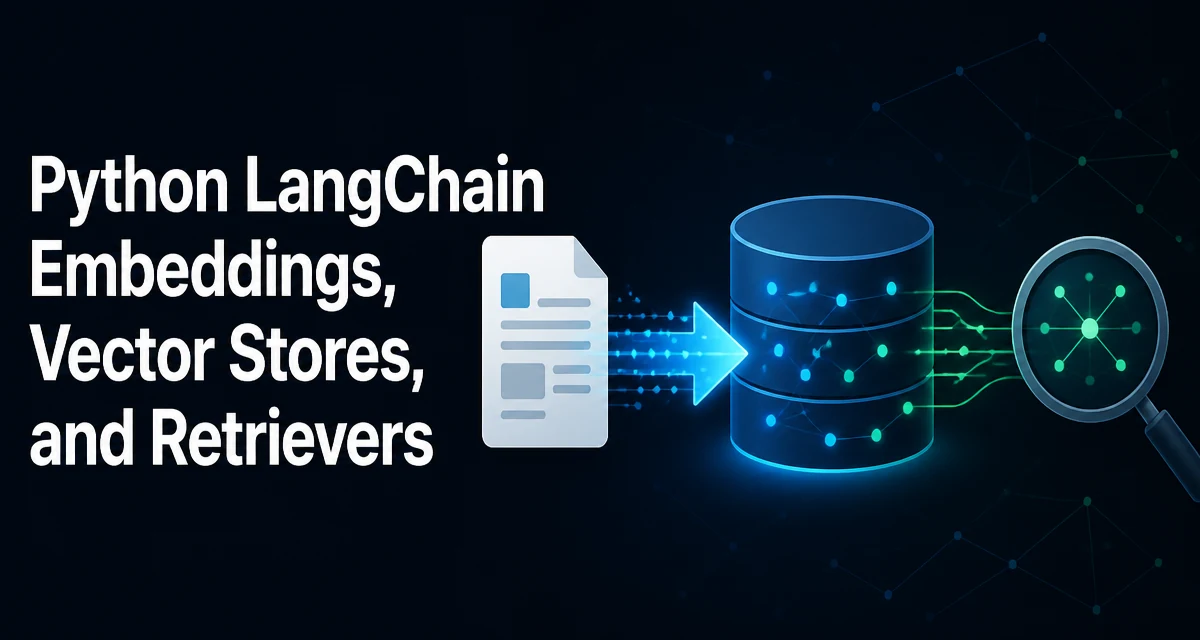
python langchain embeddings vector stores and retrievers requires a clear understanding of the core syntax, runtime behavior, and practical implementation patterns demonstrated in the examples below.
When you build a retrieval-augmented generation (RAG) pipeline in Python, you typically combine three LangChain components: embeddings, a vector store, and a retriever. These pieces turn raw text into searchable vectors and make those vectors queryable by semantic similarity. This article walks through each component, shows how they fit together, and explains the decisions that matter when you move from a prototype to a production system.
Understanding Embeddings in LangChain
Embeddings are numerical representations of text that capture meaning. LangChain provides a consistent interface for generating embeddings through its Embeddings class. The actual model can be hosted by OpenAI, Cohere, Hugging Face, or run locally. The key point is that all embedding models convert a string into a list of floats, but the dimensionality and cost differ.
LangChain's abstraction lets you swap embedding providers without changing the rest of your retrieval code. For example, you might use OpenAIEmbeddings in development and a local HuggingFaceEmbeddings model in production to reduce cost or keep data on-premises.
from langchain_openai import OpenAIEmbeddings

embeddings = OpenAIEmbeddings(model="text-embedding-3-small")
The embed_query method is used for queries, while embed_documents handles a list of texts. Internally, LangChain batches requests and handles retries, but you should still be aware of rate limits when using cloud APIs.
Choosing an Embedding Model
The choice of embedding model affects retrieval quality, latency, and cost. Dense models like text-embedding-3-small or all-MiniLM-L6-v2 work well for general semantic search. Sparse models such as BM25 are better for exact keyword matching. Some vector stores support hybrid search combining both, but LangChain's default retriever works with dense vectors.
A practical rule: start with a small, fast model for prototyping, then evaluate a larger model if recall is insufficient. Keep in mind that the same model must be used for both indexing and querying. Changing the model later requires re-embedding the entire corpus.
Vector Stores: What They Do and How to Choose
A vector store stores embeddings and provides similarity search. LangChain supports many backends: FAISS, Chroma, Pinecone, Weaviate, Milvus, and others. Each has different persistence, scalability, and hosting characteristics.
| Vector Store | Persistence | Best For |
|---|---|---|
| FAISS | Local file | Small to medium datasets, offline use |
| Chroma | Local or in-memory | Prototyping, small apps |
| Pinecone | Managed cloud | Production, large scale |
| Weaviate | Self-hosted or cloud | Hybrid search, production |
For a local prototype, FAISS is a common choice because it is lightweight and stores the index as a file. Chroma is also easy to set up and supports metadata filtering. If you need to share the index across multiple services or handle high query volume, a managed vector database like Pinecone or Weaviate is more appropriate.
Storing Embeddings in a Vector Store
Once you have an embedding model, you create a vector store by passing the documents and the embedding function. Here is a minimal example using FAISS:
from langchain_community.vectorstores import FAISS
from langchain_core.documents import Document

documents = [
    Document(page_content="LangChain is a framework for building LLM applications."),
    Document(page_content="Vector stores enable semantic search over large text collections."),
]

vectorstore = FAISS.from_documents(documents, embeddings)
The from_documents method splits the input into chunks (if you pass a text splitter) and embeds each chunk. In practice, you should preprocess your documents with a text splitter to keep chunks small enough for meaningful embeddings. The resulting index can be saved to disk and reloaded later:
vectorstore.save_local("faiss_index")
loaded_vectorstore = FAISS.load_local("faiss_index", embeddings)
When you load the index, you must provide the same embedding model that was used to create it. Otherwise, the vector dimensions may not match, and retrieval quality will degrade.
Retrievers: Turning Vector Stores into Query Interfaces
A retriever is a lightweight wrapper around a vector store that exposes a get_relevant_documents method. It takes a query string, embeds it, and returns a list of documents ranked by similarity. LangChain's VectorStoreRetriever is the simplest way to get this behavior.
retriever = vectorstore.as_retriever(search_kwargs={"k": 2})
results = retriever.get_relevant_documents("What is LangChain?")
The k parameter controls how many documents are returned. You can also add a search_type parameter to use similarity score thresholds or maximum marginal relevance (MMR) for more diverse results.
Retrievers are designed to be used as part of a chain. In a typical RAG setup, the retriever feeds documents into a prompt, which is then passed to an LLM. LangChain's create_retrieval_chain function combines these steps.
Building a Simple RAG Pipeline with Embeddings, Vector Store, and Retriever
Here is a complete example that ties everything together. It loads a few documents, creates a vector store, and uses a retriever to answer a question.
from langchain_openai import OpenAIEmbeddings, ChatOpenAI
from langchain_community.vectorstores import FAISS
from langchain_core.documents import Document
from langchain.chains import create_retrieval_chain
from langchain.chains.combine_documents import create_stuff_documents_chain
from langchain_core.prompts import ChatPromptTemplate

# 1. Embeddings
embeddings = OpenAIEmbeddings(model="text-embedding-3-small")

# 2. Documents
docs = [
    Document(page_content="LangChain simplifies LLM application development."),
    Document(page_content="Vector stores allow fast similarity search."),
    Document(page_content="Retrievers connect vector stores to LLMs."),
]

# 3. Vector store
vectorstore = FAISS.from_documents(docs, embeddings)

# 4. Retriever
retriever = vectorstore.as_retriever(search_kwargs={"k": 2})

# 5. LLM and prompt
llm = ChatOpenAI(model="gpt-4o-mini")
prompt = ChatPromptTemplate.from_template("""Answer based on the context:
{context}
Question: {input}
""")

combine_docs_chain = create_stuff_documents_chain(llm, prompt)
rag_chain = create_retrieval_chain(retriever, combine_docs_chain)

response = rag_chain.invoke({"input": "What does a vector store do?"})
print(response["answer"])
This pipeline works for small datasets. For larger corpora, you need to consider how documents are split, how the index is updated, and how queries are routed.
Performance and Operational Considerations
Indexing time and memory usage depend on the number of documents and the embedding model. Embedding a large corpus with a cloud API can be slow and costly. A local model avoids network latency but uses CPU or GPU resources. Batch processing and caching embeddings can reduce repeated work.
When you update documents, you must re-embed the changed content and update the vector store. FAISS does not support incremental updates easily; you may need to rebuild the index. Managed vector databases handle upserts natively, which is a significant advantage in production.
Query latency is affected by the vector store's search algorithm. FAISS uses approximate nearest neighbor (ANN) search by default, which trades a small amount of accuracy for speed. You can adjust the search_kwargs to balance recall and latency.
Security is also relevant when using cloud APIs: embeddings and queries are sent to the provider. If your data is sensitive, use a local embedding model and a self-hosted vector store.
Choosing the Right Retriever for Your Use Case
The default VectorStoreRetriever works well when your queries are natural language and your corpus is homogeneous. If you need to filter by metadata (e.g., date, author), use the search_kwargs to pass a filter dictionary. For example, with Chroma:
retriever = vectorstore.as_retriever(
    search_kwargs={"filter": {"source": "internal"}}
)
If you need to combine keyword and semantic search, consider a hybrid retriever. LangChain supports EnsembleRetriever to combine results from multiple retrievers. This is useful when your documents contain many proper nouns or codes that dense embeddings might miss.
Another option is to use a MultiVectorRetriever when each document has multiple representations, such as a summary and a full text. This improves retrieval when the query is short but the document is long.
Finally, remember that the retriever is only one part of a RAG system. The quality of your chunks, the prompt template, and the LLM's instruction-following ability all affect the final answer. Test your retrieval separately by inspecting the returned documents before building the full chain.