Python LangChain RAG Implementation: A Practical Pipeline
python langchain rag implementation: Learn to implement a RAG pipeline in Python with LangChain, covering document loading, chunking, embeddings, vector storage, and r...
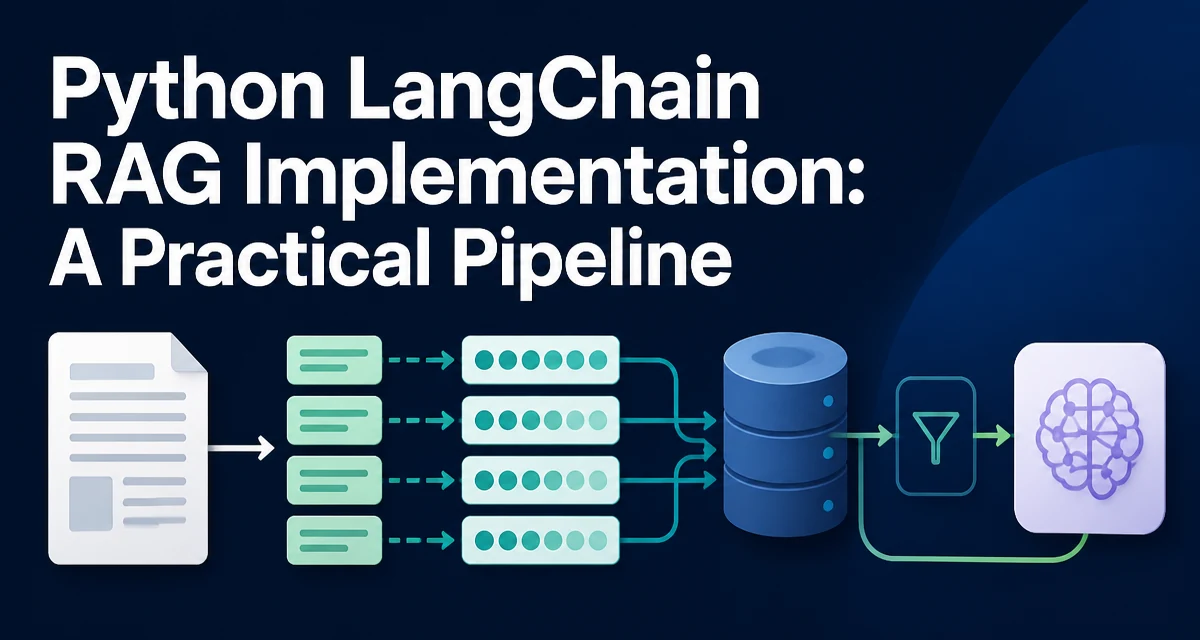
Implementing a RAG (Retrieval-Augmented Generation) pipeline in Python with LangChain means connecting several distinct pieces: a document loader, a text splitter, an embedding model, a vector store, a retriever, and a language model. Each piece has its own configuration and failure modes, and the way they are wired together determines the quality of the final answers. This article walks through a working implementation of a python langchain rag implementation, explains why each step exists, and covers the operational details that matter when you move from a notebook to a real application.
What a RAG Pipeline Needs
A RAG pipeline answers a query by first retrieving relevant passages from a corpus, then passing those passages to an LLM as context. The retrieval step grounds the model's response in data it was not trained on. The core components are:
- Document loader: reads source files (PDF, text, HTML, etc.) into LangChain
Documentobjects. - Text splitter: breaks documents into chunks small enough for embedding and context windows.
- Embedding model: converts each chunk into a dense vector that captures semantic meaning.
- Vector store: stores the vectors and supports similarity search.
- Retriever: wraps the vector store to return relevant chunks for a query.
- LLM: generates the final answer using the retrieved chunks as context.
LangChain provides abstractions for each of these, but the integration details vary by provider. The pipeline is only as reliable as its weakest component, so you need to understand how each piece behaves.
Setting Up the LangChain Environment
Before writing code, install the required packages. The exact set depends on which embedding provider and vector store you choose. A common setup uses OpenAI for embeddings and Chroma as a local vector store:
pip install langchain langchain-community langchain-openai chromadb
If you prefer Hugging Face embeddings or a different vector store like FAISS, adjust the imports accordingly. You also need an API key for the embedding model and the LLM. For OpenAI, set the OPENAI_API_KEY environment variable. Keep the key out of source code and use a secrets manager in production.
LangChain's APIs have evolved across versions. The code in this article follows the patterns introduced in LangChain 0.1 and later, where integrations live in separate packages like langchain-openai and langchain-community. If you are on an older version, the imports and some method names will differ.
Loading and Chunking Documents
The first step is to load your source material. LangChain provides loaders for many formats. For plain text files, TextLoader is sufficient:
from langchain_community.document_loaders import TextLoader

loader = TextLoader("data/manual.txt")
documents = loader.load()
For a directory of files, use DirectoryLoader with a glob pattern. The result is a list of Document objects, each with a page_content string and a metadata dictionary.
Raw documents are usually too large for embedding and context windows. You need to split them into overlapping chunks. RecursiveCharacterTextSplitter is a good default because it respects paragraph and sentence boundaries:
from langchain.text_splitter import RecursiveCharacterTextSplitter

splitter = RecursiveCharacterTextSplitter(
    chunk_size=500,
    chunk_overlap=50,
    separators=["\n\n", "\n", ". ", " ", ""],
)
chunks = splitter.split_documents(documents)
The chunk_size controls the maximum number of characters per chunk, and chunk_overlap preserves context across chunk boundaries. A smaller chunk size improves retrieval precision but may lose broader context; a larger size gives more context but can dilute the semantic signal. The optimal values depend on your document structure and the embedding model's token limits.
Creating Embeddings and Storing in a Vector Store
Each chunk must be converted into a vector. The embedding model should match the language of your documents and the query. OpenAI's text-embedding-3-small is a common choice, but you can also use local models from Hugging Face to avoid external API calls:
from langchain_openai import OpenAIEmbeddings

embeddings = OpenAIEmbeddings(model="text-embedding-3-small")
Next, create a vector store and add the chunks. Chroma is a lightweight, persistent option that works well for moderate-sized corpora:
from langchain_community.vectorstores import Chroma

vectorstore = Chroma.from_documents(
    documents=chunks,
    embedding=embeddings,
    persist_directory="./chroma_db"
)
The persist_directory stores the index on disk so you do not need to re-embed the corpus on every run. For a one-off script, you can skip persistence and keep the store in memory. FAISS is another popular choice that is optimized for in-memory search and can be serialized to disk with save_local.
Building the Retriever and the Generation Chain
With the vector store populated, you can retrieve relevant chunks for a query. The simplest retriever is vectorstore.as_retriever(), which returns a fixed number of chunks by similarity:
retriever = vectorstore.as_retriever(search_kwargs={"k": 4})
The k parameter controls how many chunks are passed to the LLM. A higher k gives the model more material but also increases token usage and may introduce noise.
To generate an answer, you need a prompt template that instructs the LLM to use only the provided context. A typical template looks like this:
from langchain_core.prompts import ChatPromptTemplate

prompt = ChatPromptTemplate.from_messages([
    ("system", "You are a helpful assistant. Answer the question using only the context below. If the context does not contain the answer, say so."),
    ("user", "Context:\n{context}\n\nQuestion: {question}")
])
Then create the LLM and combine everything into a chain. LangChain's create_retrieval_chain and create_stuff_documents_chain are designed for this flow:
from langchain_openai import ChatOpenAI
from langchain.chains import create_retrieval_chain
from langchain.chains.combine_documents import create_stuff_documents_chain

llm = ChatOpenAI(model="gpt-4o-mini")
combine_docs_chain = create_stuff_documents_chain(llm, prompt)
rag_chain = create_retrieval_chain(retriever, combine_docs_chain)

response = rag_chain.invoke({"question": "What is the refund policy?"})
print(response["answer"])
The create_retrieval_chain automatically retrieves documents, injects them into the prompt as {context}, and returns the final answer. It also includes the retrieved source documents in the response under the context key, which is useful for debugging and for showing citations.
Handling Retrieval Quality and Relevance
Retrieval quality is the main determinant of answer quality. A common issue is that the top k chunks by cosine similarity are not actually relevant. You can improve this in several ways.
First, adjust the similarity score threshold. Chroma's retriever supports a score_threshold in search_kwargs to filter out chunks below a certain similarity score:
retriever = vectorstore.as_retriever(
    search_type="similarity_score_threshold",
    search_kwargs={"score_threshold": 0.5, "k": 4}
)
The threshold value is not universal; it depends on the embedding model and the corpus. You need to inspect the scores for a few sample queries to set a sensible value.
Second, consider using a different retrieval method. LangChain supports mmr (Maximum Marginal Relevance), which reduces redundancy by diversifying the selected chunks. This is useful when the same information appears in many chunks:
retriever = vectorstore.as_retriever(
    search_type="mmr",
    search_kwargs={"k": 4, "fetch_k": 20}
)
Third, re-ranking can significantly improve precision. A cross-encoder model, such as cross-encoder/ms-marco-MiniLM-L-6-v2, scores the relevance of each retrieved chunk against the query. You can implement a custom retriever that first gets a larger set of candidates and then re-ranks them. This adds latency but is often worth it for domain-specific corpora.
Finally, metadata filtering helps when your documents have structured fields like date, author, or category. Chroma supports filter in the retriever's search kwargs to restrict the search to a subset of documents:
retriever = vectorstore.as_retriever(
    search_kwargs={"k": 4, "filter": {"category": "manual"}}
)
Performance and Operational Considerations
A RAG pipeline has two distinct performance phases: indexing and querying. Indexing involves embedding every chunk and building the vector index. This is CPU and network intensive, especially with large corpora. You should run indexing as a batch job, not on every request. Persist the vector store to disk and load it at startup.
Query-time latency is dominated by the retrieval step and the LLM call. Vector similarity search is fast for moderate-sized indexes, but the LLM generation can take seconds. To reduce latency, you can cache responses for repeated queries, or use a smaller/faster LLM when acceptable.
Memory usage is another concern. Embedding vectors for a large corpus can consume significant RAM. Chroma and FAISS both support memory mapping to disk, but you should monitor memory usage in production. If your corpus grows beyond a few million chunks, consider a dedicated vector database like Pinecone or Weaviate, which handle scaling and replication.
Security is relevant when the documents contain sensitive information. The embedding model and LLM may be hosted externally, meaning the document content is sent to a third party. If that is a problem, use local embedding models and a self-hosted LLM. Also, be careful with prompt injection: a retrieved chunk might contain instructions that attempt to override the system prompt. You should explicitly instruct the LLM to ignore any instructions within the context, and consider adding output filtering.
Testing and Debugging the RAG Pipeline
When the pipeline returns a wrong answer, the first step is to inspect what was retrieved. The response["context"] from the chain contains the source documents. Print their content and metadata to see if the retrieval step selected the right chunks. If the chunks are irrelevant, the problem is in chunking or embedding. If the chunks are relevant but the answer is wrong, the problem is in the prompt or the LLM.
You can also test the retriever independently:
retrieved = retriever.invoke("What is the refund policy?")
for doc in retrieved:
    print(doc.page_content)
    print("---")
This helps isolate whether the issue is retrieval or generation. Keep a small set of test queries with expected answers and run them after any change to the pipeline.
Choosing a Custom Retriever or Vector Store
The default retriever works for many cases, but you may need a custom implementation when:
- Your retrieval logic combines multiple sources (e.g., vector search plus keyword search).
- You need to apply complex metadata filters that the built-in
filtersyntax cannot express. - You want to re-rank results with a cross-encoder.
- You need to handle multi-query retrieval, where the original query is expanded into several sub-queries.
LangChain allows you to subclass BaseRetriever and implement _get_relevant_documents. This gives you full control over the retrieval step while keeping the rest of the chain unchanged.
Similarly, the vector store choice depends on scale and persistence needs. Chroma and FAISS are fine for local development and small to medium corpora. For production with high availability and horizontal scaling, use a managed vector database. The LangChain interface is the same regardless of the backend, so you can swap implementations with minimal code changes.
A final consideration is the embedding model itself. If your documents are highly domain-specific, a general-purpose embedding model may not capture the nuances. You can fine-tune an embedding model on your domain, but that is a significant undertaking. Start with a strong general model and evaluate retrieval quality before investing in custom embeddings.