Python List Aliasing: Why Two Names Can Share One List
python list aliasing: Understand how Python list aliasing works, why assigning a list to a new name shares the same object, and how to copy lists correctly.
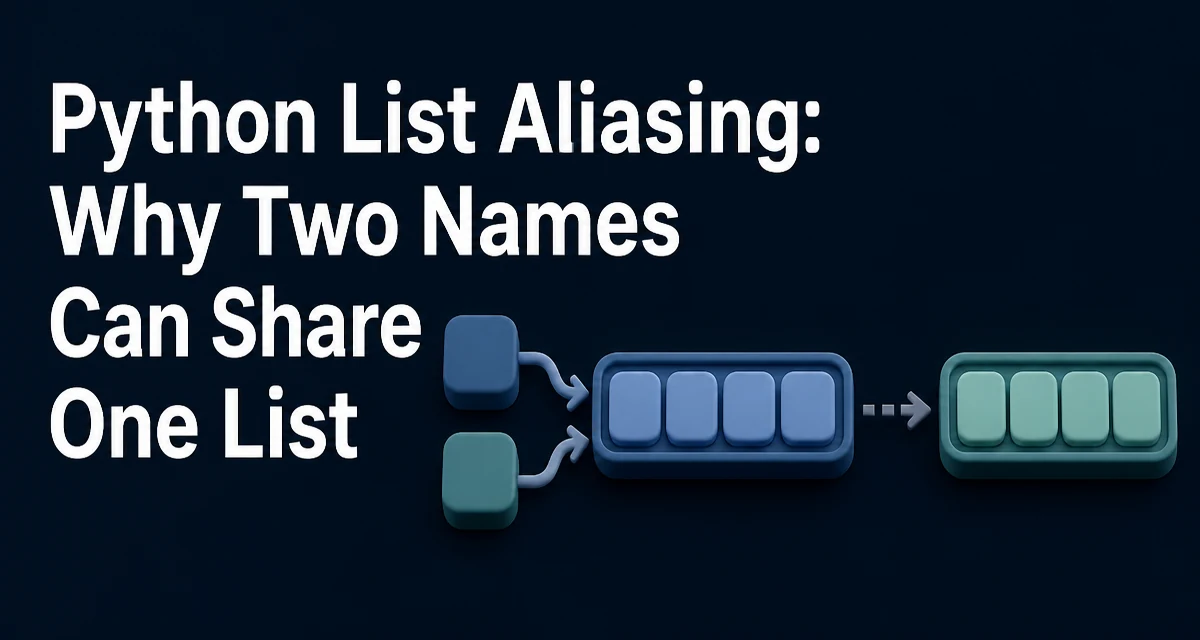
When you assign a list to a new variable in Python, you do not create a copy of the list. You create a second name that refers to the same list object. This behavior is called python list aliasing, and it is the source of a common class of bugs where mutating one variable unexpectedly changes another.
original = [1, 2, 3]
alias = original
alias.append(4)
print(original)  # [1, 2, 3, 4]
The variable alias does not hold a separate list. Both names point to the same object in memory. Any mutation through either name is visible through the other.
How Aliasing Happens
Aliasing is not limited to simple variable assignment. It occurs any time you pass a list to a function, store it in a data structure, or return it from a function, because Python passes and returns object references rather than copies.
def add_item(items, value):
    items.append(value)

cart = ["apple"]
add_item(cart, "banana")
print(cart)  # ['apple', 'banana']
The function receives a reference to the same list that cart refers to. Modifying items inside the function modifies the caller's list. This is intentional Python behavior, and it is useful when you want a function to update a collection in place. But when you expect the function to leave the original untouched, aliasing produces surprising results.
Why Aliasing Causes Bugs
The danger appears when code assumes that a new variable name means a new object. Consider a configuration list that is shared across several components:
default_ports = [80, 443]
user_ports = default_ports
user_ports.append(8080)
print(default_ports)  # [80, 443, 8080]
The default_ports list is now corrupted because user_ports was meant to be a separate list. The root cause is that user_ports = default_ports created an alias, not a copy.
The same problem appears when a list is stored as a default value in a function definition:
def register_user(roles=[]):
    roles.append("user")
    return roles
Every call that omits roles shares the same default list object, so roles accumulate across calls. This is a well-known Python gotcha, and it is a direct consequence of list aliasing combined with mutable default arguments.
Creating a Real Copy with copy() and Slicing
To break the alias, you need to create a new list object. The standard ways are the copy() method, the list() constructor, and the slice operator.
original = [1, 2, 3]

copy_method = original.copy()
copy_constructor = list(original)
copy_slice = original[:]

copy_method.append(4)
print(original)  # [1, 2, 3]
print(copy_method)  # [1, 2, 3, 4]
All three approaches create a new list object that contains references to the same elements. The new list is independent at the top level: appending, removing, or reordering elements in the copy does not affect the original.
The slice operator is the oldest idiom and still appears in legacy code. The copy() method is more explicit and is the clearest choice for new code. The list() constructor is useful when you want to convert any iterable into a list and also happens to copy.
Shallow Copy vs. Deep Copy
The copies above are shallow. The new list contains references to the same element objects. If the elements themselves are mutable, mutations to those elements are visible through both lists.
matrix = [[1, 2], [3, 4]]
shallow = matrix.copy()
shallow[0].append(99)
print(matrix)  # [[1, 2, 99], [3, 4]]
The inner lists are shared between matrix and shallow. To fully separate nested structures, you need a deep copy from the copy module.
import copy

matrix = [[1, 2], [3, 4]]
deep = copy.deepcopy(matrix)
deep[0].append(99)
print(matrix)  # [[1, 2], [3, 4]]
print(deep)    # [[1, 2, 99], [3, 4]]
copy.deepcopy() recursively copies every object in the structure. It is slower than a shallow copy and can fail on objects that cannot be copied, such as open file handles or certain connection objects. Use it only when nested mutable elements must be independent.
Detecting Aliasing with the identity Operator
When you are unsure whether two names refer to the same list, use the is operator to compare object identity.
a = [1, 2, 3]
b = a
c = a.copy()

print(a is b)  # True
print(a is c)  # False
The is check tells you whether two variables reference the same object, which is exactly the condition that defines aliasing. This is useful in debugging and in tests that assert that a function did not accidentally mutate its input.
Choosing the Right Copying Strategy
The decision between aliasing, shallow copy, and deep copy depends on the structure of the data and the intent of the code.
| Approach | New top-level list | New nested objects | Use when |
|---|---|---|---|
| Direct assignment | No | No | You intentionally share state |
copy() / list() / slice | Yes | No | Elements are immutable or sharing is fine |
copy.deepcopy() | Yes | Yes | Nested mutable elements must be independent |
For a flat list of immutable values such as integers, strings, or tuples, a shallow copy is sufficient. For a list of dictionaries or lists, a shallow copy leaves the inner objects shared, which is often the source of subtle bugs. Deep copy guarantees full independence but costs more and may fail on uncopyable objects.
When a function needs to modify a list without affecting the caller, the function should create a copy internally:
def with_item_added(items, value):
    result = items.copy()
    result.append(value)
    return result
This pattern is common in functional-style code where inputs are treated as immutable. It keeps the caller's data safe and makes the function's behavior predictable.
Aliasing in Function Arguments and Return Values
Function parameters are local names that alias the objects passed in. This is the basis of Python's pass-by-object-reference model. When you mutate a list parameter, you mutate the caller's list. When you reassign the parameter, you only change the local name.
def mutate(items):
    items.append("changed")

def reassign(items):
    items = ["new", "list"]

data = [1]
mutate(data)
print(data)  # [1, 'changed']

reassign(data)
print(data)  # [1, 'changed']
The reassign function does not affect data because items = ["new", "list"] creates a new list and points the local name at it. The original list remains unchanged. Understanding this distinction is essential for writing functions that either update or preserve their inputs.
Return values can also create aliases. If a function returns an internal list, the caller gains direct access to that list and can mutate it. To protect internal state, return a copy instead:
class Inventory:
    def __init__(self):
        self._items = []

    def items(self):
        return self._items.copy()
This prevents callers from modifying the internal _items list through the accessor. The tradeoff is that each call creates a new list, which is acceptable for most application workloads but worth considering when the accessor is called frequently in a hot path.
Aliasing in List Comprehensions and Loops
List comprehensions create new lists, so they do not alias the source list. However, the elements inside the new list are the same objects as in the source.
source = [[1], [2]]
result = [row for row in source]
result[0].append(99)
print(source)  # [[1, 99], [2]]
The comprehension copies the outer list structure but shares the inner list objects. If you need the result to be fully independent, apply a deep copy inside the comprehension:
import copy
source = [[1], [2]]
result = [copy.deepcopy(row) for row in source]
This pattern is useful when transforming nested data while preserving the original structure. It also makes the independence requirement explicit at the point where the copy is created.
Practical Rules for Avoiding Aliasing Bugs
The core rule is simple: if you want an independent list, create a new list explicitly. Relying on assignment to produce a copy is the most common mistake.
When you write a function that accepts a list, decide whether it should mutate the input or treat it as read-only. If it mutates, document that behavior. If it does not, copy the input at the start of the function or build a new list and return it.
When you store a list as a class attribute, decide whether external code should be able to modify it. Returning a copy from accessors protects internal state but adds allocation cost. For small lists in typical applications, the cost is negligible.
When you work with nested lists, remember that shallow copy is rarely what you want if the inner elements are modified after the copy. Use copy.deepcopy() when full independence is required, and be aware that it cannot copy every object type.
These decisions are not about avoiding aliasing entirely. Aliasing is a legitimate and efficient way to share large structures without copying. The goal is to know when you are aliasing and when you are copying, so that the behavior of your code matches your intent.