Python List Reverse: In-Place vs. New List
python list reverse: Learn the three ways to reverse a Python list—in-place mutation, reversed iterators, and slicing—and when each approach fits your code.
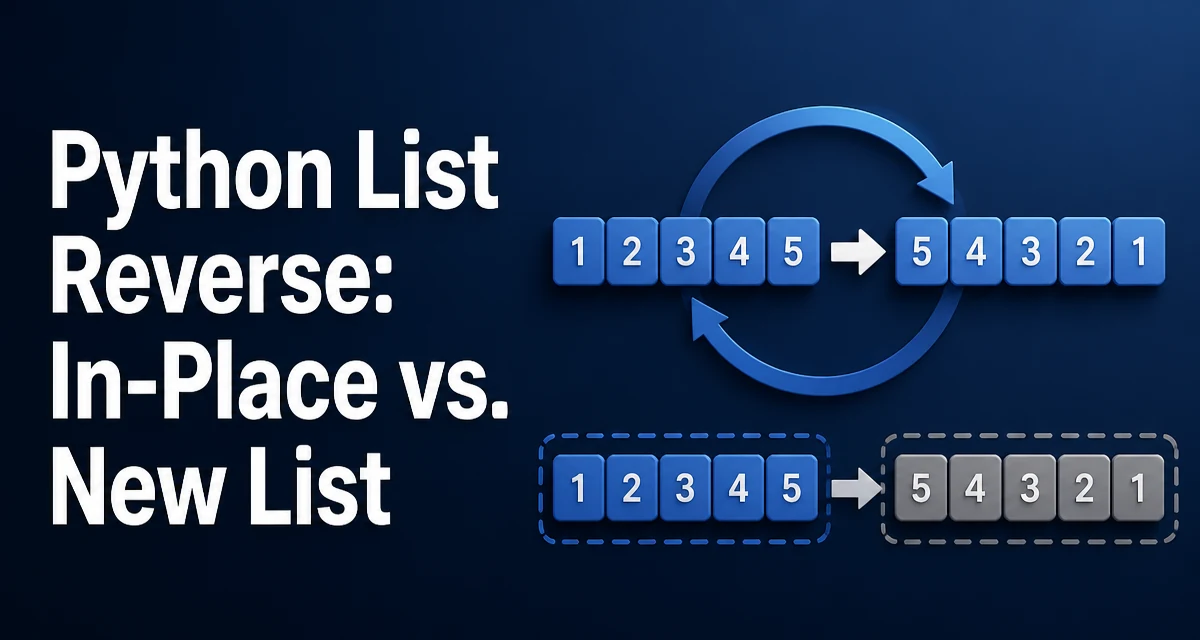
Reversing a list is a routine task, but the python list reverse operation has three distinct implementations: the list.reverse() method, the built-in reversed() function, and slice notation with [::-1]. They differ in a critical way: one modifies the original list in place, one returns an iterator, and one produces a new list. Choosing the wrong one can silently mutate shared data or allocate unnecessary memory in a long-running process.
The Core Distinction: In-Place vs. New List
The most important thing to understand about reversing a list in Python is the difference between mutating the original list and creating a reversed copy.
numbers = [1, 2, 3, 4, 5]

# In-place: modifies the original list
numbers.reverse()
print(numbers)  # [5, 4, 3, 2, 1]
The reverse() method returns None and changes the list it was called on. The original variable now references the reversed list. If any other part of your program holds a reference to the same list object, it will also observe the reversed order.
The other two approaches leave the original list untouched:
numbers = [1, 2, 3, 4, 5]

reversed_iter = reversed(numbers)   # iterator, original intact
sliced_copy = numbers[::-1]        # new list, original intact
This distinction matters in real code. If you reverse a list that is shared across functions or stored in a data structure, an in-place reversal changes the data for every consumer of that list.
Using list.reverse() for In-Place Reversal
The list.reverse() method reverses the elements of the list in place. It operates on the list object itself and returns None, which means it cannot be used in an expression that expects a value.
queue = ["task-1", "task-2", "task-3"]
queue.reverse()
print(queue)  # ['task-3', 'task-2', 'task-1']
Because reverse() returns None, a common mistake is trying to assign its result:
queue = ["task-1", "task-2", "task-3"]
reversed_queue = queue.reverse()  # reversed_queue is None
The variable reversed_queue will be None, and the original queue has already been modified. If you need both the original order and the reversed order, you must create a copy before reversing, or use one of the non-mutating approaches.
In-place reversal is the right choice when the original order is no longer needed and you want to avoid allocating a second list. This is common in algorithms that process data in stages, where each stage consumes the previous result.
Using reversed() to Create a Reversed Iterator
The built-in reversed() function returns a reverse iterator, not a list. It works with any sequence that supports __len__ and __getitem__, including lists, tuples, and strings.
numbers = [1, 2, 3, 4, 5]
for value in reversed(numbers):
    print(value)
# 5
# 4
# 3
# 2
# 1
The iterator yields elements one at a time from the end of the sequence. It does not copy the list, so the memory footprint is constant regardless of the list size. This makes reversed() the most memory-efficient option when you only need to iterate over the elements in reverse order and do not need a list result.
If you need an actual list from the iterator, you can pass it to list():
numbers = [1, 2, 3, 4, 5]
reversed_list = list(reversed(numbers))
print(reversed_list)  # [5, 4, 3, 2, 1]
Note that reversed() works on any sequence, not just lists. You can use it on a tuple, a string, or a custom class that implements the sequence protocol. This generality is useful when a function receives different sequence types and must reverse them uniformly.
Using Slice Notation [::-1] to Build a New List
Slice notation with a step of -1 creates a new list containing the original elements in reverse order:
numbers = [1, 2, 3, 4, 5]
reversed_numbers = numbers[::-1]
print(reversed_numbers)  # [5, 4, 3, 2, 1]
print(numbers)           # [1, 2, 3, 4, 5]  original unchanged
This approach is concise and reads clearly in code. It always returns a list, which is convenient when the result must be passed to a function that expects a list or stored for later use.
The slice creates a full copy of the list, so memory usage is proportional to the list size. For a large list, this doubles the memory footprint at the moment of the copy. The original list remains available, which is the tradeoff for the extra allocation.
Slicing also works on tuples and strings, but the result type differs. Slicing a tuple returns a tuple, and slicing a string returns a string. Only lists return a list from [::-1].
Memory and Runtime Behavior
The three approaches differ in how they allocate memory and how they behave at runtime.
| Approach | Modifies original | Returns | Memory behavior |
|---|---|---|---|
list.reverse() | Yes | None | No allocation beyond internal element swaps |
reversed() | No | iterator | Constant memory, no copy |
numbers[::-1] | No | new list | Copies all elements, O(n) memory |
The reverse() method swaps elements in place. CPython implements this by exchanging elements from both ends toward the center, so it performs roughly n/2 swaps and allocates no new list. The runtime is O(n) in the number of elements.
The reversed() iterator allocates nothing upfront. Each call to next() retrieves the element at the current index. The total runtime is O(n) across the full iteration, but the memory cost stays constant.
The slice [::-1] allocates a new list and copies every element into it. The runtime is O(n), and the memory cost is O(n). For very large lists, this is the most expensive option in terms of memory, but it is also the only one that gives you a standalone reversed list without mutating the original.
If you are reversing a list that is already large and you only need to read the elements once, reversed() avoids the copy entirely. If you need a reversed list and can afford the memory, the slice is the clearest expression. If the original order is no longer needed, reverse() is the most direct approach.
Common Mistakes and Edge Cases
A few behaviors trip up developers who are new to reversing lists in Python.
Assigning the result of reverse(). Because reverse() returns None, any assignment captures None instead of a list. This is the most common mistake.
Assuming reversed() returns a list. The function returns an iterator. Calling len() on it raises a TypeError, and indexing it directly fails. Convert it with list() if you need a list.
Reversing an empty list. All three approaches handle an empty list correctly. [].reverse() leaves the list empty, reversed([]) yields nothing, and [][::-1] returns an empty list. No special handling is needed.
Reversing a list of mixed types. Reversal does not compare elements, so it works on lists containing any mix of types. Unlike sorting, which requires comparable elements, reversal only rearranges positions.
Modifying a list while iterating over it in reverse. If you call reverse() and then iterate, the iteration sees the reversed order. If you iterate over reversed() while modifying the original list, the behavior depends on the sequence implementation and can produce surprising results. For lists, modifying the list during iteration is generally unsafe regardless of direction.
Choosing the Right Approach
The decision comes down to two questions: do you need the original list, and do you need a list result or just iteration?
Use list.reverse() when the original order is no longer needed and you want to avoid allocating a second list. This is common in algorithms that process a collection and then discard it.
Use reversed() when you need to iterate in reverse order without copying the list. This is the memory-efficient choice for large lists and works on any sequence type.
Use numbers[::-1] when you need a new reversed list and the original must remain unchanged. This is the clearest and most idiomatic way to produce a reversed copy.
For most application code, the slice is the most readable option. For performance-sensitive code that processes large lists, reversed() avoids the copy. For code that owns the list and no longer needs the original order, reverse() is the most direct.