Python Name Mangling: How Double Underscores Work
python name mangling: Learn how Python name mangling rewrites double-underscore attributes, why it prevents subclass collisions, and where it does not apply.
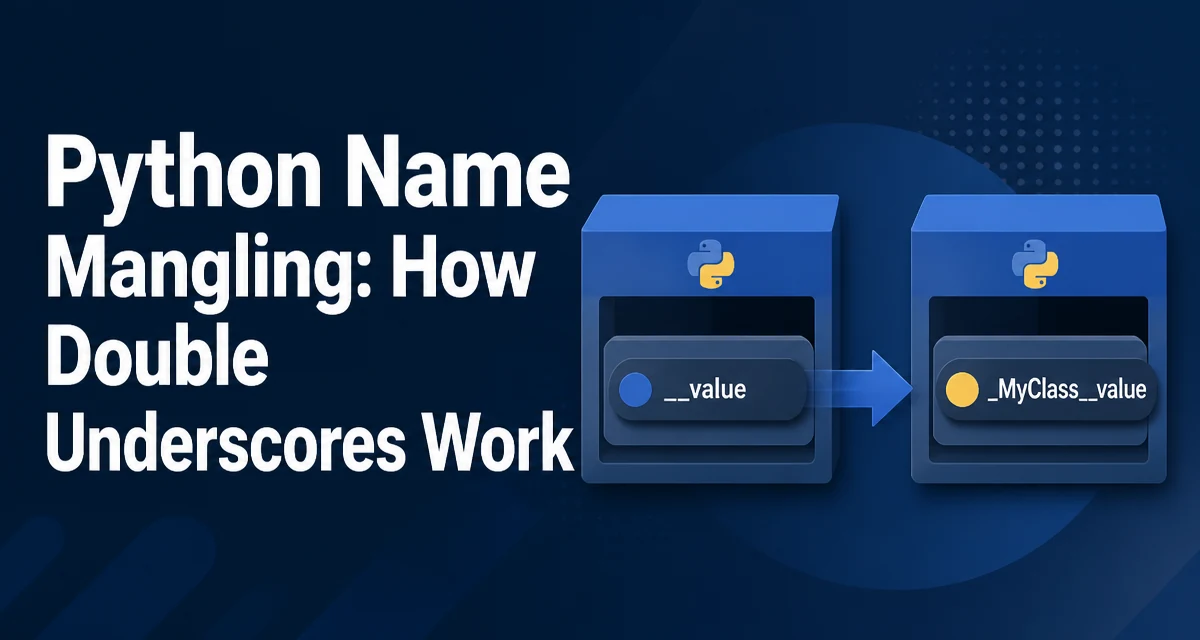
Python name mangling is a compile-time transformation that rewrites attribute names with two leading underscores inside a class body. When you write self.__value in a class, Python rewrites it to self._ClassName__value. This behavior is often misunderstood as a privacy mechanism, but its real purpose is to reduce the risk of accidental name collisions in subclasses.
How Name Mangling Transforms Attribute Names
The transformation applies to any identifier that begins with two underscores and does not end with two underscores. For example, __secret becomes _MyClass__secret when it appears inside the definition of MyClass. The mangled name includes the class name with a single leading underscore, followed by the original attribute name.
class MyClass:
    def __init__(self):
        self.__secret = 42

obj = MyClass()
print(obj.__dict__)  # {'_MyClass__secret': 42}
The attribute is stored under the mangled name in the instance dictionary. Accessing obj.__secret outside the class raises an AttributeError because that name no longer exists. The mangled name is still accessible if you know it.
Where Name Mangling Applies
Name mangling occurs only within the body of a class definition. It applies to attribute names in methods, including self.__attr, and to method names themselves. It does not apply to module-level variables, function parameters, or local variables. It also does not apply to names that begin with two underscores and end with two underscores, such as __init__ or __call__, because those are reserved for Python's special methods.
class Demo:
    def __method(self):
        return "mangled"

    def call(self):
        return self.__method()

d = Demo()
print(d.call())  # "mangled"
print(d._Demo__method())  # "mangled"
The transformation is lexical, not dynamic. It happens at compile time, so the class name used in the mangled name is the class where the code appears, not the class of the instance that calls it.
Why Name Mangling Exists: Subclass Collision Avoidance
The primary motivation for name mangling is to prevent accidental overrides when a subclass defines an attribute with the same name as a parent class. Without mangling, a subclass could silently overwrite an internal attribute used by a base class method, causing subtle bugs.
class Base:
    def __init__(self):
        self.__value = 10

    def get_value(self):
        return self.__value

class Child(Base):
    def __init__(self):
        super().__init__()
        self.__value = 99  # different mangled name

child = Child()
print(child.get_value())  # 10
In this example, Base.__value becomes _Base__value, while Child.__value becomes _Child__value. The two attributes are independent. If the attribute were named _value instead, the child's assignment would overwrite the parent's value, and get_value() would return 99.
This behavior is useful when a base class has internal state that subclasses should not accidentally interfere with. It is not a security boundary; it is a namespace separation mechanism.
Accessing Mangled Names from Outside the Class
Because mangling is deterministic, you can still access the attribute if you know the class name. This is often necessary in debugging or when writing serialization code, but it is a sign that the attribute is not truly private.
class Service:
    def __init__(self):
        self.__token = "abc123"

s = Service()
print(s._Service__token)  # "abc123"
Using getattr and setattr with the mangled name works the same way. However, relying on mangled names from outside the class couples your code to the class name and the mangling rule. If the class is renamed, the external code breaks.
Common Pitfalls and Misconceptions
One common mistake is using double underscores for attributes that subclasses need to override. Because mangling separates the names, a subclass cannot override a mangled attribute without also changing the class name. This can make intended extension points fail silently.
class PluginBase:
    def __init__(self):
        self.__name = "base"

    def get_name(self):
        return self.__name

class Plugin(PluginBase):
    def __init__(self):
        super().__init__()
        self.__name = "custom"  # does not override

p = Plugin()
print(p.get_name())  # "base"
Another misconception is that name mangling makes attributes private in the sense of enforcing access control. It does not. It only changes the name, and the original name is discoverable through __dict__ or by reading the source code. For a clear convention that signals "internal, but subclasses may use it," a single leading underscore is more appropriate.
Name Mangling vs. Single Underscore Conventions
Python's naming conventions distinguish between a single leading underscore and a double leading underscore. A single underscore is a convention that indicates an attribute is intended for internal use, but it does not change the name. Subclasses and external code can still access it directly.
| Convention | Example | Behavior |
|---|---|---|
| Single underscore | self._internal | No transformation; purely a convention |
| Double underscore | self.__internal | Name mangled to _ClassName__internal |
| Dunder | self.__init__ | Reserved for special methods; no mangling |
Choose a single underscore when you want to mark something as non-public but still allow subclasses to access or override it. Use double underscores when you want to prevent accidental name collisions in a class hierarchy and you do not expect subclasses to need direct access.
Practical Impact on Maintainability and Debugging
Name mangling has no runtime performance cost because it is resolved at compile time. The attribute lookup is the same as any other attribute lookup after the name is transformed. However, it can affect maintainability. Mangled names appear in stack traces, __dict__, and debugger output, which can confuse developers who are not familiar with the transformation.
For example, when inspecting an instance in a debugger, you might see _MyClass__secret instead of __secret. This is a small but real cognitive overhead. If the attribute is part of a public API or a serialization format, mangling can cause unexpected field names. In those cases, it is often better to use a single underscore and document the attribute as internal.
Name mangling is also a compile-time feature, so tools that dynamically generate or modify classes need to account for it. Metaclasses and decorators that inspect attribute names will see the mangled version, not the original source name. This can lead to surprising behavior if you are not aware of the transformation.