Python Negative Indexing: Access Elements from the End
python negative indexing: Understand Python negative indexing to access elements from the end of sequences, avoid common pitfalls, and write cleaner code.
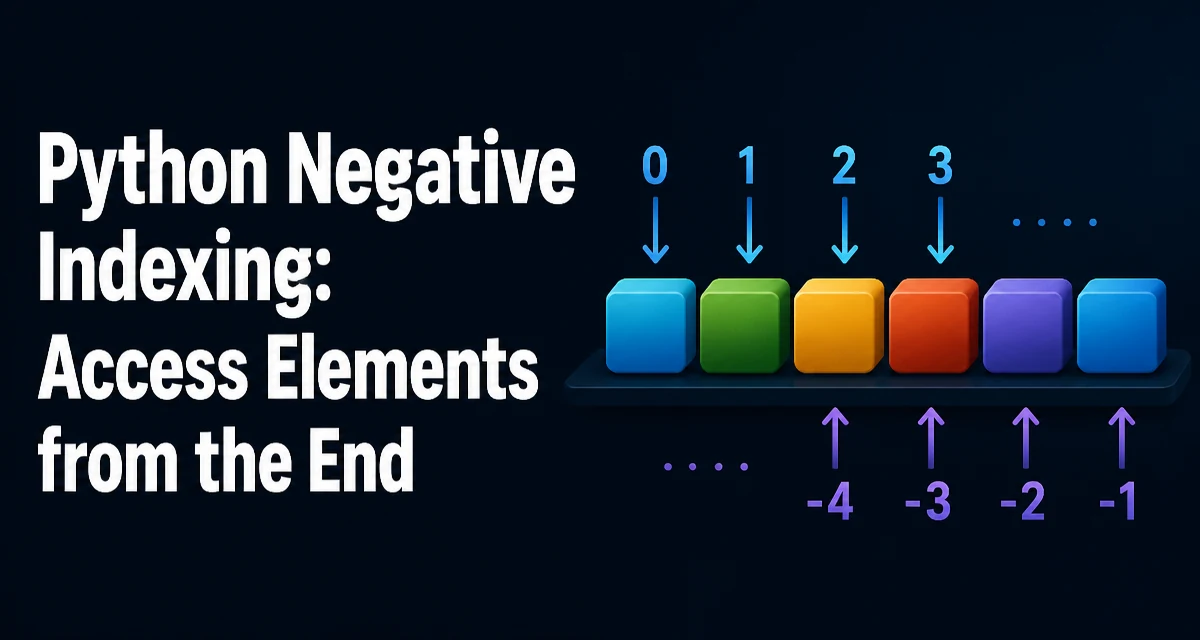
Python negative indexing lets you access elements from the end of a sequence without calculating the length. For example, my_list[-1] returns the last item, and my_list[-2] the second-to-last. This feature is part of Python's sequence protocol and works on lists, tuples, strings, and any object that implements __getitem__ with negative index support.
How Negative Indexing Works
Python sequences are indexed from zero for the first element. Negative indices count backward from the end: -1 refers to the last element, -2 to the second-to-last, and so on. The mapping is simple: index = len(sequence) + negative_index. So sequence[-1] is equivalent to sequence[len(sequence) - 1].
fruits = ["apple", "banana", "cherry", "date"]
print(fruits[-1])  # date
print(fruits[-2])  # cherry
print(fruits[-4])  # apple
This behavior is consistent across all built-in sequence types. It avoids the need to compute len(sequence) - 1 manually, which is both verbose and error-prone.
Using Negative Indices with Lists and Strings
Lists and strings are the most common use cases. Accessing the last character of a string is a typical example:
word = "python"
print(word[-1])  # n
print(word[-2])  # o
For lists, negative indexing is often used to retrieve the most recent item in a log or the last element of a stack:
history = [10, 20, 30, 40]
last_action = history[-1]
You can also assign to a negative index, modifying the element in place:
history[-1] = 45
print(history)  # [10, 20, 30, 45]
This works because list assignment uses the same index resolution as access.
Negative Slicing: Start, Stop, and Step
Slicing with negative indices is where the feature becomes powerful. The slice syntax sequence[start:stop:step] accepts negative values for any of the three components. Negative start and stop count from the end, and a negative step reverses the traversal direction.
data = [0, 1, 2, 3, 4, 5, 6, 7, 8, 9]
print(data[-3:])    # [7, 8, 9]
print(data[:-2])    # [0, 1, 2, 3, 4, 5, 6, 7]
print(data[::-1])   # [9, 8, 7, 6, 5, 4, 3, 2, 1, 0]
A common pattern is to get the last n elements: data[-n:]. If n is zero, data[0:] returns the whole list, but data[-0:] also returns the whole list because -0 is 0. This can be a subtle bug when n is computed dynamically.
def last_n(items, n):
    return items[-n:] if n > 0 else []
Without the guard, last_n(items, 0) would return a full copy of the list instead of an empty list.
Common Mistakes with Negative Indices
One frequent error is using an index that is out of range. For a sequence of length n, valid negative indices are from -n to -1. Using -n-1 raises an IndexError.
items = [1, 2, 3]
print(items[-4])  # IndexError: list index out of range
Another mistake is confusing negative slicing with negative indexing in loops. For example, iterating over range(-1, -len(items), -1) gives indices in reverse order, but it is often clearer to use reversed(items).
items = [10, 20, 30]
for i in range(-1, -len(items) - 1, -1):
    print(items[i])
# 30
# 20
# 10
This works, but it is less readable than for item in reversed(items). Negative indices are best for direct access, not for iteration patterns.
Negative Indexing with Other Sequences
Tuples, bytes, and arrays from the array module support negative indexing. The behavior is identical to lists. For custom classes, you can enable negative indexing by implementing __getitem__ and handling negative keys explicitly.
class CircularBuffer:
    def __init__(self, data):
        self.data = data
    def __getitem__(self, index):
        if index < 0:
            index += len(self.data)
        return self.data[index]

buf = CircularBuffer([1, 2, 3])
print(buf[-1])  # 3
Note that __getitem__ must also handle slices if you want negative slicing to work. The built-in sequence types already do this, but custom implementations need to account for slice objects.
Performance and Memory Considerations
Negative indexing itself is O(1) and does not copy data. It simply computes the real index and performs a direct lookup. There is no performance penalty compared to positive indexing.
Slicing, however, creates a new list or string copy. A slice like data[-3:] allocates a new list of length 3. If you only need to iterate over the last few elements, consider using itertools.islice or a manual loop to avoid the copy when memory matters.
from itertools import islice

# Avoids copying the whole list when n is large
last_three = list(islice(data, len(data) - 3, None))
For most applications, the copy is negligible, but in high-performance or memory-constrained environments, be aware that slicing copies.
Readability and Maintainability
Negative indexing can make code more concise, but it can also hurt readability when overused. Using data[-1] for the last element is idiomatic and clear. However, complex expressions like data[-2][-1] or data[:-3] may require the reader to pause and think.
When a negative index appears in a context where the sequence length might change, it can hide assumptions. For example, data[-1] fails if data is empty. Prefer explicit checks or use data[-1] if data else default.
A maintainable approach is to assign meaningful names:
last_record = records[-1]
previous_record = records[-2]
This preserves the convenience of negative indexing while making the intent obvious.
When to Avoid Negative Indexing
There are cases where a positive index is clearer. If you need the element at a position relative to the start, use a positive index. Also, avoid negative indices in public APIs that accept indices from callers, because it can be surprising if the caller does not expect negative values.
For algorithms that require random access by position, document whether negative indices are allowed. Python's own list methods like pop() accept an optional index, and negative values are valid, but this is not universal across all libraries.
In performance-critical loops, negative indexing is not slower, but the overhead of index calculation is negligible. The real cost is often in the surrounding logic, not the index lookup.
Practical Example: Reversing a Sequence
A common use of negative slicing is reversing a sequence without a loop:
text = "stressed"
reversed_text = text[::-1]
print(reversed_text)  # desserts
This works for lists as well, but note that reversed() returns an iterator, which is more memory-efficient for large sequences. If you need a reversed copy, [::-1] is concise, but for large data, consider list(reversed(data)) to avoid a temporary slice in some contexts.
large_data = list(range(1000000))
reversed_copy = large_data[::-1]  # allocates a new list
reversed_iter = reversed(large_data)  # iterator, no copy
Choose based on whether you need a materialized list or just need to iterate once.