Python Negative Slicing: Syntax and Behavior
python negative slicing: Understand Python negative slicing: negative indices, step values, reversing sequences, common edge cases, and practical usage for lists and s...
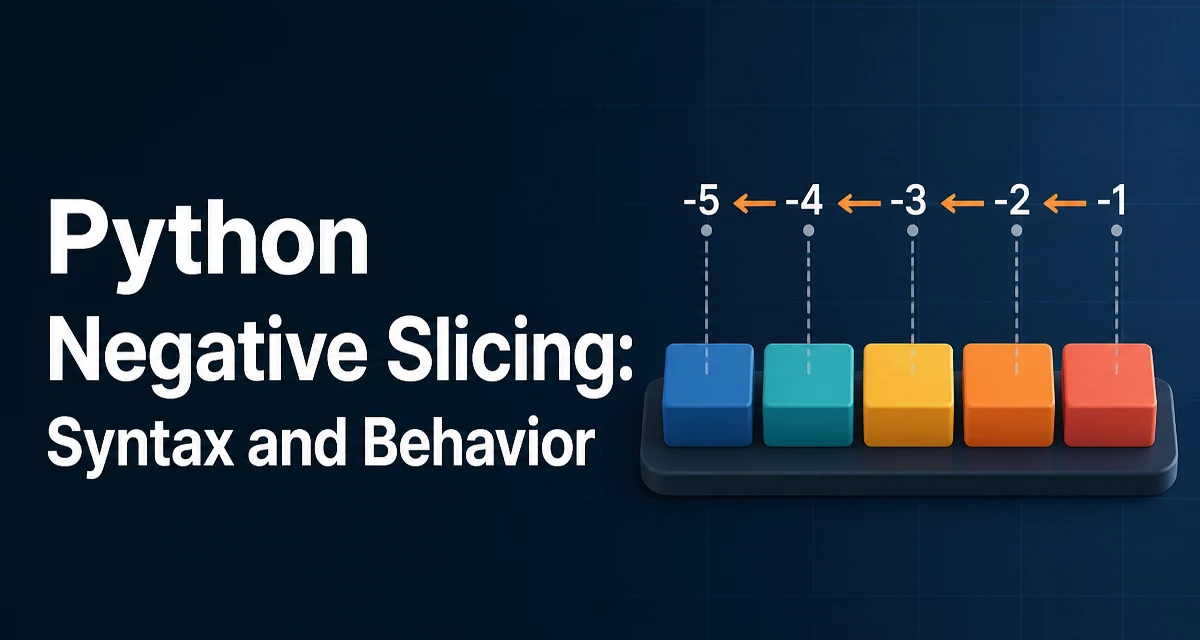
Python negative slicing lets you access and manipulate sequence elements from the end. The syntax seq[start:stop:step] accepts negative integers for any of the three components, and the behavior changes depending on which parts are negative. This article explains how negative indices and steps work, where they commonly break, and how to use them effectively in production code.
How Negative Indices Work
In Python, every sequence (list, tuple, string, etc.) has indices starting at 0 for the first element. Negative indices count from the end: -1 refers to the last element, -2 to the second-to-last, and so on. This is not a separate indexing system but a convenience that maps to the same underlying positions.
numbers = [10, 20, 30, 40, 50]
print(numbers[-1])  # 50
print(numbers[-2])  # 40
print(numbers[-5])  # 10
The last line works because -5 maps to index 0 (since len(numbers) - 5 = 0). If you go beyond the sequence length, you get an IndexError just like with a positive index.
Negative Slicing Without a Step
When you slice with seq[start:stop], Python uses the same index mapping for both boundaries. For example, numbers[-3:-1] starts at the third-from-last element and stops before the last element.
numbers = [10, 20, 30, 40, 50]
print(numbers[-3:-1])  # [30, 40]
If stop is omitted, the slice runs to the end of the sequence. If start is omitted, it starts from the beginning. This combination is often used to get the last few elements:
print(numbers[-3:])   # [30, 40, 50]
print(numbers[:-2])   # [10, 20, 30]
Notice that numbers[:-2] returns everything except the last two elements. This is a common idiom for trimming a fixed number of trailing items.
Negative Step and Reversing
A negative step changes the direction of iteration. When step is negative, Python moves backward through the sequence. The default behavior with [::-1] reverses the sequence entirely.
numbers = [10, 20, 30, 40, 50]
print(numbers[::-1])  # [50, 40, 30, 20, 10]
You can combine negative start and stop with a negative step, but the boundaries are interpreted differently. With a negative step, start must be greater than stop for the slice to contain elements. For example, numbers[3:0:-1] starts at index 3 and goes down to, but not including, index 0.
print(numbers[3:0:-1]) # [40, 30, 20]
If you want to include the first element while stepping backward, use None for the stop:
print(numbers[3:None:-1]) # [40, 30, 20, 10]
This is a common source of confusion because the same indices behave differently with a negative step.
Common Mistakes and Edge Cases
One frequent mistake is assuming that seq[-1:-3:-1] gives the last three elements in reverse order. It actually returns the last element only, because -1 maps to the last index, and with a negative step the stop -3 maps to index len-3, which is less than the start. The slice stops before reaching that index, so only the first element is included.
numbers = [10, 20, 30, 40, 50]
print(numbers[-1:-3:-1])  # [50]
To get the last three elements in reverse order, use numbers[:-4:-1] or numbers[-1:-4:-1].
Another edge case is an empty slice. If the start and stop are equal, or if the step direction makes the range impossible, the result is an empty sequence.
print(numbers[2:2])    # []
print(numbers[-2:-2])  # []
print(numbers[2:0])    # [] because step defaults to 1 (forward)
Performance and Memory Considerations
Slicing always creates a new sequence (list, string, etc.) that contains copies of the referenced elements. This means slicing a large list allocates memory proportional to the slice length. For example, numbers[::-1] creates a full copy of the list, which can be expensive for very large sequences.
If you only need to iterate in reverse, use the reversed() built-in instead. It returns an iterator that does not copy the underlying data.
for value in reversed(numbers):
    print(value)
Similarly, if you need a reversed copy, slicing is fine, but be aware of the memory footprint. For strings, slicing creates a new string, which is also a copy. There is no in-place reversal for strings or tuples because they are immutable.
Practical Usage Patterns
Negative slicing is commonly used in data processing and text manipulation. For example, extracting a file extension from a filename:
filename = "report.pdf"
extension = filename[-3:]
print(extension)  # "pdf"
Or removing the last character from a string:
text = "hello!"
clean = text[:-1]
print(clean)  # "hello"
In list processing, negative slicing helps with windowing or keeping a fixed number of recent items:
recent_logs = logs[-10:]
This pattern is common in buffering and rolling-window implementations.
Compatibility and Limitations
Negative slicing works consistently across all built-in sequence types: lists, tuples, strings, range, and bytes. The behavior is defined by the sequence protocol and does not depend on the specific type.
One limitation is that negative slicing does not work directly on iterators or generators because they do not support indexing. If you need to slice a generator, convert it to a list first, but be aware that this materializes the entire sequence in memory.
Another limitation is that the step cannot be zero. seq[::0] raises a ValueError because a zero step is undefined. This is a common runtime error that occurs when a step value is computed dynamically and can be zero.
For custom classes that implement __getitem__, negative slicing behavior is up to the implementation. If you are building a custom sequence, you must handle negative indices and steps explicitly to match Python's built-in behavior, or delegate to a built-in sequence internally.