Python NumPy Dot Product and Matrix Multiplication Basics
python numpy dot product matrix multiplication and linear algebra basics: Learn how to use NumPy's dot product and matrix multiplication functions for linear algebra o...
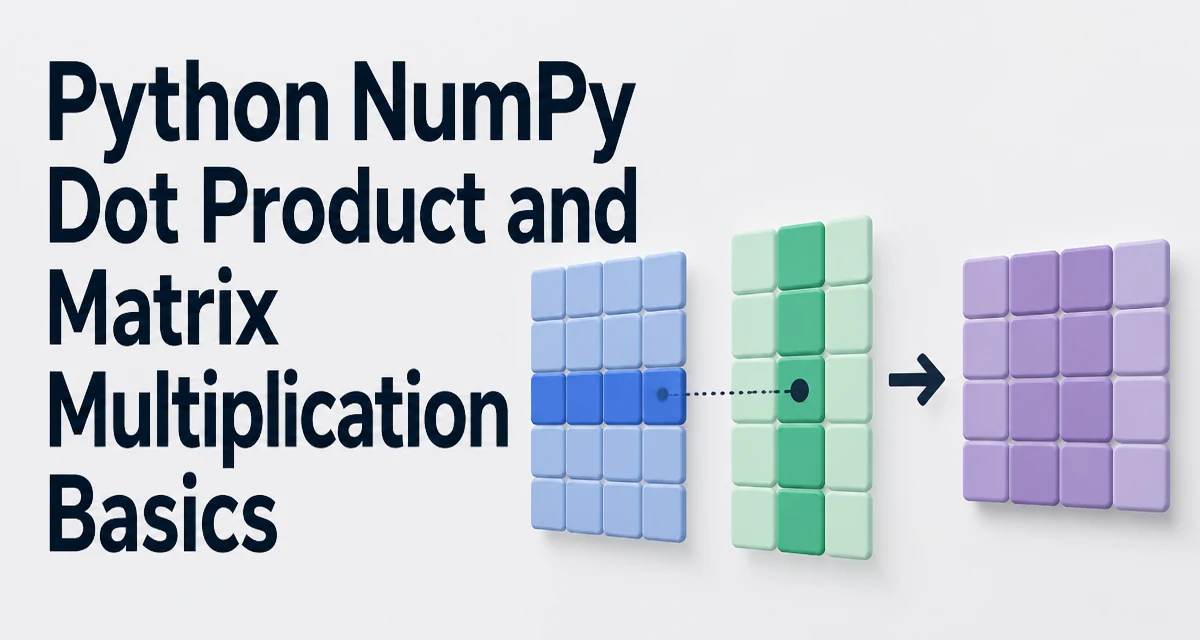
When working with linear algebra in Python, NumPy provides the core operations for dot products and matrix multiplication. Understanding how np.dot, np.matmul, and the @ operator behave is essential for writing correct numerical code. This article covers python numpy dot product matrix multiplication and linear algebra basics, including shape rules, performance implications, and common mistakes.
What Does np.dot Do?
The np.dot function computes the dot product of two arrays. For 1D arrays, it returns the inner product, a scalar. For 2D arrays, it performs matrix multiplication. For higher-dimensional arrays, it sums products over the last axis of the first array and the second-to-last axis of the second array.
import numpy as np

# 1D dot product
v1 = np.array([1, 2, 3])
v2 = np.array([4, 5, 6])
print(np.dot(v1, v2))  # 32

# 2D matrix multiplication
A = np.array([[1, 2], [3, 4]])
B = np.array([[5, 6], [7, 8]])
print(np.dot(A, B))
# [[19 22]
#  [43 50]]
In the 1D case, np.dot multiplies corresponding elements and sums them. For 2D arrays, it follows the standard matrix multiplication rule: the number of columns in A must equal the number of rows in B. The result has the same number of rows as A and the same number of columns as B.
Matrix Multiplication with @ and np.matmul
Python 3.5 introduced the @ operator specifically for matrix multiplication. In NumPy, A @ B is equivalent to np.matmul(A, B) for 2D arrays. Both perform the same operation as np.dot for 2D inputs, but they differ for higher-dimensional arrays.
# Using @ operator
C = A @ B

# Using np.matmul
D = np.matmul(A, B)

# All three produce the same result for 2D arrays
print(np.array_equal(C, D))  # True
print(np.array_equal(C, np.dot(A, B)))  # True
For 1D arrays, np.matmul and @ treat them as row or column vectors. np.dot also works, but the behavior is consistent: np.dot(v1, v2) and v1 @ v2 both return the scalar dot product. The @ operator is often preferred for readability, especially in code that mixes scalars, vectors, and matrices.
Dot Product vs. Matrix Multiplication: When to Use Each
While np.dot and @ often produce the same result for 2D arrays, they have different rules for higher-dimensional inputs. The table below summarizes the key differences.
| Operation | 1D arrays | 2D arrays | Higher dimensions |
|---|---|---|---|
np.dot | Inner product (scalar) | Matrix multiplication | Sum product over last axis of a and second-to-last of b |
np.matmul / @ | Inner product (scalar) | Matrix multiplication | Batch matrix multiplication with broadcasting |
For 2D arrays, there is no practical difference. For arrays with more than two dimensions, np.matmul treats the leading dimensions as batch dimensions and applies matrix multiplication to the last two axes. np.dot instead performs a sum product over the last axis of the first array and the second-to-last axis of the second, which can lead to unexpected shapes if you are not careful.
Use np.dot when you need the classic dot product behavior across arbitrary axes, and use @ or np.matmul when you want standard matrix multiplication semantics, especially for batched operations.
Shape Compatibility and Broadcasting Rules
Matrix multiplication requires that the inner dimensions match. For A @ B, if A has shape (M, N) and B has shape (N, K), the result is (M, K). If A is 1D with shape (N,), it is treated as a row vector, and the result is (K,). If B is 1D with shape (N,), it is treated as a column vector, and the result is (M,).
# Shape examples
A = np.ones((3, 4))
B = np.ones((4, 5))
C = A @ B  # shape (3, 5)

v = np.ones(4)
w = np.ones(5)
result = A @ v  # shape (3,)
result2 = w @ B  # shape (5,)
For higher-dimensional arrays, np.matmul broadcasts the batch dimensions. For example, if A has shape (10, 3, 4) and B has shape (4, 5), the result is (10, 3, 5). The batch dimension 10 is broadcast across B. This is useful for applying the same transformation to multiple matrices.
np.dot does not broadcast in the same way. Instead, it performs a sum product over the specified axes, which can produce results with different shapes. Always verify the shape of your arrays before using these functions, especially when dealing with tensors.
Performance and Memory Considerations
NumPy delegates matrix multiplication to optimized BLAS libraries (like OpenBLAS or MKL) when available. This means that @ and np.dot are generally fast for large arrays, but performance depends on memory layout and data types.
To get the best performance, ensure your arrays are contiguous and use a native data type such as float64 or float32. Non-contiguous arrays (e.g., slices or transposed views) may cause NumPy to make a temporary copy, increasing memory usage and slowing down the operation.
# Ensure contiguous arrays
A = np.ascontiguousarray(A)
B = np.ascontiguousarray(B)
C = A @ B
For very large matrices, the operation is memory-bound. The result matrix itself requires M * K * itemsize bytes. If you are working with matrices that do not fit in memory, consider using np.memmap or chunked computation, but be aware that the BLAS call expects a complete in-memory array.
Avoid using np.dot in a loop for many small matrices. Instead, stack the matrices into a higher-dimensional array and use np.matmul with broadcasting. This reduces Python overhead and lets BLAS operate on larger blocks.
Common Mistakes with NumPy Multiplication
One frequent error is using the * operator for matrix multiplication. * performs element-wise multiplication, not matrix multiplication. For example, A * B multiplies each element of A with the corresponding element of B, requiring the arrays to have the same shape or be broadcastable.
A = np.array([[1, 2], [3, 4]])
B = np.array([[5, 6], [7, 8]])

# Element-wise multiplication
print(A * B)
# [[ 5 12]
#  [21 32]]

# Matrix multiplication
print(A @ B)
# [[19 22]
#  [43 50]]
Another common mistake is mixing np.dot with @ when shapes are not compatible. For example, np.dot allows the inner product of a 2D array with a 1D array, but @ also works. However, np.dot can produce a scalar when both inputs are 1D, while @ also returns a scalar. The confusion arises with higher-dimensional arrays where the behavior differs.
Always check the shape of the result. If you expect a matrix multiplication, use @ or np.matmul to make the intent clear. If you need a dot product between two vectors, np.dot and @ are interchangeable.
Choosing the Right Function for Your Use Case
The choice between np.dot, np.matmul, and @ depends on the dimensionality of your data and the operation you need.
- Use
@ornp.matmulfor standard matrix multiplication, especially when working with 2D arrays or batched higher-dimensional arrays. The@operator is more readable and is the recommended syntax in modern Python. - Use
np.dotwhen you need the classic dot product behavior for arrays with more than two dimensions, or when you want to explicitly control which axes are summed. This is rare in typical linear algebra code. - For element-wise multiplication, use
*. This is not matrix multiplication, but it is often needed when scaling matrices or applying masks.
In practice, most linear algebra code in NumPy uses @ for matrix multiplication and np.dot for vector dot products. The np.matmul function is useful when you need to pass a function reference or when working with arrays that have more than two dimensions and you want batch behavior.
When you write code that will be maintained by others, prefer @ because it is self-documenting. If you are implementing a mathematical formula, the @ operator closely matches the conventional notation, reducing the chance of misinterpretation.
For large-scale numerical work, consider using np.linalg functions for solving linear systems, computing eigenvalues, or performing decompositions. These functions are built on the same BLAS primitives and are optimized for accuracy and performance.