Python NumPy reshape, flatten, ravel, and transpose
python numpy reshape flatten ravel and transpose: Learn the differences between NumPy's reshape, flatten, ravel, and transpose, including when each returns a view or c...
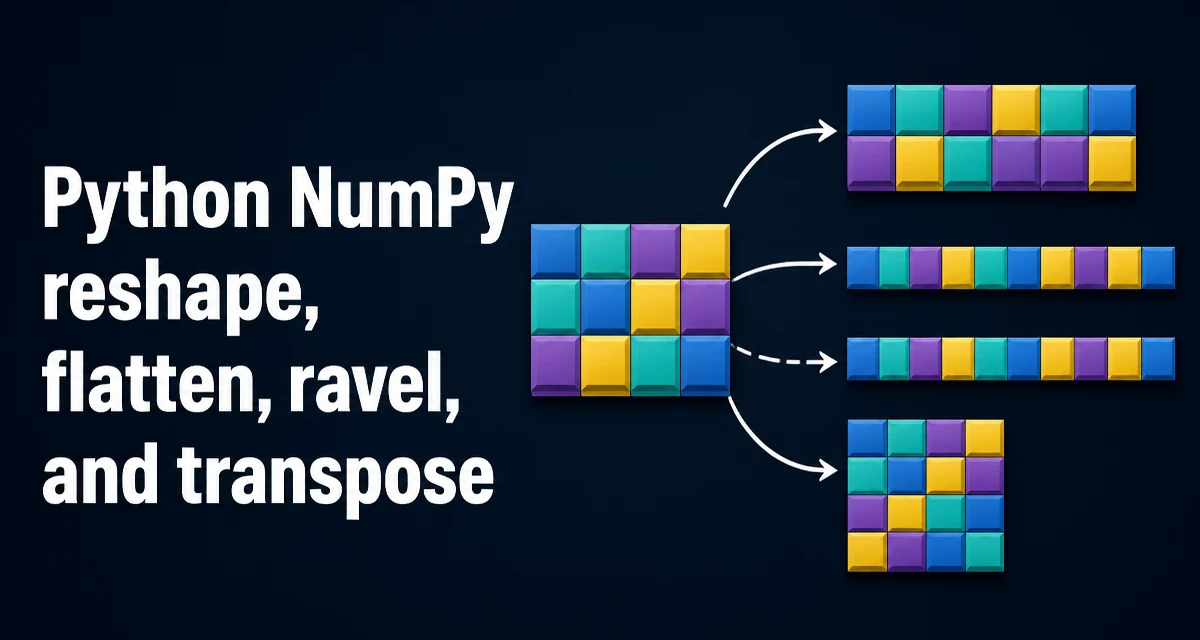
python numpy reshape flatten ravel and transpose requires a clear understanding of the core syntax, runtime behavior, and practical implementation patterns demonstrated in the examples below.
When working with NumPy arrays in Python, the functions reshape, flatten, ravel, and transpose all change how data is organized, but they differ in whether they return a view or a copy, how they handle memory layout, and what constraints they place on the input. Choosing the right one matters for both correctness and performance. This article explains the behavior of each function, the view-versus-copy distinction, and the practical criteria for selecting the right tool for a given task.
Reshape: Changing Shape Without Changing Data
reshape returns a new array with the same data but a different shape. The total number of elements must remain the same. For example:
import numpy as np

a = np.arange(12)
b = a.reshape(3, 4)
print(b.shape)  # (3, 4)
print(b)
reshape attempts to return a view of the original array. A view shares the underlying data buffer, so modifying b will also modify a if the view is possible. However, reshape does not always return a view. If the original array is non-contiguous or if the requested shape requires a different memory layout, NumPy will return a copy instead. The order parameter controls the index order: 'C' (row-major, default), 'F' (column-major), or 'A' (preserve the original order).
A common mistake is assuming reshape always returns a view. The safe approach is to check the base attribute or use np.shares_memory(a, b) to determine whether the result shares memory with the input.
Flatten: Always a Copy
flatten returns a one-dimensional copy of the array. It always copies the data, so the result is independent of the original array. By default, it uses C order, but you can specify order='F' for column-major flattening.
a = np.array([[1, 2], [3, 4]])
c = a.flatten()
c[0] = 99
print(a)  # unchanged
print(c)  # [99, 2, 3, 4]
Because flatten always copies, it is safe to modify the result without affecting the original. The downside is the memory overhead of duplicating the data, especially for large arrays. Use flatten when you need a new, independent one-dimensional array.
Ravel: A View When Possible
ravel also returns a one-dimensional array, but it returns a view of the original array when the memory layout allows it. If the array is contiguous in C order, ravel returns a view. If the array is non-contiguous, ravel may need to copy the data to produce a contiguous result.
a = np.arange(6).reshape(2, 3)
r = a.ravel()
r[0] = 100
print(a)  # array([[100, 1, 2], [3, 4, 5]]) — view, so a changed
When the original array is already contiguous, ravel is faster and uses less memory than flatten because it avoids copying. However, if you later modify the raveled array, you will also modify the original. If you need a copy regardless, use flatten.
The order parameter in ravel works similarly to flatten, but the default is 'C' and it respects the array's layout when order='A' is used.
Transpose: Reversing Axes
transpose reverses the order of axes. For a 2D array, it swaps rows and columns. For higher-dimensional arrays, it permutes axes according to the axes argument. transpose always returns a view of the original data—it never copies.
a = np.arange(6).reshape(2, 3)
t = a.transpose()
print(t.shape)  # (3, 2)
print(t)
# [[0 3]
#  [1 4]
#  [2 5]]
Because transpose returns a view, it does not allocate new memory. However, the resulting array is typically non-contiguous in memory. The data is stored in the original buffer, but the strides are rearranged so that the logical order differs from the physical order. This has performance implications: operations on a transposed array may be slower because accessing elements requires non-sequential memory access.
View vs Copy: Memory and Performance Implications
The view-versus-copy distinction is central to understanding these functions. A view shares the underlying data buffer with the original array; a copy allocates a new buffer and duplicates the data. Views are cheaper to create because they avoid copying, but they introduce aliasing: changes to the view affect the original and vice versa.
For performance, views can be beneficial when you only need to read data or when you want to avoid duplicating a large array. However, non-contiguous views, such as those produced by transpose, can lead to slower element access due to poor cache locality. If you plan to perform many operations on a transposed array, it may be worth calling np.ascontiguousarray to obtain a contiguous copy, especially if the operations are computationally intensive.
Copies, on the other hand, give you independent data and can be rearranged into a contiguous layout. flatten always produces a contiguous C-order array, which is ideal for algorithms that expect contiguous memory.
Choosing Between reshape, flatten, ravel, and transpose
The choice depends on what you need to do with the result:
- Use
reshapewhen you want to change the shape of an array while keeping the data in place. If you need a view for read-only or to avoid copying,reshapeis often the right choice, but verify whether it returns a view or copy. - Use
flattenwhen you need a one-dimensional copy that is independent of the original. This is useful when you want to modify the flattened result without side effects. - Use
ravelwhen you want a one-dimensional array and prefer a view to save memory. If the original is contiguous,ravelavoids copying. If the original is non-contiguous,ravelmay copy anyway, soflattencould be clearer if you always want a copy. - Use
transposewhen you need to permute axes, such as converting row-major to column-major indexing or swapping dimensions for broadcasting. Remember that the result is a view and may be non-contiguous.
A practical scenario: if you have a large 2D array and need to iterate over its columns efficiently, you might transpose it to get rows. But because the transposed view is non-contiguous, iterating row by row may be slower than if you used a contiguous copy. In that case, you could call np.ascontiguousarray(a.T) to force a copy with contiguous memory.
Common Pitfalls with reshape and transpose
One frequent issue is assuming that reshape always returns a view. If the original array is non-contiguous, reshape may copy, which can be surprising when you modify the result and expect the original to change. For example:
a = np.arange(12).reshape(3, 4)
b = a.T  # non-contiguous view
c = b.reshape(4, 3)  # may copy because b is non-contiguous
print(np.shares_memory(b, c))  # False on most NumPy versions
Another pitfall is using ravel on a transposed array. Since the transposed array is non-contiguous, ravel will copy the data to produce a contiguous result. This is often necessary, but it means the operation is not as cheap as you might expect. If you only need a read-only flat view, you could use np.ravel with order='A' to preserve the memory order, but you still get a view only if the array is already contiguous.
Understanding the memory layout of NumPy arrays—whether they are C-contiguous, Fortran-contiguous, or neither—helps predict when these functions will copy. You can check with a.flags['C_CONTIGUOUS'] and a.flags['F_CONTIGUOUS']. This knowledge is essential for writing efficient code that avoids unnecessary copies and for preventing subtle bugs from unintended data sharing.