Understanding Python Object References
python object references: Learn how Python variables store references, how mutability affects assignment and copying, and how to avoid common reference pitfalls.
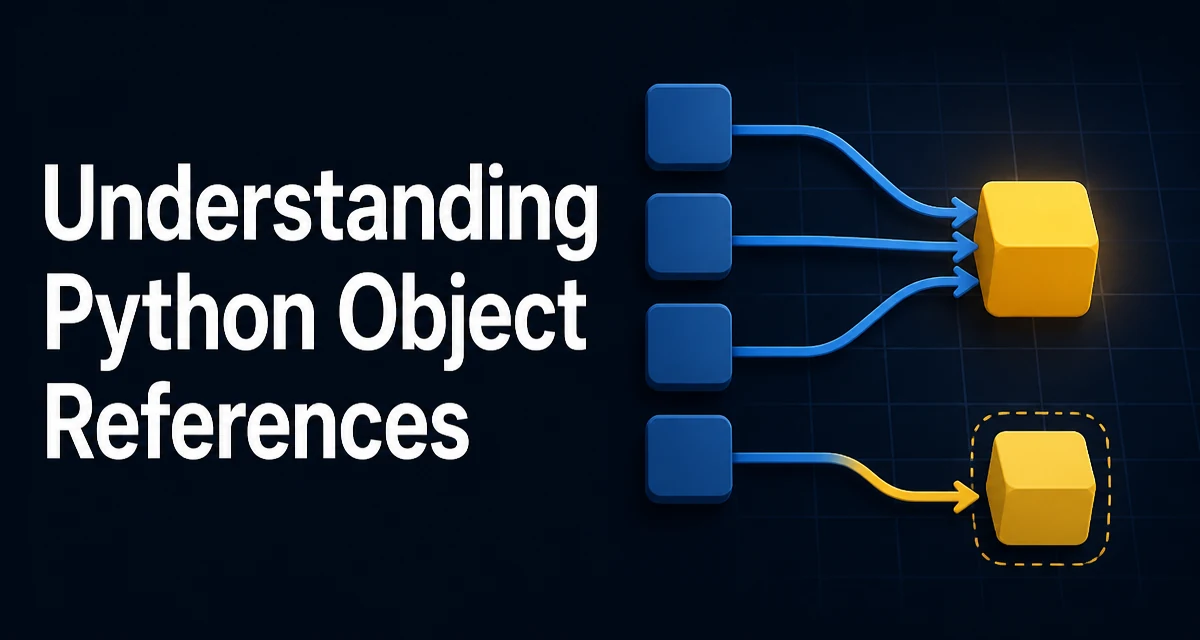
Python object references determine how variables, assignments, and function arguments behave at runtime. Understanding this model is essential for writing code that avoids subtle bugs when working with mutable data structures.
How Python Variables Refer to Objects
In Python, a variable is not a box that stores the object itself. Instead, it is a name that points to an object in memory. When you write a = [1, 2, 3], Python creates a list object and binds the name a to that object. The variable holds a reference, not the data.
a = [1, 2, 3]
b = a
print(a is b)  # True
The assignment b = a copies the reference, not the list. Both a and b now point to the same list object. This is often called aliasing. Any modification through one name is visible through the other.
a.append(4)
print(b)  # [1, 2, 3, 4]
This behavior is consistent across all object types, but its practical impact depends on whether the object is mutable or immutable.
Mutable and Immutable Objects Change Reference Behavior
Immutable objects like integers, strings, and tuples cannot be changed in place. When you perform an operation that appears to modify them, Python actually creates a new object and rebinds the reference.
x = 10
y = x
x += 1
print(y)  # 10
print(x)  # 11
Here x is rebound to a new integer object 11, while y still points to the original 10. For immutable objects, aliasing is safe because no change can leak through the shared reference.
Mutable objects—lists, dictionaries, sets, and custom class instances—can be modified in place. This is where reference semantics become critical.
original = [1, 2, 3]
reference = original
reference.append(4)
print(original)  # [1, 2, 3, 4]
The list is shared, so both names observe the mutation. Understanding whether an operation mutates an object or creates a new one is the key to predicting reference behavior.
Identity vs Equality: When is Is Different from ==
The is operator compares object identity: it returns True only if two references point to the exact same object. The == operator compares value equality, which may invoke the object's __eq__ method.
a = [1, 2, 3]
b = [1, 2, 3]
print(a == b)  # True
print(a is b)  # False
Two distinct list objects can have equal contents but different identities. For immutable objects, Python may reuse existing objects for small integers or interned strings, so is can sometimes return True for equal values.
x = 256
y = 256
print(x is y)  # True (small integers are cached)

x = 257
y = 257
print(x is y)  # False (outside cache range)
Relying on this caching is fragile. Use is only when you explicitly need to check whether two names refer to the same object, such as comparing against None. For value comparison, always use ==.
How Function Arguments Interact with References
Python passes arguments by object reference. The function receives a copy of the reference, not a copy of the object. This means that mutating a mutable argument inside a function affects the caller's object.
def add_item(lst, item):
    lst.append(item)

my_list = [1, 2]
add_item(my_list, 3)
print(my_list)  # [1, 2, 3]
If the function reassigns the parameter to a new object, the caller's reference remains unchanged.
def reassign(lst):
    lst = [10, 20]

my_list = [1, 2]
reassign(my_list)
print(my_list)  # [1, 2]
The parameter lst is a local name that initially points to the same list, but assigning a new list to it only rebinds the local name. The caller's list is untouched.
A common pitfall is using a mutable default argument, which is evaluated only once when the function is defined.
def append_to(element, target=[]):
    target.append(element)
    return target

print(append_to(1))  # [1]
print(append_to(2))  # [1, 2]
The default list object is shared across all calls. The fix is to use None as the default and create a new list inside the function.
def append_to(element, target=None):
    if target is None:
        target = []
    target.append(element)
    return target
This ensures each call gets a fresh list unless an explicit target is provided.
Shallow and Deep Copies: Controlling Reference Sharing
When you copy a mutable object, you need to decide how much sharing you want. A shallow copy creates a new container but the elements inside it are still references to the same objects. A deep copy recursively copies all objects so that no references are shared.
import copy

original = [[1, 2], [3, 4]]
shallow = copy.copy(original)
deep = copy.deepcopy(original)

shallow[0].append(99)
print(original)  # [[1, 2, 99], [3, 4]]
print(shallow)   # [[1, 2, 99], [3, 4]]

deep[0].append(100)
print(original)  # [[1, 2, 99], [3, 4]]
print(deep)      # [[1, 2, 99, 100], [3, 4]]
The shallow copy shares the inner lists, so modifying one affects the original. The deep copy creates independent inner lists.
For simple lists, you can also use list.copy() or slicing to create a shallow copy. Dictionaries have a copy() method as well. But these are all shallow.
| Operation | Copies container | Copies nested objects |
|---|---|---|
copy.copy() | Yes | No |
copy.deepcopy() | Yes | Yes |
list.copy() | Yes | No |
dict.copy() | Yes | No |
Choose deep copy when you need full independence from the original structure. Be aware that deepcopy can be expensive and may fail on objects that cannot be pickled or contain non-copyable resources like file handles.
Common Reference Pitfalls in Everyday Code
One frequent mistake is assuming that assignment creates an independent copy. This shows up when building lists of lists or dictionaries of lists.
rows = [[]] * 3
rows[0].append(1)
print(rows)  # [[1], [1], [1]]
The * operator repeats the same reference, so all three inner lists are the same object. Use a list comprehension to create separate lists.
rows = [[] for _ in range(3)]
rows[0].append(1)
print(rows)  # [[1], [], []]
Another pitfall is mutating a list while iterating over it, which can cause skipped or repeated elements because the iteration uses an internal index that references the live list.
numbers = [1, 2, 3, 4]
for n in numbers:
    if n % 2 == 0:
        numbers.remove(n)
print(numbers)  # [1, 3]? Not always predictable
Instead, iterate over a copy or build a new list with a comprehension.
numbers = [1, 2, 3, 4]
numbers = [n for n in numbers if n % 2 != 0]
print(numbers)  # [1, 3]
Understanding that remove modifies the same object being iterated is the root of the problem.
Memory and Performance Implications of References
References themselves are lightweight: they are pointers to objects. Copying a reference is cheap, but copying an object can be expensive. When you pass a large list to a function, no data is copied—only the reference is passed. This makes function calls efficient for large containers.
However, aliasing can increase memory usage unintentionally if you keep references to large objects longer than needed. For example, storing a reference to a massive list in a cache can prevent garbage collection even after the original name is deleted.
Python uses reference counting to manage memory. Each object keeps a count of how many references point to it. When the count drops to zero, the object is immediately deallocated. The sys.getrefcount() function can inspect the current count, but it adds a temporary reference itself.
import sys
a = [1, 2, 3]
print(sys.getrefcount(a))  # 2 (one from 'a', one from the argument)
Cyclic references—where objects refer to each other—are handled by a separate garbage collector because reference counting alone cannot free cycles. This is relevant when designing long-lived data structures.
For performance, avoid deep copying large structures unless you truly need independent copies. Prefer shallow copies or immutable data when possible. If you frequently copy complex objects, consider whether you can restructure the code to share references safely.
Reference semantics also affect concurrency. In multithreaded code, shared mutable objects require locks to avoid race conditions. Immutable objects, by contrast, are safe to share without synchronization. This is why tuples and strings are often preferred for keys and configuration data.