Python OpenAI Tool Calling and Function Calling
python openai tool calling and function calling: Implement OpenAI tool calling in Python: define tool schemas, detect tool_calls in responses, execute functions, and r...
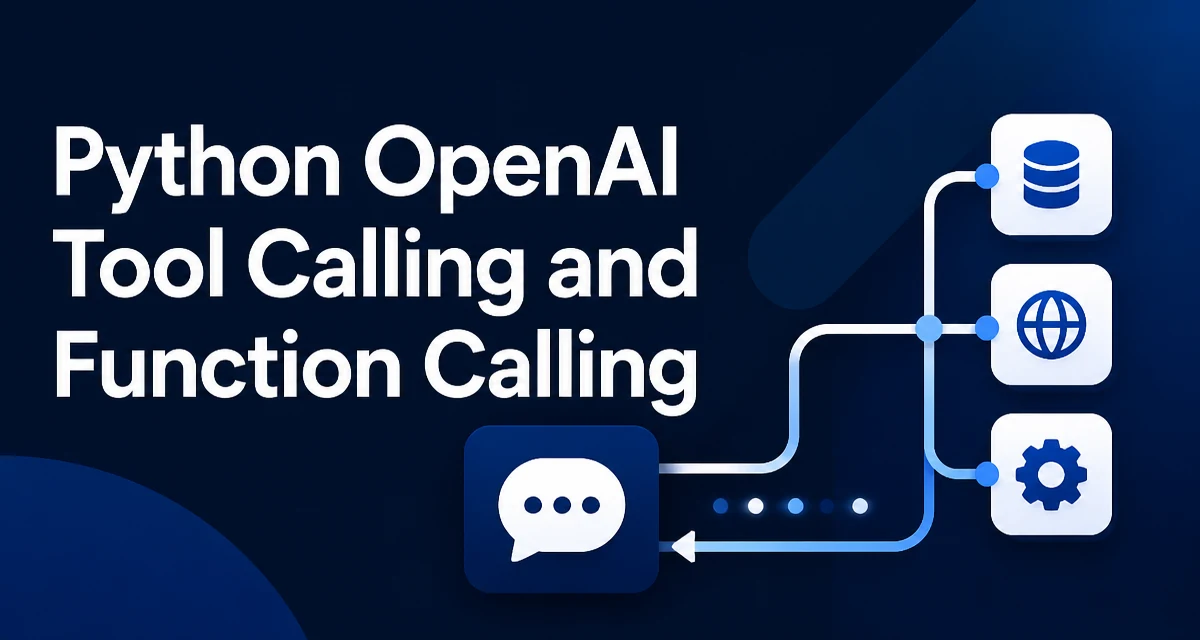
When you call the OpenAI Chat Completions API without tools, the model returns text and the conversation ends. The model cannot query a database, call an external API, or read a file. Python OpenAI tool calling and function calling change this by letting the model return a structured request for a function you define, instead of plain text. Your code executes the function and sends the result back as a new message. The model then continues the conversation using that result.
This is not the model running your code. The model only produces a JSON object describing which function to call and with what arguments. Your Python application is responsible for executing the function and returning the output. The API contract is explicit: the model requests, your code executes, and the result is fed back into the message history.
The practical effect is that a single user question can trigger several tool calls in sequence. For example, a user asks "What's the weather in Berlin and Tokyo?" The model may return two tool calls in one response, your code executes both, and the model then composes the final answer from the two results.
Defining a Tool Schema for the Model
A tool is declared as a JSON object with a type of "function" and a function field containing the name, description, and parameter schema. The parameter schema uses JSON Schema syntax, and the model uses it to generate valid arguments.
tools = [
    {
        "type": "function",
        "function": {
            "name": "get_weather",
            "description": "Get the current weather for a given city",
            "parameters": {
                "type": "object",
                "properties": {
                    "city": {
                        "type": "string",
                        "description": "City name, e.g. 'Berlin'"
                    },
                    "unit": {
                        "type": "string",
                        "enum": ["celsius", "fahrenheit"],
                        "description": "Temperature unit"
                    }
                },
                "required": ["city"]
            }
        }
    }
]
The description field matters more than it may appear. The model has no other way to learn when to call the function, so a precise description such as "Get the current weather for a given city" reduces irrelevant calls. The same applies to property descriptions: they guide the model in filling arguments correctly. If a property is optional, leave it out of required; if it is always needed, list it there.
Keep the schema as narrow as possible. A function that accepts a single city string is easier for the model to call correctly than one with ten optional parameters. If you need several related tools, define them separately rather than adding a tool_name parameter to one generic function.
Sending the Request with Tools
Pass the tools list to chat.completions.create alongside the normal message history. The tool_choice parameter defaults to "auto", which lets the model decide whether to call a tool or respond with text. Set it to "none" to disable tool calls for a request, or pass a specific tool object to force the model to use that tool.
from openai import OpenAI

client = OpenAI()

messages = [
    {"role": "user", "content": "What's the weather in Berlin?"}
]

response = client.chat.completions.create(
    model="gpt-4o",
    messages=messages,
    tools=tools,
    tool_choice="auto",
)
The response is a standard chat completion, but the assistant message may now contain a tool_calls list. Each element has an id, a function.name, and a function.arguments string. The arguments are always a JSON-encoded string, not a parsed object. You must decode them yourself.
message = response.choices[0].message

if message.tool_calls:
    for tool_call in message.tool_calls:
        print(tool_call.id)
        print(tool_call.function.name)
        print(tool_call.function.arguments)
When the model decides no tool is needed, tool_calls is None and message.content contains the final text. Your code must handle both cases.
Detecting and Executing Tool Calls
The execution step is where your Python code takes over. Map the tool name to a real function, decode the arguments, and call it. A simple dispatch table keeps the mapping explicit.
def get_weather(city: str, unit: str = "celsius") -> dict:
    # Replace with a real weather API call.
    return {"city": city, "temperature": 18, "unit": unit}

def execute_tool_call(tool_call):
    name = tool_call.function.name
    args = json.loads(tool_call.function.arguments)

    if name == "get_weather":
        return get_weather(**args)

    raise ValueError(f"Unknown tool: {name}")
Using **args assumes the model produced arguments that match the function signature. In practice the model occasionally omits an optional field or sends an unexpected key. Decode the JSON first, then validate before calling the function. A small wrapper that checks required keys and type-checks values prevents a malformed model response from crashing your application.
After execution, append the assistant message that contained the tool calls to the message history, then append one tool message per executed call. The tool_call_id must match the id from the original request.
messages.append(message)

for tool_call in message.tool_calls:
    result = execute_tool_call(tool_call)
    messages.append({
        "role": "tool",
        "tool_call_id": tool_call.id,
        "content": json.dumps(result),
    })
The content field must be a string. If your function returns a dict, serialize it with json.dumps before placing it in the message.
Running the Full Tool Loop
A single request rarely ends the conversation. The model may call a tool, receive the result, and then call another tool or produce the final answer. You need a loop that keeps sending the updated message history until the model stops requesting tools.
def run_conversation(messages):
    while True:
        response = client.chat.completions.create(
            model="gpt-4o",
            messages=messages,
            tools=tools,
        )
        message = response.choices[0].message

        if not message.tool_calls:
            return message.content

        messages.append(message)

        for tool_call in message.tool_calls:
            result = execute_tool_call(tool_call)
            messages.append({
                "role": "tool",
                "tool_call_id": tool_call.id,
                "content": json.dumps(result),
            })
The loop terminates when the model returns a message without tool_calls. In a production system, add a maximum iteration count so a model that keeps requesting tools cannot run indefinitely. A limit of five to ten rounds is usually enough for realistic workflows.
Note that the assistant message you append must be the full message object, including its tool_calls field. If you construct a plain dict with only role and content, the API will reject the subsequent request because the tool call ids have no matching assistant message.
Handling Malformed Arguments and Unknown Tools
The model is reliable but not perfect. Two failure modes appear in practice: invalid JSON in function.arguments, and a tool name that does not exist in your dispatch table.
For invalid JSON, wrap json.loads in a try/except and return a descriptive error as the tool result. The model can then read the error and correct its next call.
def execute_tool_call(tool_call):
    name = tool_call.function.name
    try:
        args = json.loads(tool_call.function.arguments)
    except json.JSONDecodeError:
        return {"error": "Arguments were not valid JSON"}

    if name == "get_weather":
        return get_weather(**args)

    return {"error": f"Unknown tool: {name}"}
Returning an error dict as the tool result keeps the conversation flowing. The model sees the error in the message history and can adjust. Raising an exception instead would break the loop and lose the conversation context.
For missing required arguments, validate before calling the function. If city is absent, return an error explaining what is missing. This is more reliable than letting the function raise a TypeError deep inside your code.
Production Considerations for Tool Calling
Tool calling adds a network round trip for every tool execution, so a conversation that calls three tools requires at least four API requests: the initial call, three tool-result turns, and the final answer. This affects both latency and cost. Batch independent tool calls into a single request when possible. If the model returns three tool calls at once, execute them concurrently with ThreadPoolExecutor rather than sequentially.
from concurrent.futures import ThreadPoolExecutor

with ThreadPoolExecutor() as pool:
    results = list(pool.map(execute_tool_call, message.tool_calls))
Log every tool call with its arguments and result. When the model produces an unexpected argument or calls the wrong tool, the log is the fastest way to diagnose whether the schema description is misleading or the validation logic is too strict. Include the tool_call_id in the log so you can correlate the request, the execution, and the follow-up model response.
Security matters when a tool executes side effects. A function that reads a file or sends an email should validate its inputs before acting. The model may generate arguments that are syntactically valid but semantically dangerous, such as a path like ../../etc/passwd or an email address that should not receive messages. Treat tool arguments as untrusted input and apply the same validation you would apply to any user-supplied data.
Finally, keep the tool schema versioned. When you change a function's parameters, older conversation histories may still reference the old schema. If you persist message histories, a request that replays an old assistant message with tool calls will fail unless the current schema still matches. Store the schema version alongside the conversation, or clear tool-related messages when the schema changes.