Python OpenCV vs Pillow: Choosing the Right Image Library
python opencv vs pillow: Compare OpenCV and Pillow for Python image processing: API differences, performance characteristics, and concrete guidance on which library fi...
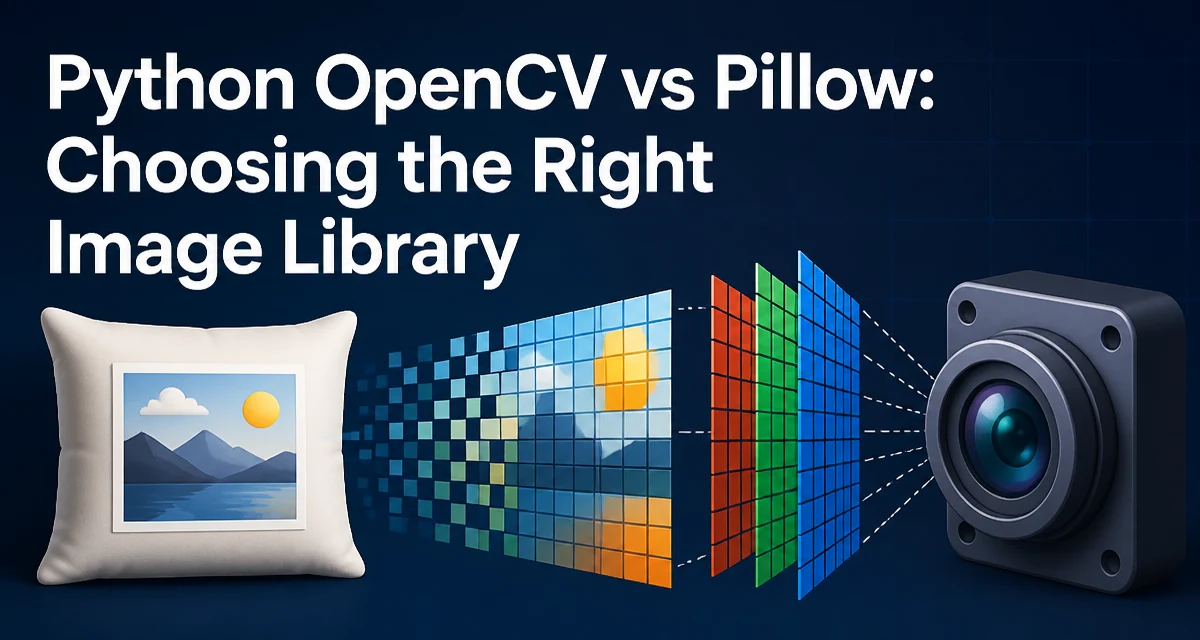
python opencv vs pillow requires a clear understanding of the core syntax, runtime behavior, and practical implementation patterns demonstrated in the examples below.
When you need to process images in Python, two libraries dominate the conversation: OpenCV and Pillow. Both handle basic image loading, resizing, and color conversions, but they are built for different problems. OpenCV is a computer vision framework with a large set of algorithms for detection, tracking, and geometric transformations. Pillow is a focused imaging library that excels at file format support, pixel-level manipulation, and simple batch operations. The right choice depends on whether you are building a vision pipeline or just need reliable image I/O and basic edits.
What Each Library Actually Provides
Pillow (the modern fork of the Python Imaging Library) reads and writes dozens of image formats, including PNG, JPEG, GIF, TIFF, and WebP. Its core data structure is the Image object, which gives you direct access to pixel data and a wide range of filters, drawing operations, and color space conversions. Pillow is lightweight, pure Python (with a C backend for performance-critical operations), and integrates easily with web frameworks and scripts.
OpenCV (Open Source Computer Vision Library) is a C++ library with Python bindings. Its primary data structure is numpy.ndarray, so images are just arrays of pixel values. OpenCV includes hundreds of functions for feature detection, object recognition, camera calibration, and video analysis. It also provides optimized implementations of common operations like filtering, thresholding, and morphological transformations. OpenCV is not a drop-in replacement for Pillow; it is a much broader toolkit.
The key distinction is scope. Pillow solves the problem of "read, modify, save an image." OpenCV solves the problem of "analyze and understand an image." If you are cropping a photo for a web thumbnail, Pillow is enough. If you are detecting faces in a live video stream, you need OpenCV.
Core Differences in Image Handling
The two libraries represent images differently, which affects every operation you perform.
| Aspect | Pillow | OpenCV |
|---|---|---|
| Data structure | PIL.Image.Image | numpy.ndarray |
| Color order | RGB by default | BGR by default |
| Pixel access | getpixel() / putpixel() | Direct array indexing |
| Coordinate system | Top-left origin, y down | Same, but array indexing is [row, col] |
| Format support | Extensive, including WebP, GIF, ICO | Limited to common formats via imread/imwrite |
| Video support | None | Built-in VideoCapture |
| Advanced algorithms | Minimal | Extensive (feature detection, optical flow, etc.) |
These differences matter in practice. For example, OpenCV's default BGR order is a common source of confusion when displaying images with matplotlib. Pillow's RGB order is more intuitive for web developers. Also, OpenCV's array-based representation makes it natural to use NumPy operations for custom transformations, while Pillow's Image object hides the pixel buffer behind a higher-level API.
Syntax and API Comparison
Let's look at equivalent operations in both libraries.
Loading and Saving
# Pillow
from PIL import Image
img = Image.open('photo.jpg')
img.save('photo.png')

# OpenCV
import cv2
img = cv2.imread('photo.jpg')
cv2.imwrite('photo.png', img)
Pillow's Image.open() is lazy; it reads the file header and delays decoding until you access pixels or save. OpenCV's imread() loads the entire image into memory immediately. For large images, Pillow can be more memory-efficient if you only need metadata or a thumbnail.
Resizing
# Pillow
resized = img.resize((800, 600))

# OpenCV
resized = cv2.resize(img, (800, 600))
Both use different interpolation methods by default. Pillow uses NEAREST unless you specify otherwise, which can produce jagged edges. OpenCV defaults to INTER_LINEAR, which is smoother. For high-quality downscaling, you should explicitly set interpolation in both libraries.
Color Conversion
# Pillow
gray = img.convert('L')

# OpenCV
gray = cv2.cvtColor(img, cv2.COLOR_BGR2GRAY)
Pillow's convert method is concise and handles many mode conversions (RGB, RGBA, L, CMYK, etc.). OpenCV requires you to specify the source and destination color spaces. This is more verbose but also more explicit, which is helpful when you are working with video frames or camera input.
Pixel Access
# Pillow
pixel = img.getpixel((x, y))
img.putpixel((x, y), (255, 0, 0))

# OpenCV
pixel = img[y, x]  # note: row, column order
img[y, x] = [255, 0, 0]  # BGR
Pillow's getpixel and putpixel are convenient for occasional reads, but they are slow in loops. OpenCV's array indexing is much faster for bulk operations because it leverages NumPy's vectorized operations.
Performance and Memory Considerations
Performance differences between OpenCV and Pillow come from their underlying implementations and data structures. OpenCV is heavily optimized for real-time processing; many functions use SIMD instructions and multi-threading. Pillow's C backend is also fast for I/O and basic filters, but it is not designed for high-throughput computer vision tasks.
For example, applying a Gaussian blur to a large image is significantly faster in OpenCV because it uses a separable filter optimized for cache locality. Pillow's ImageFilter.GaussianBlur is adequate for one-off edits but will be slower in a loop processing thousands of frames.
Memory usage also differs. OpenCV stores images as NumPy arrays, which you can slice, reshape, and share without copying. Pillow's Image object is more opaque; operations like crop() return a new image that shares memory with the original only in specific cases. If you are working with video streams, OpenCV's array model lets you reuse buffers and avoid allocations.
Neither library is inherently "better" in performance; it depends on the operation. For simple resizing and format conversion, Pillow is often sufficient. For feature detection, template matching, or any operation that processes many pixels per frame, OpenCV is the clear choice.
When to Use Pillow
Pillow is the right tool when your task is primarily about image I/O and basic manipulation. Common scenarios include:
- Generating thumbnails for a web application.
- Converting between formats (e.g., PNG to JPEG) with control over quality.
- Adding text, watermarks, or simple shapes to images.
- Reading image metadata (EXIF, etc.) without decoding the full image.
- Working with GIFs or animated images.
Pillow's API is more Pythonic and easier to learn for developers who do not need computer vision. It also integrates well with Django and Flask, where you might process uploaded images in a request handler.
Another advantage is that Pillow does not require NumPy as a dependency. If you want to keep your environment minimal, Pillow is lighter. OpenCV pulls in NumPy and a larger binary, which can be a concern in constrained deployment environments.
When to Use OpenCV
OpenCV is the standard choice for computer vision tasks, but it is also useful for advanced image processing that goes beyond what Pillow offers. Use OpenCV when you need:
- Object detection (faces, pedestrians, custom models).
- Feature matching (SIFT, ORB, etc.).
- Video capture and processing from webcams or files.
- Geometric transformations like perspective correction and image stitching.
- Real-time processing with low latency.
- Integration with NumPy for custom algorithms.
OpenCV also provides better interpolation and filtering options. For example, cv2.warpAffine and cv2.warpPerspective are essential for image registration and alignment. Pillow has no equivalent for these operations.
If you are already using NumPy for data analysis, OpenCV's array-based API fits naturally. You can apply any NumPy operation to an image, then use OpenCV to visualize or save it.
Combining Both Libraries in One Project
You do not have to choose one exclusively. Many production systems use both. A common pattern is to load an image with Pillow, perform some format-specific preprocessing, then convert it to a NumPy array for OpenCV processing.
from PIL import Image
import numpy as np
import cv2

# Load with Pillow to handle unusual formats or metadata
pil_image = Image.open('input.tiff')
# Convert to RGB (Pillow uses RGB)
rgb_array = np.array(pil_image.convert('RGB'))
# OpenCV expects BGR, so reverse the channels
bgr_array = cv2.cvtColor(rgb_array, cv2.COLOR_RGB2BGR)
# Now use OpenCV functions
processed = cv2.GaussianBlur(bgr_array, (5, 5), 0)
# Convert back to Pillow for saving as GIF or other format
result_rgb = cv2.cvtColor(processed, cv2.COLOR_BGR2RGB)
result_pil = Image.fromarray(result_rgb)
result_pil.save('output.gif')
This approach lets you use Pillow's broad format support (like TIFF or ICO) and OpenCV's processing power. The conversion overhead is minimal because NumPy arrays share memory with the image data when possible.
Decision Criteria for Your Project
To decide between OpenCV and Pillow, evaluate the following conditions:
- Primary task: If you are doing computer vision (detection, tracking, recognition), choose OpenCV. If you are doing simple edits or format conversion, choose Pillow.
- Performance requirements: For real-time or batch processing of many images, OpenCV's optimized functions will be more responsive. For occasional one-off operations, Pillow is fine.
- Dependencies: If you want to avoid NumPy and keep your environment small, Pillow is the lighter choice.
- API familiarity: Pillow's API is more intuitive for beginners. OpenCV's function names and argument orders have a steeper learning curve.
- Integration: If you are already using NumPy or need to pass images to a machine learning model, OpenCV's array format is more convenient.
There is no universal winner. The right library depends on the specific operation you need to perform. For a web service that resizes user uploads, Pillow is sufficient. For an autonomous vehicle project, OpenCV is essential. Understanding the strengths of each lets you pick the right tool for the job without carrying unnecessary dependencies.
Handling Color Order Mismatches
One of the most common pitfalls when working with both libraries is the color channel order. Pillow uses RGB, OpenCV uses BGR. If you load an image with OpenCV and then try to display it with a library that expects RGB (like matplotlib), the red and blue channels will be swapped. Similarly, if you convert a Pillow image to a NumPy array and pass it to OpenCV without reversing channels, your colors will be wrong.
Always be explicit about the color space when converting between libraries. Use cv2.cvtColor with COLOR_RGB2BGR or COLOR_BGR2RGB as appropriate. This is a small step that prevents hours of debugging.
Another subtlety is the data type. Pillow images are typically 8-bit unsigned integers, but OpenCV can handle 16-bit and 32-bit float arrays. When converting from Pillow to OpenCV, ensure the array is contiguous and has the correct dtype. np.array(pil_image) returns a contiguous array, but you may need to call np.ascontiguousarray() if you have sliced the image.
These details matter in production, where a color shift or a type mismatch can corrupt the output. By understanding the underlying data structures, you can write conversion code that is robust and maintainable.