Python Package Structure: Layout, Imports, and Packaging
python package structure: Learn how to organize Python code into packages: directory layout, __init__.py usage, import resolution, and packaging for distribution.
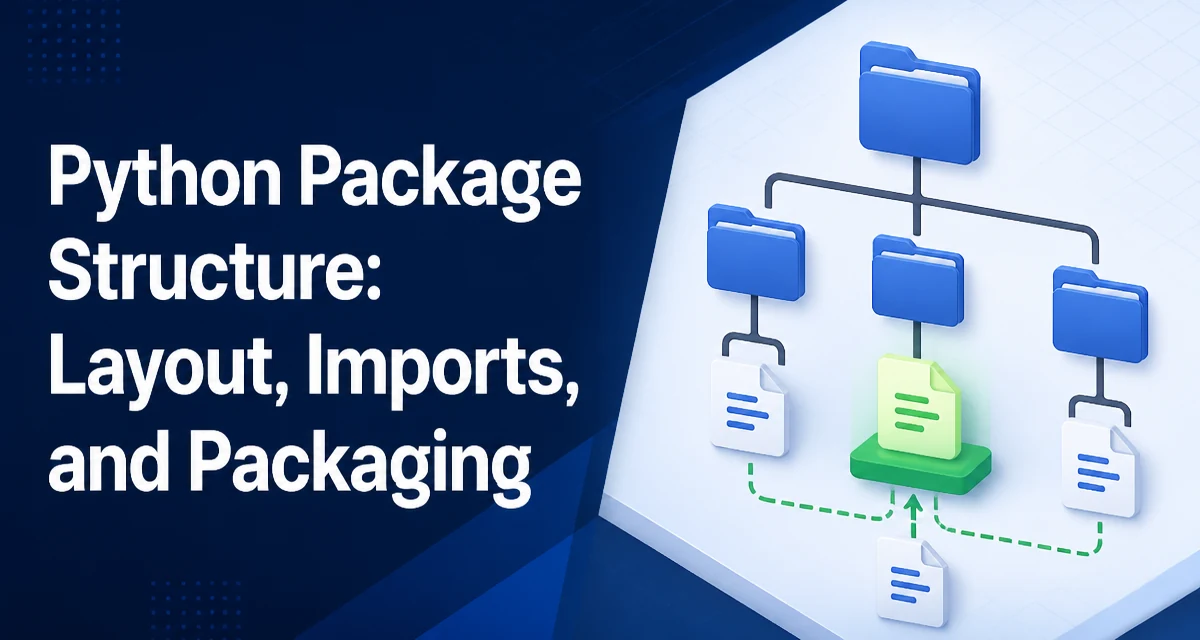
python package structure requires a clear understanding of the core syntax, runtime behavior, and practical implementation patterns demonstrated in the examples below.
A Python package is more than a folder of scripts. Its structure determines how imports resolve, how the code can be tested, and how easily it can be published to PyPI. Getting the layout right from the start saves time when the project grows.
What a Python Package Actually Is
A package is a directory that contains an __init__.py file, which marks the directory as a Python package. This allows you to use dotted module names like import mypackage.module_a. Without that file, Python treats the directory as an ordinary namespace package only if it is explicitly used as such. For most projects, the __init__.py file is what turns a directory into an importable unit.
The __init__.py file can be empty, but it often contains package-level imports or defines __all__. It runs when the package is first imported, so any code placed there executes exactly once per interpreter session.
The Minimal Package Layout
A typical package structure looks like this:
mypackage/
├── __init__.py
├── module_a.py
└── subpackage/
    ├── __init__.py
    └── module_b.py
Each directory that should be importable must contain its own __init__.py. The top-level __init__.py makes mypackage importable; the one inside subpackage makes mypackage.subpackage importable. Modules are just .py files that live inside these directories.
Here is a minimal module_a.py:
def useful_function():
    return "result"
And module_b.py in the subpackage:
def helper():
    return "helper"
With this layout, you can import either module from anywhere in your codebase, as long as the parent directory of mypackage is on sys.path.
How Imports Resolve Inside a Package
When you import a module from a package, Python uses the package's __path__ to find the module. Two styles of import statements work inside a package:
Absolute imports use the full package path from the top-level package name:
from mypackage.module_a import useful_function
from mypackage.subpackage.module_b import helper
Relative imports use dots to refer to the current or parent package:
from .module_a import useful_function
from .subpackage.module_b import helper
A single dot refers to the current package, two dots refer to the parent package, and so on. Relative imports are useful because they let you rename the top-level package without rewriting every import statement inside it.
Choosing Between Absolute and Relative Imports
The choice depends on how the package will be used and how much flexibility you need.
Use absolute imports when the package is installed as a dependency and you want the imports to be explicit and easy to grep. Absolute imports also work when the package is run as a script, as long as the top-level package is on sys.path.
Use relative imports when you want the package to remain self-contained and movable. If you later change the top-level package name, relative imports continue to work without modification. However, relative imports only work when the module is imported as part of a package, not when it is executed directly as a script.
A common rule is to use relative imports for internal references between modules within the same package, and absolute imports for references to external packages or to the top-level package from outside. This keeps the internal structure decoupled from the package name.
What init.py Should and Should Not Do
The __init__.py file is the entry point for the package. It can re-export names to provide a clean public API. For example:
# mypackage/__init__.py
from .module_a import useful_function
__all__ = ["useful_function"]
Now from mypackage import useful_function works, and from mypackage import * imports only the names in __all__. This is a common pattern for hiding internal implementation details.
Avoid placing heavy logic in __init__.py. It runs on every import, so expensive imports or side effects there can slow down any code that imports the package. Keep it to re-exports, version constants, or simple package-level configuration.
Avoiding Circular Imports and Import Errors
Circular imports happen when two modules import each other at the top level. For example:
# module_a.py
from .module_b import helper

def useful_function():
    return helper()
# module_b.py
from .module_a import useful_function

def helper():
    return useful_function()
Importing mypackage.module_a triggers an import of module_b, which in turn tries to import module_a again. Since module_a is still being initialized, Python raises an ImportError.
Fix this by moving one of the imports inside a function or method, so it runs only when the function is called, not at module load time. Alternatively, restructure the code to avoid the mutual dependency. Circular imports are usually a sign that the modules are too tightly coupled.
Another common error is ImportError: attempted relative import with no known parent package. This occurs when you run a module inside a package directly as a script, like python mypackage/module_a.py. Relative imports require the module to be loaded as part of a package. To run it correctly, use python -m mypackage.module_a from the directory that contains the mypackage folder.
Preparing the Package for Distribution
To distribute your package, you need a build configuration. A minimal pyproject.toml using setuptools looks like this:
[build-system]
requires = ["setuptools>=61.0"]
build-backend = "setuptools.build_meta"

[project]
name = "mypackage"
version = "0.1.0"

[tool.setuptools.packages.find]
include = ["mypackage*"]
The packages.find directive tells setuptools to include all directories that look like packages under the mypackage namespace. Without it, the build might miss subpackages or include unrelated directories. This configuration is enough to produce a wheel with python -m build.
Namespace Packages and When They Are Useful
A namespace package is a directory without an __init__.py file. Multiple directories can contribute to the same namespace package, allowing you to split a package across different locations on sys.path. This is useful for plugin systems or when different teams maintain separate parts of a package under the same top-level name.
For example, you could have two directories, acme_plugins and acme_plugins_extra, both contributing to the acme_plugins namespace. Python merges them into a single package when imported.
Namespace packages are more advanced and usually not needed for typical applications. They add complexity to packaging and can make debugging harder. Use them only when you have a genuine need to split a package across multiple distributions.
Maintainability: Organizing Code Within a Package
As a package grows, its structure directly affects how easy it is to maintain. Group related modules into subpackages to keep the top level clean. For example, a web framework might have core, http, and utils subpackages. Keep modules small and focused on a single responsibility. Large modules that do many things are harder to test and more likely to create import cycles.
Use clear, descriptive names for modules and subpackages. Avoid a single utils.py that accumulates unrelated functions; split it into string_utils.py, file_utils.py, and so on. This makes imports more readable and helps new developers find code faster.
Finally, keep the public API surface explicit. Use __all__ in __init__.py to define what is exported. This prevents accidental exposure of internal functions and makes the package's interface predictable.