Python Pandas Groupby Aggregate on Multiple Columns
python pandas groupby aggregate and multiple columns: Learn how to use pandas groupby with aggregate on multiple columns, including syntax, examples, and performance c...
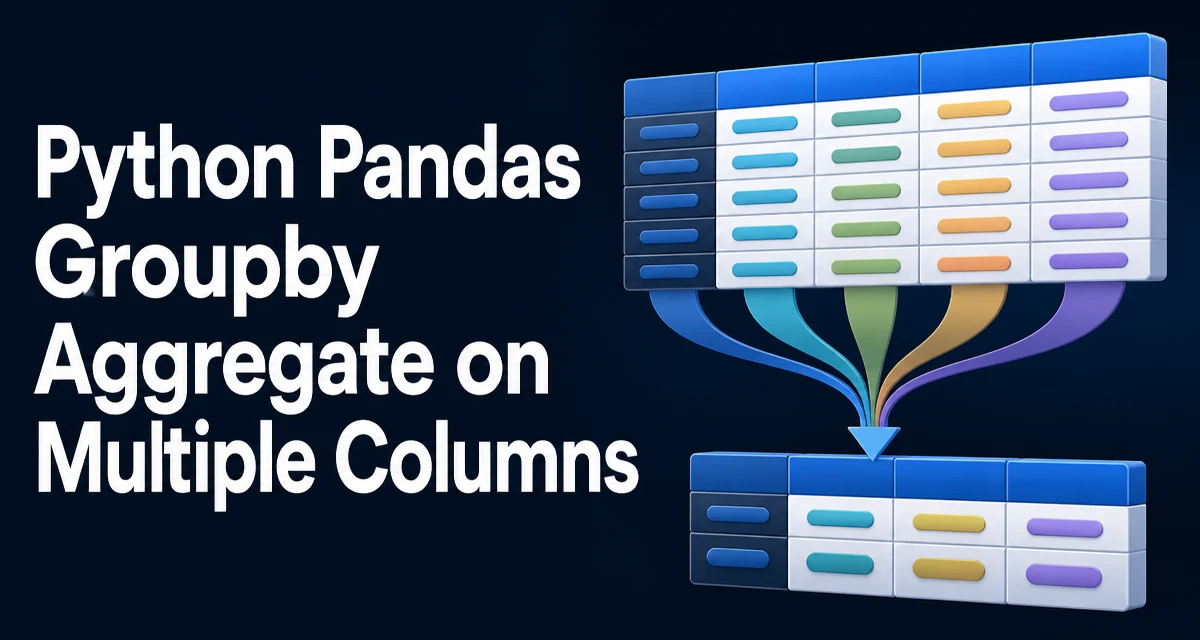
Python pandas groupby aggregate and multiple columns is a common pattern when you need to summarize data across several fields. The groupby method splits the DataFrame into groups, and the agg method applies one or more aggregation functions to each group. When the aggregation targets multiple columns, the syntax can become confusing because you need to specify which function applies to which column.
The Basic groupby and agg Pattern
Before handling multiple columns, it helps to recall the standard single-column aggregation. Given a DataFrame with sales data, you might want the total sales per region:
import pandas as pd

df = pd.DataFrame({
    'region': ['North', 'South', 'North', 'South'],
    'sales': [100, 200, 150, 250],
    'cost': [80, 120, 90, 130]
})

df.groupby('region')['sales'].sum()
This returns a Series with the sum of sales for each region. The ['sales'] selection limits the aggregation to one column. When you need to aggregate more than one column, you have several options.
Aggregating Multiple Columns with a Dictionary
The most direct way to apply different aggregation functions to different columns is to pass a dictionary to agg. The keys are column names, and the values are the functions to apply:
df.groupby('region').agg({'sales': 'sum', 'cost': 'mean'})
This computes the total sales and the average cost per region. The result is a DataFrame with one row per region and one column per aggregation. You can also use callables like lambda x: x.max() - x.min() if you need a custom function.
A dictionary works well when the aggregation functions are not the same across columns. If you want to apply the same function to multiple columns, you can pass a list of columns and a single function:
df.groupby('region')[['sales', 'cost']].sum()
But this only works when the function is identical. For mixed functions, the dictionary is the clearest approach.
Using Named Aggregation for Readable Output
Since pandas 0.25, you can use named aggregation to give each result column a meaningful name. This is especially useful when you apply multiple functions to the same column or when the default column names are ambiguous.
df.groupby('region').agg(
    total_sales=('sales', 'sum'),
    avg_cost=('cost', 'mean'),
    sales_range=('sales', lambda x: x.max() - x.min())
)
Each keyword argument becomes a column in the result. The syntax is new_name=('source_column', 'function'). This approach is more readable than a dictionary when you have several aggregations, and it avoids the awkward column names that pandas generates when you pass a list of functions.
Named aggregation also works when you want to apply multiple functions to the same column:
df.groupby('region').agg(
    sales_sum=('sales', 'sum'),
    sales_count=('sales', 'count')
)
Grouping by Multiple Columns
So far, we have grouped by a single column. Often you need to group by several columns to create a finer partition. For example, you might want sales by region and product:
df = pd.DataFrame({
    'region': ['North', 'North', 'South', 'South'],
    'product': ['A', 'B', 'A', 'B'],
    'sales': [100, 150, 200, 250]
})

df.groupby(['region', 'product']).agg(total_sales=('sales', 'sum'))
The result has a MultiIndex with region and product as index levels. You can use as_index=False to keep them as columns instead:
df.groupby(['region', 'product'], as_index=False).agg(total_sales=('sales', 'sum'))
When grouping by multiple columns, the same aggregation rules apply. You can use a dictionary or named aggregation to target different columns.
Handling Missing Values and Edge Cases
Aggregations behave differently when the data contains NaN. Most aggregation functions like sum and mean skip missing values by default. However, count counts non-null values, while size counts all rows including those with NaN. If you need to count missing values explicitly, you can use lambda x: x.isna().sum().
Another edge case occurs when a group is empty. In a standard groupby, groups are formed from the observed values, so empty groups do not appear unless you use observed=True with categorical data. If you have a categorical column and want to include all categories even when they have no rows, use observed=False (the default in older pandas versions) or explicitly reindex the result.
When aggregating multiple columns, ensure that the columns you reference in the agg call actually exist. A KeyError is raised if you mistype a column name. This is a common source of confusion when the DataFrame has many columns.
Performance Considerations for Large DataFrames
Aggregating multiple columns with groupby can be memory-intensive when the DataFrame is large. The dictionary and named aggregation approaches both materialize the result as a new DataFrame, which may be significantly smaller than the original if the number of groups is small. However, the grouping operation itself requires sorting or hashing the group keys.
For large datasets, consider the following:
- Use
sort=Falseingroupbyif you do not need the groups sorted. This avoids the sorting step and can reduce runtime. - Avoid applying Python-level loops or custom functions that are not vectorized. Built-in aggregation functions like
sum,mean, andmaxare implemented in C and are much faster than alambdathat iterates row by row. - If you need multiple aggregations, combine them in a single
aggcall rather than running severalgroupbyoperations separately. This avoids repeated grouping work. - For very large DataFrames that do not fit in memory, consider using
daskorpolars, but that is outside the scope of pandas itself.
A common mistake is to call groupby multiple times for different aggregations. For example, computing the sum and then the mean in two separate operations forces pandas to group the data twice. A single agg with both functions is more efficient.
Common Mistakes and How to Avoid Them
One frequent error is confusing agg with apply. agg applies functions to columns, while apply can work on rows or columns and is more flexible but slower. Use agg when you need standard aggregations.
Another mistake is forgetting to select columns before calling agg when you only need a subset. If you call df.groupby('region').agg('sum') on a DataFrame with non-numeric columns, pandas will either ignore them or raise an error depending on the version. It is safer to explicitly list the columns you want to aggregate.
When using named aggregation, the column names in the result are the keyword arguments. If you use a dictionary, the result columns are named after the original columns, which can be ambiguous if you apply multiple functions to the same column. For example, df.groupby('region').agg({'sales': ['sum', 'mean']}) produces a MultiIndex column, which is harder to work with. Named aggregation avoids this by letting you assign distinct names.
Finally, be aware of the groupby behavior with dropna. By default, groups with NaN in the grouping key are excluded. If you want to include them, use dropna=False. This is often overlooked when grouping by a column that contains missing values.
Combining Groupby with Other DataFrame Operations
Aggregating multiple columns is often part of a larger data pipeline. You might need to merge the aggregated result back into the original DataFrame. The transform method is useful when you want to keep the original row count and add aggregated values as a new column:
df['total_sales_by_region'] = df.groupby('region')['sales'].transform('sum')
This adds a column where each row contains the total sales for its region. Unlike agg, transform returns a Series aligned with the original index. This is handy for feature engineering or for creating ratios without losing the original rows.
When you need both the aggregated summary and the original data, consider using merge with the aggregated result. This gives you full control over the join keys and avoids the alignment surprises that can occur with transform.
Understanding how groupby, agg, and transform interact is essential for writing clean and efficient pandas code. The ability to aggregate multiple columns with different functions is a core skill for any data engineer or analyst working with tabular data in Python.